

Study Guide Part 2 (CS 1st 9Wk)

Presentation
•
Computers
•
9th - 12th Grade
•
Easy

Rickey Taylor
Used 1+ times
FREE Resource
43 Slides • 25 Questions
1
Discover new features in Lessons!
Finish all phases of “I-do ; We-do ; You-do” with Quizizz
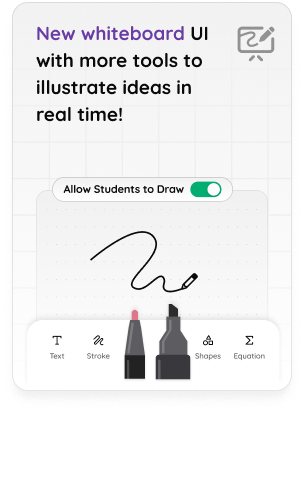
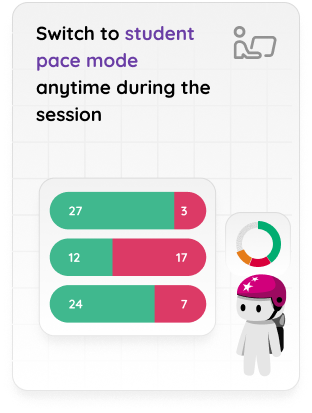
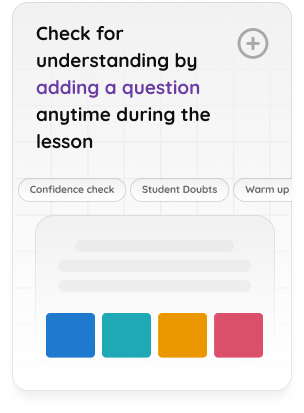
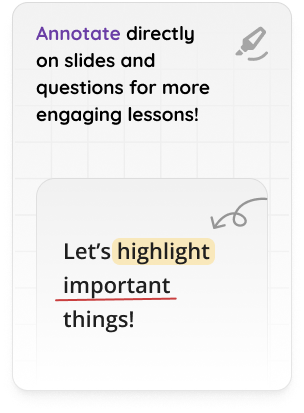
You can also create lessons directly on Google Slides using “Quizizz Extension”.
Read more about it here
2
Multiple Choice
Web pages starts with which of the following tag?
<form>
<HTML>
<body>
<Title>
3
4
Multiple Choice
What does HTML stand for?
Hypertile Mashup Language
Hyperstyle Markup Language
Hypotext Markdown Language
Hypertext Markup Language
5
Fill in the Blanks
What does the BIOS stand for?
6
Fill in the Blanks
7


Java Day 1
A Gentle Introduction
8
BIOS (basic input/output system) is the program uses to start the computer system after it is powered on.
Some text here about the topic of discussion


9
in Operating System

10
Fill in the Blanks
BIOS stands for
11


Intro to HTML
How Programmers Create Basic
Websites
12
OBJECTIVES
-identify the function of Power on Self-Test;
-be familiar on how to access the Basic-Input-Output-System (BIOS) configuration procedures.
Some text here about the topic of discussion
13
What is a booting?
The process of starting up a device or computer.
14
Fill in the Blanks
15
What is CSS?
CSS stands for Cascading Style Sheets
CSS describes how HTML elements are to be displayed on screen, paper, or in other media
CSS saves a lot of work. It can control the layout of multiple web pages all at once
External stylesheets are stored in CSS files
16
What BIOS is on my computer?
To determine the type or version of BIOS on your computer, you need to access the BIOS setup. On the main BIOS screen, it should display the BIOS type, like AMI, Award, or Phoenix, and the version of the BIOS.
Some text here about the topic of discussion
17
The booting process is ensure all the hardware and system software is working in proper way and ready to use.
18
Bootstrap Loader - Locate the operating system. If a capable operating system is located, the BIOS will pass control to it.
Bootstrap Loader
POST - Test the computer hardware and make sure no errors exist before loading the operating system.
POST
What are the four main functions of a PC BIOS?
Some text here about the topic of discussion
19


LT- I will learn what
language is used to
make most websites.
2
SC- I can read a source code and find the different parts of a website in the code.
20
Fill in the Blanks
21
Open Ended
What is a booting? What is ensured at booting?
22
BIOS setup or CMOS setup - Configuration program that allows you to configure hardware settings including system settings, such as date, time, and computer passwords.
BIOS Setup
BIOS drivers - Low-level drivers that give the computer basic operational control over your computer's hardware..
BIOS Driver
What are the four main functions of a PC BIOS?
Some text here about the topic of discussion
23

What is
Java?
▫ General-purpose
computer-programming
language
▫ Concurrent, class-based,
object-oriented
▫ … and minimum
implementation of
dependencies as possible
24
Every computer provides a way to enter the BIOS setup. This interface allows you to configure the basic settings of your computer.
Subject | Subject
Some text here about the topic of discussion

25
Process happened in booting process:
26
BIOS Setup Utility allows users to access and configure the BIOS. The method for accessing the BIOS Setup Utility varies depending on the device being used. Users can typically access and customize BIOS by Setup Utility by following the steps below:
Subject | Subject
Some text here about the topic of discussion
27
Dropdown
28
1. Power off the computer.
2. When the computer turns back on, look for a message which displays "entering setup" message in the first few seconds after turning on your computer. This message varies greatly from computer to computer and also includes the key or keys you need to press to enter BIOS. Some keys often used as prompts are Del, Tab, Esc, Ctrl-Esc, Ctrl-Alt-Esc and any of the function keys (F1-F12).
3. Upon seeing the prompt, quickly press the key specified
Subject | Subject
Some text here about the topic of discussion
29
Central Processing Unit (CPU) starts executing instructions from a specific memory location. The location will be process in BIOS/UEFI
BIOS= Basic Input Output System
UEFI= Unified Extensible Firmware Interface

30
In order for a system to boot, it must have a BIOS. In fact, if the BIOS fails or is missing, the system will not start.
The BIOS, or Basic Input Output System, is a piece of software that is stored on a small memory chip on the motherboard.
Some text here about the topic of discussion
31
Multiple Choice
What does CSS stand for?
Cascadian Street Slang
Cruising Style Stools
Cascading Style Sheets
These are all wrong
32
Fill in the Blanks
POST stands for
Type answer...
33
The BIOS/UEFI performs a Power-On Self-Test to check the hardware components for proper functionality.

34
Open Ended
2. Danielle assembled her computer and wants to configure the date and time. She needs to access the BIOS Setup Utility. What steps should be done?
35

WHAT IS HTML?
The language used to create a website
Allows computers to connect to one another (Hypertext)
Tells the computer how to display the information
3
36
The BIOS/UEFI identifies the bootable devices in the system, such as hard drives, solid-state drives, optical drives (CD/DVD), USB drives, etc.

37
Fill in the Blanks
JAVA is a type of _ _?
38
The BIOS/UEFI loads MBR (Master Boot Record) to find boot loader and execute the boot loader.
The boot loader is a small piece of software that takes control of the boot process.
39
Multiple Choice
What does HTML allow computers to do?
Store lots of data
Connect to one another (Hypertext)
Run operating systems
Run operating systems
40
Multiple Choice
Which one is MBR?
Master Boat Record
Memory Boot Record
Master Boot Record
Master Boot Recognition
41

Metadata is data about the HTML document. Metadata is not displayed.
Metadata typically define the document title, character set, styles, scripts, and other meta information.
Metadata
Data about Data
42
Kernel is the core of the operating system.
Boot loader loads kernel into the RAM and process the memory, CPU and managing hardware.

43


What is HTML?
•HTML is a universal language understood
by people all over the world.
•Someone in China can write a code for
a website and someone in Brazil can
understand it.
•It was developed by Tim Berners-Lee
in 1990.
•He wanted a way for different college
professors to be able to read each other's
documents.
Tim Berners-Lee
44
Multiple Choice
Kernel is?
Core of Operating System
Core of the Earth
Core Operating Surgeon
Core Workout
45


Java bytecode is the
instruction set of the Java
virtual machine
46
Initializes the hardware components, mounts the root file system, and sets up the initial environment.
The root file system contains the core system files and directories.
47


What does H-T-M-L stand for?
•HyperText Markup Language (HTML)
•It determines what is on a webpage.
•It tells Google Chrome what to display.
•Google Chrome is called a Browser.
•It is not difficult once you learn the language.
•It does not take expensive software to create a webpage. (It's free)
48
The computer is ready for user interaction.

49
What is a CSS Selector?
A CSS selector selects the HTML element(s) you want to style.
CSS selectors are used to "find" (or select) the HTML elements you want to style.
50
Open Ended
So, please type 7 process in booting.
51
Multiple Choice
HTML was developed by Tim Berners-Lee in the year____.
1985
1987
1990
2000
52


Java
Virtual
Machine
(JVM)
Because the Java VM is
available on many different
operating systems, the same
.class files are capable of
running on any platform.
53


HTML Structure
•Syntaxis a set of rules on how to put words and phrases together.
•For example, if you speak English, you begin a sentence with a capital
letter and end a sentence with a period.
54
Multiple Choice
Why do we use CSS?
HTML wasn’t intended to be able to style web pages, CSS allows us to add style
Separate the content of a web page from the design of a web page
Easily modify the look and feel of a web site even at a large scale
All of the above
55

Tags and Attributes
•There are three parts to writing code in HTML: Tags,
Content, and Attributes
•Tags tell the computer what you want to display.
•Content is what you want people to see on the computer
screen.
•Attributes describe how you want the content to look.
56
Multiple Choice
JVM stands for"?
JAVA Virtue Machine
JAVA Virtual Machine
JAVA Virtual Money
JAVA Virtual Mechanic
57
Match
Match the following
Tags
Content
Attributes
instructs what you want to display
what you want people to see
how you want it to look
instructs what you want to display
what you want people to see
how you want it to look
58
A CSS rule consists of a selector and a declaration block.
The selector points to the HTML element you want to style.
The declaration block contains one or more declarations separated by semicolons.
Each declaration includes a CSS property name and a value, separated by a colon.
Multiple CSS declarations are separated with semicolons, and declaration blocks are surrounded by curly braces.

59

How they work
•Tags have two parts: The opening and the
closing.
•Tags are enclosed in the angle brackets found
above your comma and period on the keyboard.
They look like this.
<html>
Opening Bracket
Closing Bracket
Tag Name
60

Difference
between
JDK and
JRE?
JRE:
If you want to run Java programs, but
not develop them, download the JRE.
JDK:
If you want to develop Java
applications, download the Java
Development Kit, or JDK.
The JDK includes the JRE, so you do
not have to download both
separately.
61

Open and Close
When a tag is created, you must open it and
close it.
•A closing tag has a slash in it.
•This is called creating a “Container”
<html>
</html>
Opening Tag
Closing Tag
62
The class selector selects HTML elements with a specific class attribute.
To select elements with a specific class, write a period (.) character, followed by the class name.
Class
The id selector uses the id attribute of an HTML element to select a specific element.
The id of an element is unique within a page, so the id selector is used to select one unique element!
To select an element with a specific id, write a hash (#) character, followed by the id of the element.
Id
63
Multiple Choice
HTML stands for...
Hyper Time Multiple Language
Hyper Text Mark-up Language
Hippo T-Rex Mascot Lemur
Hipper Text Make Language
64

☕
Java programs are called
‘classes’
They exist inside a container
called a project
All classes have at least one
method called main()

65
Multiple Choice
66
Multiple Choice
<h1> is an example of a _______.
Headline Tag
Paragraph Tag
filename
67

3 “Laws”
1. Every line ends with a ;
unless the next symbol is a
{
2. Every { has a }
3. Classes start with capital
letters, methods and
variables start with
lowercase letters
68
Reorder
What are the three laws of JAVA?
Every line ends with a ;
Every { has a }
Classes start with capital letters
Discover new features in Lessons!
Finish all phases of “I-do ; We-do ; You-do” with Quizizz
You can also create lessons directly on Google Slides using “Quizizz Extension”.
Read more about it here
Show answer
Auto Play
Slide 1 / 68
SLIDE
Similar Resources on Wayground

60 questions
CH 5 - LESSON 5.1 - 5.3
Presentation
•
9th - 12th Grade
65 questions
Man-Made Global Climate Change
Presentation
•
9th - 12th Grade
60 questions
AP- Rhetorical Analysis
Presentation
•
9th - 12th Grade
63 questions
Math for the Trades 6
Presentation
•
9th - 12th Grade
63 questions
The End of World War One
Presentation
•
9th - 12th Grade
63 questions
Ending of World War I
Presentation
•
9th - 12th Grade
63 questions
Holt Ch 19 PPt
Presentation
•
9th - 12th Grade
63 questions
Tree of Life Activity
Presentation
•
9th - 12th Grade
Popular Resources on Wayground
10 questions
Safety Day 2026 – Student Review

Quiz
•
9th Grade
21 questions
Continents and Oceans
Quiz
•
6th Grade
20 questions
Parts of Speech
Quiz
•
5th Grade
16 questions
Subject & Predicate
Quiz
•
5th Grade
25 questions
Multiplication Facts
Quiz
•
5th Grade
12 questions
Map Skills
Quiz
•
3rd Grade
22 questions
Continents and Oceans
Quiz
•
5th Grade
15 questions
Rounding Decimals
Quiz
•
5th Grade