

IC3 Lesson 4 - File Management

Presentation
•
Computers
•
9th Grade
•
Medium

Enes Kekec
Used 3+ times
FREE Resource
27 Slides • 27 Questions
1
2
3
Multiple Choice
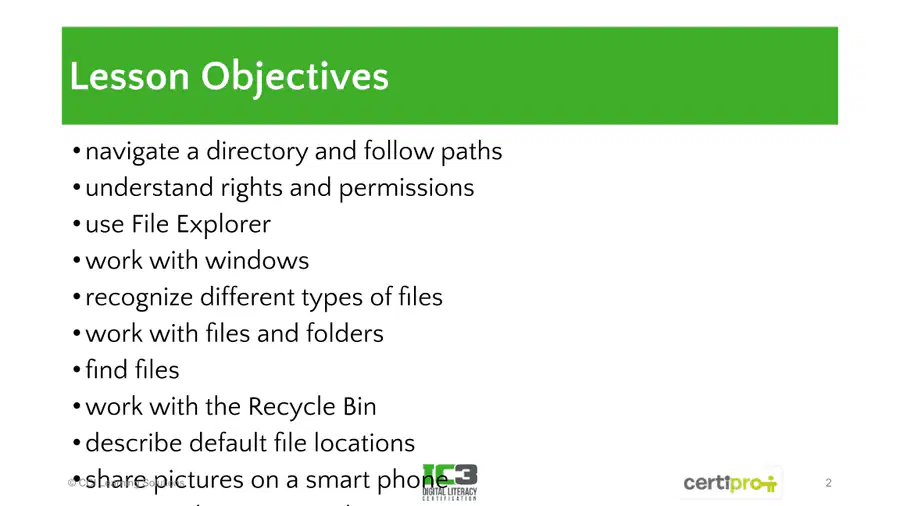
Which of the following is NOT listed as an objective for Lesson 4: File Management?
Use File Explorer
Work with the Recycle Bin
Create a spreadsheet
Understand rights and permissions
4
Open Ended
Reflecting on the lesson objectives, which topic do you feel you need more practice with, and why?
5
Multiple Choice
Which of the following is NOT typically a part of file management?
Navigating directories
Understanding file permissions
Editing photos
Using File Explorer
6
7
8
Multiple Choice
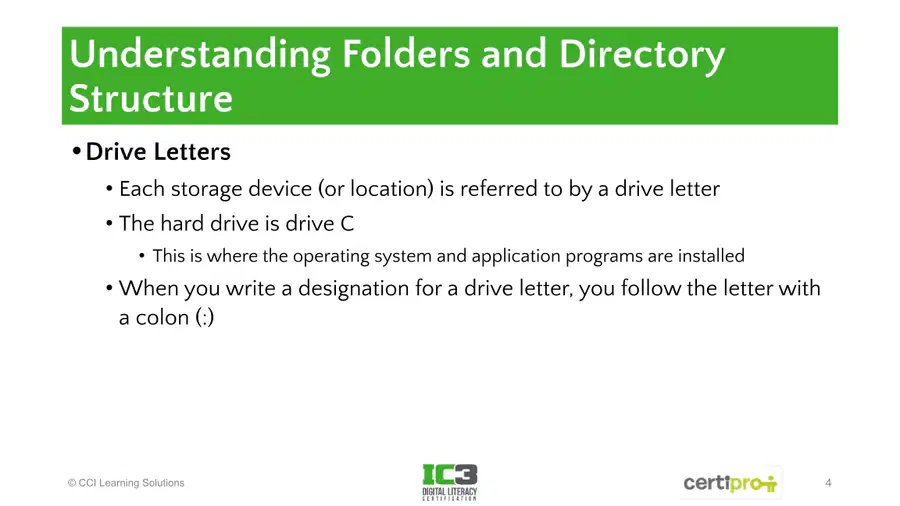
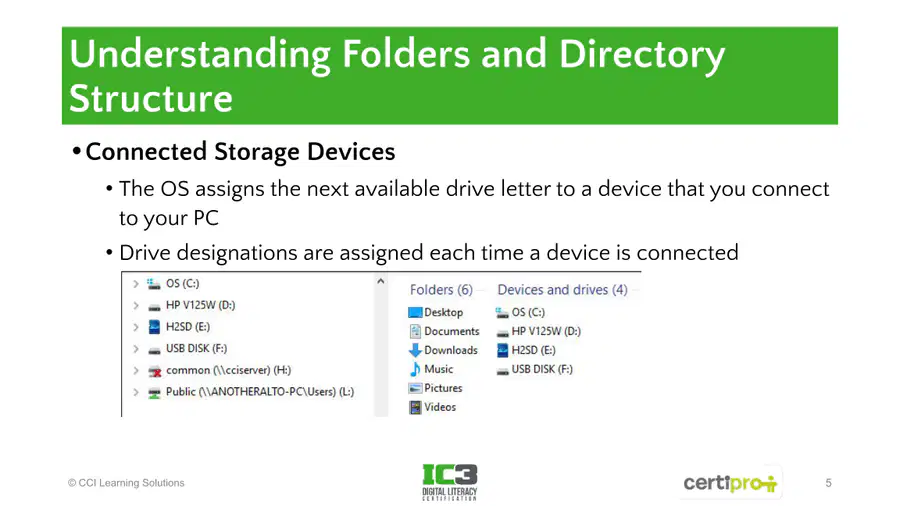
Which of the following is true about drive letters in a computer's directory structure?
Each storage device is referred to by a drive letter.
The hard drive is always drive D.
Drive letters are not used for external devices.
Drive letters are only used for network drives.
9
10
11
Open Ended
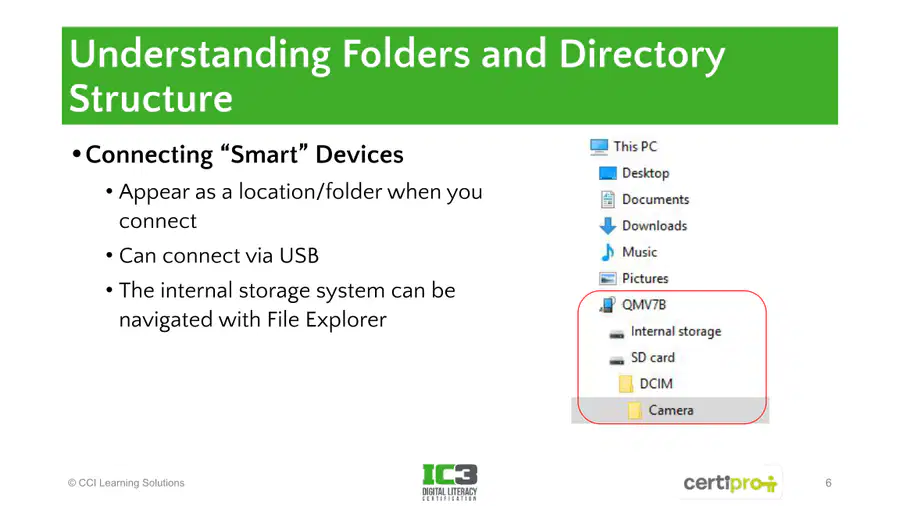
When you connect a smart device to your PC via USB, how does it appear in File Explorer and what can you do with its internal storage?
12
Multiple Choice
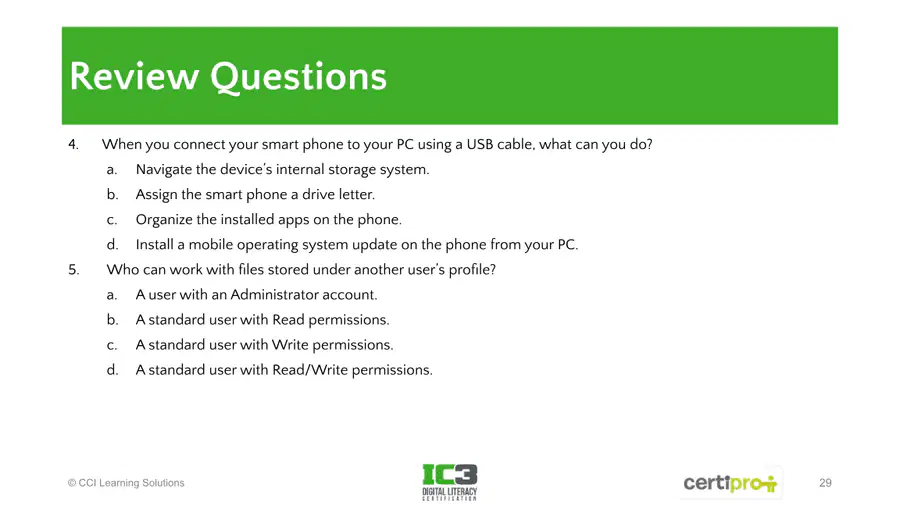
Which of the following actions can you perform when you connect your smartphone to your PC using a USB cable?
Navigate the device’s internal storage system.
Assign the smartphone a drive letter.
Organize the installed apps on the phone.
Install a mobile operating system update on the phone from your PC.
13
14
Fill in the Blanks
Type answer...
15
16
Multiple Select
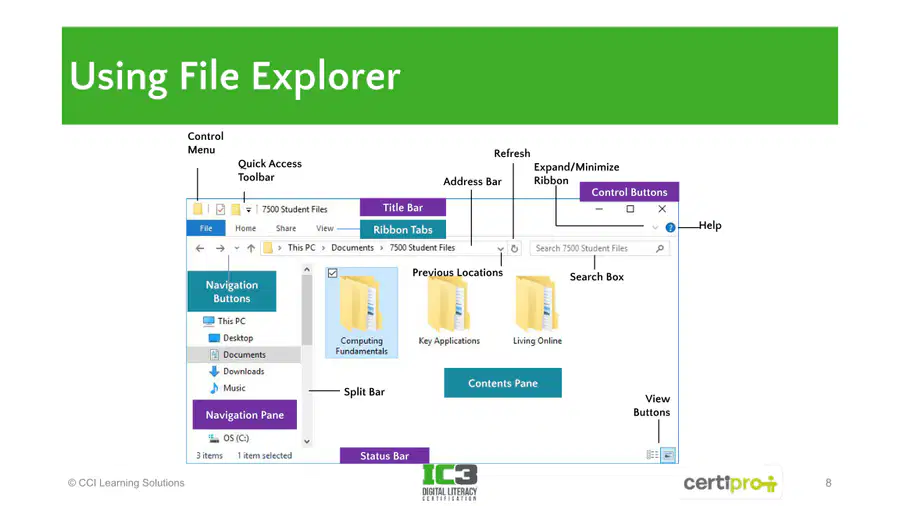
Select all the features that are part of the File Explorer interface.
Navigation Pane
Contents Pane
Search Box
Recycle Bin
17
18
Multiple Choice
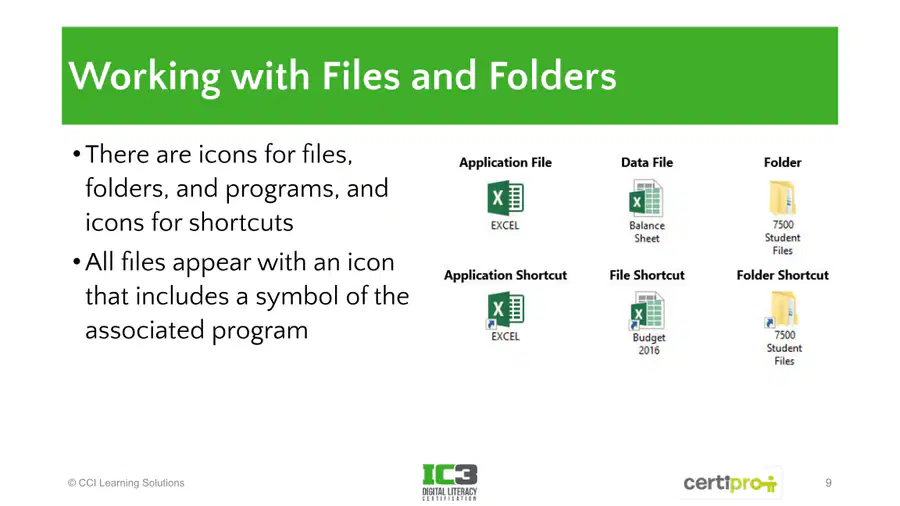
Which of the following icons represents a shortcut to a file?
Application File
File Shortcut
Data File
Folder
19
20
21
Open Ended
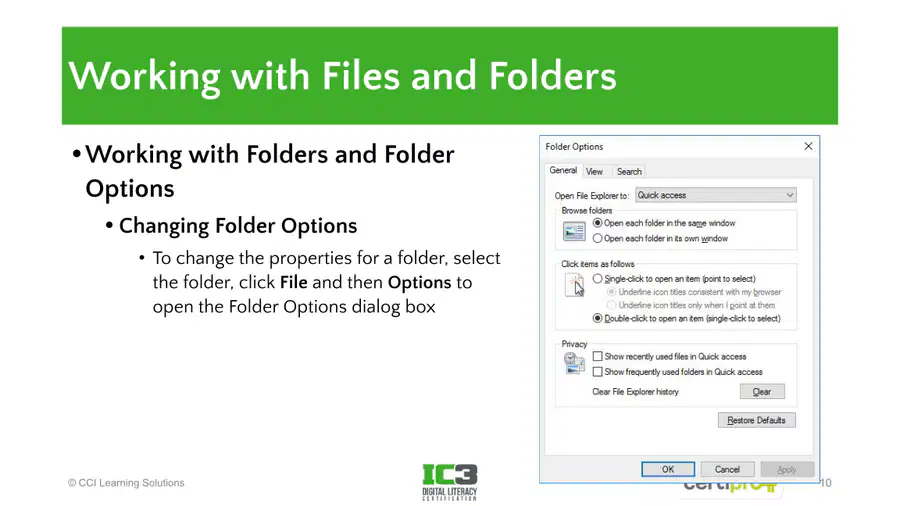
Explain the steps required to change the properties for a folder in Windows using Folder Options.
22
Multiple Select
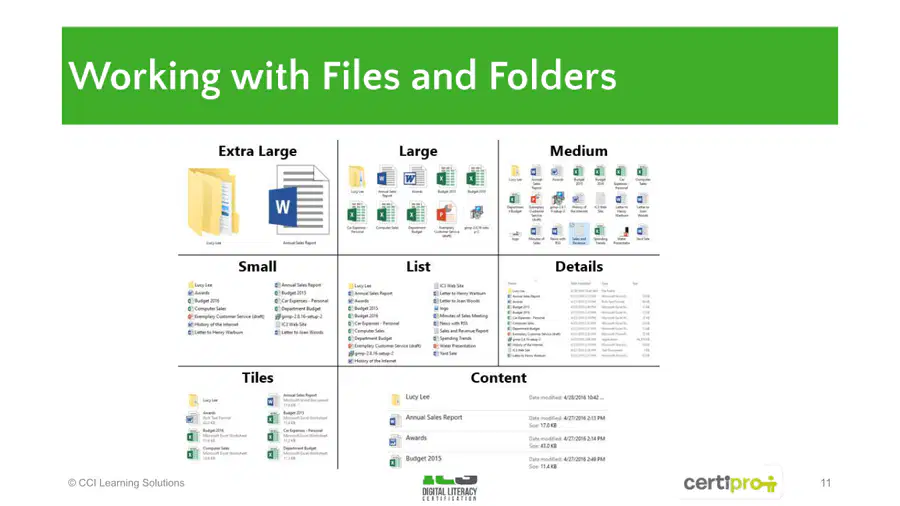
Which of the following are different ways to view files and folders in Windows?
Tiles
Details
Content
Grid
23
24
Fill in the Blanks
Type answer...
25
26
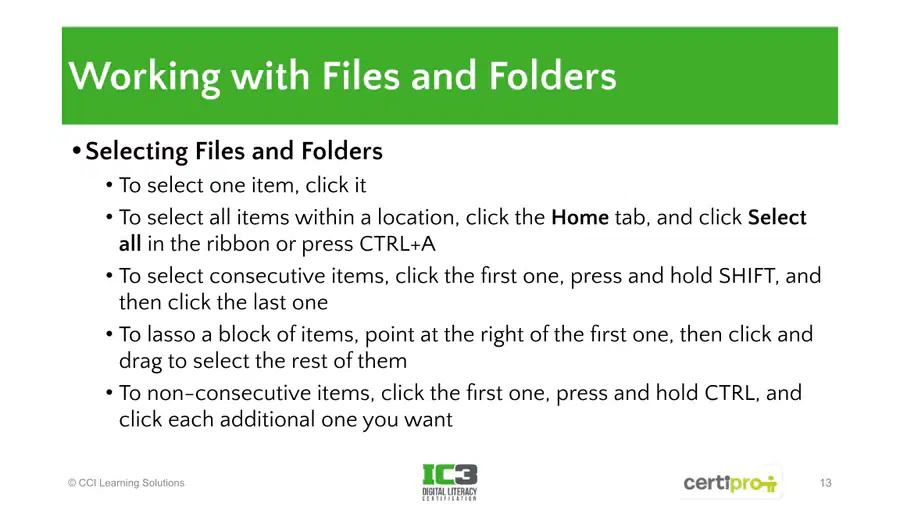
Multiple Choice
What keyboard shortcut would you use to select all items within a location in Windows?
CTRL+C
CTRL+V
CTRL+A
CTRL+X
27
28
29
Open Ended
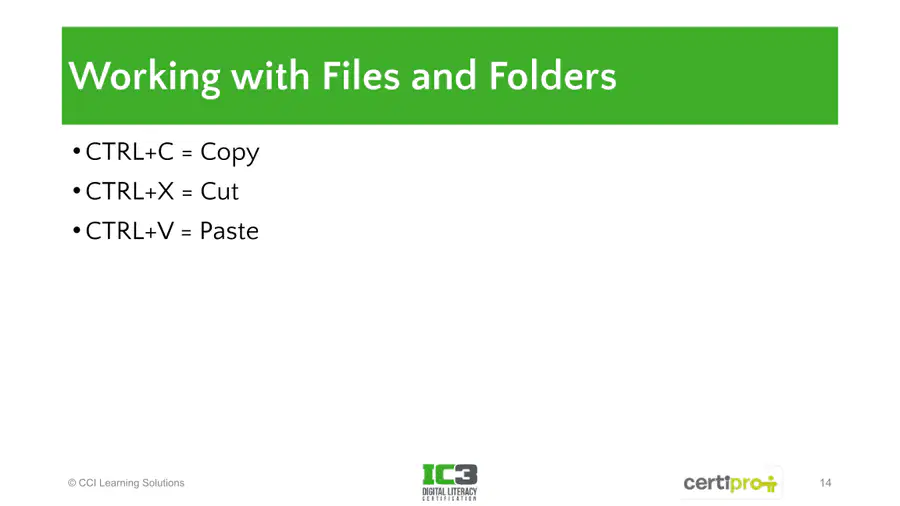
Describe a scenario where you would use the cut (CTRL+X) and paste (CTRL+V) commands instead of copy (CTRL+C) and paste (CTRL+V) when working with files and folders.
30
Multiple Choice
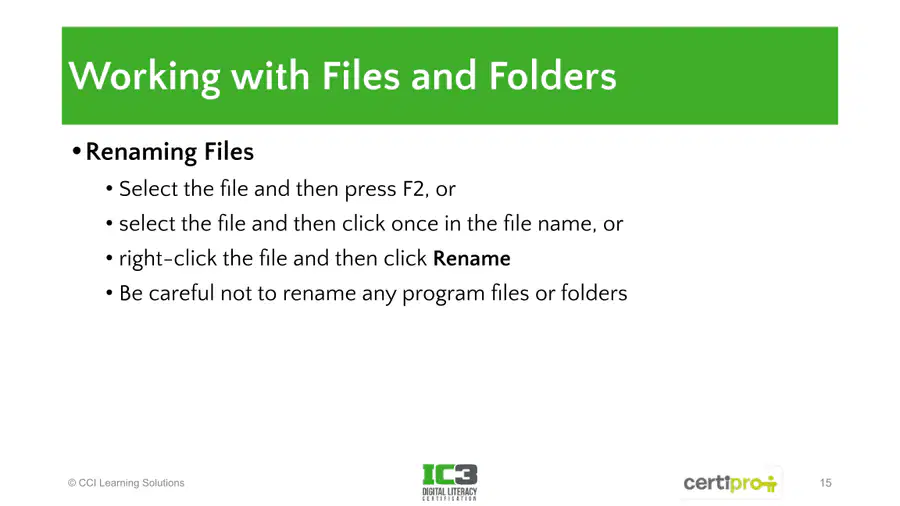
Which of the following is NOT a method to rename a file in Windows?
Press F2 after selecting the file
Click once in the file name after selecting it
Right-click the file and select Rename
Drag the file to a new folder
31
32
33
Open Ended
Explain why it is important to be careful when renaming program files or folders.
34
Multiple Select
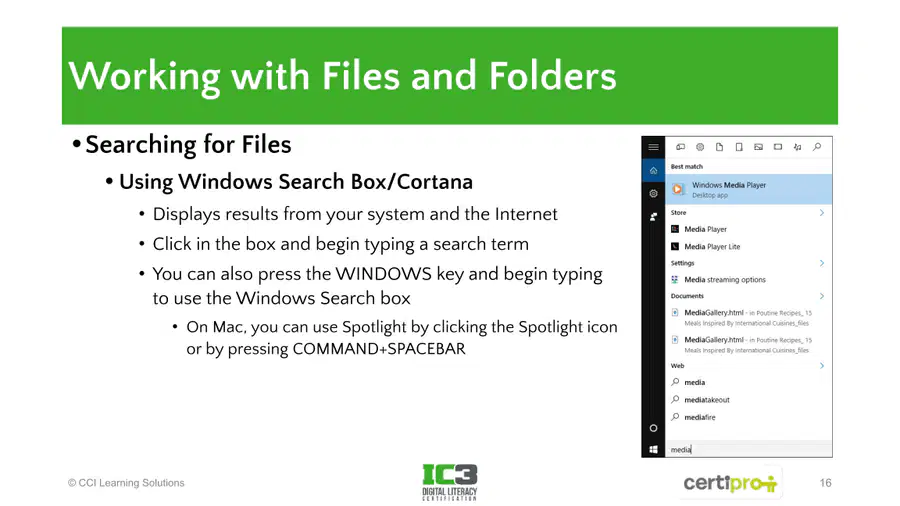
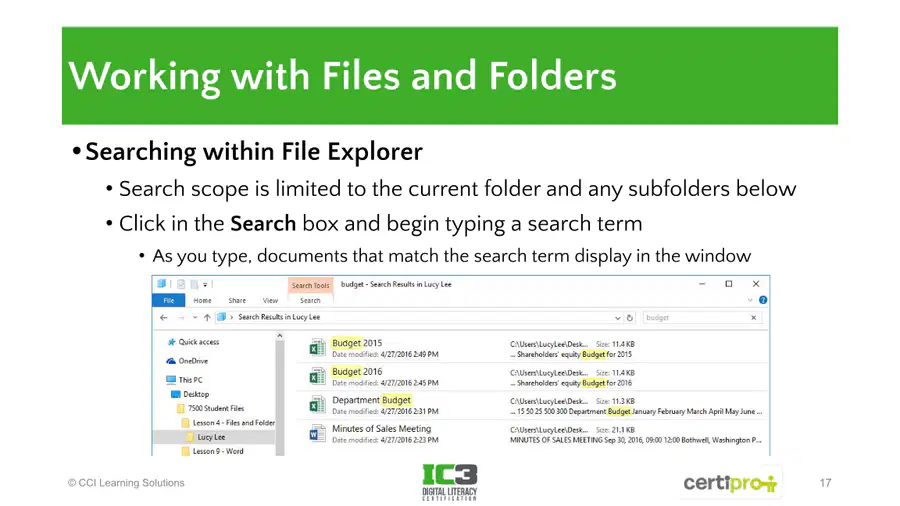
What are two ways to search for files on a Windows computer?
Using the Windows Search Box/Cortana
Using the Search box in File Explorer
Using the Task Manager
Using the Control Panel
35
36
Fill in the Blanks
Type answer...
37
38
39
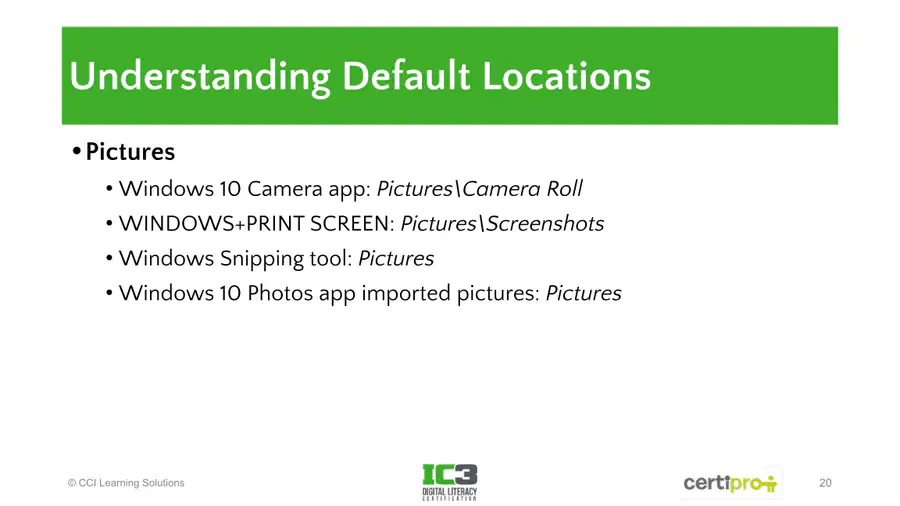
Open Ended
Describe the default locations where Windows 10 saves pictures from different sources (e.g., Camera app, Print Screen, Snipping Tool, Photos app).
40
41
42
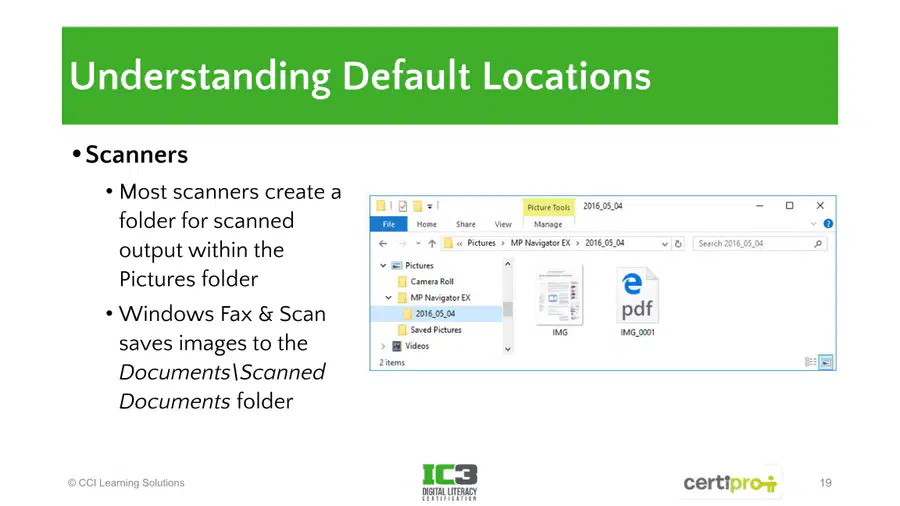
Multiple Choice
Where do most scanners save scanned output by default in Windows?
Documents folder
Pictures folder
Downloads folder
Desktop
43
44
Multiple Choice
What is a folder inside another folder called?
Infolder
Super folder
Sub folder
Small folder
45
46
Fill in the Blanks
Type answer...
47
Multiple Choice
Which of the following is NOT a step for sharing a photo from a smartphone gallery?
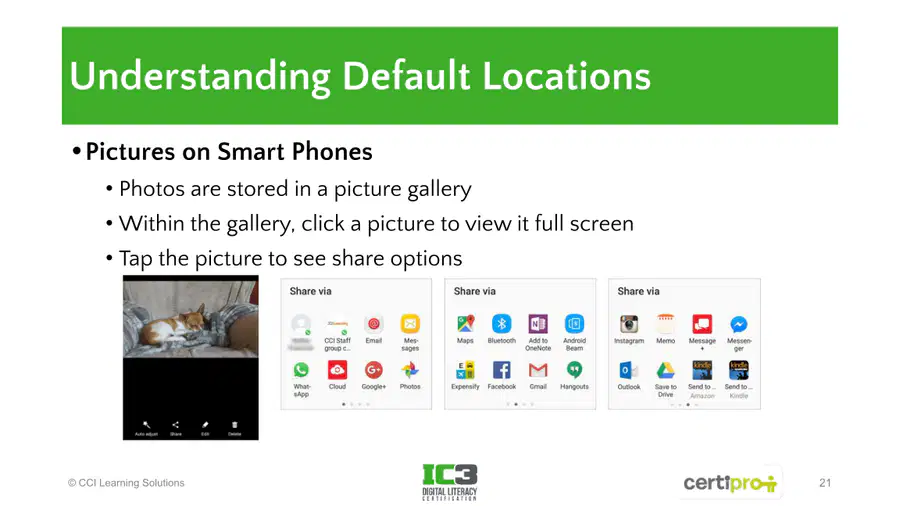
Tap the picture to see share options
Click a picture to view it full screen
Photos are stored in a picture gallery
Edit the picture before sharing
48
49
Open Ended
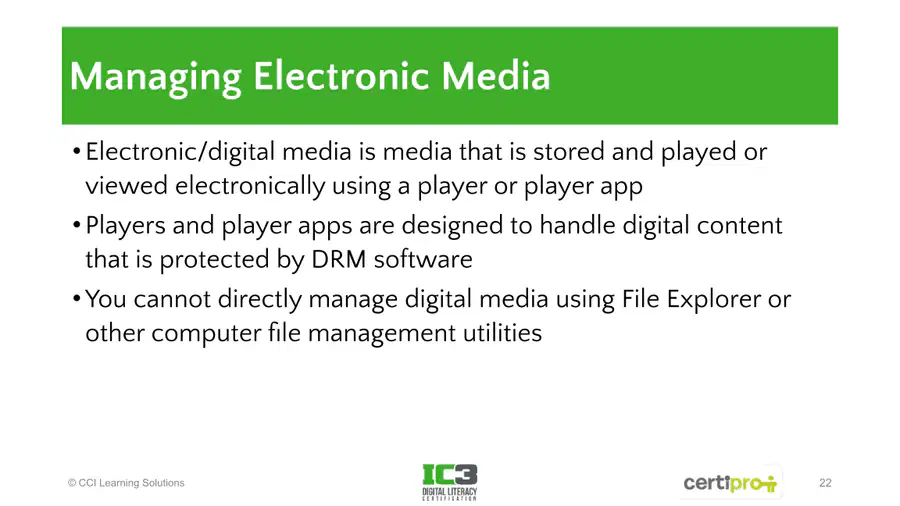
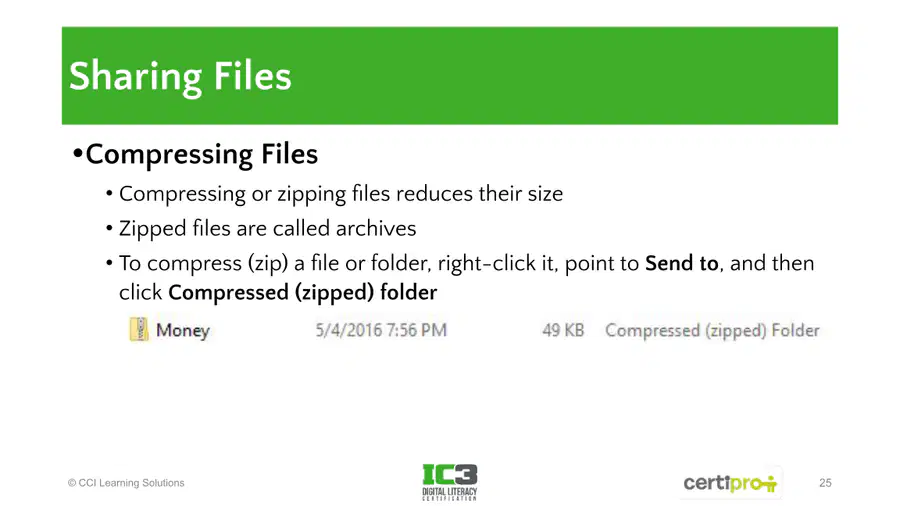
Explain why you cannot directly manage digital media protected by DRM using File Explorer or other file management utilities.
50
Multiple Choice
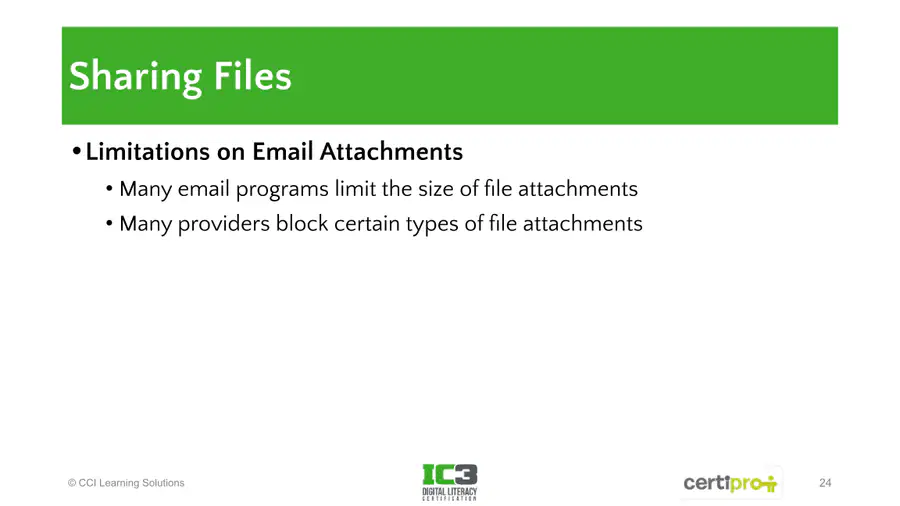
What is the main benefit of compressing or zipping files before sharing them?
It increases the file size
It protects files from viruses
It reduces the file size
It changes the file format
51
52
53
Multiple Select
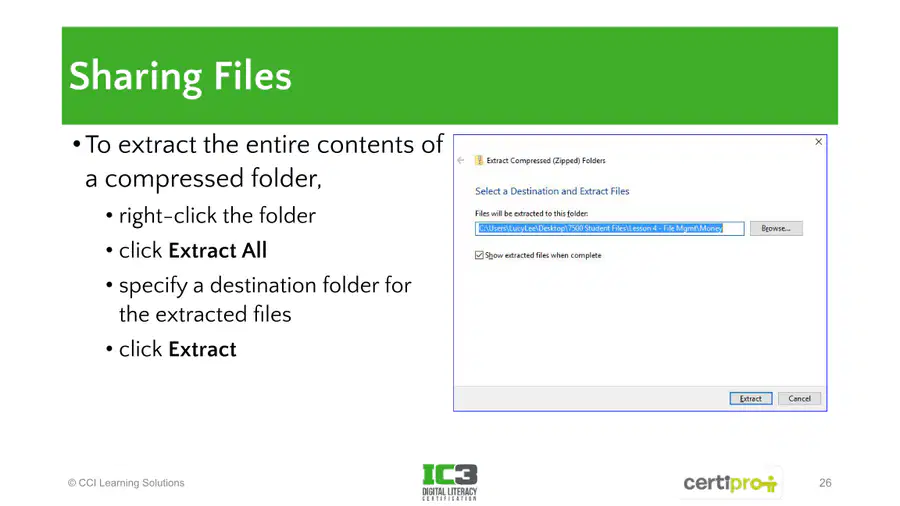
Which of the following are valid methods for sharing files according to the slides?
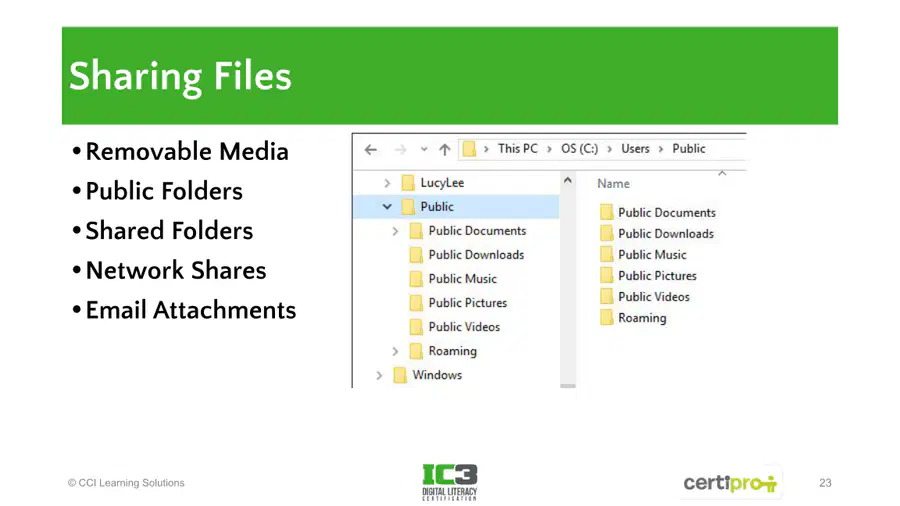
Removable Media
Public Folders
Network Shares
Bluetooth
54
Multiple Choice
If I download a file from Google Drive, where does it go?
Desktop
Documents
Downloads
This PC
Show answer
Auto Play
Slide 1 / 54
SLIDE
Similar Resources on Wayground

53 questions
Cellular Respiration
Presentation
•
9th Grade
49 questions
Semester Exam Review: Revising and Editing
Presentation
•
9th Grade
49 questions
8th Grade 1-6 Scientific Measurement & Math
Presentation
•
8th Grade
50 questions
1_Internet Concept
Presentation
•
8th Grade
50 questions
Industrial Revolution 7.1 and 7.2
Presentation
•
8th - 10th Grade
50 questions
Spanish 2 - DOPs - Direct Object Pronouns
Presentation
•
9th Grade
48 questions
Review for Chapter 1 Test
Presentation
•
9th Grade
49 questions
Meiosis
Presentation
•
9th Grade
Popular Resources on Wayground
16 questions
Grade 3 Simulation Assessment 2

Quiz
•
3rd Grade
19 questions
HCS Grade 5 Simulation Assessment_1 2526sy
Quiz
•
5th Grade
10 questions
Cinco de Mayo Trivia Questions

Interactive video
•
3rd - 5th Grade
17 questions
HCS Grade 4 Simulation Assessment_2 2526sy
Quiz
•
4th Grade
24 questions
HCS Grade 5 Simulation Assessment_2 2526sy
Quiz
•
5th Grade
13 questions
Cinco de mayo
Interactive video
•
6th - 8th Grade
20 questions
Math Review
Quiz
•
3rd Grade
30 questions
GVMS House Trivia 2026
Quiz
•
6th - 8th Grade