
PHOTOSHOP 1
Authored by Janice Coleman
Business
9th - 12th Grade
Used 3+ times


AI Actions
Add similar questions
Adjust reading levels
Convert to real-world scenario
Translate activity
More...
Content View
Student View
25 questions
Show all answers
1.
MULTIPLE CHOICE QUESTION
2 mins • 1 pt

What is this tool called?
Magic Wand Tool
Quick Selection Tool
Move Tool
Lasso Tool
2.
MULTIPLE CHOICE QUESTION
2 mins • 1 pt

What is this tool called?
Quick Selection Tool
Rectangular Marquee Tool
Lasso Tool
Move Tool
3.
MULTIPLE CHOICE QUESTION
2 mins • 1 pt

What is this tool called?
Move Tool
Rectangular Marquee Tool
Quick Selection Tool
Lasso Tool
4.
MULTIPLE CHOICE QUESTION
2 mins • 1 pt

What is this tool called?
Move Tool
Eraser
Clone Stamp Tool
Quick Selection Tool
5.
MULTIPLE CHOICE QUESTION
2 mins • 1 pt
How do you undo a mistake that happened more than one move ago?
Edit --> Undo
Edit --> Step Backward
File --> Revert
Edit --> Step Forward
6.
MULTIPLE CHOICE QUESTION
2 mins • 1 pt
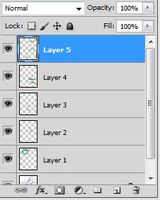
When editing an image, it is important to use multiple _____ to separate parts of your image
Files
Tools
Layers
Filters
7.
MULTIPLE CHOICE QUESTION
2 mins • 1 pt

What can you do with this tool?
Change the color of an object
Select an object
Change how transparent an object is
Remove the background


Access all questions and much more by creating a free account
Create resources
Host any resource
Get auto-graded reports

Continue with Google

Continue with Email

Continue with Classlink

Continue with Clever
or continue with

Microsoft
%20(1).png)
Apple

Others
Already have an account?


