
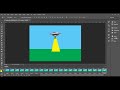
Key Frame Animation Techniques in Photoshop

Interactive Video
•
Computers
•
9th - 12th Grade
•
Practice Problem
•
Medium

Emma Peterson
Used 13+ times
FREE Resource
10 questions
Show all answers
1.
MULTIPLE CHOICE QUESTION
30 sec • 1 pt
What software is used in the tutorial to create keyframe animations?
Adobe Illustrator
Corel Draw
Microsoft Paint
Adobe Photoshop
2.
MULTIPLE CHOICE QUESTION
30 sec • 1 pt
Which of the following layers remains static throughout the animation?
The Sky
The Human
The UFO
The Beam
3.
MULTIPLE CHOICE QUESTION
30 sec • 1 pt
What does the timeline tool in Photoshop help to create?
3D Models
Photo Filters
Frame Animations
Vector Graphics
4.
MULTIPLE CHOICE QUESTION
30 sec • 1 pt
What is the effect of increasing the number of frames in an animation?
Decreases the animation smoothness
Increases the animation speed
Increases the animation smoothness
Reduces the file size
5.
MULTIPLE CHOICE QUESTION
30 sec • 1 pt
What is the first action taken to start creating the animation scene?
Moving the UFO out of the scene
Exporting the video
Turning on the beam
Animating the human
6.
MULTIPLE CHOICE QUESTION
30 sec • 1 pt
How is the beam layer manipulated initially in the animation setup?
It is turned off
It is duplicated
It is deleted
It is moved out of the scene
7.
MULTIPLE CHOICE QUESTION
30 sec • 1 pt
What action is performed to make the human appear to be taken by the UFO?
The human layer is moved downwards
The beam layer is turned off
The human layer is turned off
The human layer is moved upwards
Access all questions and much more by creating a free account
Create resources
Host any resource
Get auto-graded reports

Continue with Google

Continue with Email

Continue with Classlink

Continue with Clever
or continue with

Microsoft
%20(1).png)
Apple

Others
Already have an account?

