
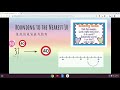
Rounding to the Nearest 10: Key Concepts and Techniques

Interactive Video
•
Mathematics
•
6th - 10th Grade
•
Practice Problem
•
Hard
+1
Standards-aligned

Emma Peterson
FREE Resource
Standards-aligned
10 questions
Show all answers
1.
MULTIPLE CHOICE QUESTION
30 sec • 1 pt
What is the first step in rounding numbers to the nearest 10?
Multiply by 10
Look at the number in the ones place
Count by fives
Find the number in the tens place
Tags
CCSS.3.NBT.A.1
CCSS.4.NBT.A.3
2.
MULTIPLE CHOICE QUESTION
30 sec • 1 pt
What are benchmarks in the context of rounding numbers?
The exact number you round to
Numbers that help guide the rounding process
A type of mathematical operation
A tool for measuring distance
Tags
CCSS.2.MD.B.6
3.
MULTIPLE CHOICE QUESTION
30 sec • 1 pt
What is the purpose of setting benchmarks in rounding?
To eliminate the need for rounding
To provide reference points for rounding
To make rounding more difficult
To confuse the learner
Tags
CCSS.2.MD.B.6
4.
MULTIPLE CHOICE QUESTION
30 sec • 1 pt
If a number in the ones place is 5 or more, what should you do?
Round up
Round down
Subtract 10
Keep the number the same
Tags
CCSS.3.NBT.A.1
CCSS.4.NBT.A.3
5.
MULTIPLE CHOICE QUESTION
30 sec • 1 pt
What is the rounded number of 52 to the nearest 10?
50
60
55
40
Tags
CCSS.3.NBT.A.1
CCSS.4.NBT.A.3
6.
MULTIPLE CHOICE QUESTION
30 sec • 1 pt
How do you determine which benchmark a number rounds to?
By multiplying by 10
By subtracting 10
By looking at the ones place
By adding 10
Tags
CCSS.3.NBT.A.1
CCSS.4.NBT.A.3
7.
MULTIPLE CHOICE QUESTION
30 sec • 1 pt
What does the rule 'five or more, raise the score' imply?
Subtract 5 from the total
Add 5 to the total
Round the number up
Round the number down
Tags
CCSS.5.NBT.A.4
Access all questions and much more by creating a free account
Create resources
Host any resource
Get auto-graded reports

Continue with Google

Continue with Email

Continue with Classlink

Continue with Clever
or continue with

Microsoft
%20(1).png)
Apple

Others
Already have an account?

