
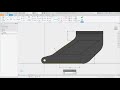
Fillet Feature and Application Options

Interactive Video
•
Computers, Design, Instructional Technology
•
9th - 12th Grade
•
Practice Problem
•
Hard

Liam Anderson
FREE Resource
Read more
10 questions
Show all answers
1.
MULTIPLE CHOICE QUESTION
30 sec • 1 pt
What are the two files opened at the beginning of the lesson?
P-400-036 and A-040-004
P-200-034 and A-020-002
P-100-033 and A-010-001
P-300-035 and A-030-003
2.
MULTIPLE CHOICE QUESTION
30 sec • 1 pt
What is the tooltip duration set in the Application Options?
5 seconds and 4 seconds
4 seconds and 3 seconds
2 seconds and 1 second
3 seconds and 2 seconds
3.
MULTIPLE CHOICE QUESTION
30 sec • 1 pt
How can you zoom in on a part in the 3D model?
By rolling the mouse wheel
By using the arrow keys
By pressing the spacebar
By clicking the zoom button
4.
MULTIPLE CHOICE QUESTION
30 sec • 1 pt
What feature is used to select a face when multiple faces are present?
Select Face
Select All
Select Other
Select Multiple
5.
MULTIPLE CHOICE QUESTION
30 sec • 1 pt
Which constraint ensures two lines are of equal length?
Perpendicular
Equal
Tangent
Parallel
6.
MULTIPLE CHOICE QUESTION
30 sec • 1 pt
What is the dimension added between the two sloping lines?
20
15
30
25
7.
MULTIPLE CHOICE QUESTION
30 sec • 1 pt
What is the radius value entered for the Fillet feature?
6
3
5
4
Access all questions and much more by creating a free account
Create resources
Host any resource
Get auto-graded reports

Continue with Google

Continue with Email

Continue with Classlink

Continue with Clever
or continue with

Microsoft
%20(1).png)
Apple

Others
Already have an account?

