
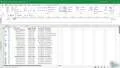
Microsoft Project 2021 From Beginners to Advanced - Exercise 09-1

Interactive Video
•
Information Technology (IT), Architecture
•
University
•
Practice Problem
•
Hard

Wayground Content
FREE Resource
Read more
5 questions
Show all answers
1.
MULTIPLE CHOICE QUESTION
30 sec • 1 pt
What is the first task you are asked to perform in the video?
Make a task inactive
Add a five-day delay to a task
Reactivate a task
Add notes to a task
2.
MULTIPLE CHOICE QUESTION
30 sec • 1 pt
Which view is used to add a delay to tasks?
Task Entry
Resource Sheet
Leveling Gantt
Calendar
3.
MULTIPLE CHOICE QUESTION
30 sec • 1 pt
What does the 'E' in the leveling delay column stand for?
Estimated
Elapsed
Extended
Expected
4.
MULTIPLE CHOICE QUESTION
30 sec • 1 pt
What happens to the project cost when a task is made inactive?
It decreases
It increases
It doubles
It remains the same
5.
MULTIPLE CHOICE QUESTION
30 sec • 1 pt
What icon appears when a note is added to a task?
A pencil icon
A clock icon
A sticky note icon
A checkmark icon
Access all questions and much more by creating a free account
Create resources
Host any resource
Get auto-graded reports

Continue with Google

Continue with Email

Continue with Classlink

Continue with Clever
or continue with

Microsoft
%20(1).png)
Apple

Others
Already have an account?

