
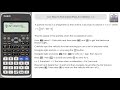
Understanding Acceleration and Velocity

Interactive Video
•
Mathematics, Physics, Science
•
9th - 10th Grade
•
Practice Problem
•
Hard

Patricia Brown
FREE Resource
Read more
10 questions
Show all answers
1.
MULTIPLE CHOICE QUESTION
30 sec • 1 pt
What is the main objective of the video tutorial?
To introduce the Casio fx991ex calculator.
To explain the difference between speed and velocity.
To teach how to solve quadratic equations manually.
To demonstrate how to use a calculator to find speed when acceleration is zero.
2.
MULTIPLE CHOICE QUESTION
30 sec • 1 pt
Which feature of the calculator is used in the first method to find when acceleration is zero?
Graphing feature
Statistical analysis
Derivative feature and solve function
Matrix solver
3.
MULTIPLE CHOICE QUESTION
30 sec • 1 pt
What is the significance of finding x equals 2 in the first method?
It shows the maximum speed of the particle.
It is the solution to the quadratic equation.
It indicates the time when acceleration is zero.
It represents the velocity of the particle.
4.
MULTIPLE CHOICE QUESTION
30 sec • 1 pt
How is the speed of the particle determined after finding the velocity?
By taking the square root of the velocity.
By adding a constant to the velocity.
By taking the absolute value of the velocity.
By multiplying the velocity by time.
5.
MULTIPLE CHOICE QUESTION
30 sec • 1 pt
What is the velocity of the particle when the acceleration is zero, as found in the video?
0 m/s
-8.5 m/s
8.5 m/s
5 m/s
6.
MULTIPLE CHOICE QUESTION
30 sec • 1 pt
What is the final speed of the particle when the acceleration is zero?
5 m/s
8.5 m/s
0 m/s
-8.5 m/s
7.
MULTIPLE CHOICE QUESTION
30 sec • 1 pt
What is a disadvantage of the second method using the equation function feature?
It requires manual multiplication of coefficients.
It cannot find the time when acceleration is zero.
It is slower than the first method.
It does not provide accurate results.
Access all questions and much more by creating a free account
Create resources
Host any resource
Get auto-graded reports

Continue with Google

Continue with Email

Continue with Classlink

Continue with Clever
or continue with

Microsoft
%20(1).png)
Apple

Others
Already have an account?


