
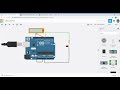
Arduino and Tinkercad Concepts

Interactive Video
•
Computers
•
9th - 10th Grade
•
Practice Problem
•
Hard

Patricia Brown
FREE Resource
Read more
10 questions
Show all answers
1.
MULTIPLE CHOICE QUESTION
30 sec • 1 pt
What is the primary purpose of the video tutorial?
To demonstrate the use of multimeter and oscilloscope in Tinkercad for Arduino circuits
To teach how to use Tinkercad for 3D modeling
To show how to build a physical Arduino circuit
To explain the history of Arduino
2.
MULTIPLE CHOICE QUESTION
30 sec • 1 pt
Which pin is used to connect the LED in the Arduino circuit?
Pin 13
Pin 5
Pin 7
Pin 10
3.
MULTIPLE CHOICE QUESTION
30 sec • 1 pt
What function is used to set a pin as an output in the Arduino code?
analogRead
digitalWrite
digitalRead
pinMode
4.
MULTIPLE CHOICE QUESTION
30 sec • 1 pt
What is the purpose of using digitalWrite in the Arduino code?
To measure the current
To read the voltage level of a pin
To set the pin mode
To turn the LED on and off
5.
MULTIPLE CHOICE QUESTION
30 sec • 1 pt
What does the multimeter measure in the Tinkercad simulation?
Resistance
Voltage
Current
Temperature
6.
MULTIPLE CHOICE QUESTION
30 sec • 1 pt
What voltage is typically supplied by the USB connection to the Arduino?
9 volts
3.3 volts
5 volts
12 volts
7.
MULTIPLE CHOICE QUESTION
30 sec • 1 pt
What voltage is observed when digitalWrite is set to LOW?
1.5 volts
3.3 volts
5 volts
0 volts
Access all questions and much more by creating a free account
Create resources
Host any resource
Get auto-graded reports

Continue with Google

Continue with Email

Continue with Classlink

Continue with Clever
or continue with

Microsoft
%20(1).png)
Apple

Others
Already have an account?

