
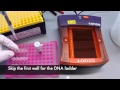
Gel Electrophoresis Procedures

Interactive Video
•
Biology
•
9th - 10th Grade
•
Practice Problem
•
Hard

Patricia Brown
FREE Resource
Read more
10 questions
Show all answers
1.
MULTIPLE CHOICE QUESTION
30 sec • 1 pt
Which of the following is NOT a component required for the Lonza system setup?
Camera Hood
Power Supply
Microscope
Laptop
2.
MULTIPLE CHOICE QUESTION
30 sec • 1 pt
What should you do before running the gel with the cords?
Plug them into the wall outlet
Connect them to the laptop
Label them for connectivity
Plug them into the power supply immediately
3.
MULTIPLE CHOICE QUESTION
30 sec • 1 pt
What is necessary for the laptop to power on?
A USB connection to the camera hood
A wireless connection
Being plugged into a wall power outlet
A fully charged battery
4.
MULTIPLE CHOICE QUESTION
30 sec • 1 pt
What should be done to the wells before loading the gel with samples?
Wash them with water
Add a DNA ladder
Fill them with gel
Heat them
5.
MULTIPLE CHOICE QUESTION
30 sec • 1 pt
What color should the solutions be to indicate they are ready for visualization?
Blue or green
Red or purple
Yellow or orange
Black or white
6.
MULTIPLE CHOICE QUESTION
30 sec • 1 pt
Where should the DNA ladder be loaded in the gel?
In the last well
In the first well
In the middle well
In any well
7.
MULTIPLE CHOICE QUESTION
30 sec • 1 pt
What is the correct way to expel a sample into the well?
Quickly to avoid bubbles
Slowly to avoid bubbles
With the tip hovering above the well
With the tip jammed to the bottom
Access all questions and much more by creating a free account
Create resources
Host any resource
Get auto-graded reports

Continue with Google

Continue with Email

Continue with Classlink

Continue with Clever
or continue with

Microsoft
%20(1).png)
Apple

Others
Already have an account?

