
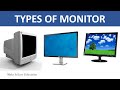
Computer Monitor Types and Functions

Interactive Video
•
Computers
•
6th - 8th Grade
•
Practice Problem
•
Hard

Patricia Brown
FREE Resource
Read more
10 questions
Show all answers
1.
MULTIPLE CHOICE QUESTION
30 sec • 1 pt
What is the primary function of a computer monitor?
To input data into the computer
To connect to the internet
To store data permanently
To display what the computer is processing
2.
MULTIPLE CHOICE QUESTION
30 sec • 1 pt
What was the first computer monitor a part of?
Commodore 64
Apple Macintosh
IBM PC
Xerox Alto computer system
3.
MULTIPLE CHOICE QUESTION
30 sec • 1 pt
Which of the following is a disadvantage of CRT monitors?
They have a slim design
They produce a lot of heat
They consume less power
They are lightweight
4.
MULTIPLE CHOICE QUESTION
30 sec • 1 pt
Which monitor type is known for having the highest pixel resolutions?
LED monitors
LCD monitors
CRT monitors
Plasma monitors
5.
MULTIPLE CHOICE QUESTION
30 sec • 1 pt
What is a common issue with CRT monitors?
Slim design
Wide viewing angles
Zero geometric distortion
Flickering at 50 to 80 hertz
6.
MULTIPLE CHOICE QUESTION
30 sec • 1 pt
What technology do LCD monitors use to display images?
Liquid crystals
OLED panels
Cathode ray tubes
Plasma screens
7.
MULTIPLE CHOICE QUESTION
30 sec • 1 pt
Which of the following is an advantage of LCD monitors?
High power consumption
Heavy and bulky
No radiation emission
Fixed aspect ratio
Access all questions and much more by creating a free account
Create resources
Host any resource
Get auto-graded reports

Continue with Google

Continue with Email

Continue with Classlink

Continue with Clever
or continue with

Microsoft
%20(1).png)
Apple

Others
Already have an account?

