
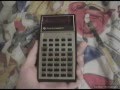
TI-30 Calculator Features and History

Interactive Video
•
Mathematics
•
9th - 10th Grade
•
Practice Problem
•
Hard

Thomas White
FREE Resource
Read more
10 questions
Show all answers
1.
MULTIPLE CHOICE QUESTION
30 sec • 1 pt
What is the main topic of the video?
Programming tutorials
Mathematical theories
Vintage electronics
Modern scientific calculators
2.
MULTIPLE CHOICE QUESTION
30 sec • 1 pt
What year was the Texas Instruments TI-30 calculator made?
1982
1976
1985
1979
3.
MULTIPLE CHOICE QUESTION
30 sec • 1 pt
What issue did the narrator face with the TI-30 calculator purchased from eBay?
It had no battery included
The display was broken
It was missing keys
The buttons were not clicky
4.
MULTIPLE CHOICE QUESTION
30 sec • 1 pt
What type of display does the TI-30 calculator have?
LCD
LED
OLED
Plasma
5.
MULTIPLE CHOICE QUESTION
30 sec • 1 pt
Why was the TI-30 calculator significant in the history of calculators?
It was the first calculator with a color display
It was the first affordable scientific calculator
It was the first calculator with a touchscreen
It was the first calculator to use solar power
6.
MULTIPLE CHOICE QUESTION
30 sec • 1 pt
What was the retail price of the TI-30 when it was first introduced?
$75
$50
$100
$25
7.
MULTIPLE CHOICE QUESTION
30 sec • 1 pt
What mathematical functions can the TI-30 perform?
Graph plotting
Matrix operations
Trigonometric functions
Basic arithmetic only
Access all questions and much more by creating a free account
Create resources
Host any resource
Get auto-graded reports

Continue with Google

Continue with Email

Continue with Classlink

Continue with Clever
or continue with

Microsoft
%20(1).png)
Apple

Others
Already have an account?

