
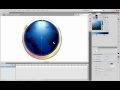
Understanding Gradients in Flash Tutorials

Interactive Video
•
Design
•
9th - 10th Grade
•
Hard

Jennifer Brown
FREE Resource
10 questions
Show all answers
1.
MULTIPLE CHOICE QUESTION
30 sec • 1 pt
What is a gradient in the context of design?
A pattern of repeated shapes
A transition from one color to another or through multiple colors
A texture applied to a surface
A single color applied to an object
2.
MULTIPLE CHOICE QUESTION
30 sec • 1 pt
Which type of gradient radiates outward from a central point?
Conical gradient
Bilinear gradient
Radial gradient
Linear gradient
3.
MULTIPLE CHOICE QUESTION
30 sec • 1 pt
What tool is used to transform gradients in Flash?
Shape Tool
Free Transform Tool
Gradient Transform Tool
Color Picker Tool
4.
MULTIPLE CHOICE QUESTION
30 sec • 1 pt
What does the lock fill feature do when applying gradients?
Locks the gradient to a specific color
Prevents the gradient from being edited
Aligns the gradient to the original position
Locks the gradient to a specific layer
5.
MULTIPLE CHOICE QUESTION
30 sec • 1 pt
How can you add a glow effect using gradients?
By using a single solid color
By applying a texture overlay
By adding alpha to one of the gradient colors
By using only linear gradients
6.
MULTIPLE CHOICE QUESTION
30 sec • 1 pt
What is a benefit of using transparent colors in gradients?
They make the gradient more vibrant
They allow for soft edges and light effects
They reduce the file size
They simplify the design process
7.
MULTIPLE CHOICE QUESTION
30 sec • 1 pt
What is required to layer multiple gradients effectively?
Using only radial gradients
Applying a texture to each gradient
Placing each gradient on a different layer
Using the same gradient type
Access all questions and much more by creating a free account
Create resources
Host any resource
Get auto-graded reports

Continue with Google

Continue with Email

Continue with Classlink

Continue with Clever
or continue with

Microsoft
%20(1).png)
Apple

Others
Already have an account?

