
 Worksheets
SCRATCH 3.0 Semester Exam 2 Review
Total questions: 100
Worksheet time: 2hrs 12mins
Can we add sound to our scratch project ?
True
False

Can we give sprite specific location to start from ?
True
False
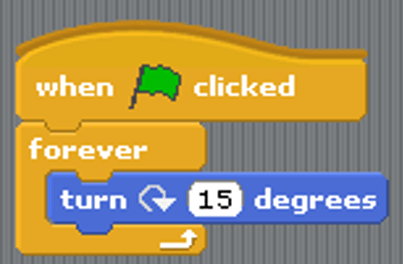
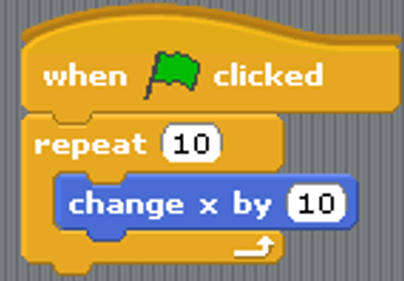
Which of these would be most likely to be a variable in a game?
score
a castle backdrop
a "go to x;y" block
a costume for your sprite
Which of the following best describes the BROADCAST function in Scratch?
Makes a speech bubble appear over your sprite's head
Plays a sound
Sends out an invisible signal
Changes the colors on the screen
If your sprite is at the coordinate 0,0 where on the screen is it?
Dead center
Bottom Left Corner
Top Left Corner
Top Right Corner
Which of the following is correct?
X Axis is left-right, Y Axis is up-down
Y Axis is left-right, Y Axis is up-down
Y Axis is only negative numbers, X Axis is only positive numbers
Y Axis is only positive numbers, X Axis is only negative numbers
If the "W" key moves the character up, which of the following is TRUE...
The code stack for W should include "Change y by -10"
The code stack for W should include "Change x by 10"
The code stack for W should include "Change y by 10"
The code stack for W should include "Change x by -10"
A completed program in scratch.
Scratch
volume
project
Where your project is displayed when active.
speech bubble
stage
tempo
Displays the location of your X and Y positions.
stage
coordinates
volume
Blocks that allows you to repeat scripts multiple times.
repeating blocks
script
volume
Scratch is a programming app which uses pre-coded blocks.
True
False

When creating in scratch blocks are taken from the __________.(#1)
Preview
Workspace
File
Scratch Library

The area where the blocks are dragged to and connected to form the program is the _______________.(#2)
Scratch Library
Preview
Files
Workspace

Once the program is complete, you can see if it runs correctly here. (#3)
Preview
Files
Workspace
Scratch library

Where do you go to get/add a sprite?
Image #1
Image #2
Image #3
Image #4

Where do you go to add a backdrop?
Image #1
Image #2
Image #3
Image #4

There can be multiple sprites in a program. Where can you see which sprite you're currently programming?
Image #1
Image #2
Image #3
Image #4
Changing the look of a sprite is done with ____________.
Looks/Variables
Looks/Events
Looks/Control
Looks/Costumes
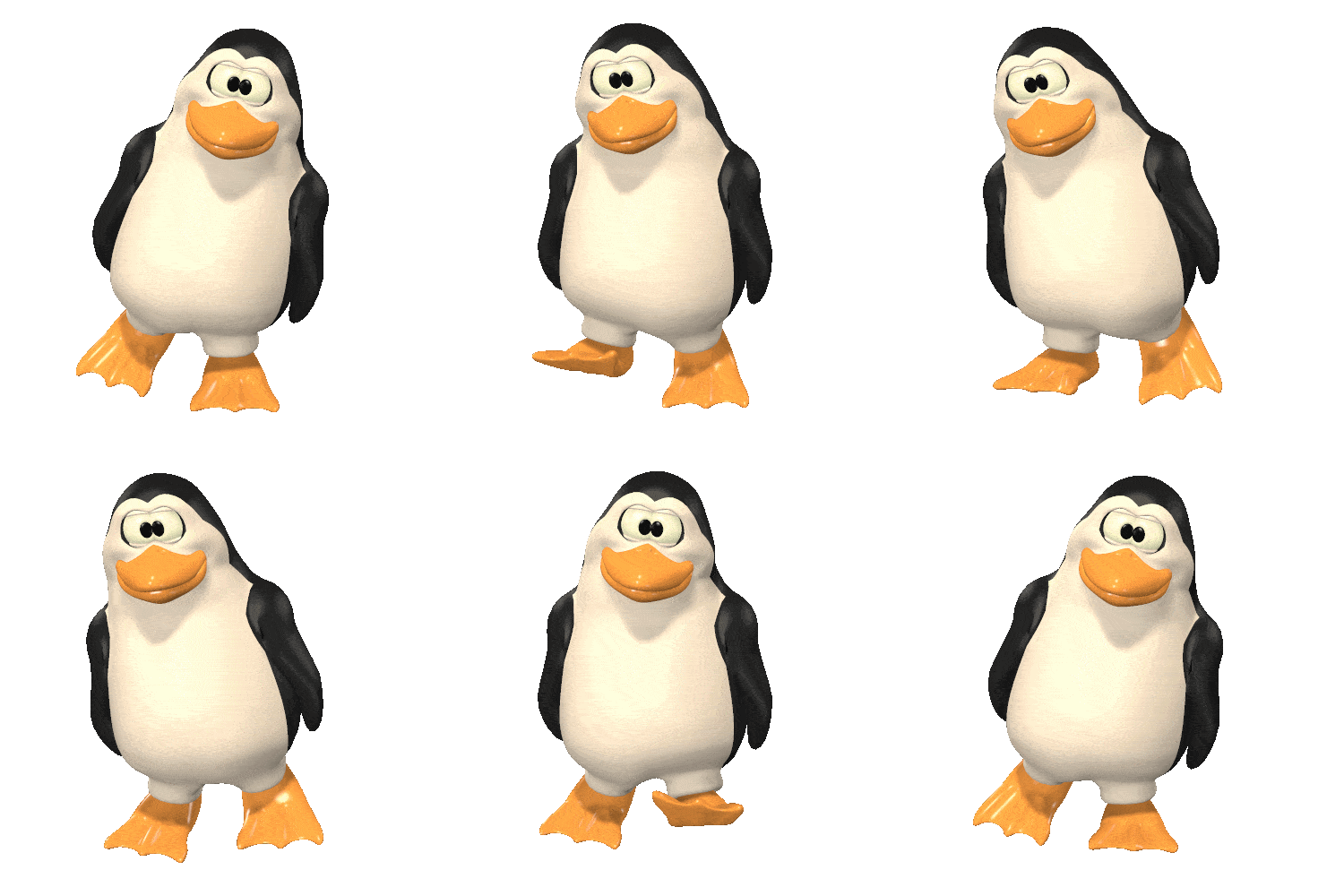
Which sprite has the most available costume options?


Which sprite has the fewest available costumes?


Which option in the costume file would cause this sprite to face left instead of right?
Flip horizontal
Flip vertical
Forward/Backward
Front/Back
When conversation is a part of the program, everyone should not speak at once. Which will allow the sprites to speak individually rather than all of their lines showing up at the same time? check all that apply.


A chase game requires at least two sprites.
True
False
How do you remove a block from the workspace?
Drag it to the right of the workspace
Drag it to the file section
Drag it down
Double click the block you want to move
Scratch requires practice in order to learn.
True
False
Displays the location of your X and Y positions.
stage
coordinates
volume
Using the Scratch “Pen” feature to write on the stage.
script
stage
drawing
Blocks that allows you to repeat scripts multiple times.
repeating blocks
script
volume
Graphical bubble that shows a sprite speaking.
thought bubble
speech bubble
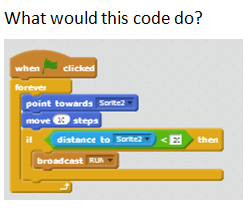


Which block is best for repeating a series of costume changes in a loop?
Switch costume to costume 2
Next costume

Which block should you use if you want players to start the program by clicking on a key?
When green flag is pressed
When space key is pressed
When this sprite is clicked
When I receive message1

What does this algorithm mean?
If touching red then go, else stop
If touching red then stop, else go

Which block allows me to increase the score?
Set score to 0
Change score by 10

Where will this sprite spawn?
The top half of the stage
The bottom half of the stage

How do I use 1 sprite to activate other sprites?
Sensing
More Blocks
Data
Broadcast

Which blocks help us most with conditional programming? (ex: in the maze, helping the cat avoid the wall)
If blocks and sensing
Pick random 1 to 10
Broadcasts
More blocks

Why won't this variable change repeatedly (more than once)?
There is no change click by block
There is no hat block to activate the algorithm
There is no loop
There is no sensing block

What will this algorithm do?
End the game when time runs out
Start the game when time runs out
End the game when time reaches 10
Start the game when time reaches 10

When 2 or more algorithms are synchronized to run at the same time, this is an example of...
iterations
parallelism
peripheral devices
conditional statements

This repeat statement is an example of a ...
Boolean value
conditional statement
bug
loop

The blue "touching" statement uses a Boolean value to create a(n) ...
conditional statement
iteration
loop
algorithm

In Scratch, you can use the red blocks to create custom blocks that run mini-programs, or...
functions
loops
conditional statements
iterations

What line of code is unnecessary?
Point in direction
2nd "Switch to Costume"
2nd " Move 10 Steps"
"When up arrow key pressed"


What will make the Sprite move 10 steps to the right?
If it is touching the color Yellow
If it is touching the color Pink
If it is touching the Edge of the screen


y = 145
y = -100
y = 145
y = -120
What is a conditional?
Makes the Scratch cat touch something
Instructions telling the program what to do
When the Scratch cat touches something
Tests whether something is true or false
Why do we use loops?
To make the Scratch Sprite run around
So we do not have to start a program again
To start a program
To make the Scratch cat run in circles

Which Scratch program option will give you a better resolution of a photo uploaded from the internet?
Vector
Bitmap
JPEG
If an image is made larger once loaded into Scratch, best option to use in the Scratch program would be?
Vector
Bitmap
JPEG
What is a Storyboard used for?
The computational practice of making things work.
An image that is defined by a collection of geometric shapes.
A physical or digital visual overview of a project.
The computational concept of identifying a series of steps for a task.
What is sequence used for in Scratch?
A physical or digital visual overview of a project.
A media object that performs actions on the stage.
The computational concept of identifying a series of steps for a task.
An image that is defined by a collection of geometric shapes.
Upon completion of a Scratch Project, they are saved where?
Designated Studio
On the hard drive
Not saved at all
Events are the computational concept of one thing causing another thing to happen.
True
False

