wayground logo

Free Printable Worksheets

Font size

S
M
L
XL
Worksheets

Quizziz week 2 term 3

Total questions: 140

Worksheet time: 1hrs 24mins

Name
Class
Date
1.

Any part of the computer with a physical structure, including the parts inside.

a)

hardware

b)

software

c)

screen

d)

computer tower

2.

What is this hardware component?

a)

RAM

b)

Hard Drive

c)

USB

d)

Ethernet

3.

A computers long term memory is stored on the __________.

a)

Random access memory

b)

CPU

c)

Motherboard

d)

Hard Drive

4.

What is this hardware component?

a)

motherboard

b)

CPU

c)

power supply

d)

graphics card

5.

The brain of the computer that processes info and carries out commands.

a)

motherboard

b)

RAM

c)

hard drive

d)

CPU

6.

What hardware component is this?

a)

CPU

b)

motherboard

c)

RAM

d)

Remote Access Memory

7.

The main circuit board that holds and connects main parts of the computer

a)

CPU

b)

RAM

c)

Ethernet

d)

Motherboard

8.

Name these ports.

a)

SSD

b)

USB

c)

RAM

d)

VGA

9.

This port is used to connect.....

a)

The mouse

b)

The keyboard

c)

The Monitor

d)

The printer

10.

The blue cord that connects computers to display devices

a)

HDMI

b)

VDI

c)

DMI

d)

VGA

11.

This cord connects the....

a)

monitor to the computer

b)

computer to the internet

c)

printer to the computer

d)

mouse to the computer

12.

This hardware component is called?

a)

the printer

b)

the monitor

c)

the tv

d)

the CPU

13.

This port is used to connect the computer to the.....

a)

printer

b)

monitor

c)

internet

d)

keyboard

14.

A computers short term memory used to complete calculations

a)

hard drive

b)

cloud storage

c)

RAM

d)

disc drive

15.

You would plug the power cord into port number....

a)

3

b)

6

c)

7

d)

12

16.

You would plug the VGA connector into port number

a)

3

b)

8

c)

10

d)

11

17.

You would plug the mouse into port number....

a)

3

b)

7

c)

8

d)

11

18.

Which of the following would NOT be plugged into a USB port?

a)

printer

b)

mouse

c)

monitor

d)

keyboard

19.

Which of the following would NOT be plugged into a USB port?

a)

printer

b)

mouse

c)

monitor

d)

keyboard

20.

Which of the following is NOT a hardware component for a computer?

a)

mouse

b)

motherboard

c)

Microsoft Word

d)

CPU

21.

Identify the component that protects the internal hardware of a computer system unit

a)

RAM

b)

Case

c)

Hard Drive

d)

Power Supply

22.

Which component is the brain of the computer?

a)

CPU

b)

RAM

c)

Hard drive

d)

Motherboard

23.

Identify the component that stores the information being accessed by the CPU.

a)

RAM

b)

Hard Drive

c)

Power Supply

d)

Motherboard

24.

Which type of hard drive has no moving parts?

a)

RAM

b)

Motherboard

c)

Magnetic Drive

d)

Solid State Drive (SSD)

25.

Which of the following is an input device?

a)

Monitor

b)

Projector

c)

Speaker

d)

Keyboard

26.

Which input device can verify a person's identity for security purposes?

a)

Stylus

b)

Gamepad

c)

Barcode reader

d)

Fingerprint Scanner

27.

Which of the following is an output device?

a)

Mouse

b)

Monitor

c)

Keyboard

d)

Microphone

28.

Which of the following is a storage device?

a)

Monitor

b)

Scanner

c)

Speaker

d)

Flash Drive

29.

Identify the most common type of connector for a keyboard and mouse.

a)

USB

b)

VGA

c)

RJ-45

d)

DB-25

30.
The physical, tangible parts of a computer system is the...
a)
Tower Casing
b)
Monitor
c)
Keyboard
d)
Hardware
31.
This is an image of what type of hardware?
a)
USB Port
b)
Portable Storage
c)
Hardware
d)
USB Cable
32.
A connector used to allow a computer to network with other types of hardware such as printers, keyboards, and speakers is called a... 
a)
USB Port
b)
Printer
c)
USB Cable
d)
Hardware
33.
This is an image of what type of hardware?
a)
tower casing
b)
printer
c)
computer
d)
monitor
34.
A universal serial bus that supports data transfer to and from other devices is called the...
a)
USB Cable
b)
Printer
c)
Portable Storage
d)
USB Port
35.
This is an image of what type of hardware?
a)
Computer 
b)
Monitor
c)
Tower Casing
d)
Hardware
36.
This is an image of what type of hardware?
a)
USB Port
b)
USB Cable
c)
Portable Storage
d)
CD/DVD Drive
37.
 A small portable hard drive designed to hold digital files and data; also called a thumb or flash drive is also called a...
a)
USB Cable
b)
CD/DVD Drive
c)
USB Port
d)
Portable Storage
38.
A hand-operated device that allows control of the cursor on a computer screen.
a)
Mouse
b)
Keyboard
c)
Printer
d)
Hardware
39.
Is a data storage device that uses magnetic storage to store and retrieve digital information using one or more rigid rapidly rotating disks (platters) coated with magnetic material.
a)
RAM
b)
Hard Disk
c)
DVD
d)
ROM
40.
Is a form of computer data storage that stores data and machine code currently being used
a)
ROM
b)
USB
c)
Hard Disk
d)
RAM
41.
Is the electronic circuitry within a computer that carries out the instructions of a computer program by performing the basic arithmetic, logical, control and input/output (I/O) operations specified by the instructions.
a)
USB
b)
ROM
c)
CPU
d)
UPS
42.
Is the main printed circuit board (PCB) found in general purpose microcomputers and other expandable systems. It holds and allows communication between many of the crucial electronic components of a system
a)
Video Card
b)
Sound Card
c)
Motherboard
d)
Network Card
43.
Is an electrical device that supplies electric power to an electrical load. The primary function of a power supply is to convert electric current from a source to the correct voltage, current, and frequency to power the load.
a)
USB
b)

CPU

c)
RAM
d)
Power Supply
44.
Fans attached to components are usually used in combination with a heat sink to increase the area of heated surface in contact with the air, thereby improving the efficiency of cooling.
a)
Cooling Fan
b)
Heating Fan
c)
Hard d]Disk Fan
d)
DVD Fan
45.
Is an internal expansion card that provides input and output of audio signals to and from a computer under control of computer programs.
a)
Graphic Card
b)
Sound Card
c)
TV Card
d)
Network Card
46.
Is an expansion card which generates a feed of output images to a display. Frequently, these are advertised as discrete or dedicated graphics cards, emphasizing the distinction between these and integrated graphics.
a)
Graphic Card
b)
Sound Card
c)
TV Card
d)
Network Card
47.
Is an electronic device that connects a computer to a computer Network, usually a LAN.
a)
Graphic Card
b)
Sound Card
c)
TV Card
d)
Network Card
48.
Is a hand-held pointing device that detects two-dimensional motion relative to a surface. This motion is typically translated into the motion of a pointer on a display, which allows a smooth control of the graphical user interface.
a)
Mouse
b)
Light Pen
c)
Touch Pad
d)
Trackball Mouse
49.
A display screen used to provide visual output from a computer, cable box, video camera, VCR or other video generating device.
a)
Projector
b)
Printer
c)
Monitor
d)
Speakers
50.
A device that projects an enlarged image of an acetate or other transparency placed on it on to a wall or screen.
a)
Projector
b)
Printer
c)
Monitor
d)
Speakers
51.
Is a peripheral device which makes a persistent human-readable representation of graphics or text on paper.
a)
Projector
b)
Printer
c)
Monitor
d)
Speakers
52.
A device that converts analog audio signals into the equivalent air vibrations in order to make audible sound.
a)
Projector
b)
Printer
c)
Monitor
d)
Speakers
53.
Is a device that captures images from photographic prints, posters, magazine pages, and similar sources for computer editing and display.
a)
Projector
b)
Printer
c)
Monitor
d)
Scanner
54.
A video camera connected to a computer, allowing its images to be seen by Internet users.
a)
Webcam
b)
Speakers
c)
Keyboard
d)
Light Pen
55.
Is a typewriter-style device which uses an arrangement of buttons or keys to act as a mechanical lever or electronic switch. 
a)

Mouse

b)
Speakers
c)
Keyboard
d)
Light Pen
56.
A machine allowing the creation of a physical object from a three-dimensional digital model, typically by laying down many thin layers of a material in succession.
a)
Inkjet Printer
b)
Laser Printer
c)
Dot Matrix Printer
d)
3D Printer
57.
Is a device that analyses a real-world object or environment to collect data on its shape and possibly its appearance. The collected data can then be used to construct digital three-dimensional models.
a)
Handheld Scanner
b)
3D Scanner
c)
Flatbed Scanner
d)
Sheetfed Scanner
58.

What do we mean by "Computer Hardware?"

a)

Always wear a hard hat when using the computer.

b)

Games on a computer that are hard to play.

c)

The physical parts of a computer that you can touch.

59.

What is this computer hardware called?

a)

Printer

b)

Headphones

c)

Mouse

d)

Computer

60.

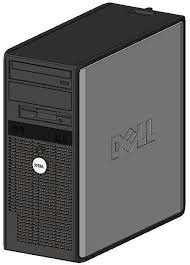
Which of these is a trackpad?
a)
b)
c)
d)
61.
Personal Computer
a)
PC
b)
RAM
c)
CPU
d)
PerCom
62.
Storage device that stores a large amount of data.
a)
Keyboard
b)
Hardware
c)
Tower
d)
Hard Drive
63.
Device used to insert data into a computer (ex: keyboard, mouse, microphone, camera)
a)
Input
b)
Output
c)
Tower
d)
Monitor
64.
Device that gives out information from the computer (ex: monitor, printer, speakers)
a)
Output
b)
Tower
c)
Port
d)
Hard Drive
65.
The part of a desktop PC that holds the computer components.
a)
Tower
b)
PC
c)
Monitor
d)
Hardware
66.
Any physical component of a computer.
a)
Hardware
b)
Keyboard
c)
Mouse
d)
Output
67.
A place to connect something to a computer.
a)
Port
b)
Keyboard
c)
Monitor
d)
Hard Drive
68.
A device for inputting letters, numbers and symbols.
a)
PC
b)
Keyboard
c)
Mouse
d)
Port
69.
A pointing device for the computer.
a)
Hardware
b)
Keyboard
c)
Mouse
d)
Output
70.
Adapter cards slide into ____.
a)
PCIe slots
b)
memory slots
c)
processor slots
d)
power slots
71.
Which is not the best example of a peripheral?
a)
Printer
b)
Speakers
c)
Hard Disk
d)
Keyboard
72.
Which is measured in GHz?
a)
Processor
b)
Hard Disk
c)
RAM
d)
Power Supply
73.
Which can be the most expensive piece of hardware?
a)
Processor
b)
Hard Disk
c)
Motherboard
d)
Power Supply
74.
Which does not typically require cooling technology?
a)
Processor
b)
Case
c)
Power Supply
d)
Hard Disk
75.
All programs that are currently running are located in the _____.
a)
RAM
b)
Hard Disk
c)
Processor
d)
Motherboard
76.
Which loses its contents when the power is turned off?
a)
ROM
b)
RAM
c)
Hard Disk
d)
Power Supply
77.
Which can help determine how fast data can be retrieved from a hard disk?
a)
RPMs
b)
GHz
c)
GBs
d)
TBs
78.
What type of drive is typically faster than a standard hard disk?
a)
SSD
b)
DDS
c)
SDS
d)
DSD
79.
Video, sound, and network cards are all examples of _____.
a)
adapter cards
b)
hard disks
c)
peripherals
d)
external drives
80.
The opening where a disk drive can be inserted is called a _____.
a)
bay
b)
garage
c)
door
d)
boat
81.
To perform computer repair, which tool is commonly required.
a)
screwdriver
b)
hammer
c)
magnifying glass
d)
electrical tape
82.
The processor and hard disk both communicate with _____.
a)
RAM
b)
ROM
c)
the power supply
d)
microphones
83.

Ergonomics is the science of

a)

designing computers

b)

designing desks

c)

designing equipment and workplace for a comfortable and safe environment

d)

designing chairs

84.
The way we sit at our desk can greatly affect our health
a)
True
b)
False
c)
Sometimes
85.
Sitting up straight is the most recommended position
a)
True
b)
False
c)
Sometimes
86.
A recline position can take away pressure on your spine
a)
True
b)
False
c)
Sometimes
87.

You should rest your wrist and not the palm of your hand for correct position of your hands during keyboarding

a)

True

b)

False

c)

Sometimes

88.

Adjust your seat depending on the height of your mouse, keyboard, and monitor. Get a footrest if necessary.

a)

True

b)

False

c)

Sometimes

89.

Simple changes in equipment make a big difference - how many are there?

a)

1

b)

2

c)

3

d)

4

90.

To reduce eye fatigue, you should

a)

Check monitor placement

b)

Blink

c)

Drink more water

d)

All of the other responses

91.

Which posture is the best?

a)
b)
c)
d)
92.

Ergonomics is the science of

a)

designing computers

b)

designing desks

c)

designing equipment and workplace for a comfortable and safe environment

d)

designing chairs

93.

Ergo means

a)

work

b)

law

c)

job

d)

task

94.

SIGNS OF MSD

a)

Loss of function

b)

Swelling

c)

Loss of color

d)

all of the above

95.

What is the definition of ergonomics?

a)

How a person interacts with a product and their environment

b)

The study of the measurements and proportions of the human body

c)

Examining how well a product performs in the market

96.

Computer Ergonomics help to prevent _____ and _____ when using the computer.

a)

Pain

b)

Cost

c)

Injury

d)

Fever

97.

When using the monitor, which part of your body is MOSTLY affected?

a)

Ears

b)

Hand

c)

Back

d)

Eyes

98.

Wrist bands/rest are very popular for ergonomics and correct positioning of your hands during keyboarding

a)

True

b)

False

c)

Sometimes

99.

It is recommended that you adjust the height of your chair based on the length of your legs.

a)

False

b)

Sometimes

c)

True

100.

Adjust your seat depending on the height of your mouse, keyboard and computer. Get a footrest if necessary.

a)

Sometimes

b)

True

c)

False

101.

The way we sit at our desk CANNOT affect our health

a)

True

b)

Sometimes

c)

False

102.

To move every 30 - 40 minutes is not recommended. Standing for a long length of time is better than sitting when using the computer.

a)

True

b)

False

c)

Sometimes

103.

Sleeping is a form of stress reducing exercise.

a)

False

b)

True

c)

Sometimes

104.

Computer Vision Syndromes include:

a)

Watery Eyes

b)

Blurred Vision

c)

Headache

d)

Hearing loss

105.

This can be used to prevent excess light entering the eyes:

a)

Computer Screen

b)

Parallel screen

c)

Anti-glare screen

d)

Adjustable screen

106.

Why Ergonomics?

a)

To reduce the accidents

b)

To reduce injury

c)

To reduce health risk

d)

To reduce sleepiness

107.

In Ergonomics, each worker is unique in their:

a)

Size and Shape

b)

Age and Gender

c)

Race and Language

d)

Experience

e)

Dreams

108.

What is an ideal office?

a)

Head up

b)

Shoulder relaxed

c)

Footrest

d)

Monitor is above eye height

109.

It is a unit of luminous intensity of a light source in a definitive direction.

a)

Flux

b)

Intensity of Light

c)

Illuminance

d)

Luminance

110.

Uniquely associated with noise measurements, it is a term borrowed from electrical-communication engineering, and it represents a relative quantity.

a)

Power Level

b)

Decibel

111.

1.Ergonomics is the science of ___.

a)

designing the job to fit the worker

b)

fitting the worker to the job

c)

lifting injuries

d)

safety and health

112.

3.Which of the following is an example of an ergonomic risk factor?

a)

NEUTRAL POSTURE

b)

REST

c)

PERSONAL PROTECTIVE EQUIPMENT

d)

REPETITION

113.

Posture is not important in regards to ergonomics.

a)

TRUE

b)

FALSE

114.

What is copyright?

a)

A law that protects the owners of creative works.

b)

A law that protects the owners of patents.

115.
What does digital citizenship mean?
a)
Any information about you on the Internet
b)
An online membership
c)
Using digital media safely, responsibly, and ethically.
d)
Not giving credit to someone else's work.
116.
Which is an example of digital media?
a)
Computers
b)
Social network sites
c)
Video games
d)
All of these
117.
True or False - if you send a text message, you can control what happens to the message after you send it.
a)
True
b)
False
118.
What is your digital footprint?
a)
The shape of your foot
b)
Taking a selfie of your shoes
c)
all the information online about a person, either posted by that person or others
d)
Having a blog
119.
Plagiarism is........
a)
A delicious dessert
b)
Copying someone else's work and calling it my own.
c)
citing resources
d)
Creating a list of Web sites
120.
When sharing photos of friends on the Internet I should...............
a)
Just put it out there. No one will care.
b)
Show the photo to everyone BUT my friend and have a good laugh about it.
c)
Show the photo to my friend and let him/her decide if it's a photo that is appropriate to share.
d)
Show the photo to my friend and then share without their permission.
121.
Which password listed below is the strongest?
a)
Iloveela
b)
123456
c)
R1vasEl@
d)
password
122.
When using a shared computer it is most important to
a)
sanitize the keyboard
b)
log out of your account when done
c)
leave a kind note for the next user
d)
check the battery life
123.
A url that begins with https: is
a)
secure
b)
not secure
124.
Before you post anything online, you should think about 
a)
how many likes you will get
b)
assess if the wifi is strong enough
c)
the long term consequences (future job, future friends, ect)
d)
what your friends will think
125.
The easiest rule for digital citizenship is
a)
never use technology
b)
be kind online
c)
always use free wifi
d)
always power your devices
126.
Ensure that social media settings are only shared with
a)
family
b)
friends
c)
people you trust
d)
everyone
127.
Many people have been robbed based off posting location specific photos. How could you avoid a similar digital problem?
a)
Don't ever travel
b)
Always have a house sitter
c)
Do not post any pictures on social media
d)
Turn off location settings or post pictures when you get back home
128.
Most social media apps and sites have this feature to help keep everyone safe and respectful
a)
help button
b)
report of flag inappropriate content
c)
unfriend button
d)
contact button
129.
If someone shares a hurtful message or image with you, you should 
a)
not pass it on
b)
tell the person who sent it, what they did was not okay with you
c)
let a trusted adult know
d)
all of the answers listed
130.

Which website domain should I use if I am researching a Western Australia's historical sites?

a)

.com

b)

.gov

c)

.edu

d)

.biz

131.

Which website domain should I use if I am researching current plans for public schools in Australia?

a)

.com

b)

.gov

c)

.edu

d)

.biz

132.

What are the benefits of recycling ?

a)

It reduces pollution .

b)

It conserves natural resources.

c)

It saves energy.

d)

All the above

133.

The 3 R's of waste disposal are Reduce, Reuse, and (a)   .

134.

Electronic devices cannot be recycled anymore like other materials.

a)

True

b)

False

135.
What does Recycle mean?
a)
Make into smaller amounts
b)
Use again in more than one way
c)
Convert waste into reusable material.
d)
Wash it
136.

You use it to see people while talking to them on the Internet.

a)

webcam

b)

mouse

137.

Which of the following questions is most important for a society to consider when deciding whether to use a new form of technology?

a)

will it be useful to other societies?

b)

what are the environmental, health, and economic costs and benefits of the technology?

c)

how long should the warranty be for products containing the technology?

d)

is the person who invented the technology a citizen of the society?

138.

Photo Perfect Inc. has hired you to design their newest line of digital cameras. They want the cameras to be ultra light and small, but still able to store large numbers of images. Which of the following camera parts would not suit the design constraints of Photo Perfect's new camera line?

a)

A compact memory chip that stores 60 GB of information

b)

A highly accurate lens that shoots high def images

c)

An extra powerful battery that weighs 1 kg

d)

A microchip processor that measures 2 cm across

139.

When presenting the results of an investigating a technological design, the presenter...

a)

should not use color in the presentation

b)

should use only poster board for the presentation

c)

should use no more than three diagrams in the presentation

d)

should use appropriate presentation technologies that are available

140.

True or False: Pictures you post will most likely have no affect on your live identity.

a)

True

b)

False