
 Worksheets
Year 4 Office Administration
Total questions: 35
Worksheet time: 18mins

What is a Word Processor?
A type of computer virus
A software used to create, edit and format text documents
A machine used to print letters
A type of keyboard
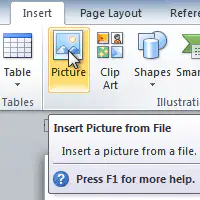
Which function is used to add images in a document?
Hyperlinks
Spell checks
Copy and paste
Insert image

Which function is used to add a table to a document?
Table of contents
Headers/ Footers
Columns
Insert table
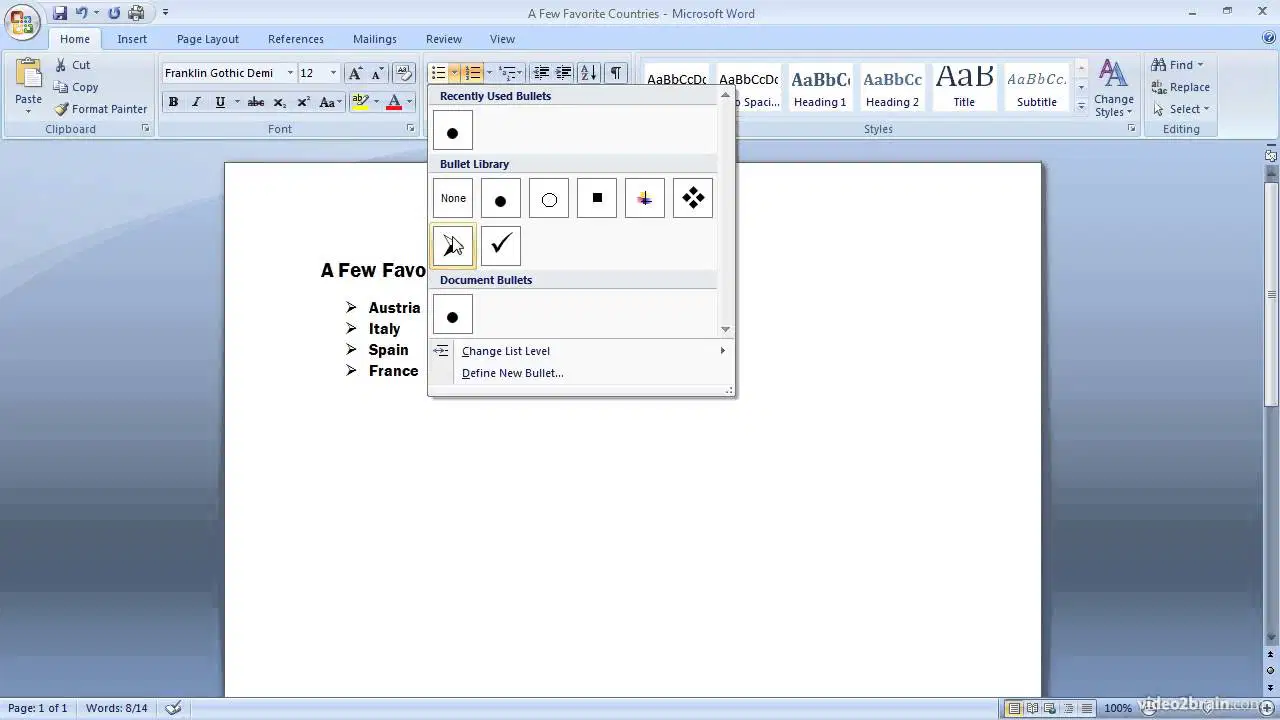
Which function is used to create a list with bullet points in a document?
Indentation
Numbered liste
Spell check
Bulletted list
Which function is used to store a document?
Copy and paste
Spell check
Save
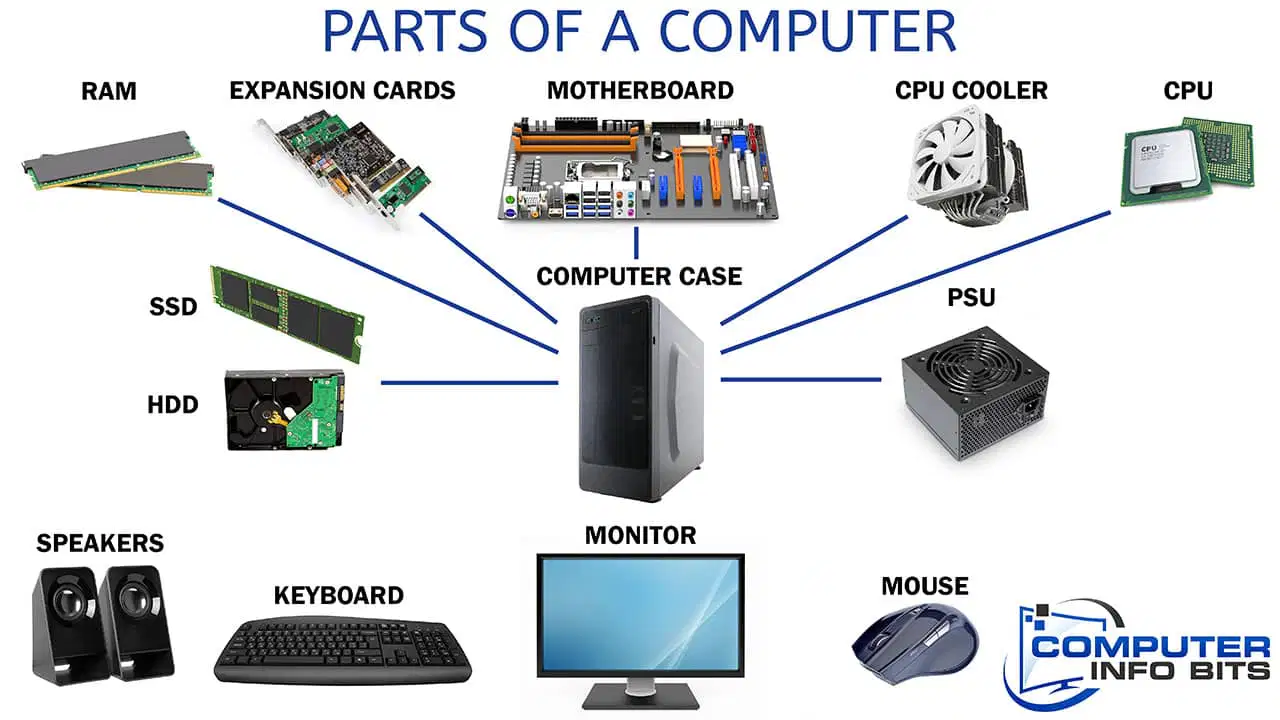
Computer hardware is the.......
Applications installed in a computer
Physical parts of the computer
Store that sells computer equipment
Input devices
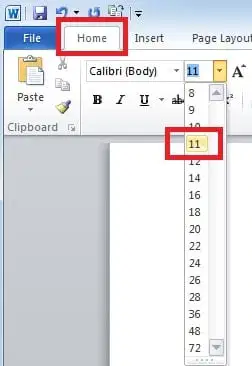
Which feature is used to change the size of text in a document?
Font size
Font style
Text alignment
Spacing

What is the main purpose of a reception area in an office building?
To provide a space for employees to work
To greet visitors and clients
To store office supplies

What should be considered when decorating the reception area?
Cost
Employee preferences
Professionalism and image of the company

What kind of furniture is commonly found in a reception area?
A couch and coffee table
Desks and chairs
Bunk beds and a kitchenette

What type of lighting is best suited for a reception area?
Bright fluorescent lighting
Dim, relaxing lighting
Natural lighting through windows

What should be kept in a reception area to make visitors feel comfortable?
A television playing the news
A selection of magazines and books
Loud music

What type of signage is important in a reception area to help visitors navigate the building?
Confusing and hard-to-read signs
Clear and concise signs
No signs at all

What type of technology should be available in a reception area for visitors to use?
Outdated computer systems
A Juke Box
Basic amenities such as Wi-Fi and charging stations

What type of beverages should be offered in a reception area?
Only coffee and tea
Alcoholic beverages
A variety of non-alcoholic beverages

What type of art or décor should be displayed in a reception area?
Abstract and controversial pieces
Neutral and professional artwork
Personal family photos

What type of atmosphere should a reception area convey to visitors?
A chaotic and unprofessional atmosphere
A welcoming and professional atmosphere
A sterile and boring atmosphere
What is Microsoft PowerPoint used for?
create and deliver presentations
watch movies
create documents
create spreadsheets
What is Microsoft Excel designed for?
creating presentations
store formulas
storing, organizing, and manipulating data using spreadsheets.
create documents
Keyboard shortcut "Ctrl-V" does what?
Copy
Delete
Paste
Keyboard shortcut "Ctrl-P" does what?
Delete
Paste
Copy
Keyboard shortcut "Ctrl-C" does what?
Copy
Delete
Paste
What does PDF stand for?
Portable Document Files
Printed Document Files
Put Dem Far
Portable Document Format
What is Malware short for?
Multi Wearing
Many Softwares
Malicious Software
Viruses
What is the very first thing you should do when meeting a new client
Clean your work area.
Wear a smile.
Prepare the client for service
Inform the client of the fees.
What is the goal of client services and communication?
To make customers unhappy
To ignore customers
To make sure customers are happy and satisfied

How can a company provide support to its customers?
Only in person
Only through email
Through various ways such as over the phone, email, chat or in person

What is the importance of clear and accurate information in client services and communication?
It doesn't matter
It causes more problems for the customer
It helps build trust and a positive relationship with the customer

How should a company respond when a customer reaches out with a problem?
Ignore them
Respond as quickly as possible
Take a long time to respond

What happens when a company takes a long time to respond to a customer's inquiry?
The customer will be happy
The customer will be frustrated and upset
The customer will not be affected

What does a company gain from providing good client services and communication?
Nothing
A negative relationship with its customers
A positive relationship and trust with its customers

How should a company treat its customers when they reach out with questions or problems?
Rudely
Unhelpfully
Friendly and helpful

What should a company do if it makes a mistake and provides incorrect information to a customer?
Do nothing
Apologize and correct the mistake
Blame the customer

What is the main purpose of client services and communication?
To make customers unhappy
To make sure customers have a good experience and are satisfied with the company's products or services
To ignore customers

A benefit of using a ___________ would be it provides backup of your data, files, and photos and is accessible anytime via the internet.
hard drive
network drive
flash drive
cloud drive

