
 Worksheets
Computer Fundamentals Form 4 2023
Total questions: 65
Worksheet time: 32mins
A bus...
Is how data is transported around a computer system
Is how data is input into a computer system
Is how data is output from a computer system
Is how data is processed inside a computer system
Which of the following are types of bus in a computer system
Memory Bus
Data Bus
Input Bus
Control Bus
Address Bus
What is the purpose of the control bus?
Carries signals to control various devices and components
Carries data around the computer system
Carries the addresses of where data needs to go or come from
What is the purpose of the address bus?
Carries signals to control various devices and components
Carries data around the computer system
Carries the addresses of where data needs to go or come from
What is the purpose of the data bus?
Carries signals to control various devices and components
Carries data around the computer system
Carries the addresses of where data needs to go or come from
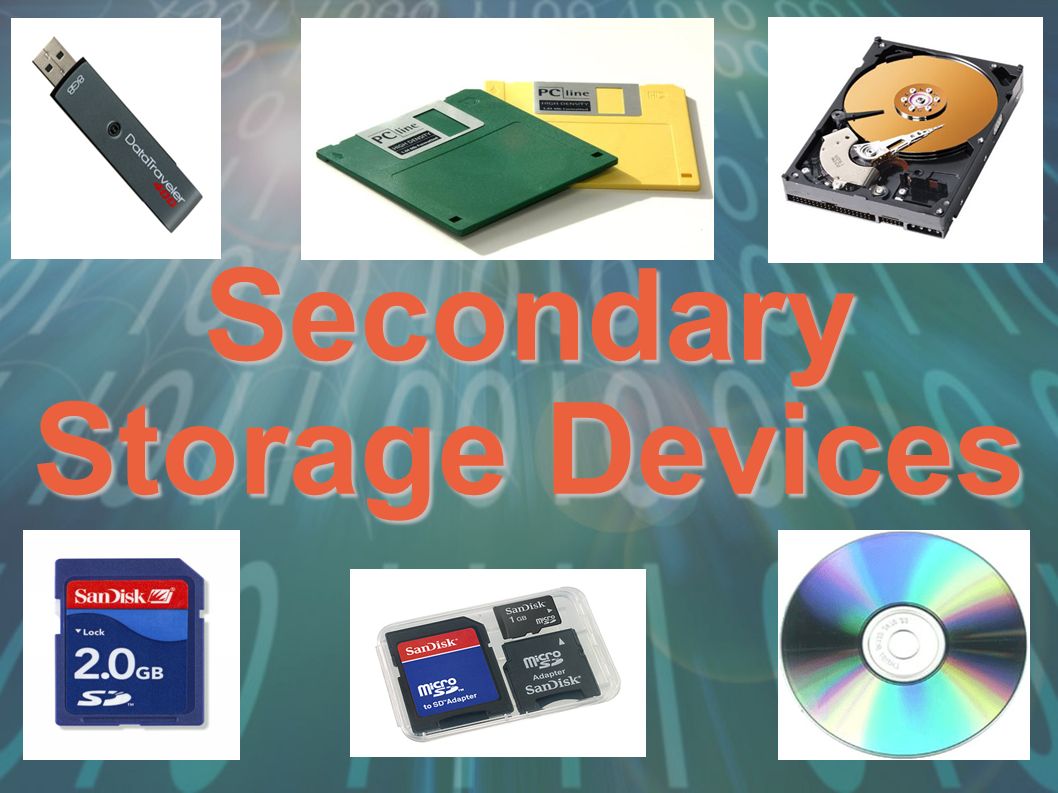
Secondary storage devices can be grouped into three categories - what are they?
Magnetic, Flash and Optical
Magnetic, Optical and Solid State
Solid State, Flash and Hard Drives
Hard Drives, CDs and USBs
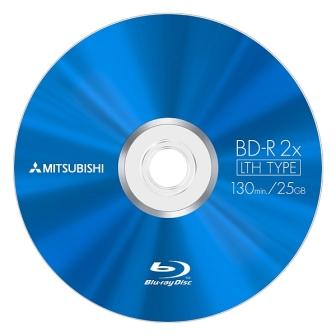
What category of storage is a Blu-Ray disk?
Magnetic
Optical
Solid State
Primary memory
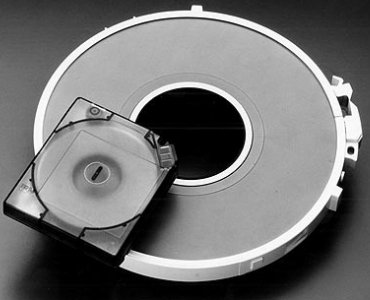
Magnetic tape storage is what kind of device...
Solid state memory
Optical storage
Magnetic storage
Primary memory
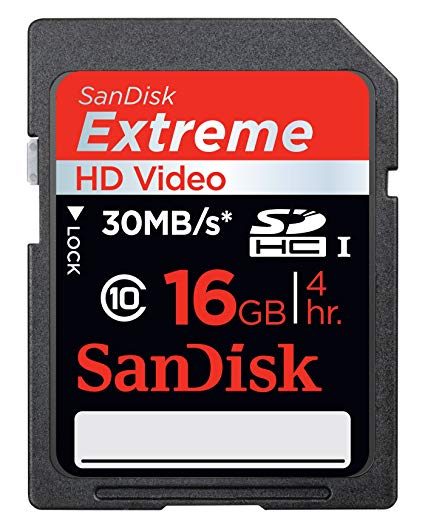
What category of storage device is a SD card?
Magnetic
Optical
Solid state
Primary memory
The types of storage are:
Primary
Hardware
Secondary
Tertiary
The examples below are types of the computer's _________ memory
(e.g. microchips: RAM, ROM)
temporary
important
internal
external
The examples below are types of the computer's _________ memory (ex. thumb drives, hard drives, cloud storage: ie. Dropbox)
temporary
internal
external
important
The function of data storage is
Send data or information to other people
As a place to store information
Receive data or information from outside sources
Manipulate data quickly and precisely
What is included in Memory Devices?
Computer Memory, RAM, ROM, Cache
Program , RAM, ROM, RIM
Computer Memory, Internal, ROM, Cache
Program , RAM, ROM, Cache
What is Random Access Memory (RAM)?
Computers need a non-volatile memory to larger programs.
A character is stored in the computer
Volatile form of a computer memory
Collection of unorganized facts
An interesting and useful device that you can carry data about all places and transfer information, programs, images, is the meaning of?
Flash Memory Card
Portable Hard Disks
Magnetic Tapes
Memory Sticks
What storage system units are used to improve storage device performance?
Primary Memory, Secondary Memory, Three Memory
Primary Memory, Secondary Memory, Cache Memory
Primary Memory, Secondary Memory, Hard Disk Memory
Primary Memory and Cache Memory

What is cloud storage
Servers hidden in clouds
Closed Locations Of Underground Drill Storage
A type of storage that can be accessed with an internet connection
A type of storage that can be accessed in the clouds
What is a data centre?
Storing data on the internet
The ability to easily increase the size of computing storage or processing power
settings that allow different users different abilities with each file
A centralized collection of servers stored in a building
What is Scalability?
The ability to decrease the size of the storage system or cloud computing resources.
The ability to keep the size of a cloud storage system the same.
The ability to hack someones cloud storage and delete all of their files.
The ability to increase the size of the storage system or cloud computing resources.
Which of these are reasons for computer systems requiring secondary storage? (Tick all)
Secondary storage improves system performance
Used to back up data stored in main memory/primary storage.
Stores programs/data and other files that would otherwise be lost when the power is switched off/RAM is volatile/cannot store data permanently.
Need for larger storage capacity (than what RAM and ROM can provide).
Its required for Virtual Networks
Which of these define what secondary storage is?
Non-volatile storage / devices that are not directly accessible by the CPU
Any non-volatile storage
All memory technologies that use magnetism.
Any memory technology using laser light
A USB device
Which of these storage devices make use of optics (laser light) to store data? (Tick All)
CD
Fibre Optic Cable
DVD
Blue-Ray
LED
Besides COST or CAPACITY, which of these are characteristics of storage devices? (Select all)
speed (data transfer rate)
Durability
Portability
Reliability
Data Storage Space
Which of these statements explain "durability"?
Length of time expected for data to last.
Whether the data will be saved as expected.
The data is not affected when saved.
No changes to the file formatting.
What is an advantage of Cloud Computing?
Can access your files anywhere
It is safer
Can access files anywhere you have internet
Expensive
Which of the following shows the capacity of OPTICAL STORAGE MEDIA in the correct order (smallest to largest)?
DVD > BLU RAY > CD
CD > DVD > BLU RAY
BLU RAY > DVD > CD
DVD > CD > BLU RAY
Rank the units of data storage in order from smallest to largest..
MB > KB > Byte > TB >GB
KB > Byte > MB > TB > GB
Byte > KB > MB > GB > TB
TB > GB > MB > KB > Byte
Data stored on Backing Storage is...
Volatile
Non-volatile
Which of the following units could be used to measure storage capacity of a USB stick?
Mhz
Ghz
Gb
Cm
Cloud services often have both free & paid tiers.
What are the benefits of paid services?
Choose two options.
Free cloud services are only available in offline mode.
Paid cloud services often provide more storage & features.
Paid services will provide better customer service.
Paid services will be more accessible for people with disabilities.
The design of the cloud service’s interface will affect your choice of service. One design feature to consider is how intuitive it is.
What do we mean by an intuitive interface?
Choose two statements below.
The interface works the way the user expects it to.
The interface is compatible with accessibility devices.
The interface can be used without requiring extensive training.
The interface works on both mobile and desktop devices.
When talking about interface design, what do we mean by accessibility?
The interface can be used both when online and when offline.
The interface can be whenever or wherever you are, even in a different country.
The interface can be used on all devices, whether desktop or mobile.
The interface can be used by all users, regardless of individual disability.
Cloud services often have features to allow them to work together with traditional systems. One of these features is device synchronisation.
What are the benefits to the user of device synchronisation?
Choose two options.
You can save files locally and they will be automatically uploaded to the cloud service.
Your files on the cloud service will be accessible to all users, regardless of individual disability.
You will be able to access the same version of files on all devices connected to the cloud service.
You will receive alerts when certain events occur, such as a file being uploaded successfully.
Some cloud services provide an offline mode. What does this mean?
Your files will automatically be synced with the cloud service so you can access them on other devices.
You can only use your cloud service when connected to the internet.
You can use your cloud service while not connected to the internet.
You will receive notifications when files are successfully uploaded to the cloud service.
What are two problems with working offline?
Files and data could be lost before the data is synchronized.
Patches and updates are done automatically.
The data has to be manually backed up.
You can't be hacked.
Having files copied to multiple devices using a cloud service is referred to as...
Back-up
Syncing
Copying
Duplication
What is one downside of cloud services?
You need a connection to the internet to access them.
They run out of battery.
They have long downtimes.
you can only access them on some devices.
What does volatile mean?
Data is lost when the power is turned off
Data is NOT lost when the power is turned off
The CPU fetches instructions from.... and executes those instructions.
Memory
ALU
ROM
Input Device
Why will a system create virtual memory?
It is created when a computer is running many processes at once and RAM is running low.
It is non- volatile.
It is created when a computer is running many processes at once and ROM is running low.
It is created when the processor is running at capacity.
Which are types of memory?
RAM
ROM
CACHE
REGISTERS
Which statements are about RAM?
Is High Speed, Volatile memory is used as the main memory in a computer. It can be read and written to.
Non-volatile memory.
Volatile = temp memory, requires power to retain it data.
it can ONLY BE READ, not written to.
Which statements are about ROM?
Is High Speed, Volatile memory is used as the main memory in a computer. It can be read and written to.
Non-volatile memory.
Volatile = temp memory, requires power to retain it data.
it can ONLY BE READ, not written to.
.... does not have any moving parts and data is retrieved at the same rate
HDD
SSD
Optical
Offline
SSD stores data by controlling the movement of electrons within .... chips
NOR
NAND
XOR
AND
SSD devices sometimes use... technology
EPROM
EEPROM
ROM
PROM
Two types of SSD are
EPROM and EEPROM
USB and EPROM
Flash and EEPROM
Memory and USB
A type of RAM that needs to be refreshed every few milliseconds to retain data
SRAM
DRAM
A type of ROM that is erasable through ultraviolet light.
PROM
EPROM
EEPROM
What are the three types of ROM?
RROM, ERPOM,EEPROMM
PROM, EPROM, EEPROM
MORP, EEMORP, EPOM
POMM, ERMP, EERMP
Which type of memory would you upgrade to improve the performance of your computer?
RAM
ROM
Instructions for programs are transferred from long-term storage to which type of memory?
RAM
ROM
Which type of memory is used in a game cartridge for a Nintendo Switch?
RAM
ROM
Which type of memory is used to store the OS, programs and data in use by the CPU?
RAM
ROM

