
 Worksheets
Parts of The PowerPoint Interface Pt. 1
Total questions: 14
Worksheet time: 7mins

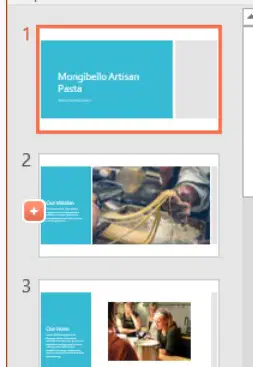
Allows you to view and edit selected slides.
Le permite ver y editar diapositivas seleccionadas.
Slide navigation pane
Slide view options
Slide pane
Slide zoom
Allows you to view and organize the slides in your presentation.
le permite ver y organizar las diapositivas en su presentación.
Slide navigation pane
Slide sorter view
Slide zoom
Slide show

Lets you access common commands no matter which tab is selected. You can customize the commands depending on your preference.
le permite acceder a comandos comunes sin importar qué pestaña esté seleccionada. Puede personalizar los comandos según sus preferencias.
Zoom sorter
PowerPoint Sign In
Ribbon
Quick Access Toolbar
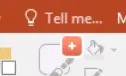
Works like a search bar to help you quickly find tools or commands you want to use.
funciona como una barra de búsqueda para ayudarlo a encontrar rápidamente las herramientas o los comandos que desea usar.
Quick Access Toolbar
Tell Me
Search Box
Find and Replace
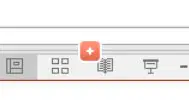
Allows you to to view a presentation in different ways. There are 4 different views.
Le permite ver una presentación de diferentes maneras. Hay 4 vistas diferentes.
Ribbon
View tab
Slide View options
Slide sorter options
Which of the following is NOT a slide view option.
Movie View
Slide show
Slide sorter
Normal

Often called _________, they can help you deliver or prepare for your presentation.
A menudo llamados _________, pueden ayudarlo a entregar o prepararse para su presentación.
Tell Me
Comments
Speaker notes
Search

True or False: The slide show tab can be used to view a presentation from the current slide that is selected.
Verdadero o falso: la pestaña de presentación de diapositivas se puede usar para ver una presentación desde la diapositiva actual que está seleccionada.
True
False

__________enables you to run through your presentation in Slide Show view and record the time each slide takes. Then, use the timings to run the show automatically, either to help you rehearse, or for a self-running show.
Layout Options
Rehearse Timing
Setup Slide show
Sort Viewer
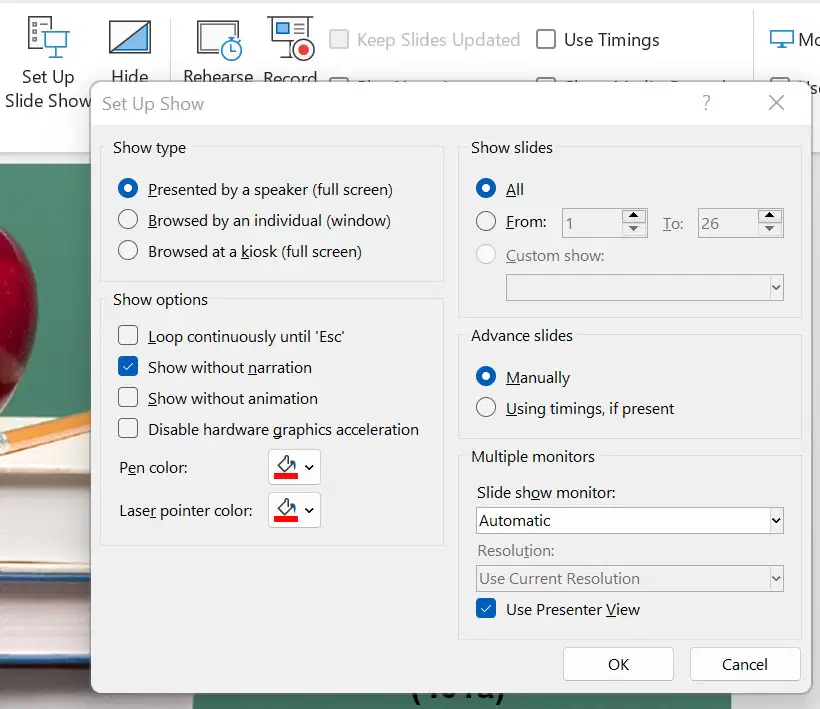
To set up a self running slide show, on something like a Kiosk, use the ________option.
Para configurar una presentación de diapositivas autoejecutable, en algo como un quiosco, use la opción ________.
Record show
Rehearse timings
Setup show
Slide sorter
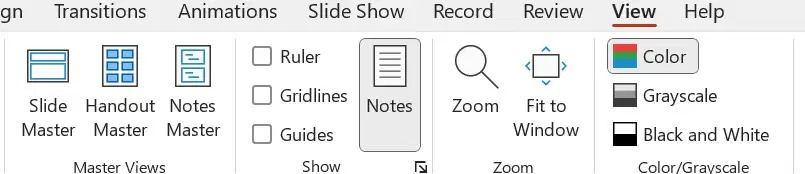
When you want ALL your slides to contain the same fonts and images (such as logos), you can make those changes in one place_______.
Zoom
Notes
Slide Master
Handouts
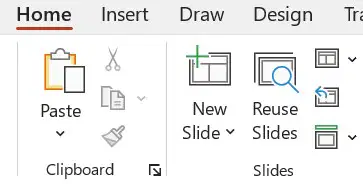
_________will allow you to use slides from a different presentation or an outline.
Slide Layout
Reuse Slides
New Slide
Insert
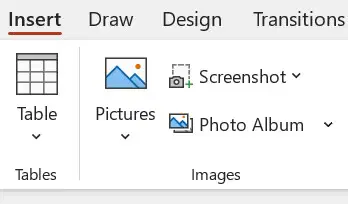
_________allows you to quickly add a snapshot of an open window or document on your desktop.
_________le permite agregar rápidamente una instantánea de una ventana abierta o un documento en su escritorio.
Picture
Screenshot
Photoalbum
Table

The _______option allows you to print more than one slide on a page.
La opción _____ le permite imprimir más de una diapositiva en una página.
Handout
Notes
Full page
Outline

