
Font size
 Worksheets
SonoScape - GAIA
Total questions: 22
Worksheet time: 13mins
GAIA S60 - How to perform keyboard test?
General - About page - Password input - Function test
Reset - edit - Ts.test
Press each keyboard key determine which defective.
Use external keyboard to test
On the external surface of probe reach how many Degree Celsius will shown alert / alarm?
(a)
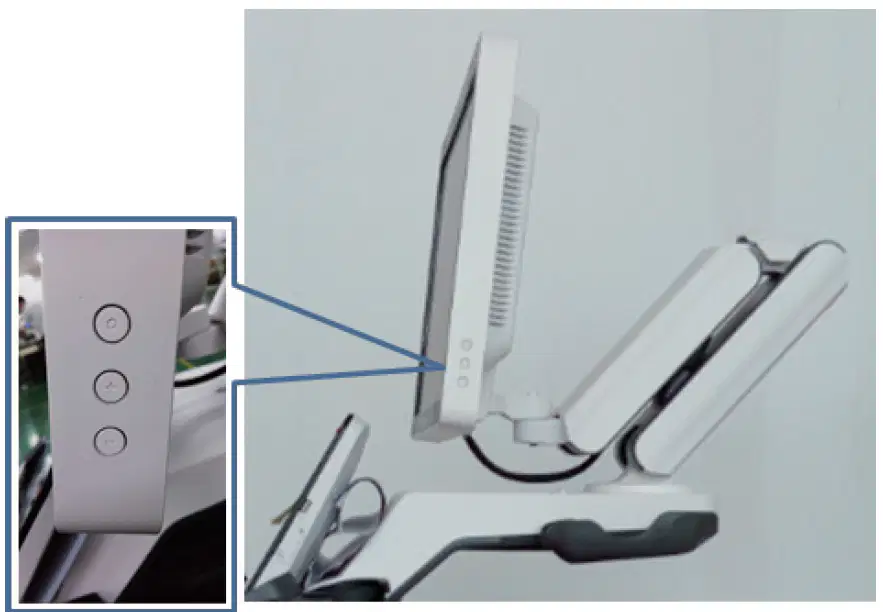
What are these buttons for?
Calibration of monitor color
Color/grayscale adjustment with brightness.
Auto realize tilt level of monitor
Only set brightness of monitor
GAIA S60 - How to 1 key delete patient data ?
Setup - about - password - Engineer mode - Function - Clear data
Setup - about -password - Engineer mode - Function - Util
Setup - general -data -clear
Patient list - patient data -clear
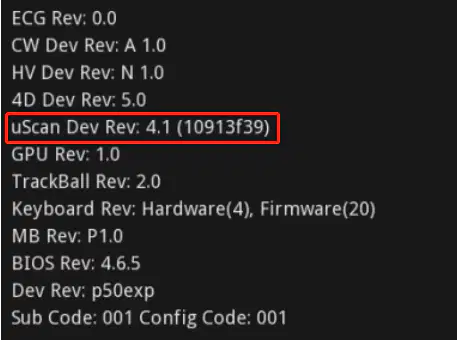
What is the dongle SN?
4.1
4.1 (10913)
10913f39
(10913f39)
NFTS vs FAT32 please clarify the differences
NTFS: supports 2TB maximum partition and 2TB maximum file.
FAT32: supports 128GB maximum partition and 4GB maximum file
NTFS: supports 1TB maximum partition and 1TB maximum file.
FAT32: supports 64GB maximum partition and 8GB maximum file
NTFS: supports 5TB maximum partition and 5TB maximum file.
FAT32: supports 16GB maximum partition and 4GB maximum file
NTFS: supports 6TB maximum partition and 4TB maximum file.
FAT32: supports 32GB maximum partition and 32GB maximum file
During export log file or patient data transfer what kinda U-disk format we should apply?Why?
NTFS; using FAT32 format may cause logs over 4G to be unable to be exported
FAT32 ; same as safe mode U-disk
exFAT ; as exFAT has largest limit and partition size
FAT32 or NFTS both can be applied.
Parameter of P60 monitor
1. Size: 23.5’’
2. Resolution: 1920*1080
3. Interface type: EVDS
4. Power supply: 12V
1. Size: 21.5’’
2. Resolution: 1920*1080
3. Interface type: EVDS
4. Power supply: 12.5V
1. Size: 22.5’’
2. Resolution: 1920*1080
3. Interface type: HDMI
4. Power supply: 12V
1. Size: 21.5’’
2. Resolution: 1920*1080
3. Interface type: HDMI
4. Power supply: 12V
How to take a screen capture?
Connect U disk to the USB port - setup -general-multi-function keys( set to shortcut functions- screen capture - select the U disk to export -Apply
Long press reset - plug in usb - screen capture and safe
Reset - edit -ts.test - plug in usb - screencapture
What is the temperature of Gel warmer to stop heat automatically?
32-42
35-45
37-47
30-40
How to export the touch screen log?
Long press reset - insert usb - export log
Reset- Edit- Ts.test - Plug in usb - export log
Setup - general - export - plug in usb - export log
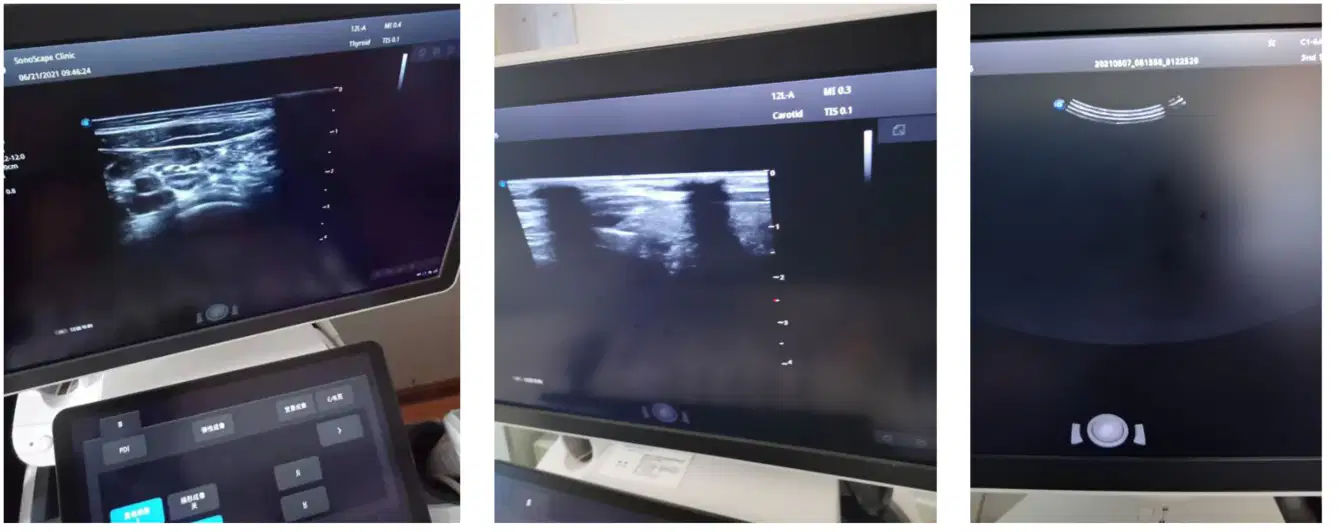
Please circle the defective sign of probe
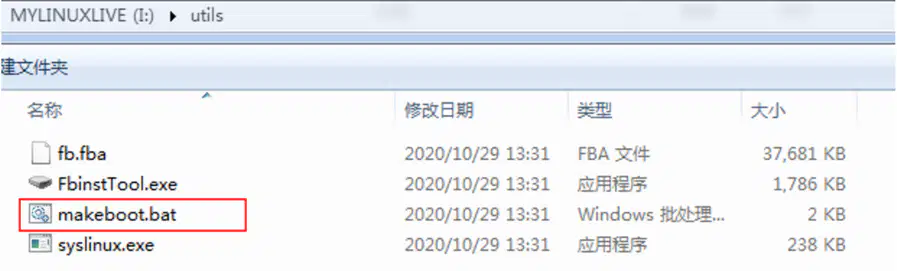
What is this steps for?
Make safe mode boot disk
Make kernel file
Make slot for software
Make touch panel kernel
Latest GAIA software version : 3.2.2.0 & 3.3.1.0 . Please clarify which software version is for P series and which is for S series
3220 = P
3310 = S
3220 = S
3310 = P
3220 = P / S
3310 = S / P
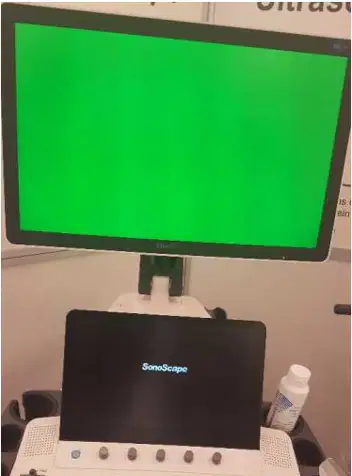
Green screen shown after boot. Whats the solution?
Software bug : rekernel to 3092
Graphic card spoil ;replace new graphic card
Main board defective ; replace new main board
HDMI cable defective :replace new HDMI
Import Image into the USG - Setup- General- Patient data- Import
Setup- General - Display -Show Gallery - Import image
Setup- Default - Import Image
Whats the parameter for Touch panel
13.3 ; edp port
12.2 ; Sata
13.3 ; DVi
12.2 ; HDMI
How to do screen capture?
Connect U disk - Setup - General -Multi key- set multikey as shortcut - export to u disk
Setup - General - Screen Capture - Save image - Export
Safe mode - edit ts.test - Screen capture
What is the temperature for warning indicator pop out while using TVS probe?
40
41
42
43
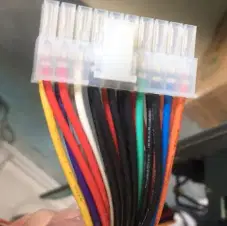
Whats is the color to jump start ATX power supply?
Red , Yellow
Black, Yellow
Black , Green
Red, Black
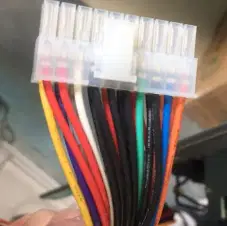
Whats is the Voltage measurement for yellow
5V
12V
3.3V
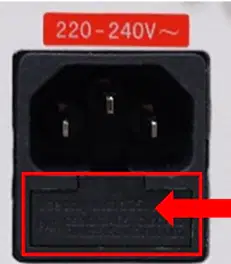
Fuse amp?
5A
4A
3A
3.5A

