
 Worksheets
Adobe Illustrator Practice Questions
Total questions: 100
Worksheet time: 51mins
What is the base functionality difference between the Selection and Direct Selection tools?
The Selection tool is used to move objects, while the Direct Selection tool is used to resize objects.
The Selection tool is used to rotate objects, while the Direct Selection tool is used to duplicate objects.
The Selection tool is used to select entire objects, while the Direct Selection tool is used to select individual anchor points and paths.
The Selection tool is used to create new objects, while the Direct Selection tool is used to delete objects.
What is a potential problem when using a marquee to create selections?
It may change the color of the selected objects.
It may cause the program to crash due to excessive selection.
It may duplicate the selected objects.
It may inadvertently drag an object when attempting to create a selection.
What are Smart guide measurement labels used for?
To delete objects.
To create new objects.
To change the color of selected objects.
To provide visual cues for aligning and spacing objects.
How can users access the tool shortcuts for the Selection and Direct Selection tools?
Press V for the Selection tool and A for the Direct Selection tool.
Press T for the Selection tool and E for the Direct Selection tool.
Press S for the Selection tool and D for the Direct Selection tool.
Press M for the Selection tool and N for the Direct Selection tool.
What is the primary function of the Direct Selection tool in Adobe Illustrator?
To move entire objects.
To rotate objects.
To create new objects.
To select individual anchor points and paths.
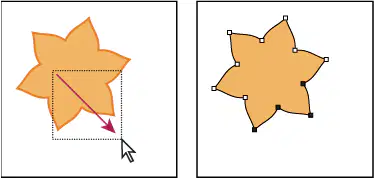
You can click the mouse button and drag a marquee line with the selection tools to select multiple objects, or anchor points.
True
False
What is the role of the Smart guide measurement labels in Adobe Illustrator?
To provide visual cues for aligning and spacing objects.
To move entire objects.
To create new objects.
To rotate objects.
What is the function of the Artboards panel in Adobe Illustrator?
To add, reorder, rearrange, and delete artboards.
To change the color of selected objects.
To create new objects.
To move entire objects.
How can users navigate between artboards in Adobe Illustrator?
By pressing the Escape key to switch between artboards.
Using the Artboard Navigation menu and buttons in the lower-left corner of the Document window.
By clicking and dragging the artboards in the workspace.
By using the Zoom tool to move between artboards.
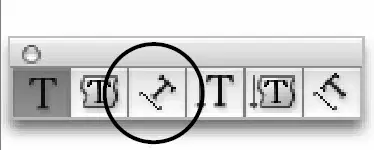
This is the Diagonal Type Tool, which creates a type container with type lines that rotate to a diagonal angle.
Which symbol in the Tool Box changes the currently selected stroke or fill color to invisible, or empty?

changes an object to its mirror image, across an axis

draws shapes with loose, natural gestures that transform into perfect geometric shapes

moves the viewing area around, like it was a piece of paper
Selection Tool
Move Tool
creates filled, but not stroked shapes (closed path) with the stroke color.
simplifies or eliminates the anchor points from an existing path
extends separate paths, and creates a new anchor point where they connect
Uses the mouse to free-handed SELECT points or paths, even within an object.
draws both straight and curved paths
Line Segment Tool
Curvature Tool
allows text to sit along any path, and converts the appearance of the path to a fill and stroke of None.
To resize an object, which of the following methods will NOT work?
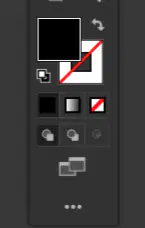
Button in the Toolbar that switches between the fill and stroke colors
cuts a path at a specified point, and leaves an open path
Eraser Tool
Scissors Tool
Slice Tool
Knife Tool
can create a triangle as well a multi-point starbursts
Polygon Tool
Shaper Tool
Line Segment Tool

interactively distorts lines and shapes
selects objects and groups within groups: click once, the entire group is selected; click again, the object is selected

enlarges or reduces the viewing area
Free Transform Tool
Removes a portion of a object, and leaves a closed path

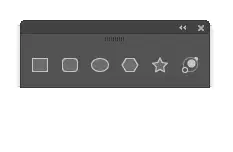
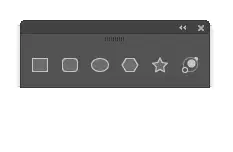
Draws octagons, triangles, rectangles, pentagons, and other geometric shapes
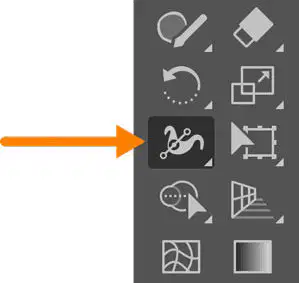
The Width tool creates a variable width stroked line that can be saved and applied to other paths.

Which of the following tools will convert an anchor point from a smooth arc to a corner?
Convert Anchor Point Tool
Curvature Tool
Pen Tool
Direct Selection Tool
draws squares and rectangles with rounded corners → Mesh Tool
selects objects with similar attributes → Direct Selection Tool
draws inside another shape only when you have a selected object. The selected object serves as a clipping mask. → DrawBehind Button
draws a freehand path → Pencil Tool
copies appearance attributes from one object to the other → Eyedropper Tool
Like the Curvature Tool, this tool can add more anchor points to an existing path → Add Anchor Point Tool
toggles between normal and full screen mode → keyboard button F
Control + Shift + A deselects all objects
Control + shift + G will ungroup the selected objects.
To convert a vector object into a raster/bitmap image.
expand
image trace
create outlines
What do we call digital art composed of points connected by straight and curved segments defined by mathematical instructions. Objects are resolution-independent. This means they can be scaled with no loss of edge quality.
Clip Art
3D graphics
Vector graphic
Raster graphics
A single dot that makes up a raster image. Is short for "picture element."
Affects an entire type container rather than selected words. Settings include alignment, space before/after, hyphenation, and so on.
Solid color, pattern, or gradient that is applied to the interior of a vector object. Can be adjusted on several panels in Illustrator.
Automatically converts pixels in a bitmap image into vector paths and anchor points
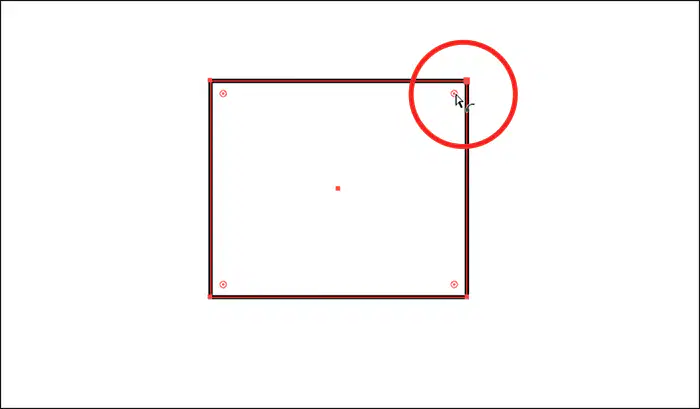
A feature for non-rectangular objects such as polygons that displays a corner widget for controlling the corner radius on a selected corner point.
A type object (consisting of many lines of text) where type wraps to fit within a vector shape.
A panel that manipulates color, allows you to view a specific group of color swatches based upon a key color, and color harmonies.
A type object (text) that stands by itself and is not associated with any drawn path or object. Can be positioned anywhere on an artboard, and resized using the bounding box.
An Adobe application that enables you to view thumbnails of your files and helps you sort and organize those files. It gives you centralized access to all your Illustrator files and to other media assets you may need for your projects.
What is the term for the group of four ink colors, CMYK (Cyan, Magenta, Yellow, and Black) used for economical printing, using tiny colored dots, that allows for full-color photographic images.
Which of the following panels does not allow you to adjust the attributes of an object
The Panel that allows you to access assets in the Creative Cloud, that can be shared between files and even between different computers
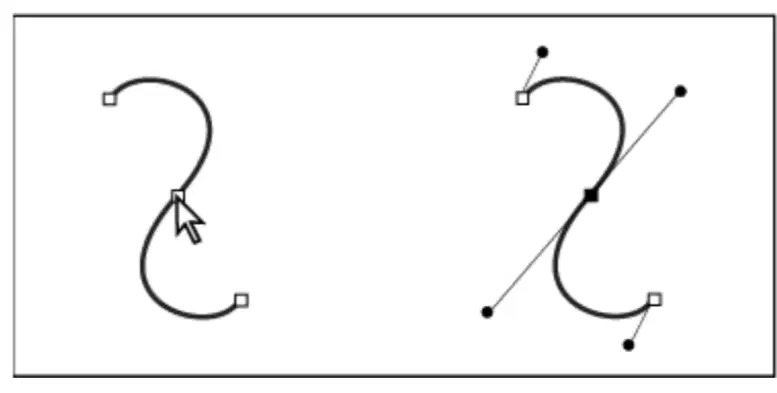
The selection tool that will allow you to move specific anchor points, or allow you to control the direction handles for a curved path
Which of the following is NOT true regarding Pathfinders
PREFERENCES is the location in Illustrator that contains various options and settings that are applied to all Illustrator documents you create. The dialog box organizes the options and settings into specific categories. Contains options like Scale Strokes and Effects.
___________ are a way to organize objects and put some objects in front of, or behind, others. They can be temporarily locked or hidden.
Specific arrangements of the panels within the interface for easy access to features you use often. Illustrator provides predefined options or you can create a custom option that suits your workflow needs.
A special group of objects in which the topmost object crops (masks) the objects that are below it. Portions of the lower objects that extend beyond the path of the topmost object are hidden and don't print.
Clipping Mask
Expand Appearance
Draw Inside Mode
Patherfinders
The thickness (width) applied to a stroke is called line weight, and is measured in _______________.

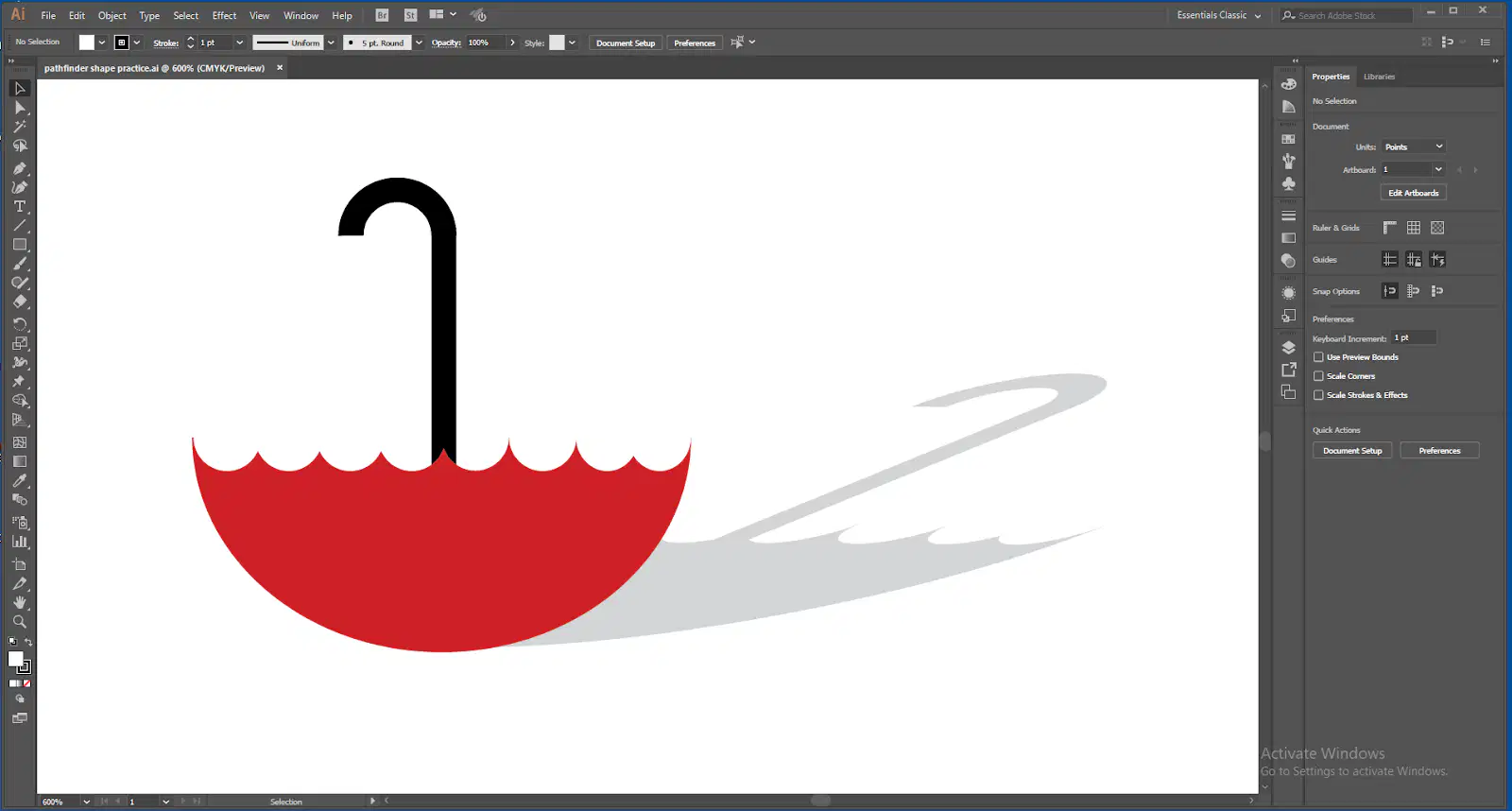
The View below is currently in Outline mode.


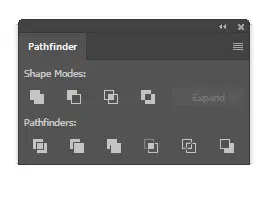
Pathfinders only work if there are over-lapping paths.
Pathfinders use artificial intelligence to create a new design
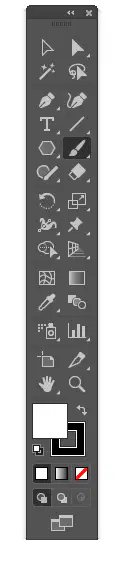
The Appearance Selection Tool
Choose the best answer: How do you select a single object within a group.
If you wish to convert any Effect into permanent vector information, choose Create Outlines from the Properties panel.
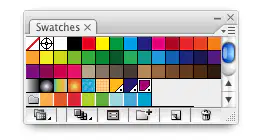
There are 3 Spot colors are present in this Swatch panel.
How to you convert type (lettering) to objects?
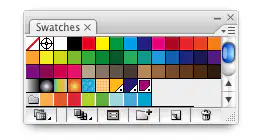
There are 2 radial gradient swatches in the current swatch panel
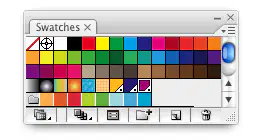
There are five pattern swatches in the current swatch panel.
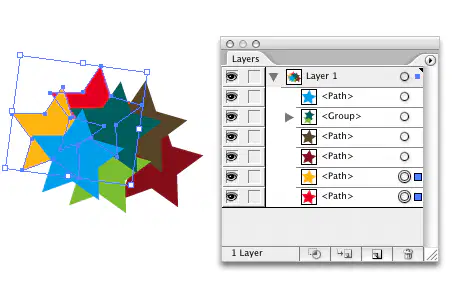
Objects can be selected with only the Layers panel, and no other selection tool.
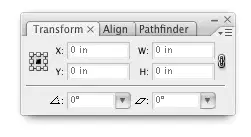
You can change both the position and size of objects by using the Transform panel
Which brush allows you to choose random size and rotation of the brush with each stroke you draw?
Which command is the fastest way to convert a pattern swatch filled object to vectors, so that the image stops changing when moved?
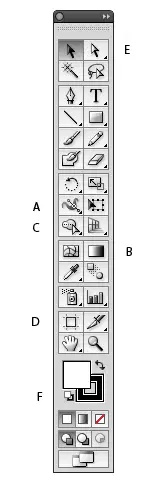
Which is the Direct Selection Tool?
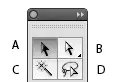
Which allows you to select individual anchorpoints within an object?
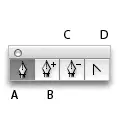
Which tool allows you to change a slope/curve into a corner?
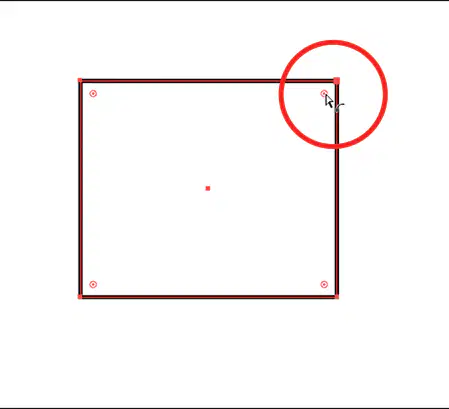
Live Shape corner widget
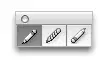
The Path Eraser Tool is NOT currently selected
Which can be used to convert pixel photograph information into vector paths?

