
Font size
 Worksheets
CHAPTER 1 REVIEW
Total questions: 105
Worksheet time: 56mins
______________ was the first computer to handle both numeric and text data
UNIVAC I
ENIAC
CRAY-1
__________ was the first general purpose electronic digital computer, invented in 1946
ENIAC
UNIVAC I
PARAM
______ is the world's fastest supercomputer
Tianhe-2
PARAM
CRAY-1
GIGO means
Go In Go Out
Garbage In Garbage Out
Get In Get Out
The first mechanical calculating device was
Blaise Pascal
Leibniz calculator
Charles Babbage
The circuit used in 1st generation of computers in 1940-56
vaccum tubes
transistors
integrated circuits
The circuitry used in 2nd generation of computers in the year 1956-63
Transistors
Vaccum tubes
micro processors
These computers are used for weather forecasting, space research and satellite control
Super computers
Mainframe computers
Mini computers
___________ was the first lady programmer who suggested Binary Data storage
Augusta Ada Lovelace
Augusta Merwin
Augusta Agnes
These computers are used in bank, universities and in any other big organizations
Mini computers
Macro computers
Super computers
These computers are used in homes, schools, offices and shops
Micro computers
Mini computers
Super computers
Who is known as the father of the disk drive?
Reynold.B.Johnson
Mac Milan
John Napier
____________ was the first mechanical device for calculations, developed in China
Analytical engine
Napier's Bones
Abacus
Who invented the Tabulating machine?
Herman Hollerith
John Von Neumann
Howard Aiken
___________ became the fundamental principle for the design of computer circuits
Boolean Logic
Herman Logic
Presper Logic
These computers are very expensive and are used in large business organisations like railway ticket reservation and stock exchange markets
Micro computers
Super Computers
Mainframe computers
Who invented the first automatic sequence -controlled calculator, the MARK I in 1944?
Howard Aiken
John Von Neumann
Charles Babbage
These computers are smaller and lighter than laptop generally 7 inch or 10 inch screen
Tablet computers
Laptop computers
Desktop computers
Analytical engine was invented by
Charles Babbage
Augusta ada lovelace
Reynold
__________ language was used in first generation of computers
COBOL
Machine
RDBMS
Which type of computer is the most powerful and can process trillions of operations per second?
Supercomputers
Mainframe Computers
Workstations
Minicomputers
Where are supercomputers usually housed to permit cooling?
In small rooms with low airflow
In large clean rooms with high airflow
In outdoor facilities
In underground bunkers
What type of computer is used in large-scale businesses, e-business, and with supercomputer transactions done using the internet?
Mainframe Computers
Workstations
Supercomputers
Minicomputers
What type of computer is used in medium-scale institutions such as banks?
Minicomputers
Mainframe Computers
Supercomputers
Microcomputers
What is another common name for mainframe and mini computers in the general community?
Personal computers
Portable computers
Server computers
Desktop computers
Which type of computer is meant for personal use, has a small memory capacity, and consumes little electricity?
Minicomputers
Mainframe Computers
Supercomputers
Microcomputers
What are some examples of microcomputers?
Mainframe, Minicomputers, Workstations
Laptop, Handheld, Smart phones
Tablet computers, Notebook computers
Desktop computers, Server computers
What is the main purpose of a workstation computer?
Medium-scale institution use
Large-scale computing purposes
Personal use
Scientific and engineering functions
What is the main difference between supercomputers and microcomputers?
Size and cost
Processing speed and memory capacity
Physical size and computing power
Memory capacity and cost
What is the main advantage of mainframe computers over smaller-scale machines?
Greater availability and security
Faster processing speed
Lower cost and energy consumption
Smaller physical size
What is the main difference between desktop and laptop computers?
Color and design
Operating system
Price and cost
Portability and mobility
Which type of computer is known for its ability to process complex calculations at incredibly high speeds?
Personal computer
Smartphone
Tablet
Supercomputer
What are the primary uses of mainframe computers?
Cooking and baking recipes
Playing video games and watching movies
The primary uses of mainframe computers are for large-scale data processing, handling complex calculations, and supporting multiple users simultaneously.
Sending emails and browsing the internet
Which type of computer is typically used for personal or office use?
Desktop computer
Laptop computer
Smartphone
Supercomputer
What are the distinguishing features of supercomputers?
High processing power, large memory, and ability to perform complex calculations and simulations
Low processing power, small memory, and inability to perform complex calculations and simulations
Average processing power, average memory, and inability to perform complex calculations and simulations
Low processing power, large memory, and ability to perform simple calculations and simulations
What are the advantages of using a desktop computer over a laptop?
Less powerful, harder to upgrade, and often more expensive.
Less reliable, slower, and less cost-effective.
Less efficient, harder to repair, and often less expensive.
More powerful, easier to upgrade, and often more cost-effective.
What are the disadvantages of using a mainframe computer?
High initial cost, lack of flexibility, and specialized skill requirement.
High initial cost, high flexibility, and no specialized skill requirement.
Low initial cost, high flexibility, and easy to maintain.
Low initial cost, high flexibility, and no specialized skill requirement.
What are the key components of a laptop computer?
Operating system, software, antivirus, firewall
Mouse, printer, scanner, webcam
Headphones, microphone, speakers, webcam
Processor, memory, storage, display screen, keyboard, touchpad, battery, ports
How does the size and weight of a mainframe computer compare to a desktop computer?
Mainframe computers and desktop computers are the same size and weight.
Mainframe computers are only slightly larger and heavier than desktop computers.
Mainframe computers are smaller and lighter than desktop computers.
Mainframe computers are much larger and heavier than desktop computers.

Name the device.
Track ball
Mouse
Touch pad
Keyboard

Name the device.
Standard Mouse
Laser mouse
Wireless Mouse
Mechanical mouse

Name the device
Standard Keyboard
Keypad
Ergonomic Keyboard
Laser Keyboard

Name the device
Light Pen
Joystick
Touch screen
Pencil

Name the device
Light Pen
Joystick
Gear Stick
Digitizer Pen

Name the input device
Digital Camera
Webcam
CCTV Camera
Security Camera

Name the input device
Speaker
Mic
Welding Tool
Camera

Name the input device
Digital Camera
Webcam
CCTV Camera
Security Camera

Name the input device
Scanner
Light
Barcode scanner
Printer
Input device used for games playing and flight simulators.
Game controllers
Joystick
Keyboards
Multimedia keyboard
Input device for sound data
Scanner
Voice control
Voice recognition
Microphone
Input device used to record video, often found in laptop computers.
Trackball
Voice recognition
Webcam
Sensors
Device that recognises human physical characteristics, such as fingerprints
AVR
Biometric devices
2D scanner
Device that allows the user to put data into the computer
INPUT DEVICES
OUTPUT DEVICES
STORAGE DEVICES
PROCESSING DEVICES
Most commonly used input device.
Graphic tablet
Keyboard
Track ball
Joystick
If you want to draw cartoon characters in the computer , you would use this device.
Light Pen
Graphic Tablet
Stylus
Joystick
Input device commonly found on laptops instead of a mouse in the form of a small panel containing different touch-sensitive areas.
Touch pad
Scanner
Sensors
Stylus
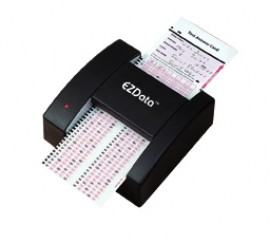
select the input devices


CPU stands for?
Central Programming Unit
Computer Progress Unit
Computer Programming Unit
Central Processing Unit
The CPU is often compared to the human .......
Arm
Heart
Veins
Brain
Select everything that is true about a CPU?
CPU is the brain of a computer
It processes all of the data
It stores data long term
It processes all of the instructions
Otherwise called OS or operating system

Select the correct part...
Main job is to execute program instructions.
Control Unit
The ALU
The Cache
The Clock
Select the correct part...
Control the flow of data inside/outside the CPU
Control Unit
The ALU
The Cache
The Clock
Select the correct part...
Does ALL the calculations
Control Unit
The ALU
The Cache
The Clock
Select the correct part...
Completes simple addition, multiplication, division and subtraction.
Control Unit
The ALU
The Cache
The Clock
Select the correct part...
Very fast memory in the CPU. Data and Instructions waiting to be executed will be stored here....
Control Unit
The ALU
The Cache
The Clock
Select the correct part...
Sends out a signal that continually cycles between 1 and 0 usually at a constant rate.
Buses
The ALU
The Cache
The Clock
Select the correct part...
Number of _______ cycles per second is called the ________ speed.
Buses
The ALU
The Cache
The Clock
Select the correct part...
Are a collection of wires that are used to transmit data between external components and other parts of the CPU.
Buses
The ALU
The Cache
The Clock



