
 Worksheets
Photoshop Formative Assessment 1
Total questions: 29
Worksheet time: 20mins
What is the primary purpose of identifying the target audience when preparing images for a project?
To determine the color scheme
To ensure the content is relevant and meets audience needs
To select the appropriate software
To decide on the file format
Which project management concept helps prevent scope creep?
Cloud utilization
Project scope
File management
Feedback loop
What is a feedback loop, and why is it important in design communication?
A method to finalize designs quickly
A process to gather and implement feedback for continuous improvement
A tool for managing project files
A way to create design specifications
Why is it important to understand the type of copyright and licensing required for an image?
To ensure the image is high quality
To avoid legal issues and ensure proper usage rights
To determine the file size
To select the correct color profile
Aiden, Grace, and Kai are starting a Photoshop project for their graphic design class. They are creating a poster for a local event. Which three aspects of their target audience should they consider before starting their project?
Orientation
Familial ties
Gender
Ethnicity
Age range
What does a Creative Commons license allow creators to do?
Keep all rights reserved and restrict all use
Share their work with some rights reserved
Prevent any use of their work
Sell their work exclusively
A photo file type is:
.jpeg
.mp3
.doc
.mov

Where are the tools located?
Toolbox
Options Menu
Document Window
Panels
When we want to print an image, then ____ is helpful.
CMYK
RGB
BMP
Gray Scale
Create a new document using the iPhone 8/7/6 document preset. Give the document 2 pages and name it Mobile.
(Select all the steps involved)
The Photoshop panels can...
Be closed or removed
Switched around with other panels
Be adjusted to suit the needs of the user
All of the above
You can open and save files from the (a) .
The Options Bar is located above the Menu Bar.
True
False
You can view all Panels by clicking (a) on the Menu Bar.

The items circled in red are called tools.
True
False
What is the purpose of the Options bar in Photoshop?
The purpose of the Options bar in Photoshop is to access and modify tools and settings.
The Options bar in Photoshop is used to apply filters to images.
The Options bar in Photoshop is for selecting different fonts.
The Options bar in Photoshop is used to change the background color.

Which tool in Adobe Photoshop is used to fill an area with a gradient?
Brush Tool
Gradient Tool
Paint Bucket Tool
Eraser Tool

Describe the process of creating a new swatch in Adobe Photoshop.
Select a color, click on the Swatches panel, and choose "New Swatch."
Select a color, click on the Swatches panel, and choose "Add to Swatches."
Select a color, click on the Swatches panel, and choose "Create Swatch."
Select a color, click on the Swatches panel, and choose "Save Swatch."
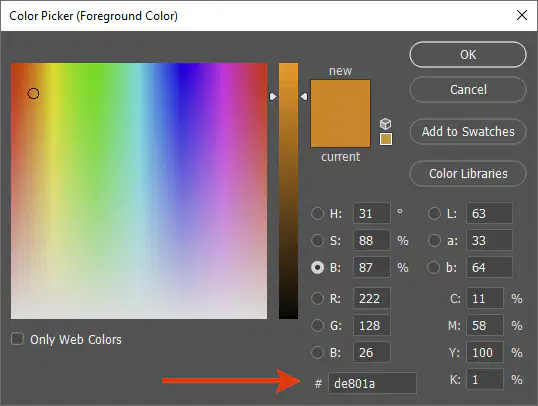
Designers use (a) to find the exact shade or tint of a color.
hex-codes
color wheel
primary color
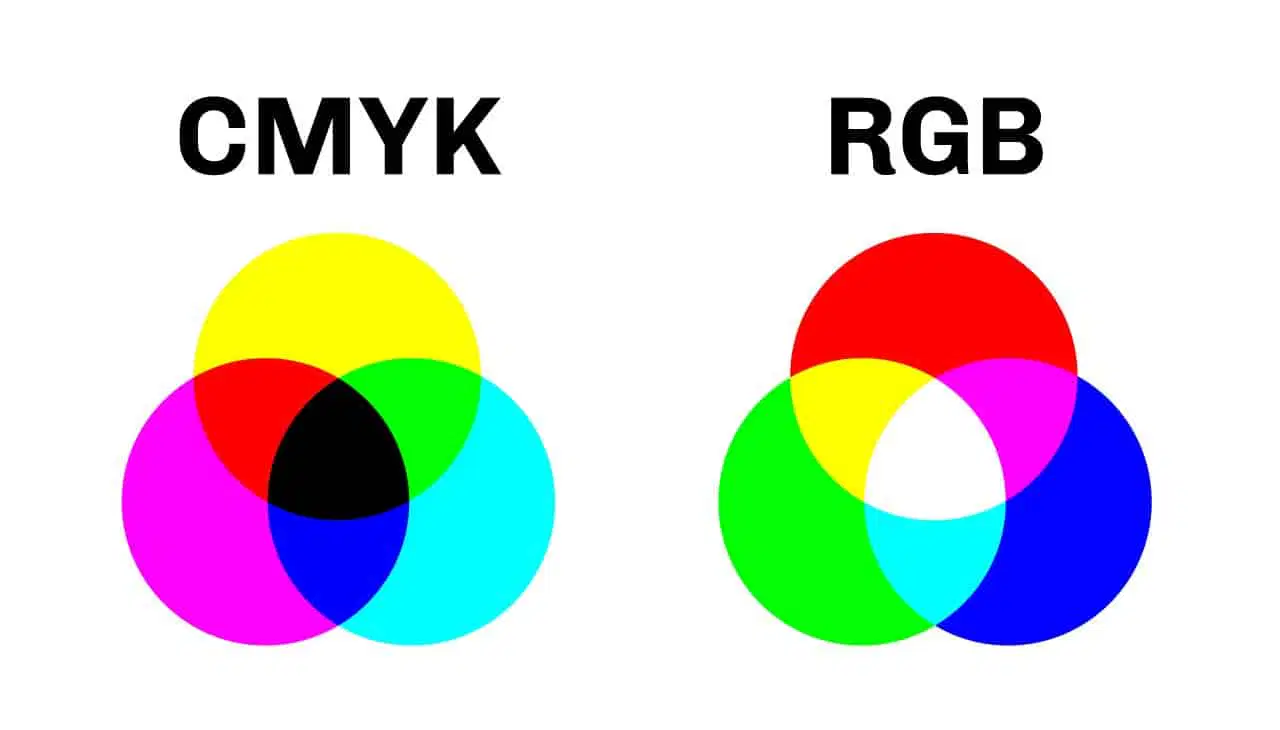
CMYK stands for?
Cyan Magenta Yellow Black
Cyan Magenta Yellow Blue
Cyan Magenta Yellow Brown
Cream Magenta Yellow Kole
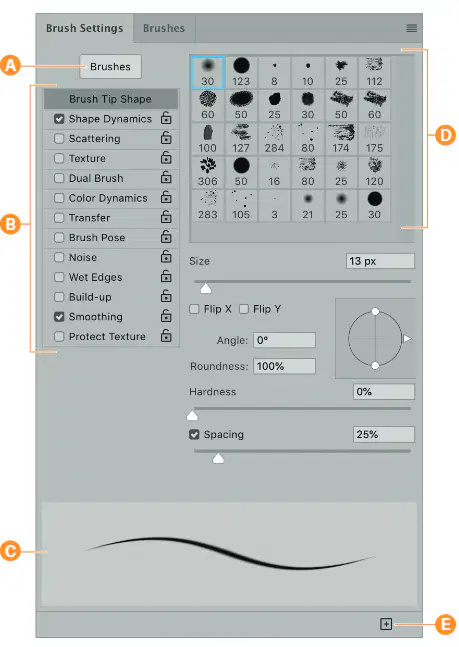
(D) is pointing to what in the brush settings panel in the image?
Brush Option Sets
Brush Stroke Preview
Toggle to Brushes Panel Button
Brush Set Presets
To access the styles panel, what would you select in the menu bar?
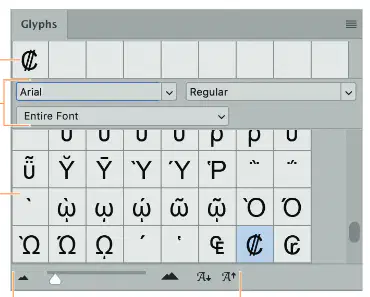
Identify this Photoshop panel:
Styles Panel
Glyphs Panel
Symbols Panel
Patterns Panel
How do you hide or display rulers in the interface?
File > Display Options > Rulers
Layers > Rulers and Extras from the menu
View > Extras > Rulers from the menu
View > Rulers from the menu

What part of the Photoshop workspace is represented by 'C'?
Tool Bar
Collapsed Panels
Options Bar
Menu Bar
Small little dots or squares that make up the images on computer displays or cameras.
Pixels
Resolution
Vectors
What is the preferred resolution for any print project?
(a)
You can view all Panels by clicking (a) on the Menu Bar.

The double arrows circled in red allow you to hide your toolbar.
True
False

