wayground logo

Free Printable Worksheets

Font size

S
M
L
XL
Worksheets

Photography Mid Term Review 2024

Total questions: 65

Worksheet time: 36mins

Name
Class
Date
1.

Aperture is measured in what?

a)

F-Stops

b)

Time

c)

MM

d)

Angles

2.

This photo is an example of what type of Depth of Field?

a)

Shallow

b)

Deep

3.

This photo is an example of what type of Depth of Field?

a)

Deep

b)

Shallow

4.

Which of the following statements is true in regards to Aperture?

a)

The larger the F-Stop number, the larger the iris opening

b)

The smaller the F-Stop number, the larger the iris opening

c)

The smaller the F-Stop number, the small the iris opening

d)

None of these statements are true

5.

What type of iris opening would the aperture have if the F-Stop is a F/2.8?

a)

Larger

b)

Smaller

6.

What type of iris opening would the aperture have if the F-Stop is a F/22?

a)

Larger

b)

Smaller

7.

Larger Iris Opening = _________

Smaller Iris Opening = ________

a)

More light / Less light

b)

Less light / More light

c)

Larger Photo / Smaller Photo

d)

More Depth / Less Depth

8.

Shutter speed is the _____________ of time light is let into the camera?

a)

Length

b)

Amount

c)

Duration and Amount

d)

Film

9.
What is the general purpose for using shutter speed when capturing images?
a)
Controlling Motion
b)
Taking pictures in the dark
c)
Setting the Depth of Dield
d)
Adds to Rule of Thirds
10.

To get blurred motion, a good shutter speed would be

a)

1/1000

b)

1/500

c)

1/250

d)

1/5

11.

To capture stopped motion you would want a shutter speed of

a)

1/1000

b)

1/50

c)

1/5

d)

2" (2 seconds)

12.

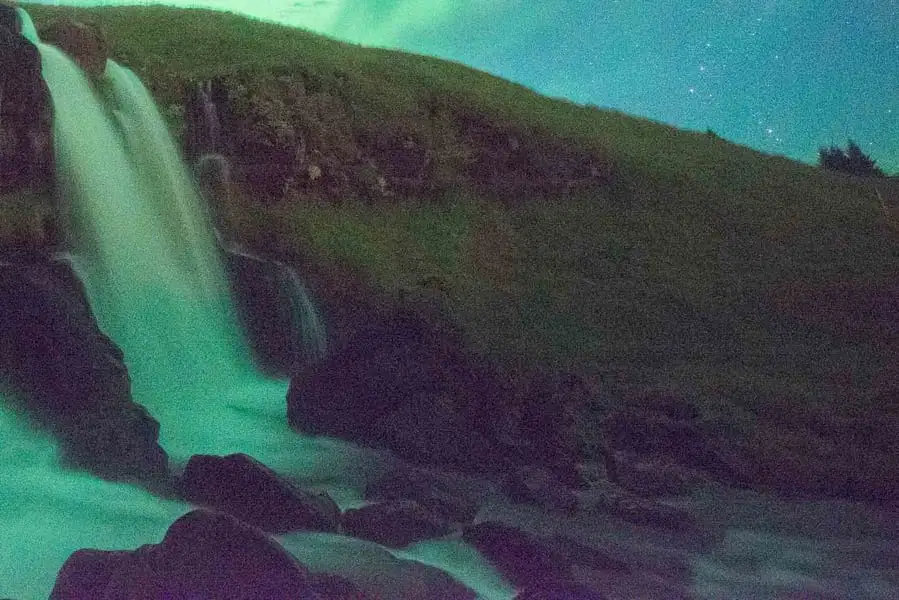
This photo is an example of

a)

fast shutter speed

b)

slow shutter speed

13.

When capturing blurred motion you will need

a)

a fast shutter speed

b)

a slow shutter speed

c)

a large aperture opening

d)

fast film speed

14.
The AF & MF function on the camera lens stands for:
a)
Auto Forward & Manual Forward
b)
Auto Focus & Manual Focus
c)
Auto Finder & Manual Finder
d)
Auto Fixer & Manual Fixer
15.

this adjusts the camera to AV TV M or auto

a)

AF/MF switch

b)

mode dial

c)

main dial

d)

menu

16.

this opens and closes the shutter allowing you to take a photo

a)

main dial

b)

mode dial

c)

zooming ring

d)

shutter release button

17.

What is the best shutter speed for taking photos in low light?

a)

Fast shutter speed

b)

Slow shutter speed

18.

Which mode on your camera allows you to control the shutter speed, while the camera controls the other parts of the photographic triangle>

a)

Manual

b)

Sv

c)

Automatic

d)

Tv/S

e)

Av

19.

The shutter speed in picture is

a)

Slow

b)

Fast

20.

One drawback of using a higher ISO is that it can create electrical grain called

a)

Static

b)

Light Anomalies

c)

Noise

d)

Lighting Artifacts

21.

What ISO is best for a dimly lit room?

a)

3,200

b)

1,600

c)

800

d)

100

22.

What does a smaller f-number (e.g., f/2.8) indicate in terms of aperture?

a)

A larger aperture opening

b)

A smaller aperture opening

c)

A longer exposure time

d)

A shorter exposure time

23.

Which aperture setting would create a shallow depth of field?

a)

f/8

b)

f/16

c)

f/2.8

d)

f/22

24.

What is the primary purpose of increasing the ISO setting on your camera?

a)

To adjust the focus of the image

b)

To control the amount of ambient light

c)

To reduce noise in the image

d)

To make the image brighter in low light conditions

25.

What is the effect of a higher f-number (e.g., f/22) on an image?

a)

A wider depth of field

b)

A shallower depth of field

c)

A faster shutter speed

d)

A higher ISO setting

26.

What do aperture, ISO, and shutter speed all effect?

a)

Graininess

b)

Exposure

c)

Focus

27.
What is the name of this tool and what is it used for?
a)
Magnetic Lasso Tool:The Magnetic Lasso Tool snaps the selection outline to the edges of the object as you move your mouse cursor around it.
b)
Quick Selection Tool:The Quick Selection Tool lets you easily select an object simply by painting over it with a brush. Enable "Auto-Enhance" in the Options Bar for better quality selections.
c)
Magic Wand Tool:Photoshop's Magic Wand Tool selects areas of similar color with a single click. The "Tolerance" value in the Options Bar sets the range of colors that will be selected.
28.
What is the name of this tool and what is it used for?
a)
Magnetic Lasso Tool:The Magnetic Lasso Tool snaps the selection outline to the edges of the object as you move your mouse cursor around it.
b)
Polygonal Lasso Tool:Click around an object with the Polygonal Lasso Tool to surround it with a polygonal, straight-edged selection outline.
c)
Lasso Tool:With the Lasso Tool, you can draw a freeform selection outline around an object.
29.
What is the name of this tool and what is it used for?
a)
Object Selection Tool:The Object Selection Tool lets you select an object just by dragging a rough selection outline around it.
b)
Quick Selection Tool:The Quick Selection Tool lets you easily select an object simply by painting over it with a brush. Enable "Auto-Enhance" in the Options Bar for better quality selections
c)
Polygonal Lasso Tool:Click around an object with the Polygonal Lasso Tool to surround it with a polygonal, straight-edged selection outline.
30.
What is the name of this tool and what is it used for?
a)
Object Selection Tool:The Object Selection Tool lets you select an object just by dragging a rough selection outline around it.
b)
Quick Selection Tool:The Quick Selection Tool lets you easily select an object simply by painting over it with a brush. Enable "Auto-Enhance" in the Options Bar for better quality selections
c)
Rectangular Marquee Tool:The Rectangular Marquee Tool draws rectangular selection outlines. Press and hold Shift as you drag to draw a square selection.
31.
What is the name of this tool and what is it used for?
a)
Single Row Marquee:The Single Row Marquee Tool in Photoshop selects a single row of pixels in the image from left to right.
b)
Rectangular Marquee Tool:The Rectangular Marquee Tool draws rectangular selection outlines. Press and hold Shift as you drag to draw a square selection.
c)
Move Tool:The Move Tool is used to move layers, selections and guides within a Photoshop document. Enable "Auto-Select" to automatically select the layer or group you click on.
32.
What is the name of this tool and what is it used for?
a)
Content-Aware Move Tool:Use the Content-Aware Move Tool to select and move part of an image to a different area. Photoshop automatically fills in the hole in the original spot using elements from the surrounding areas.
b)
Horizontal Type Mask Tool:Like the Vertical Mask Type Tool, the Horizontal Type Mask Tool creates a selection outline in the shape of type. However, the type is added horizontally rather than vertically.
c)
Dodge Tool:Paint over areas in the image with the Dodge Tool to lighten them.
33.
What is the name of this tool and what is it used for?
a)
Horizontal Type Tool: Known simply as the Type Tool in Photoshop, use the Horizontal Type Tool to add standard type to your document.
b)
Dodge Tool:Paint over areas in the image with the Dodge Tool to lighten them.
c)
History Brush Tool:The History Brush Tool paints a snapshot from an earlier step (history state) into the current version of the image. Choose the previous state from the History panel.
34.
What is the name of this tool and what is it used for?
a)
Magic Eraser Tool:The Magic Eraser Tool is similar to the Magic Wand Tool in that it selects areas of similar color with a single click. But the Magic Eraser Tool then permanently deletes those areas.
b)
Healing Brush Tool:The Healing Brush lets you repair larger problem areas in an image by painting over them. Hold Alt (Win) / Option (Mac) and click to sample good texture, then paint over the problem area to repair it.
c)
The Rectangle Tool :draws rectangular vector shapes, paths or pixel shapes. Press and hold Shift as you drag to force the shape into a perfect square.
d)
35.
What is the name of this tool and what is it used for?
a)
History Brush Tool:The History Brush Tool paints a snapshot from an earlier step (history state) into the current version of the image. Choose the previous state from the History panel.
b)
Mixer Brush Tool:Unlike the standard Brush Tool, the Mixer Brush in Photoshop can simulate elements of real painting such as mixing and combining colors, and paint wetness.
c)
Brush Tool:The Brush Tool is Photoshop's primary painting tool. Use it to paint brush strokes on a layer or on a layer mask.
36.
What is the name of this tool and what is it used for?
a)
Background Eraser Tool:The Background Eraser Tool erases areas of similar color in an image by painting over them.
b)
Patch Tool:With the Patch Tool, draw a freeform selection outline around a problem area. Then repair it by dragging the selection outline over an area of good texture.
c)
Clone Stamp Tool:The Clone Stamp Tool is the most basic of Photoshop's retouching tools. It samples pixels from one area of the image and paints them over pixels in another area.
37.
What is the name of this tool and what is it used for?
a)
Paint Bucket Tool:The Paint Bucket Tool fills an area of similar color with your Foreground color or a pattern. The "Tolerance" value determines the range of colors that will be affected around the area where you clicked.
b)
3D Material Drop Tool:Used in 3D modeling, the 3D Material Drop Tool lets you sample a material from one area and then drop it into another area of your model, mesh or 3D layer.
c)
Color Replacement Tool:Use the Color Replacement Tool in Photoshop to easily replace the color of an object with a different color.
38.

These are your...

a)

Photoshop Tools

b)

Drawings

c)

Layers

d)

Pictures

39.

Which shortcut key is used to undo an action

a)

Ctrl S

b)

Shift J

c)

Ctrl C

d)

Ctrl Z

40.

Shortcut key to paste.

a)

Ctrl A

b)

Ctrl C

c)

Ctrl O

d)

Ctrl V

41.

What is this tool?

a)

Crop Tool

b)

Perspective Crop Tool

c)

Slice Tool

d)

Slice Select Tool

42.

What is the name of this tool?

a)

The Compass Tool

b)

The Move Tool

c)

The Hand Tool

d)

The Quick Selection Tool

43.

What is this area of your Photoshop application called?

a)

Layers

b)

The Toolbar

c)

The Toolkit

d)

The Options

44.

What is the name of this tool?

a)

fill

b)

swatch

c)

patch

d)

shapes

45.

What is the name of this tool?

a)

stop action

b)

hand

c)

grab object

d)

zoom

46.

What is this tool?

a)

Slice Tool (C)

b)

Slice Select Tool (C)

c)

Frame Tool (K)

47.

What is this tool?

a)

Spot Healing Brush Tool (J)

b)

Healing Brush Tool (J)

c)

Patch Tool (J)

d)

Content - Aware Move Tool (J)

48.

What is this tool?

a)

Spot Healing Brush Tool (J)

b)

Healing Brush Tool (J)

c)

Patch Tool (J)

d)

Content - Aware Move Tool (J)

49.

What is this tool?

a)

Gradient Tool (G)

b)

Paint Bucket Tool (G)

c)

3D Material Drop Tool (G)

d)

Blur Tool

50.

A grid like this can be used to perform what composition rule?

a)

Rule of Thirds

b)

Framing

c)

Spacing

d)

Leading Lines

51.

Lines in a photo that direct a viewer’s focus to the photo’s subject are called?

a)

Leading Lines

b)

Mistakes

c)

Framing

d)

Lines

52.

What is the view point in this photo?

a)

Worm's eye view

b)

Bird's eye view

c)

Eye level view

53.

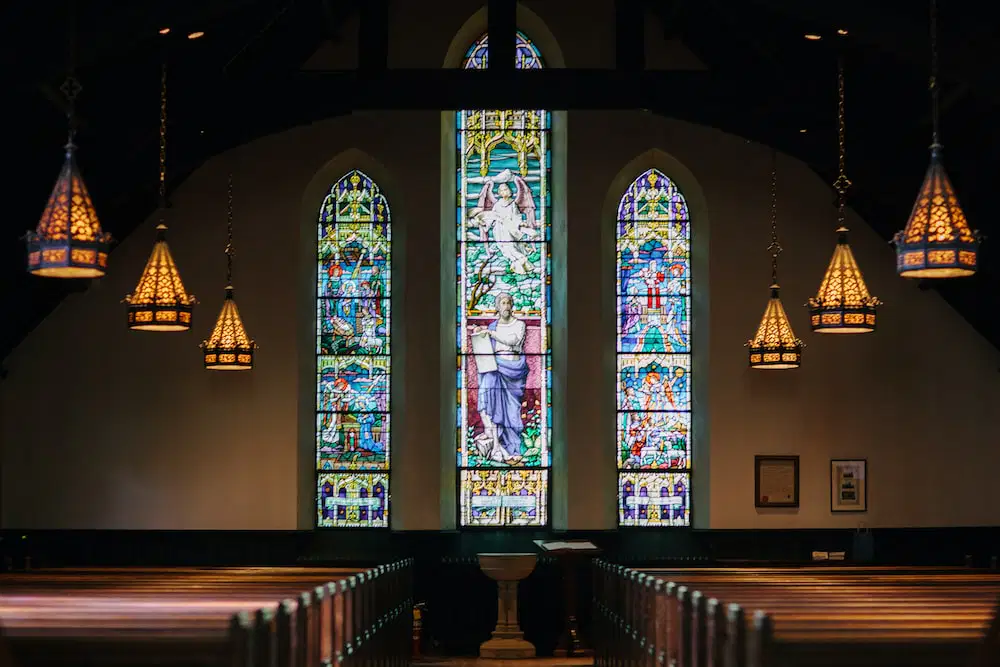
What is the primary photo technique of this image?

a)

Framing

b)

Rule of Thirds

c)

Close Up

d)

Leading Lines

54.

Which image is not a rule of thirds?

a)
b)
c)
d)
55.

a)

Rule of thirds

b)

Fill the frame

c)

Symmetry / Asymmetry

d)

Leading lines

56.
a)

Framing

b)

Worm's Eye View

c)

Rule of Thirds

57.
a)

Selective Focus

b)

Framing

c)

Angle

58.

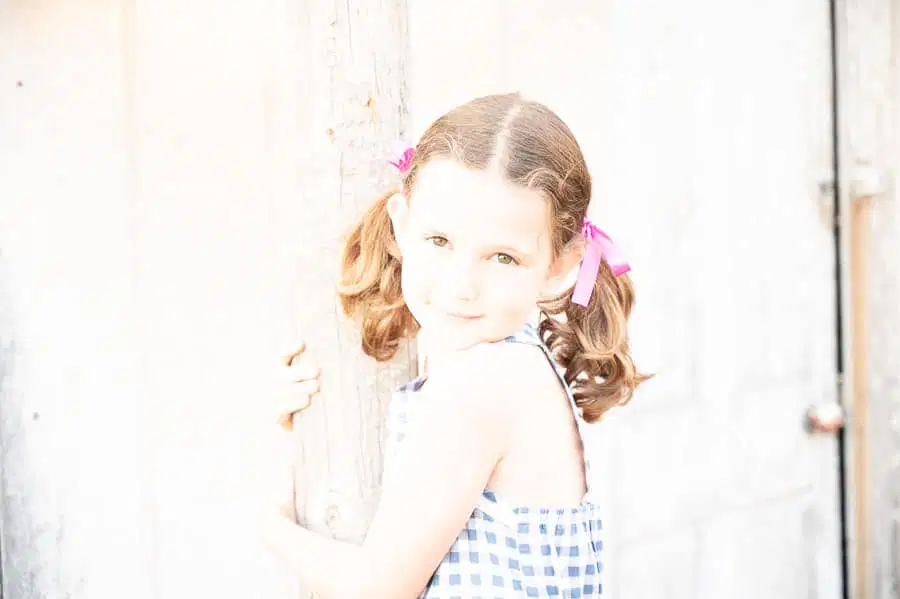
This is an example of an image that is _____________.

a)

Overexposed

b)

Underexposed

c)

Properly Exposed

59.

This is an example of an __________ photo.

a)

Overexposed

b)

Underexposed

c)

Properly Exposed

60.

Which one is the advantage of cloud storage?

a)

The user has no control over their data

b)

Many programs can be run at the same time, regardless of the processing power of your device

c)

Accessible anywhere with an internet connection

d)

Portability

61.
What is the unit of measurement for a shutter speed?
a)
Fractions
b)
Clicks of the Command Dial
c)
Seconds
d)
f-stops
62.
Make an educated guess at the shutter speed to capture this image?
a)
4"
b)
1/40
c)
1/400
d)
1/4000
63.

I bought this single photo from an online site. I am planning on printing it on canvas and selling it to every Maverik gas station for their bathrooms. Is this legal? 

a)
It is legal.
b)

It is not legal, because I do not own the rights to the picture. I only own a single copy. 

c)
It is legal as long as you give the creator credit. 
64.

The practice of taking someone else’s work or ideas and passing them off as one’s own.

a)

Plagiarism

b)

Murphy's Law

c)

Bibliography

d)

Citation

65.

“Fair use” allows you to use copyrighted work without permission or payment, but only in certain situations. Which of the following is a “fair use” situation?

a)

Chelsea uses a copyrighted photo for a school presentation

b)

Jordan remixes a copyrighted song and charges people for it

c)

Randy had a one-page report to write on Abraham Lincoln. He copied it in his own handwriting from the encyclopedia.

d)

Jason copies the entire last chapter from the final Harry Potter book to his commercial blog without any additional commentary.