
Font size
 Worksheets
Y9 UCOM Assessment 01
Total questions: 77
Worksheet time: 42mins

Is this device INPUT or OUTPUT
Input
Output
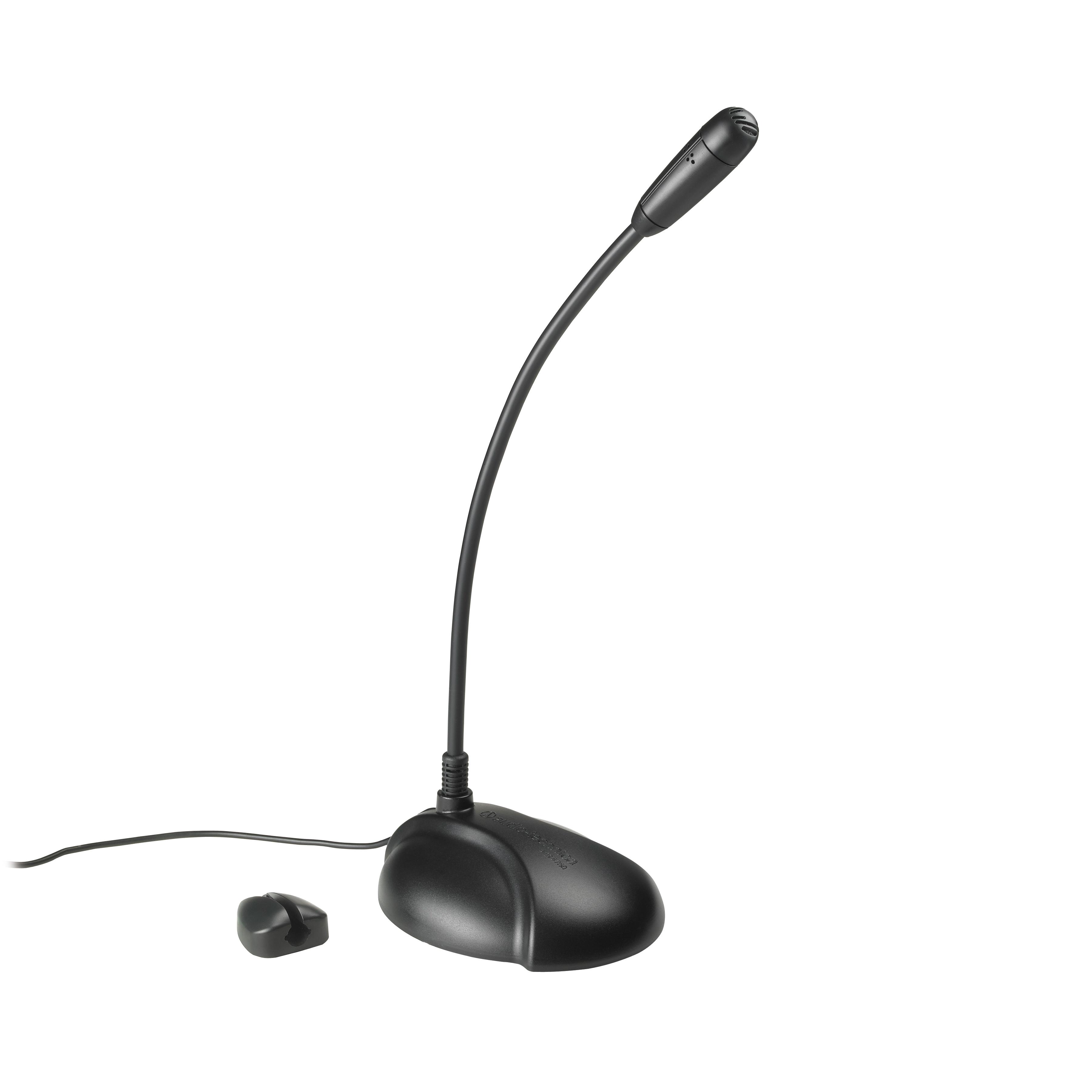


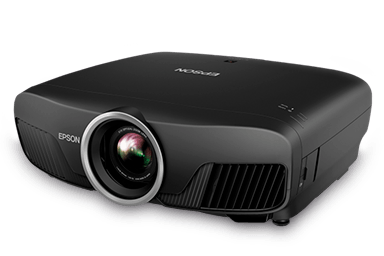
What type of device is this? (Projector)
Output Device
Input Device
Input and Output Device
Storage Device


A stylus lets you draw on a touchscreen.
Output Device
Input Device
Storage Device


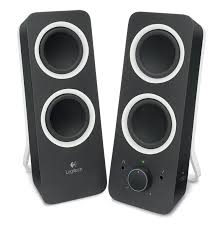
Is this device Input or Output?
Speaker
Input
Output
Which of these are magnetic storage devices?


Is this device Input or Output?
Printer
Input
Output
Which type of storage uses a laser?
Magnetic
Optical
Solid State


A Barcode Reader scans barcodes and puts the information into the computer.
Output Device
Input Device
Storage Device

Which of these are Optical Storage Devices?
Floppy Disk
CD-RW
Memory Card
DVD
CD-R

What type of device is this?
Output Device
Input Device
Input and Output Device
Storage Device
What makes computers special? Choose THREE options.
Computers work faster than humans
Computers have feelings
Computers are more accurate than humans
Computers can store huge amounts of information

What is this type of computer?
Desktop
Laptop
Tablet
Games Console

What is this type of computer?
Desktop
Laptop
Tablet
Games Console

What is this type of computer?
Desktop
Laptop
Tablet
Games Console

What type of computer is put into devices such as fridges and washing machines to control them?
Laptop Computer
Server
Embedded Computer
Desktop Computer

Name this computer hardware
Central processing unit
Motherboard
RAM memory
Hard disk drive

Name this computer hardware
Central processing unit
Motherboard
RAM memory
Hard disk drive

Name this computer hardware
Central processing unit
Motherboard
RAM memory
Hard disk drive

Input or output device?
Input
Output

Input or output device?
Input
Output

Input or output device?
Input
Output
Which is largest?
Megabyte
Gigabyte
Kilobyte
Terabyte
Which is smallest?
Megabyte
Gigabyte
Kilobyte
Terabyte

How does a memory stick work?
Microchips
Lasers
Magnets

How does a blu-ray disc work?
Microchips
Lasers
Magnets

How does a floppy disk work?
Microchips
Lasers
Magnets
Choose TWO advantages of cloud storage
Your data can be accessed from any computer
Anyone can see your data
Your data can be used to show you targeted adverts
Your data is backed up in case your computer breaks
Choose TWO words that mean computer software
Hardware
Programmes
Memory
Applications (Apps)
True or False
Primary storage is electronic storage that is connected directly to the central processing unit.
TRUE
FALSE
TRUE OR FALSE
Primary storage is not essential for the efficient operation of a computer system.
TRUE
FALSE
TRUE OR FALSE
BIOS means "Basic Input/ Output System"
TRUE
FALSE
What is the main difference between volatile and non-volatile memory?
Non-volatile memory is used for temporary storage
Volatile memory is more expensive than non-volatile memory
Non-volatile memory retains data even after power loss
Volatile memory is faster than non-volatile memory
Which type of memory is used during the computer's start-up process to initialise and bootstrap the system?
Random Access Memory
Hard drive
Cache
Read only memory
What is the main advantage of ROM (Read-Only Memory)?
It is faster than RAM
It is less expensive than other types of memory
It retains its data even when the power is turned off
It allows for dynamic memory allocation
What is the main disadvantage of ROM?
It is volatile and loses its content when the power is turned off
It offers less flexibility than other storage types
It has limited storage capacity
It is more expensive to manufacture than other types of memory
What is the main advantage of RAM (Random Access Memory)?
It retains its data even when the power is turned off
It is faster than most other types of storage
It provides a stable and reliable storage medium for critical system instructions
It is less expensive than long-term storage options
What is the primary purpose of RAM in relation to the CPU?
To store data permanently
To provide a stable reference for the CPU
To serve as a temporary storage space for actively running programmes and data
To retain essential system instructions
What is the main disadvantage of RAM?
It provides less flexibility than other storage types
It has limited storage capacity
It is volatile and loses its content when the power is turned off
It is more expensive than long-term storage options
1. (a) : Information or data that is entered into the computer system for processing.
2. (a) : The manipulation and transformation of input data by the computer's central processing unit (CPU) to produce output.
3. (a) : The result of processing input data. It can take various forms such as text, images, sound, or other forms of information.
4. (a) : Any physical component or peripheral attached to a computer, such as a keyboard, mouse, printer, or hard drive.
5. (a) : The physical components of a computer system, including the CPU, memory, storage devices, input devices, and output devices.
6. (a) : Programs and applications that run on a computer, providing instructions for the hardware to execute specific tasks.
7. (a) : The process of retrieving instructions or data from the computer's memory for execution by the CPU.
8. (a) : A base-2 number system that uses only two digits, 0 and 1, to represent all information in computers.
9. (a) : The process of changing data from one form or format to another, such as converting binary to decimal or vice versa.
10. (a) : The component of a computer that stores data and instructions for the CPU to access quickly. It includes RAM (Random Access Memory) and ROM (Read-Only Memory).
11. (a) : Volatile memory that temporarily stores data and program instructions that the CPU is currently using or processing.
12. (a) : Non-volatile memory that stores permanent instructions and data that do not change. It is used to store firmware and essential system instructions.
13. (a) : Another term for the decimal number system, which is a base-10 system that uses digits from 0 to 9.
Approximately how many cycles per second in 1Kilohertz (KHz)?
100
1,000
100,000
1,000,000
Approximately how many cycles per second in 1Megahertz (MHz)?
1,000
100,000
1 million
1 billion
Which of the following is likely to be held in Random Access Memory (RAM)?
Start-up instructions used when a PC is switched on
A document that the user is typing in Word
Washing programs used in a washing machine
Documents deleted by the user
Which of the following is likely to be held in Read Only Memory (ROM)?
Start-up instructions used when a PC is switched on
Software such as Word while a user is typing a document
A film loaded from a DVD
A document saved by the user for permanent storage
What is the function of the Central Processing Unit (CPU)?
To act as a temporary data store
To act as a permanent data store
To hold computer programs while they are being executed
To fetch, decode and execute instructions
A single binary digit is known as
a bit
a byte
a character
an integer
How many bits in a byte?
2
4
8
100
How many bytes in a Kilobyte (Kb)?
1,000
1,024
1,000,000
1,048,576
What number system do computers use?
Binary
Denary
Decimal
ASCII
How many different binary codes can be represented in 2 bits?
2
4
8
16
How many different binary codes can be represented in 1 byte?
2
8
128
256
The binary number 1010, converted to denary (decimal) is
2
3
10
18
The binary number 0001 0001, converted to denary (decimal) is:
3
17
101
10,001
The binary number 0011 0011, converted to denary (decimal) is:
4
33
51
99
The denary (decimal) number 33, converted to binary is
10001
11000
100001
100111
The denary (decimal) number 101, converted to binary is
11101
10101
1011001
1100101

