
 Worksheets
COMPUTER 3 LESSONS
Total questions: 43
Worksheet time: 22mins
Parts of the computer that can be seen and touched.
software
hardware
peopleware
formatted data
It can be classified as formatted data, text, image, audio and video
software
hardware
peopleware
data ware
The term refers to the different persons involve in the operations and activities of a computer system and in the maintenance of computer program installed on it.
software
hardware
peopleware
data ware
Collection of electronic instruction that tells the computer what to do. - It is a computer program installed in your computer.
software
hardware
peopleware
data ware
A data ware that includes numerical or alphabetical data.
images
formatted data
texts
data ware
A data ware that is a series of letters, numbers and other characters
images
formatted data
texts
data ware
A data in the form of picture, graph or hand-drawn picture
images
formatted data
texts
data ware
A data in the form of sounds
images
formatted data
texts
audio
A data which is a combined pictures that are displayed to portray action.
images
video
texts
audio
These are external objects that provide input and output for the computer.
computers
input
output
computer peripherals
Responsible for the processing of information within the computer system.
storage device
processing device
output
computer peripherals
Used to interact with , or send data to the computer.
storage device
processing device
output devices
input devices
Provide output to the user from the computer.
storage device
processing device
output devices
input devices
Store data processed by computer.
storage device
processing device
output devices
input devices
A ______ is to create a copy of whatever is
sent from the computer to the printer.
storage device
printer
output devices
input devices
These are hardware devices that transform the signal from the computer's sound card into audio.
Computer speakers
printer
output devices
input devices
It is a radio-based navigation system that’s composed of a sender computer
and a receiver.
Computer speakers
printer
GPS
input devices
A ------ is a peripheral device that enables a blind person to read texts displayed on a computer monitor.
Computer speakers
printer
braille reader
input devices
An output audio from a computer through two individual headphones for a single listener.
Computer speakers
headphones
braille reader
input devices
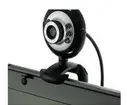
Identify the kind of peripheral in the picture.
processing devices
storage devices
output devices
input devices
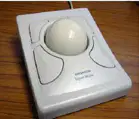
Identify the kind of peripheral in the picture.
processing devices
storage devices
output devices
input devices
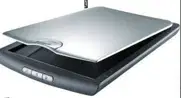
Identify the kind of peripheral in the picture.
processing devices
storage devices
output devices
input devices

Identify the kind of peripheral in the picture.
processing devices
storage devices
output devices
input devices
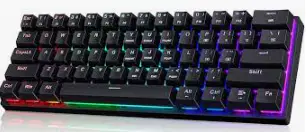
Identify the kind of peripheral in the picture.
processing devices
storage devices
output devices
input devices
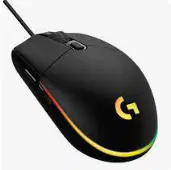
Identify the kind of peripheral in the picture.
processing devices
storage devices
output devices
input devices
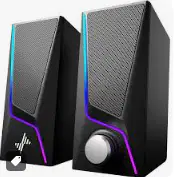
Identify the kind of peripheral in the picture.
processing devices
storage devices
output devices
input devices
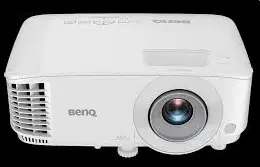
Identify the kind of peripheral in the picture.
processing devices
storage devices
output devices
input devices
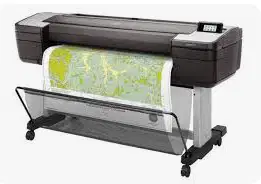
Identify the kind of peripheral in the picture.
processing devices
storage devices
output devices
input devices
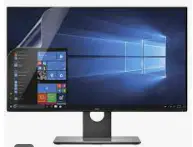
Identify the kind of peripheral in the picture.
processing devices
storage devices
output devices
input devices
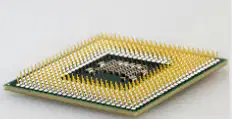
Identify the kind of peripheral in the picture.
processing devices
storage devices
output devices
input devices
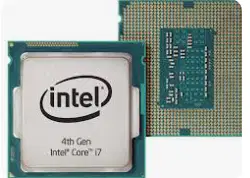
Identify the kind of peripheral in the picture.
processing devices
storage devices
output devices
input devices
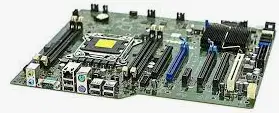
Identify the kind of peripheral in the picture.
processing devices
storage devices
output devices
input devices
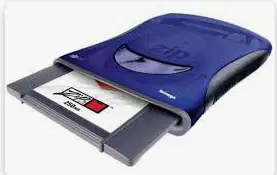
Identify the kind of peripheral in the picture.
processing devices
storage devices
output devices
input devices
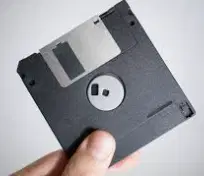
Identify the kind of peripheral in the picture.
processing devices
storage devices
output devices
input devices
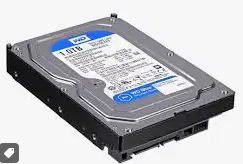
Identify the kind of peripheral in the picture.
processing devices
storage devices
output devices
input devices
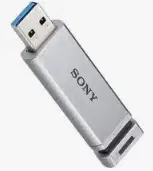
Identify the kind of peripheral in the picture.
processing devices
storage devices
output devices
input devices
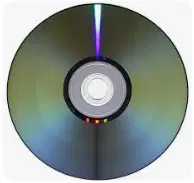
Identify the kind of peripheral in the picture.
processing devices
storage devices
output devices
input devices
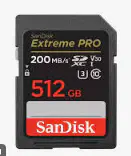
Identify the kind of peripheral in the picture.
processing devices
storage devices
output devices
input devices
Serves as computers workspace, storing all or part
of the program that is being executed, as well as
data being used by the program.
RAM
DISKETTE
HARD DRIVE
PEN DRIVE
To transport or store personal files such as documents, pictures and video.
RAM
DISKETTE
HARD DRIVE
PEN DRIVE
To store data for long term and data can be computer’s operating systems, applications, documents, personal files.
RAM
DISKETTE
HARD DRIVE
PEN DRIVE
Used to data transfer, storage and backup of small amounts of data, as well as installation of programs and driver updates.
FLOPPY DISC
DISKETTE
HARD DRIVE
PEN DRIVE
It is a circuit board inside general-purpose computing systems, including personal computers, smart televisions, smart monitors, and other similar devices, which supports communication between different electrical components
FLOPPY DISC
MOTHERTBOARD
HARD DRIVE
PEN DRIVE

