wayground logo

Free Printable Worksheets

NEW

Font size

S
M
L
XL
Worksheets

Describe How Software and Hardware Interact

Total questions: 60

Worksheet time: 30mins

Name
Class
Date
1.

What is the device shown in the picture?

a)

A keyboard

b)

A monitor

c)

A mouse

d)

A printer

2.

What is the device shown in the picture?

a)

A printer

b)

A mouse

c)

A keyboard

d)

A scanner

3.

What is the device shown in the picture?

a)

A webcam

b)

A printer

c)

A projector

d)

A scanner

4.

What is the device shown in the picture?

a)

A game controller

b)

A microphone

c)

A joystick

d)

A webcam

5.

What is the device shown in the picture?

a)

A joystick

b)

A webcam

c)

A digital camera

d)

A game controller

6.

A mouse is a __________ device

a)

input

b)

output

7.

A monitor is a __________ device.

a)

input

b)

output

8.

A keyboard is a ______________ device.

a)

input

b)

output

9.

Speakers are a _____________ device.

a)

input

b)

output

10.

Headphones are a ____________ device.

a)

input

b)

output

11.

A game controller is a ________ device.

a)

input

b)

output

12.

A scanner is a __________ device.

a)

input

b)

output

13.

A 3D printer is a _____________ device

a)

input

b)

output

14.

A microphone is a _____________ device.

a)

input

b)

output

15.

A webcam is a ____________ device.

a)

input

b)

output

16.

A digital camera is a _____________ device.

a)

input

b)

output

17.

An interactive whiteboard is a ____________ device.

a)

input

b)

output

18.
Which of these is not an input device?
a)
Scanner
b)
Screen
c)
Microphone
d)
Keyboard
19.

What is the definition for?

Allows the user to put data into the computer

a)

Input Device

b)

Output Device

20.

What is the definition for?

Allows the user to see/hear data coming out of the computer

a)

Input Device

b)

Output Device

21.
Is this device Input or Output?
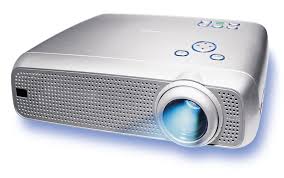
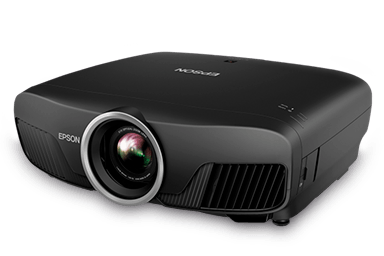
Projector
a)
Input
b)
Output
22.
What type of device is this?
a)
Input
b)
Output
c)
Storage
23.
What type of device is this tablet?
a)
Input
b)
Output
24.

Three types of input devices are:

a)

Projector, Monitor and Printer

b)

Remote Control, Touch Screen and joystick

c)

Microphone, Video Cameras, Projector

d)

Graphic Tablet, LCD monitor, scanner

25.

What type of device is this? (Printer)

a)

Input

b)

Output

26.

What type of device is this? (Projector)

a)

Input

b)

Output

27.

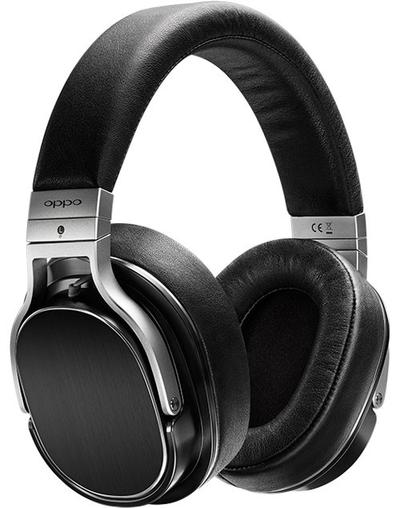
What type of device is this? (Headphones)

a)

Input

b)

Output

28.

What type of device is this? (Speakers)

a)

Input

b)

Output

29.

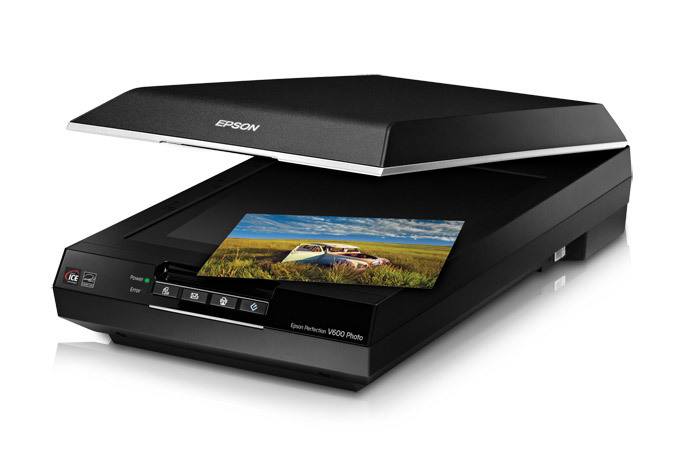
What type of device is this? (Scanner)

a)

Input

b)

Output

30.

What type of device is this? (Microphone)

a)

Input

b)

Output

31.

What type of device is this? (Mouse)

a)

Input

b)

Output

32.

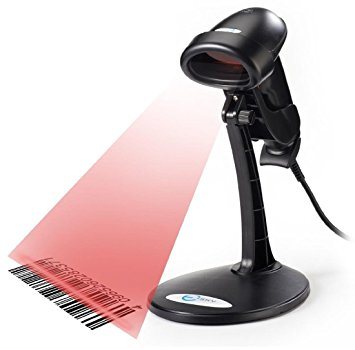
What type of device is this? (Barcode Reader)

a)

Input

b)

Output

33.
Input devices allow us to send information to the CPU (Central Processing Unit) to tell the computer what to do.
a)
True
b)
False
34.
Output devices receive information from the CPU (Central Processing Unit), then translate it into sounds or images that we can understand.
a)
True
b)
False
35.

What type of device is this? (Webcam)

a)

Input

b)

Output

36.
What type of device is this? CD / DVD / Blu-Ray
a)
Input
b)
Output
c)
Storage
37.
Wires are output devices because they come OUT of a computer
a)
True
b)
False
38.
What is the most suitable input device for inputting a short report?
a)
Mouse
b)
Scanner
c)
Keyboard
d)
None of the above
39.
What is the most suitable input device for highlighting or selecting an object on the screen?
a)
Mouse
b)
Joystick
c)
Keyboard
d)
None of the above
40.
Which of these would you use to digitise a paper photograph?
a)
Scanner
b)
 Joystick
c)
Touch screen
d)
None of the above
41.
A device that recognizes your own handwriting or smart phones that can synch with your computer.
a)
mouse
b)
PDA
c)
scanner
42.
An input device that is used to input pictures, documents, pages of magazines, and other images into the computer.
a)
mouse
b)
PDA
c)
scanner
43.
A software program that lets you speak words or phrases into a computer, but it will not format.
a)
light pen
b)
voice recognition
c)
scanner
44.
Most commonly used input device.
a)
graphic tablet
b)
keyboard
c)
SD card
45.
An input device you take out of your digital camera and put directly into your computer to download pictures.
a)
graphic tablet
b)
keyboard
c)
SD Card
46.
If you are shopping at Walmart and you need to know the price of an item, you could use a _____________.
a)
Barcode Scanner
b)
Scanner
c)
Web Cam
47.
A Camera attached to a computer that put short videos on your computer
a)
Digital Camera
b)
Security Camera
c)
Webcam
48.
If you want to draw house plans, you could use this device
a)
Light pen
b)
graphic Tablet
c)
PDA
49.
If you want to put some old paper pictures into your computer, you could use a
a)
SD Card
b)
flash drive
c)
scanner
50.
Scans a label then saves the information into the computer.
a)
Barcode scanner
b)
scanner
c)
flash drive
51.

The _____________________ is used for cheque processing.

a)

MICR

b)

OMR

c)

OCR

d)

Scanner

52.

This device converts scanned documents into digital form.

a)

OMR

b)

OCR

c)

MICR

d)

None of the above

53.

The __________________ is used for marking multiple choice papers.

a)

OMR

b)

OCR

c)

MICR

d)

All of the above

54.

This device allows the user to navigate through a series of pre-recorded messages

a)

MICR

b)

Voice response unit

c)

Document scanner

d)

OCR

55.

This device scans physical parts of the body for security purposes.

a)

OCR

b)

Biometric device

c)

Voice response unit

d)

All of the above

56.

Which type of monitor is shown in the image below?

a)

LCD

b)

CRT

c)

OLED

d)

DLP

57.

Which type of monitor is shown in the image below?

a)

LCD

b)

OLED

c)

CRT

d)

TFT

58.

Which category of printer is shown in the image?

a)

Impact printer

b)

Non-impact printer

59.

Which type of printer is shown in the image?

a)

Laser

b)

Thermal

c)

Ink Jet

d)

Dot Matrix

60.

Which type of printer is shown in the image?

a)

Thermal

b)

Band or Train

c)

3D

d)

Dot Matrix