
 Worksheets
PLTW IED Inventor Assembly Constraints Quiz
Total questions: 15
Worksheet time: 8mins
Assembly Constraints: Parameters that define the geometric relationships between components in a CAD part file.
Parameters that define the geometric relationships between components in a CAD part file
Parameters that define the geometric relationships between components in a CAD assembly file
Parameters that define the geometric relationships between components in a CAD presentation file
Parameters that define the geometric relationships between components in a CAD drawing file.
Number of Degrees of Freedom
6
5
4
3
Place Component: Utilize this command in order to place a part.
Utilize this command in order to place a part.
Utilize this command in order to replace a part.
Both of the answers
None of the answers.

What does the 'Flush' constraint do?
Allows a circular surface to touch something at one point. Constrains a curved surface to a plane or another curved surface
Constrains two faces or edges at an angle to one another
Constrains two faces or work features together. Normal vectors will point in the same direction.
Constrains a cylinder flush into a hole
How do you exit the assembly environment and enter part environment?
Right-click on a component to exit the assembly environment and enter part environment
Left-click on a component to exit the assembly environment and enter part environment
Double-click on a component to exit the assembly environment and enter part environment
None of the above
What are subassemblies?
a self-contained system within a larger system
Group of components constrained to act as one component in a larger assembly
Both of the answers
None of the answers
Base Component: First component placed in an assembly should be a fundamental part or subassembly.
First component placed in an assembly should be a fundamental part or subassembly
Bottom component placed in an assembly should be a fundamental part or subassembly
Last component placed in an assembly should be a fundamental part or subassembly
None of the above.
Base component should be to remove all degrees of freedom.
Visible
Enabled
Adaptive
The purpose of creating assemblies in Autodesk Inventor is:
To combine multiple parts or sub-assemblies into a single unit.
To combine multiple parts or sub-assemblies into multiple units.
To combine multiple parts or sub-assemblies into no units.
None of the above.
Constraints in Autodesk Inventor assemblies are used to define relationships and motion between components in Autodesk Inventor assemblies.
are used to define relationships and motion between components in Autodesk Inventor assemblies.
are used to define only motion between components in Autodesk Inventor assemblies.
are used to define only relationships between components in Autodesk Inventor assemblies.
None of the above.
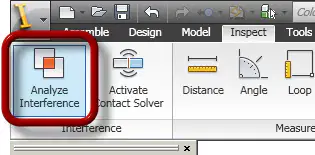
Interference analysis in Autodesk Inventor assemblies is the process of detecting and analyzing collisions or clashes between components in an Autodesk Inventor assembly.
is the process of detecting and analyzing collisions or clashes between components in an Autodesk Inventor assembly.
is the process of only analyzing collisions or clashes between components in an Autodesk Inventor assembly.
is the process of only detecting collisions or clashes between components in an Autodesk Inventor assembly.
None of the above.
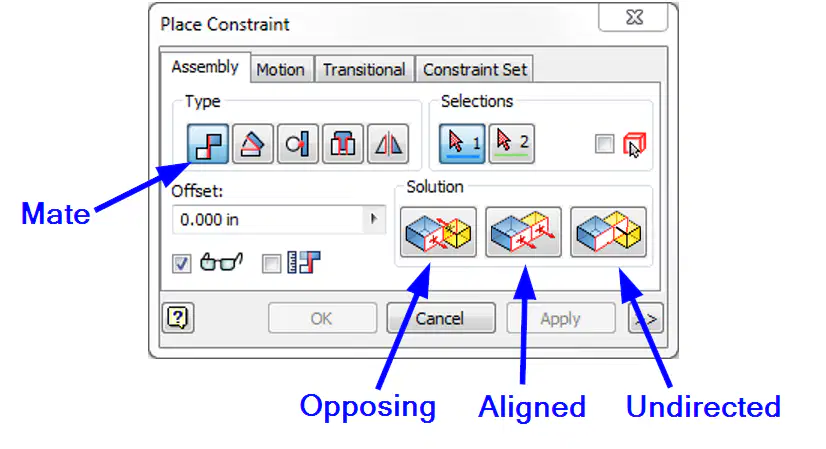
Mate constrains two faces or work features together. Normal vectors will point in the same direction.
Constrains two faces or work features together. Normal vectors will point in the same direction.
Allows a circular surface to touch something at one point. Constrains a curved surface to a plane or another curved surface.
Constrains two faces or edges at an angle to one another.
Constrains a cylinder flush into a hole.

What does the 'Insert' constraint do?
Constrains two faces or work features together. Normal vectors will point in the same direction.
Allows a circular surface to touch something at one point. Constrains a curved surface to a plane or another curved surface
Constrains two faces or edges at an angle to one another
Constrains a cylinder flush into a hole

What does the 'Angle' constraint do?
Constrains two faces or work features together. Normal vectors will point in the same direction.
Allows a circular surface to touch something at one point. Constrains a curved surface to a plane or another curved surface
Constrains two faces or edges at an angle to one another
Constrains a cylinder flush into a hole
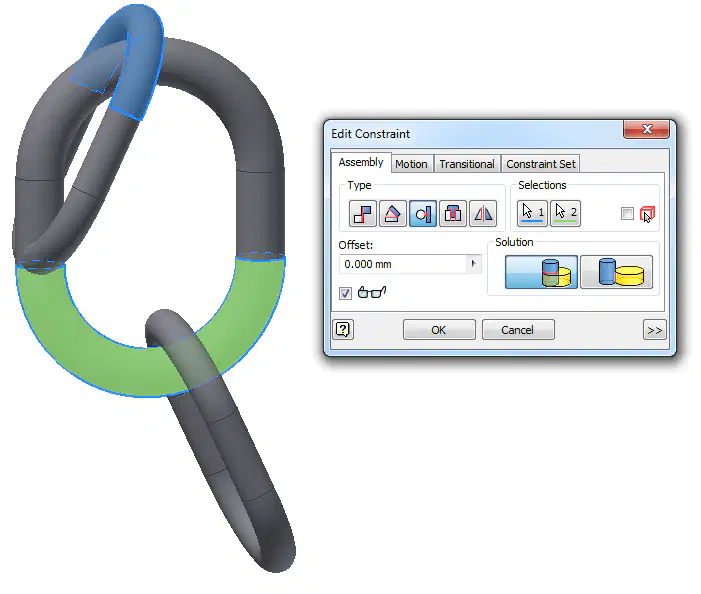
What does the 'Tangent' constraint do?
Constrains two faces or work features together. Normal vectors will point in the same direction.
Allows a circular surface to touch something at one point. Constrains a curved surface to a plane or another curved surface
Constrains two faces or edges at an angle to one another
Constrains a cylinder flush into a hole

