
 Worksheets
TinkerCad Croc Charm Quiz
Total questions: 26
Worksheet time: 58mins
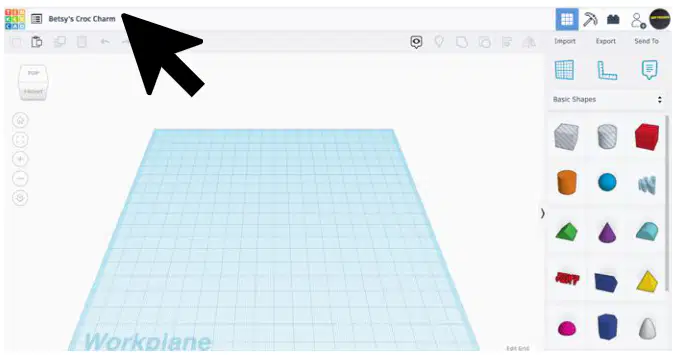
What do you open a new project in TinkerCad?
A saved project
A blank workplane
A completed design
A printed model
What is the software tool being used in these steps?
Tinkercad
Photoshop
Blender
SketchUp
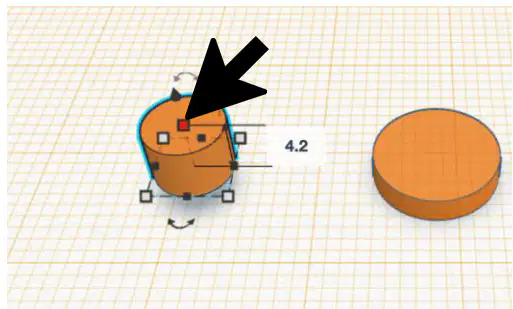
In Step 12, which part of the cylinder do you click to change the height?
Corner square
Center square
Top circle
Side panel
Which part of the cylinder do you click to change the diameter?
Corner square
Center square
Top circle
Side panel
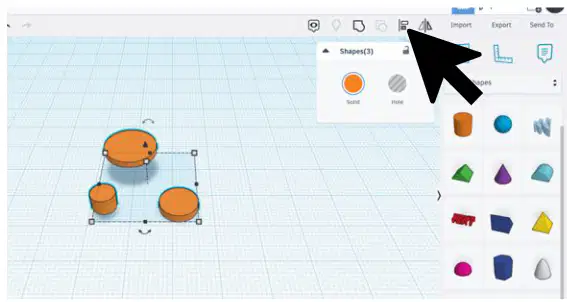
What is the first step to change your workplane back to normal?
Click the Workplane button and then anywhere on the background.
Click the Align button.
Drag a box around the objects.
Click the Import button.
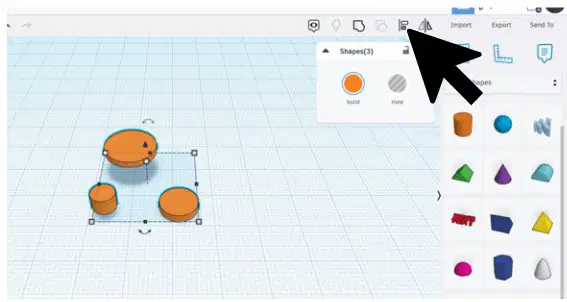
How do you select more than one object at a time?
Click each object individually.
Drag a box around the objects.
Use the Import button.
Click the Align button.
What is the function of the Workplane button?
To align objects.
To change the workplane to a new level or back to normal.
To import objects.
To delete objects.
What does the Align button look like?
A circle and a triangle
A rectangle and a square
A star and a heart
A hexagon and a pentagon
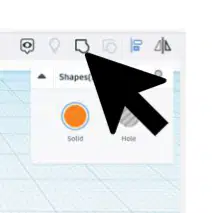
What should you do when you are finished aligning all parts?
Click the Align button.
Click the Group button.
Click the Rotate button.
Click the Delete button.
What happens to the cylinders after clicking the Group button in Step 20?
They change color.
They are grouped together.
They disappear.
They rotate.
What is the visual indicator that the cylinders are selected in Step 20?
The cylinders are highlighted.
The cylinders are transparent.
The cylinders are spinning.
The cylinders are invisible.
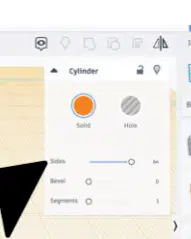
How many sides should the cylinder have in Step 2?
32
64
16
48
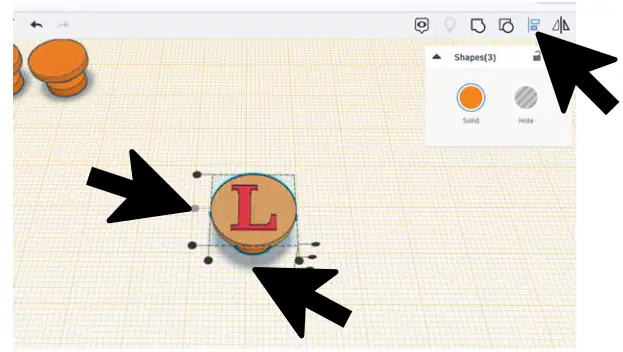
In Step 10, what tool is used to align all pieces of the charm?
Rotate tool
Align tool
Scale tool
Mirror tool
What is the name of the floor in Tinkercad?
The ground.
The square.
The workplane.
The surface.

The curved arrows allow you to do what?
rotate the object
change the color of the object
change the size of the object
duplicate the object
How do you raise/lower an object?
Use the corner handles
Use the top cone
Use the rotation arrows
Right click the shape

Which one of the following would you use to move an object vertically (up/down) in TinkerCAD?
1
2
3
Which one of the following would you use to resize an object in TinkerCAD?
1
2
3
Which one of the following would you use to rotate an object in TinkerCAD?
1
2
3

In TinkerCAD the above image is for:
Group
Ungroup
Delete
Align

In TinkerCAD the above image is for:
Group
Crop
Redo
Ungroup
How can you zoom in and out your design?
Use + or - buttons or mouse scroll wheel

What is the correct name for the tube shape?
Cylinder
Box
Circle
Cube

In TinkerCad the above image is for:
Group
Align
Copy
Paste

