
 Worksheets
Robobimi Practicing
Total questions: 74
Worksheet time: 38mins
1. Which of the following is NOT natural material?
Wood
Stone
Plastic
Bamboo
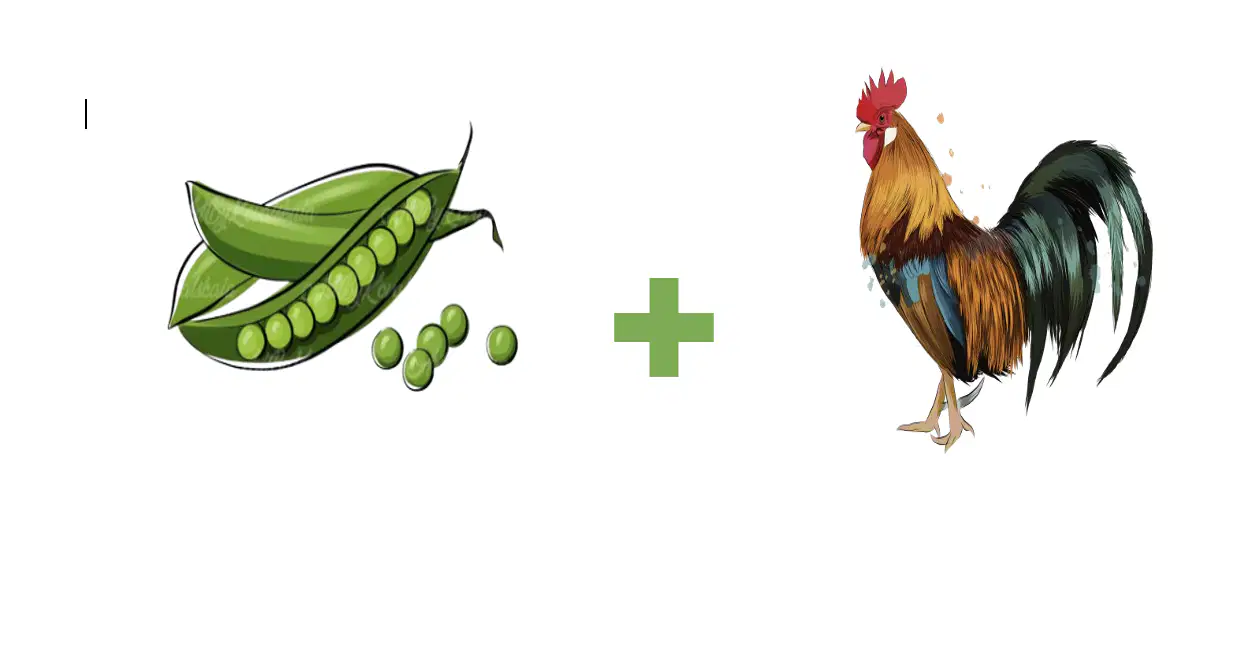
Catch the phrase
(a)
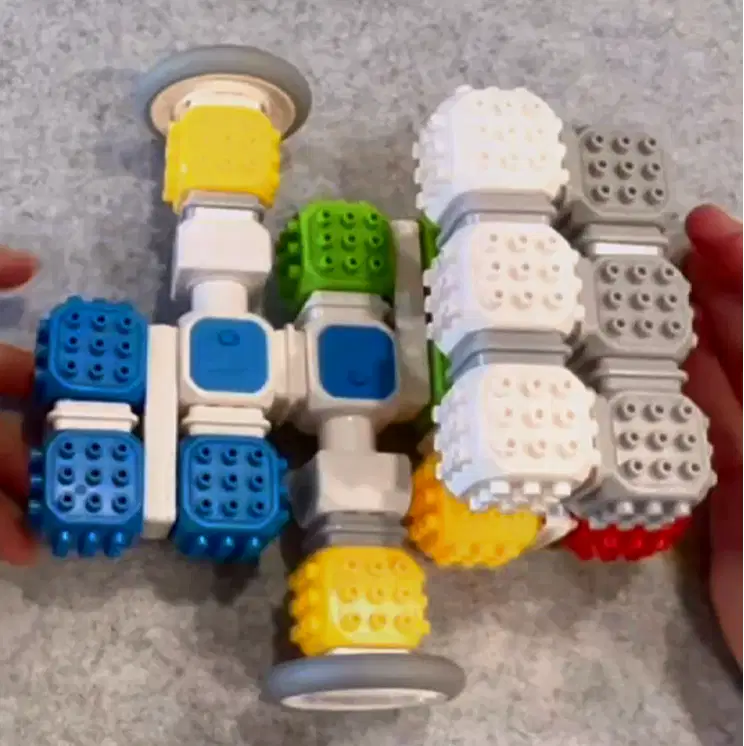
what model is this?
A sleigh
B a ride bike
C a cell phone
D all are correct
Ron picked up 133 rocks in the park and 152 rocks near the beach during his trip. His father told Ron that he could only take 61 rocks home. How many rocks will Ron have to leave?
(a)
Which part of the computer is used to enter information?
A. Printer
B. Keyboard
C. CPU
D. Speakers

What is the name of this famous place?
Son Doong Cave
Hang En Cave
Thien Duong Cave
Phong Nha Cave
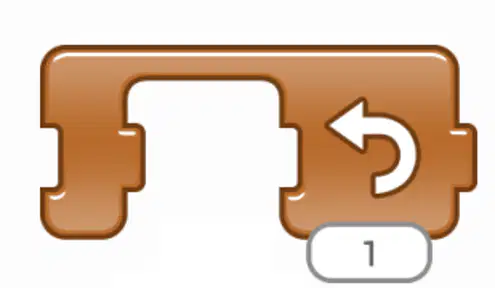
In the Advanced Coding App, what does this block mean?
(a)
How many kinds of smart blocks are there in Coding Block package?
Which smart blocks do you use in this parking lot gate?
LED block
DC motor block
Proximity sensor block
Both B and C are correct.
What can a DC motor block do?
see something near or far it
spin around
show icons, numbers and ABC
show colours

What does this coding mean?

What does this coding mean?
Which smart block does these coding icons belong to?
Proximity sensor block
Light and touch sensor block
DC motor block
2 DC motor blocks
Which smart block does these coding icons belong to?
Proximity sensor block
Light and touch sensor block
DC motor block
2 DC motor blocks
Which smart blocks does these coding icons belong to?
Proximity sensor block
LED block
Light and touch sensor block
DC motor block
Watch the video and answer the question Which smart blocks do we use for this model?
Proximity sensor block + DC motor block
Proximity sensor block + 2 DC motor blocks
Master block + DC motor block
Master block + 2 DC motor blocks
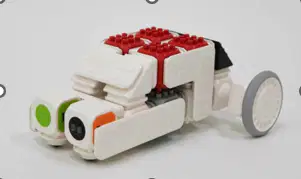
This self-driving car can run on the street without drivers. It can stop and play music when it sees something in front of it. => What is the correct coding for this self-driving car?


This scarecrow can spin around without wind to scare the birds. When the birds fly away, it stops. => What is the correct coding for this scarecrow?


For which model do you use this coding?
A ukulele
A microwave
A chair-o-plane
A parking lot gate
For which model do you use this coding?
A firefly
A flashlight
A camera
A parking lot gate
What can this smart ghost do?
spin around + show icons
spin around + show lights
turn left + show icons
turn right + show lights
Look at the following blocks needed. For which model do you use these blocks needed?
A bicycle
A snowplough
A submarine
A fire engine
Look at the following blocks needed. For which model do you use these blocks needed?
A bicycle
A snowplough
A submarine
A fire engine
How many kinds of smart blocks are there in Coding Block package?
6
5
4
3
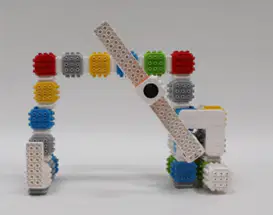
Which smart blocks do you use in this parking lot gate?
A. LED block
B. DC motor block
C. Proximity sensor block
D. Both B and C are correct.
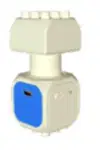
What can a DC motor block do?
A. see something near or far it
B. spin around
C. show icons, numbers and ABC
D. show colours

What does this coding mean?
1. turn left
2. turn right
3. stop
1. turn right
2. turn left
3. stop

What does this coding mean?
1. light
2. dark
3. touch
4. untouch
1. dark
2. light
3. touch
4. untouch
1. light
2. dark
3. untouch
4. touch
1. light
2. touch
3. dark
4. untouch

Which smart block does these coding icons belong to?
Master block
Light and touch (sensor) block
LED block
sound block
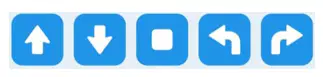
Which smart block does these coding icons belong to?
A. Proximity sensor block
B. Light and touch sensor block
C. DC motor block
D. 2 DC motor blocks
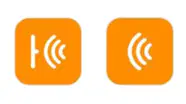
Which smart blocks do these coding icons belong to?
A. Proximity sensor block
B. LED block
C. Light and touch sensor block
D. DC motor block
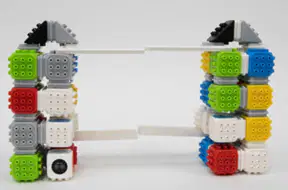
Watch the video and answer the question
Which smart blocks do we use for this model?
(xem video rồi chọn)
A. Proximity sensor block + DC motor block
B. Proximity sensor block + 2 DC motor blocks
C. Master block + DC motor block
D. Master block + 2 DC motor blocks
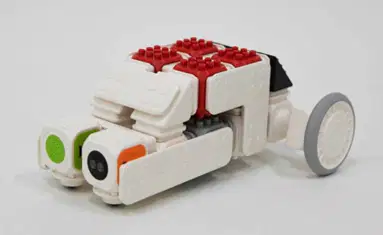
This self-driving car can run on the street without drivers.
It can stop and play music when it sees something in front of it.
=> What is the correct coding for this self-driving car?


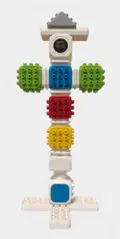
This scarecrow can spin around without
wind to scare the birds.
When the birds fly away, it stops.
=> What is the correct coding for
this scarecrow?


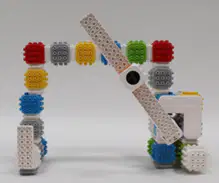
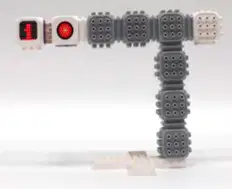
What is the name of this model?
traffic light
parking lot gate
microwave
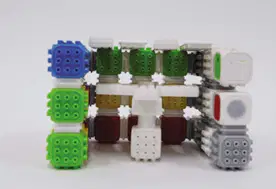
What is the name of this model?
traffic light
parking lot gate
microwave
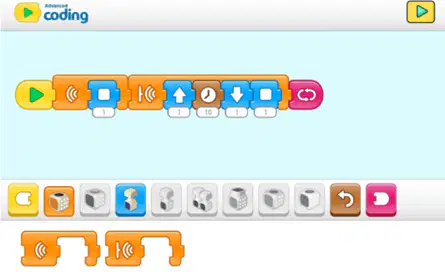
What is the name of this model?
traffic light
parking lot gate
microwave
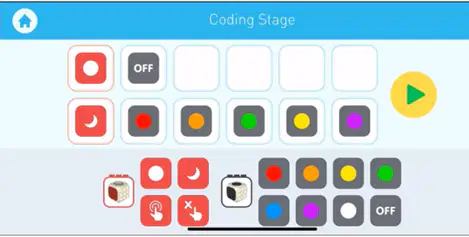
For which model do you use this coding?
B.
C.
D.

A ukulele

A microwave

A chair-o-plane

A parking lot gate
For which model do you use this coding?

A firefly

A flashlight

A camera

A snowplough
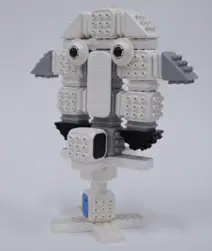
What can this smart ghost do?
spin around + show icons
spin around + show lights
turn left + show icons
turn right + show lights
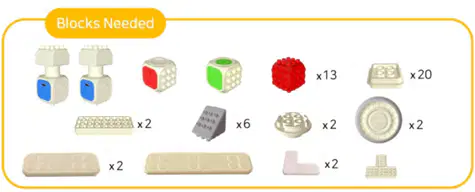
Look at the following blocks needed.
For which model do you use these blocks needed?

A bicycle

A snowplow

A submarine

A fire engine
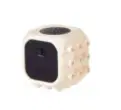
What block?
master block
LED block
sound block
DC motor block
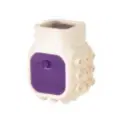
What block?
master block
LED block
sound block
DC motor block
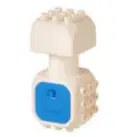
What block?
master block
LED block
sound block
DC motor block
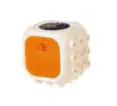
What block?
master block
proximity sensor block
sound block
light and touch sensor block
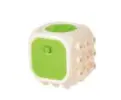
What block?
master block
LED block
sound block
DC motor block
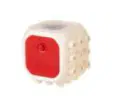
What block?
master block
LED block
Light and touch sensor block
proximity sensor block
How many main smart blocks are there in the Coding Block?
There are 5 main function blocks
There are 6 main function blocks
There are 7 main function blocks
There are 8 main function blocks
How many smart blocks and building blocks is it used?
1 smart block and 11 building blocks
1 smart block and 12 building blocks
1 smart block and 13 building blocks
1 smart block and 14 building blocks
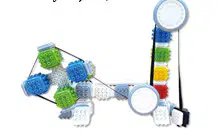
To lift and pull up-down heavy objects, which smart blocks do you operate the pulley?
Master block
Light & Touch sensor block
Sound block
DC motor block
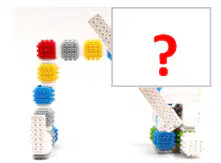
Find the missing part of the project.


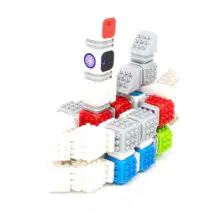
Look at the picture and name the project.
A submarine
A sleigh
A parking lot gate
A bike
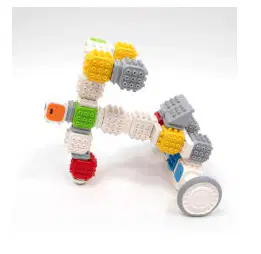
What is a proximity sensor block used for?
To make sounds or melodies
To identify things in front of someone/ something
To go forward or backward
To change colours
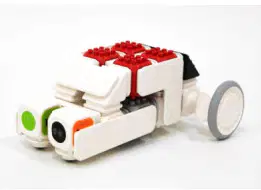
How many smart blocks are there in this model?
There are one DC motor block, one LED block and one Sound block
There are two DC motor blocks, one Sound block and one LED block
There are two DC motor blocks, one Sound block and one Master block
There are two DC motor blocks, one Proximity sensor block and one Sound block
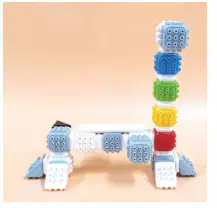
Look at this part of the project and guess what project do you see?
An air cleaning robot
A pulley
A shopping cart
A self-driving car
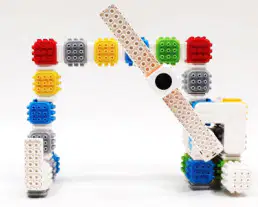
To provide security and control parking
To help vehicles wash cleaner
To drive cars without drivers
A and B are correct.
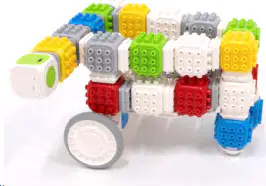
What is Sound block used for this model?
It is used for the lights.
It is used for changing colours on the screen.
It is used for moving and rotating the wheels.
It is used for melodies and sounds.
What do these icons of the codes belong to?
DC motor block
Sound block
Light & Touch sensor block
All are incorrect

Look at this code, what types of program do you operate?
Advanced Coding Program
Basic Coding 2 Program
Scratch Program
Python Program
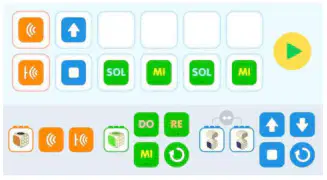
Look at this coding stage, which application menu can you program?


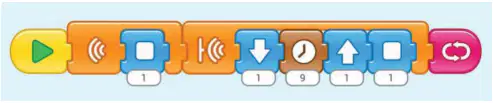
In this coding stage, how much time do you wait for the next blocks?
1 minute
2 minutes
4 minutes
9 minutes

What is the rule of the start block?
You can use this start block twice
The start block is at the end of all codes
All codes must have start block at the very beginning.
A & B are correct

In the Basic Coding App, which smart blocks do these symbols represent for?
Light and touch sensor block
DC motor blocks
Proximity sensor block
LED blocks
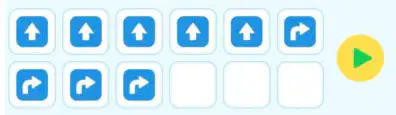
Which model is this coding stage used for?
A sleigh
A shopping cart
A submarine
A robot playing a pipe
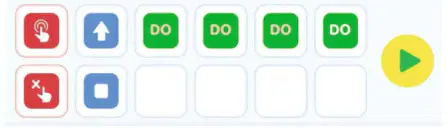
Which model is this coding stage used for?
A parking lot gate
A shopping cart
A microwave
A pulley

In the Advanced Coding App, what does a pink block icon represent for?
A start block
A wait block
A LED block
A close block

Which project does these codes belong to?
A parking lot gate
An air cleaning robot
A shopping cart
A submarine

What is this natural disaster?
(a)

What is this natural disaster?
(a)
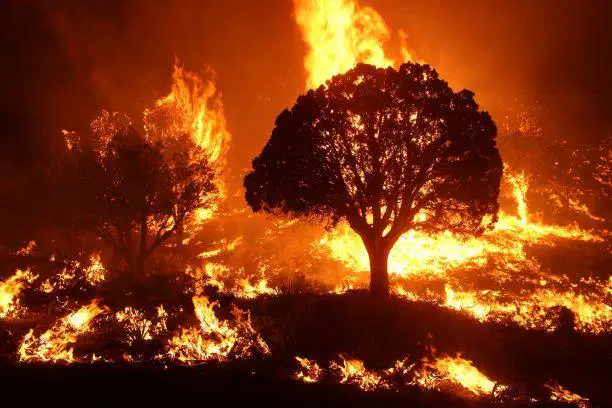
What is this natural disaster?
(a)
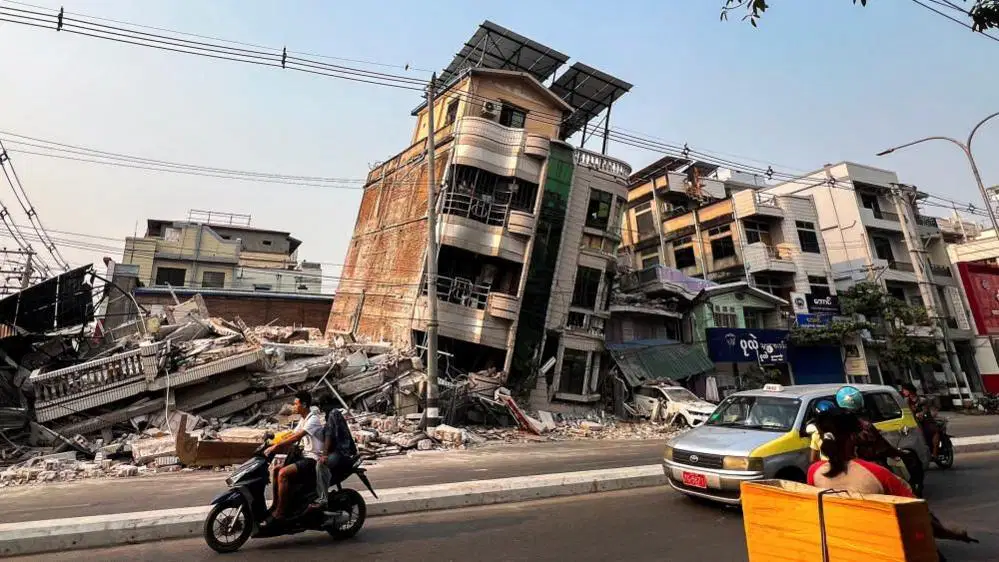
What is this natural disaster?
(a)

What is this natural disaster?
(a)
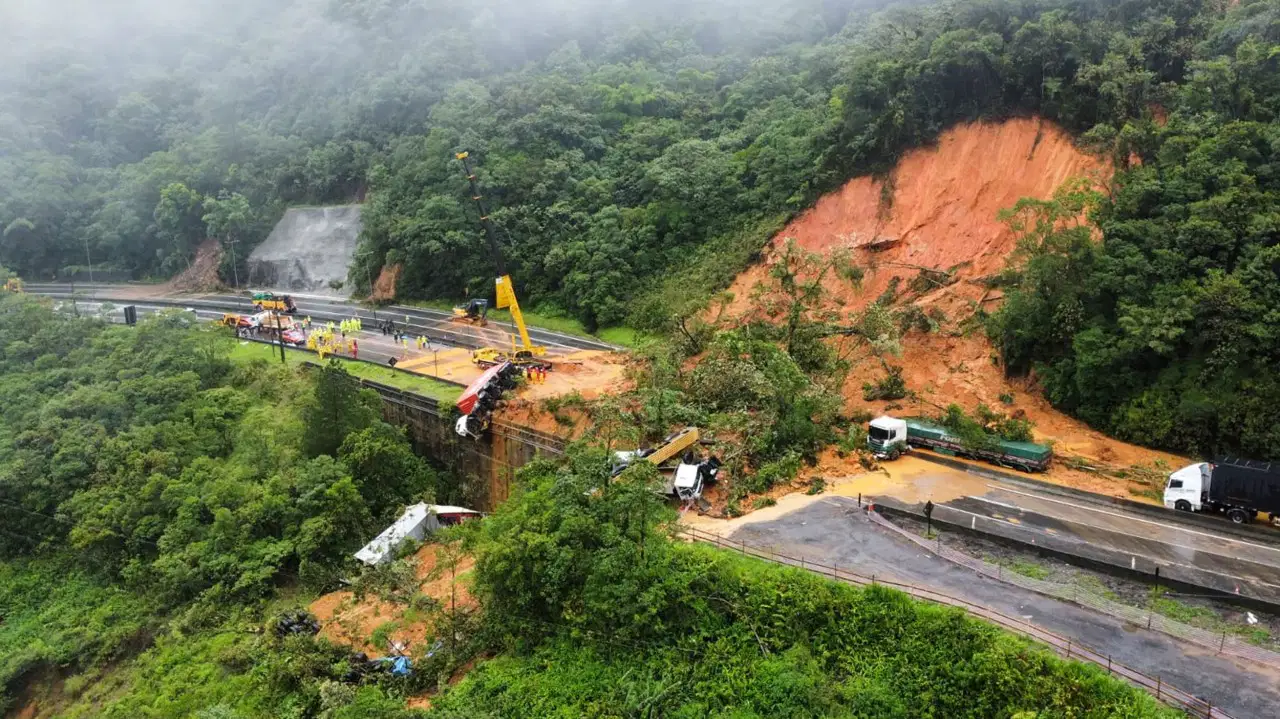
What is this natural disaster?
(a)

What is this natural disaster?
(a)

