
 Worksheets
WBL Final
Total questions: 20
Worksheet time: 7mins
If I want to add a shape, which button do I click?


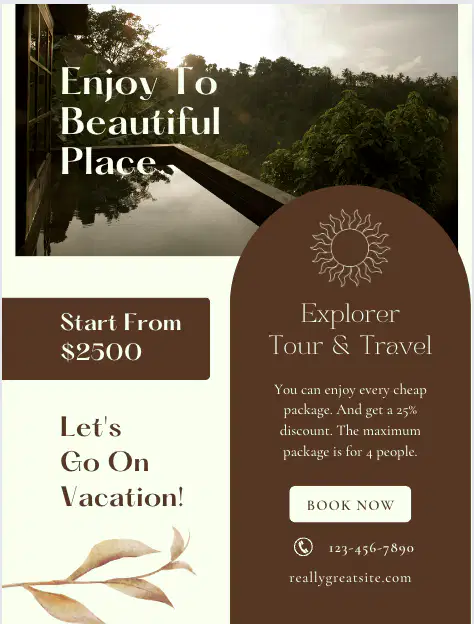
Canva is an excellent online graphic design tool for those who don't have any experience with graphic design (New york times)
True and it includes advanced tools for master Canva users
False
False - it is not a design tool
Not sure

How can I delete something I do not want?

Backspace button
None of these

If I want to add writing, which button do I click?


You can only use basic colors in Canva.
True
False

Can we add our own pictures in Canva?
Yes, but you have to pay.
Yes, we can! It's free.
Yes, but only 1 picture
No, because it's not free.

You can import ______ into Canva to use in your designs.
Graphics
Logos
Fonts
All of the above

You can't create your own project without using a template in Canva.
True
False

Canva can help you do the following:
Create a Resume that attracts prospective employees
Create eye-catching business cards
Design Travel Brochures
All of the Above
How to add and replace templates?
Click on the Elements tab.
Click on the Upload tab.
Click on the Templates tab.
Click on the Background tab.
If I want to add a picture from the web, which button do I click?


How can you use templates and layouts in Canva to create designs?
Select a design template and customize it with your own content and elements.
Start with a completely different design and try to replicate the template
Choose a layout and then delete all the pre-set elements
Use a blank canvas and manually add all design elements
If I want to change my background, which button do I click?


What are the benefits of using Canva for design projects?
Tons of elements and other design options
Tons of photo editing options
Great text options
All of the above
When I want to place something on my Canva, do I click the item or do I drag and drop it onto the Canva?
Click
Drag and Drop
None of these
If I want to insert a picture that's not from Canva, which button do I click?


How to change font style?
Select the text and a menu appears on top of the poster, change font style as desired.
Select the template
Select the Elements
do you need to save your work in canva?
yes
maybe
all changes saved automatically

