
 Worksheets
Year 9 : ICT Exam
Total questions: 100
Worksheet time: 1hrs 13mins
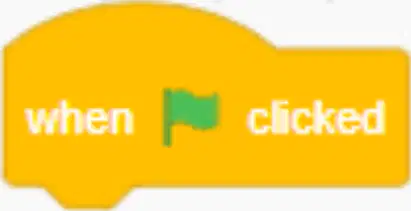
What is the purpose of the event block shown in the image?
To stop the program
To start the script when the green flag is clicked
To change the background color
To play a sound
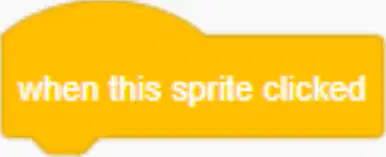
What is the purpose of the "when this sprite clicked" event block?
It runs the attached script when the user clicks directly on the sprite.
It changes the color of the sprite.
It moves the sprite to a random position.
It plays a sound when the sprite is clicked.
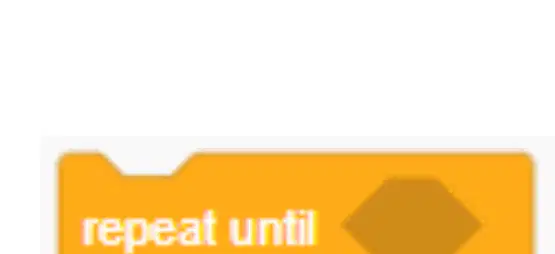
What is the purpose of the "repeat until" control block?
It repeats actions indefinitely.
It repeats actions until a specified condition becomes true.
It repeats actions a fixed number of times.
It repeats actions only once.
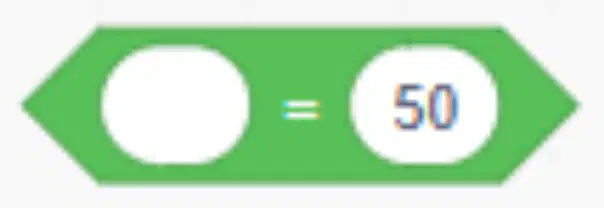
What does the Operators block do in programming?
It checks if a value is equal to a specified number.
It multiplies two numbers.
It adds two numbers together.
It subtracts one number from another.
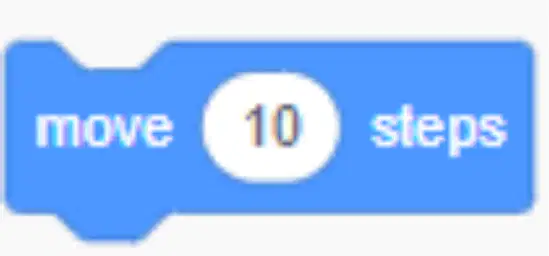
What is the primary function of the motion block shown in the image?
To move the sprite forward by 10 steps
To change the sprite's color
To rotate the sprite 90 degrees
To make the sprite disappear
In which scenarios is the motion block often used?
Walking, gliding, or simple animations
Changing colors, resizing, or rotating
Playing sounds, recording, or pausing
Saving, loading, or exporting files
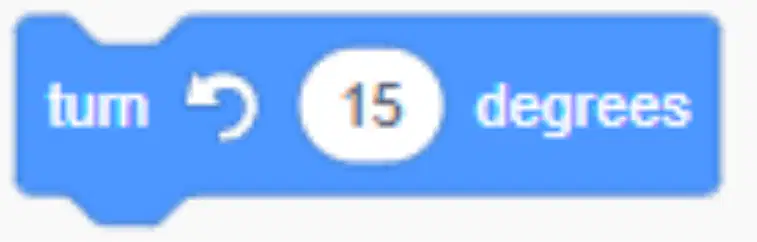
What does the motion block in the image do?
Rotates the sprite clockwise by 15 degrees.
Moves the sprite forward by 15 steps.
Changes the sprite's color.
Rotates the sprite counterclockwise by 15 degrees.

Under which code block will you find this code in Scratch?
(a)

Under which code block in Scratch I belong to?
(a)

Under which code block in Scratch I am in?
(a)

Which of the following sections of code will make the script follow the mouse pointer around the screen?


What does this programming construct do?
Repeats code forever
Repeats code until a condition is met
Run code when a condition is met

Name this programming construct
If Statement
Loop
Variable

Name this programming construct
If Statement
Loop
Variable

What does this programming construct do?
Repeats code forever
Run code when an condition is met
Repeats code until a condition is met

What does this do?
Repeats code for a set amount of times
Starts a race
Runs all code below it
Finishes the game

What is this called?
If Statement
Loop
Variable
What is a variable?
Something that stores a value
Something that never changes
Something that is very valuable
A variable cannot change
True
False

What does this code do?
Follow the mouse
Follow the sprite
Look at the sprite
Nothing
What can you do with Scratch?
Play sounds
Draw
Talk to sprites
Sense other sprites

What is the name of the area that has been circled?
Stage
Costumes
Script
You can make your own blocks on Scratch?
True
False
Which of the following will allow the movements to occur continuously to various positions?


What does this block do?
It writes notes for you
It plays a musical note
It beats the drum

What does this block do?
Repeat the code forever
Repeat the code 2 times
Repeat the code until touching the sprite

Repeating a statement more than once is called a...
Repetition
Sequence
Loop
Event

If Josh is 11 years old, what will this program print out?
It won't print out anything
You are old enough for Year 8
You are still in year 7
It will print out his age
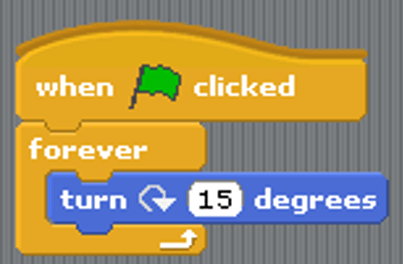
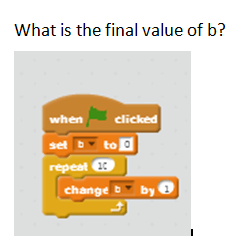

How many times the code will repeat using this block
Ten times
One times

what is the use of this block
Change Pen size
Change Pen color
Which block you use to change color


Which block I use to write in scrtach?


Which block allows you to make decisions (choices)?


The green blocks that allow comparisons such as >, <, =, >=, <= are called?
Logics
Operators
Formulas
Expressions
This block moves its sprite forward the specified amount of steps in the direction it is facing.


These blocks turn their sprite the specified amount of degrees clockwise or counter-clockwise (depending on which block is used); this changes the direction the sprite is facing.


This block sets its sprite's X and Y position to that of the mouse-pointer, an arbitrary coordinate, or another sprite


This block sets its sprite's X and Y position to the specified amounts.


This block moves its sprite steadily to the specified X and Y position in the specified amount of seconds -


This block points its sprite in the specified direction; this rotates the sprite.


Which of the following is NOT considered as an absolute motion block?


You can Add Sound by this Block


To create code that runs when a score is 5 or more we should use
greater than 4
greater than 5
less than 5
less than 4

In scratch, these characters are called?
Backdrop
Block
Stage
Sprite
What is a computer network?
A system where multiple devices connect to share data and resources
A single computer used for personal tasks
A device used to print documents
A type of software for editing photos
How do devices in a computer network communicate?
Through wired (Ethernet Cables) or wireless (Wi-Fi) connections
By sending letters through the mail
By using telephones
By using smoke signals
What is a small network in a home called?
LAN
WAN
MAN
PAN
What does WAN stand for?
Wide Area Network
Wireless Access Node
Web Application Network
Wide Access Node
What are the main components of a computer network?
Computers, Network Cards, Cables, Switches, Routers
Printers, Monitors, Keyboards, Mice, Speakers
Desks, Chairs, Whiteboards, Projectors, Lights
Phones, Tablets, Laptops, Chargers, Cases
Which of the following devices can use a Network Card to connect to a network?
Printer
Television
Refrigerator
Microwave

What are the two types of Network Cards mentioned?
Wired and wireless
Internal and external
Digital and analog
Portable and fixed
What is the primary function of a hub in a network?
It broadcasts data to all connected devices.
It sends data only to the intended device.
It encrypts data for security.
It compresses data to save space.
Which device is considered outdated for modern networks?
Switch
Hub
Router
Modem
What can a router connect together?
Multiple different LANs
Only one computer
Printers and scanners
Mobile phones
In a star topology, how are devices connected?
In a closed loop
Using a single backbone cable
To a central hub or switch
Directly to each other
Which network topology is described as rare and outdated?
Star
Bus
Ring
Mesh
What happens if the hub fails in a Star Topology?
The entire network is disrupted
Only one device is affected
Data continues to flow normally
Devices connect directly to each other
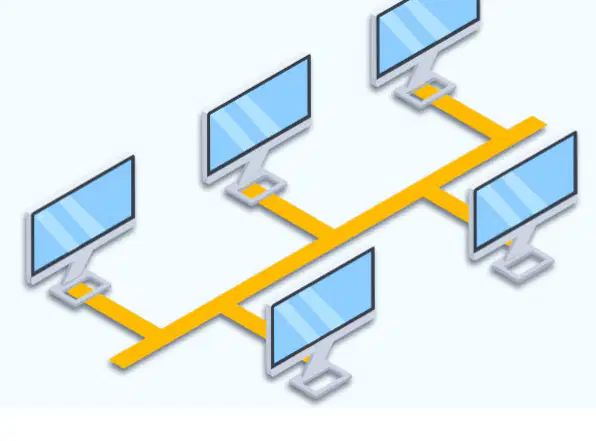
What is a Bus Topology?
A network layout where all devices connect to a single central cable
A network layout where each device connects to every other device
A network layout with a central hub and spokes
A network layout with multiple interconnected rings
Which of the following is a characteristic of Bus Topology?
Complex and expensive
Simple and cheap
Fast and reliable
Uses wireless connections
What is a Ring Topology?
A network layout where devices are connected in a straight line.
A network layout where devices are connected in a closed loop.
A network layout where devices are connected randomly.
A network layout where devices are connected in a star shape.
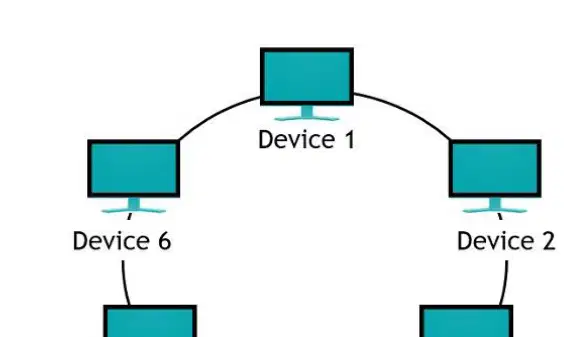
What is a disadvantage of a Ring Topology?
No collisions.
Predictable performance.
Single point of failure.
High cost of setup.
How does improved communication benefit a networked organization?
Reduces collaboration
Limits email usage
Enhances collaboration through email, instant messaging, and video calls
Increases disruptions
How does remote access benefit employees in a networked organization?
Employees can only work from the office
Employees can work from anywhere (VPN, cloud services)
Employees have limited access to resources
Employees face increased security risks
What is one result of increased efficiency in a networked organization?
Slower data transfer
Streamlined workflows and faster data transfer
Increased workflow disruptions
Limited data access

