
Font size
 Worksheets
Internet
Total questions: 86
Worksheet time: 43mins
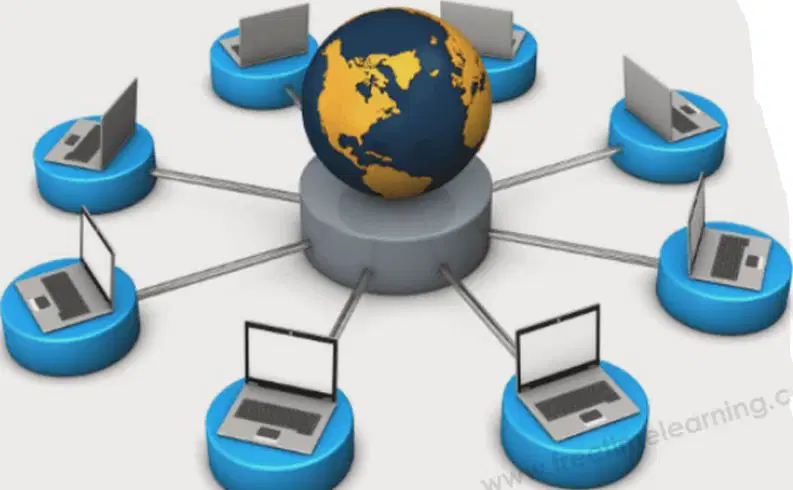
What is a network?
A network is a set of computers connected together.
A network is a type of software used for editing images.
A network is a single computer working independently.
A network is a device used to print documents.
The term INTERNET stands for ________.
INTERCONNECTED NETWORKS
INTERNATIONAL NETWORK
INTERNAL NETWORK
INTERMEDIATE NETWORK
The Internet is a huge number of computers connected to each other by telephone wires or other methods that allow them to share information.
True
False
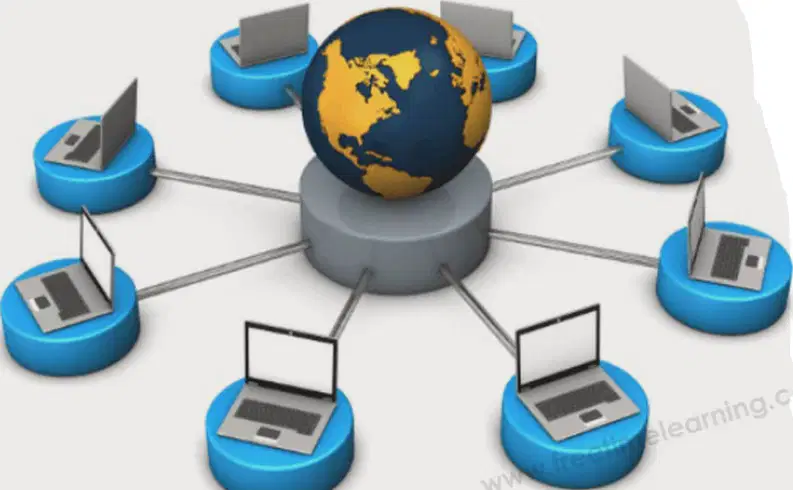
According to the image, what allows computers in a network to share information?
Telephone wires or other methods.
Printers and scanners.
Computer monitors.
Speakers and microphones.
What is one of the things needed to connect to the internet?
A Computer
A Television
A Printer
A Camera
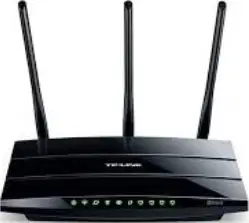
Fill in the blank: To connect to the internet, you need a modem and a ________ line.
telephone
power
water
gas

Which of the following is an Internet Browser?
Google Chrome
Microsoft Word
Adobe Photoshop
VLC Media Player
Fill in the blank: ISP stands for ________ Service Provider.
Internet
Internal
International
Intercom
What is the primary function of a modem in a network setup?
To convert digital signals to analog and vice versa
To connect multiple devices wirelessly
To store data
To print documents
The router connects to the modem using a ______ signal.
Digital
Analog
Optical
Radio
Refer to the diagram of 'Modem/ Wifi Router'. Which of the following devices can connect to the router wirelessly?
Computer
Tablet
Printer
Scanner
Fill in the blank: A modem is the connection between your house and the ________.
internet
television
microwave
refrigerator
Fill in the blank: A router is the connection between your modem and your ________ devices.
wireless
kitchen
outdoor
mechanical
Which of the following statements is true?
A modem requires a router to function.
A modem does not require a router to function.
A modem is not needed for internet connection.
A modem is only used for wireless devices.
Which of the following statements is true?
A) A router does not need a modem to function.
B) A router is the connection between your house and the internet.
C) A router does need a modem to function.
D) A router is only used for wired devices.
Which of the following is a wireless device?
Light bulb with Wi-Fi
Smartphone
Laptop
Desktop computer
All of the above
What is a web browser?
A hardware device that connects to the internet
A software program that allows a user to locate, access and display web pages
A type of internet connection
A search engine
Fill in the blank: A web browser is a _______ program that allows a user to locate, access and display web pages.
software
hardware
mechanical
manual
Which of the following is NOT an internet browser shown in the diagram?
Chrome
Firefox
Safari
Internet Explorer
According to the diagram, what is the correct sequence to access the internet?
Internet → Computer → Internet Browser
Computer → Internet Browser → Internet
Internet Browser → Computer → Internet
Computer → Internet → Internet Browser
What does ISP stand for?
Internet Service Provider
International Security Protocol
Internal System Processor
Information Storage Platform
Fill in the blank: An ISP is a company that provides individuals and organizations access to the _______ and other related services.
internet
television
library
cinema
Which of the following is NOT an example of an Internet Service Provider (ISP) shown in the image?
Dialog
SLTMobitel
Hutch
Which service of the Internet allows you to send and receive files over the network?
File Transfer
Web Browsing
Video Streaming
Which service of the Internet is used to send electronic messages?
Electronic Email
World Wide Web
File Transfer Protocol
Online Gaming
Which service of the Internet allows voice communication over the Internet?
VoIP
FTP
HTTP
SMTP
What does WWW stand for in Internet services?
World Wide Web
Wireless Web Window
Wide Web World
Web World Wide
Which Internet service is used for real-time face-to-face communication?
Video Conference
Blogging
File Transfer
Which service of the Internet allows users to send instant text messages?
Instant Messaging
File Transfer Protocol (FTP)
World Wide Web (WWW)
Which Internet service is used for buying and selling goods online?
E-Commerce
E-Learning
E-Governance
E-Banking
Which service of the Internet provides access to various online applications and resources?
Web Services
Email Services
FTP Services
Chat Services
Who are considered the inventors of the Internet?
Robert E. Kahn and Vint Cerf
Bill Gates and Steve Jobs
Tim Berners-Lee and Mark Zuckerberg
Larry Page and Sergey Brin
Who is the inventor of the World Wide Web (WWW)?
Bill Gates
Tim Berners Lee
Steve Jobs
Mark Zuckerberg
Fill in the blank: WWW can be defined as the ________ of different websites around the world, containing different information shared via local servers (or computers).
collection
division
restriction
elimination
The World Wide Web makes navigation on the internet easier by utilizing hypertext link and graphical user interfaces between different addresses on the computers around the world.
True
False
What does the Internet serve as?
A collection of books
A vast electronic communication network
A type of software
A single website
Who is known as the inventor of the Email?
Tim Berners-Lee
V A Shiva Ayyadurai
Bill Gates
Steve Jobs
Electronic mail, commonly shortened to ______, is a communication method that uses electronic devices to deliver messages across computer networks.
postcard
telegram
fax
Which of the following is NOT a requirement to send and receive email?
An email account
Be connected to internet
Know email address(es) of those you want to contact
A printer
Email allows users to send messages and files (pictures, documents, etc) to another person.
True
False
Select two advantages of using email compared to regular mail.
Faster delivery and lower cost
Requires physical stamps and envelopes
Slower communication and higher cost
Needs to be delivered by hand
What is E-commerce?
A method of buying and selling goods and services online
A method of physical shopping
A type of transportation
A form of entertainment
With a single mouse click, customers can purchase almost anything day or night by staying at their own home with _____?
comfort
danger
difficulty
confusion
E-commerce allows small businesses to compete with large organizations.
True
False
What two types of shopping are depicted in the image titled 'Brick and Mortar & Online'?
Brick and Mortar and Online
Outdoor and Indoor
Wholesale and Retail
Local and International
One advantage is _________?
Easy to compare products.
Difficult to understand features.
Takes more time to shop.
Reduces product variety.
One disadvantage is _________.
No guarantee for the quality of product.
It always saves time.
It ensures 100% satisfaction.
It is the cheapest option.
Fill in the blank: An advantage is _________.
Browse wide range of products.
Limited payment options.
Long delivery times.
Restricted product selection.
Fill in the blank: A disadvantage is _________
Long delivery period.
Fast service.
High quality.
Immediate response.
Fill in the blank: An advantage is _________.
Shop from anywhere.
Pay extra for delivery.
Limited product choices.
Long waiting times.
Fill in the blank: A disadvantage is _________.
Can not try before purchase
Always free of cost
Guaranteed satisfaction
Immediate delivery
Fill in the blank: An advantage is _________
24/7 availability.
limited access.
high cost.
slow response time.
Fill in the blank: A disadvantage is _________
Potential security threats
Increased efficiency
Enhanced user experience
Improved performance
Fill in the blank: An advantage is _________.
Save time and money.
Cause problems and delays.
Increase confusion.
Waste resources.
Fill in the blank: A disadvantage is _________.
Competition
Advantage
Benefit
Profit
Fill in the blank: An advantage is _________
No need physical storefront.
High electricity bills.
Limited customer reach.
Long shipping times.
Fill in the blank: A disadvantage is _________
IT issues
a benefit
an advantage
a solution
Fill in the blank: An advantage is _________.
Ability to reach a broader audience
A type of disadvantage
A form of restriction
A method of exclusion
Fill in the blank: A disadvantage is _________.
Limited connection with customer
Increased customer loyalty
Enhanced brand reputation
Greater market reach

Why is it important to protect your computer when you are online?
To play games
To prevent personal details from being stolen or deleted
To make your computer faster
To watch videos

If you don't protect your computer properly online, your personal details could be stolen without your knowledge.
True
False
Internet Safety: Most people store a lot of personal information on their computers. If you don't protect your computer properly when you're online, it's possible that personal details could be ______ or deleted without your knowledge.
stolen
painted
shared
printed
Fill in the blank: Never share personal information like your ______, passwords, phone number.
address
favorite color
pet's name
hobby
Fill in the blank: Only add people you ______.
know
see
ignore
avoid
Fill in the blank: Never publish anything you wouldn’t want family or future ______ to see.
employers
neighbors
pets
roommates
Fill in the blank: Balance screen time with ______ time.
green
blue
quiet
study
Fill in the blank: Be ______ online.
polite
rude
careless
mean
Fill in the blank: Keep your ______ out of reach during school hours.
phone
book
pen
lunch
Cyberbullying Preventing Tips: Think before you share. Pause and think about if you are ______ or embarrassing someone else.
hurting
helping
ignoring
supporting
Cyberbullying Preventing Tips: When you notice a classmate engaging in cyberbullying, you should speak to a ______ for help. (Fill in the blank)
trusted adult
stranger online
classmate involved in bullying
random person on the internet
Cyberbullying Preventing Tips: When using a chat room or posting on a public platform, you should be ______ to others and treat others the way you want to be treated.
respectful
rude
careless
aggressive
A web search engine is a ________ system that is designed to search for information on the world wide web.
software
hardware
manual
mechanical
Which of the following is an example of a web search engine?
Which of the following is NOT a web search engine?
Yahoo
Bing
Baidu
Name any two examples of web search engines mentioned in the image.
Google and Bing
Yahoo and Facebook
Instagram and Twitter
YouTube and WhatsApp
Is DuckDuckGo a web search engine?
True
False
Is Facebook a web search engine?
True
False
What is a web browser?
A program that allows users to find information online
Application software designed to access websites over the internet
A type of search engine
None of the above
What is a search engine?
Application software designed to access websites over the internet
A program that allows users to find information online
A type of web browser
None of the above
Fill in the blank: Web browsers are ________ designed to access websites over the internet.
application software
hardware devices
network cables
operating systems
Fill in the blank: Search engines are ________ that allow users to find information online.
programs
animals
vehicles
buildings
Which of the following are examples of web browsers?
Google Chrome
Safari
Mozilla Firefox
All of the above
Which of the following are examples of search engines?
Yahoo
Bing
All of the above

What is Kiddle.co?
A video game for kids
A safer search engine for kids
A social media site for kids
An online store for kids
Kiddle.co limits its results to sites that are _________?
kid-friendly
news-based
adult-oriented
shopping-focused
Kiddle.co displays search results in an order and style that's easy for kids to understand.
True
False

