
 Worksheets
ICT 6 Revision 1
Total questions: 110
Worksheet time: 1hrs 28mins
Which of the following is the fastest computer in the world ?
Mini Computer
Mainframe computer
Embedded computer
Super computer

What am I?
Mainframe Computer
Desktop Computer
Laptop Computer
Tablet Computer

What am I?
Mainframe Computer
Personal Computer
Notebook
Tablet
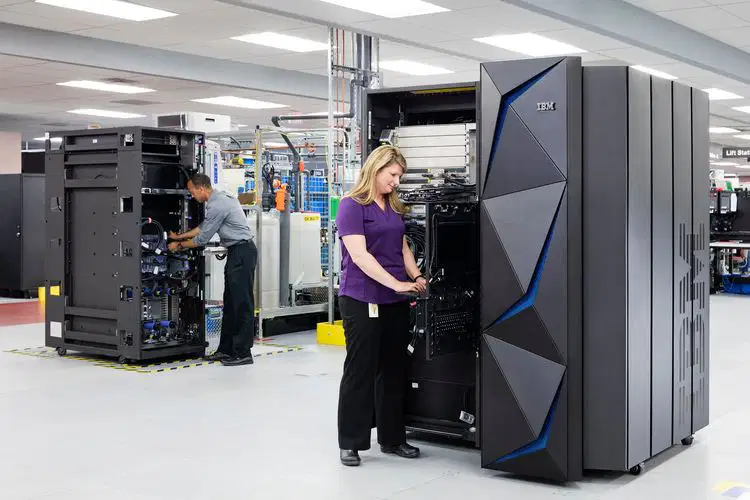
What am I?
Mainframe Computer
Personal Computer
Laptop Computer
Tablet Computer

What am I?
Smart Watch
Smart Phone
Tablet
Notebook
Which of these is a wearable tech?
Smart Watch
Smart Phone
Tablet
Notebook
Which of these is NOT portable?
Smart Watch
Smart Phone
Laptop
PC
Tablet
Which of these is most expensive?
Mainframe
Desktop
Smart Watch
Smart Phone
Tablet
Which is of these is most suitable for making a powerpoint presentation at home?
Tablet
Mainframe
Desktop
Smart Phone
Smart Watch
Which of these is easy to repair?
Mainframe
PC
Tablet
Smart Watch
This computer is usually used by large businesses.
PC
Mainframe
Tablet
Laptop
Which of these have built-in GPS sensor?
Mainframe
PC
Smart Phone
Laptop
Which of these DO NOT have built-in wireless connection?
PC
Smart Phone
Tablet
Laptop
Which of these is most suitable for browsing the internet and streaming video content on the go?
PC
Laptop
Smart Phone
Smart Watch
Which of these is more powerful than a laptop but cost less?
Smart Phone
Smart Watch
Tablet
PC
Mainframe

What am I?
Smart Phone
Smart Watch
Tablet
Foldable
The ______________ was developed in 3000 BC, and was basically beads on rods to count and was used to calculate, has upper and lower deck.
UNIVAC
Abacus
Vacuum Tubes
Slide Rule
What does the 'PC' stand for?
Private Computer
Personal Computer
Posh Computer
Petite Computer
In the mid 40's, ENIAC was built by:
Japan
Germany
America
France
Who is known as the Father of Computers?
Herman Hollerith
John Fleming
Gottfried Leibniz
Charles Babbage

This is an ___________
abacus
sundial
egg beater
Which year was Napier's bone invented _____________
1617
1716
6171
First mechanical calculator
Difference engine
Pascaline
ENIAC
EDVAC
Second generation computers used
Vacuum tubes
Microprocessors
Transistors
Integrated circuits
Used Integrated Circuits.
First generation computers
Second generation computers
Third generation computers
Fourth generation computers
What is the
inventor's name of Napier's Bone?
Blaise Napier
David Napier
John Napier

This invention replaced vacuum tubes and made computers much smaller and faster. However, it was eventually replaced by another invention.
RAM
ENIAC
Tranformer
Transistor
Who is the Father of Computer ________
Abraham Lincoln
Charles Babbage
William Shakespeare
Herman Miller
The Analytical Engine was invented by a England scientist named _______
John Napier
Charles Babbage
Blase Pascal
None of the above

The image above is a calculating machine called _________
Pascal wheel
Android
Abacus
Calculator
Full form of UNIVAC-I
Universal Automatic Computer
Universal Automatic Calculator
Uniform Auto Computer
Uniform Augmented Calculator
Computers using__________ are able to take think and take decisions.
Processor Chip
Integrated Circuits
Artificial Intelligence
Vacuum tubes
How many does computer generation have?
3 GENERATIONS
10 GENERATIONS
5 GENERATIONS
What is the 1st Generation?
MICROPROCESSOR
TRANSISTORS
VACUUM TUBE
IC
What is the 4th generation of computer?
MICROPROCESSOR
AI
TRANSISTORS
VACUUM TUBE
When was the first generation of computer invented
1940
1971
1964
1963
Which of the following is NOT a type of computer in this generation?
Fortran
Laptop
UltraBook
First Generation computers worked on which programming language
COBOL
Pascal
Machine
Assembly
Match the following technologies to their appropriate computer generations

2ND GENERATION

1ST GENERATION

5TH GENERATION

3RD GENERATION

4TH GENERATION

What type of device is this? (Printer)
Input
Output
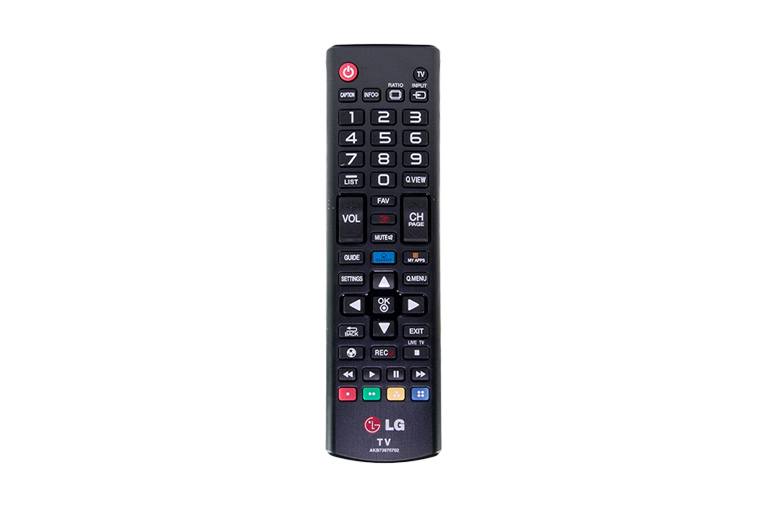
What type of device is this? (Remote Control)
Input
Output
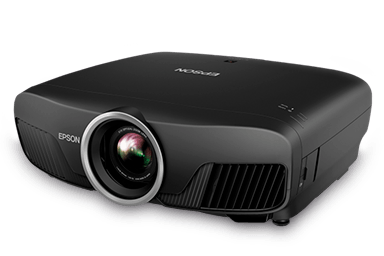
What type of device is this? (Projector)
Input
Output

What type of device is this? (Microphone)
Input
Output
Allows the user to put data into the computer
Allows the user to see/hear data coming out of the computer

Is it an input or output device?
Input
Output
Input and output
I don't know

Is it an input or output device?
Input
Output
Input and output
I don't know

Choose the input devices.
mouse, keyboard, headphones
mouse, printer, headphones
mouse, keyboard, speakers
mouse, keyboard, smartboard
Choose the output devices.
monitor, printer, mouse
monitor, printer, keyboard
monitor, printer, speakers
mouse, keyboard, smartboard
Arrange the following parts of the computer according to their purpose.

INPUT

PROCESS

OUTPUT
Arrange the following things that computers can do.

TYPE

DRAW

LISTEN

PLAY
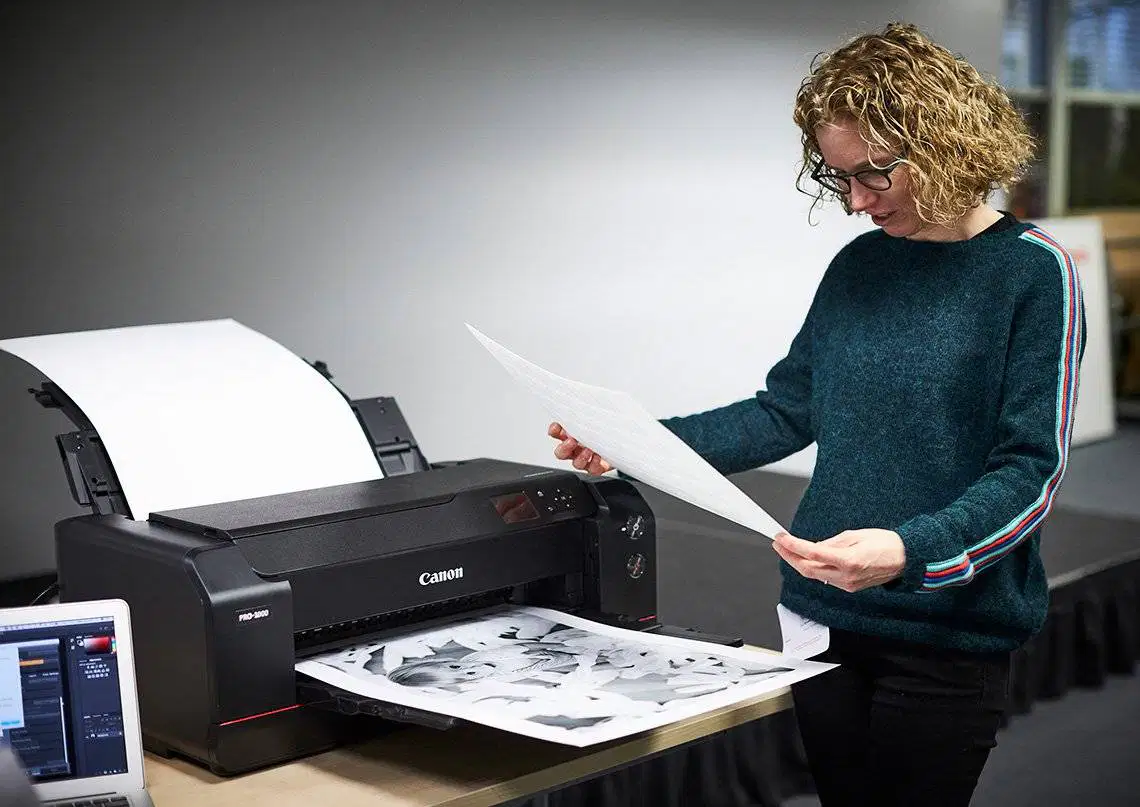
Choose which ones are the Hardware (a) (b) (c) (d)
Which of these is a 'desktop computer'?


Name all the devices in the pictures____
Monitor
Mouse
CPU
speaker
Monitor
Keyboard
printer
speaker
Speaker
Monitor
CPU
Printer
Monitor
Keyboard
CPU
Mouse
What does " C " stand for in CPU?
What does " P " stand for in CPU?
Phone
What does " U " stand for in CPU?
User

what am I?
Desktop PC
Mainframe/server
Laptop
Smart Phone
What is a computer?

This is a (a)
It is an (b) device.
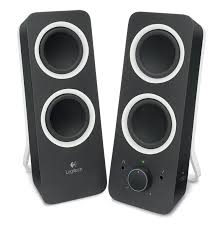
This device is called (a)
It is an (b) device.
A scanner is an _______________ device.
Input
Output
Storage
What does CPU stands for?
Command Processing Unit
Communication Processing Unit
Central Processing Unit
Center Processing Unit
It is commonly known as programs or applications, consists of all instructions that tell the hardware how to perform a task.
Hardware
Software
Peopleware
Malware
It is type of software that manages other software and device inside the computer.
Peopleware
Malware
Application Software
System Software
It is type of software that is designed to perform specific task that includes word processing and web browser.
Peopleware
Malware
Application Software
System Software
The following are application software EXCEPT
Microsoft Office
Operating System

CPU
supplies power to the components
the heart of the computer, connects all the components
connects the hard drive to the motherboard
the brain of the computer, executes all the programs

hard drive
plays dvds
storage for all software and files on the computer
allows the computer to "think"
cools the CPU

DVD/CD Drive
a disc for watching movies or listening to music
streams video
the disc contained on a hard drive
writes data onto removable discs, or reads data off of the disc.

RAM
permanently stores data like software and user files on a computer
is the brain of the computer, executing all programs
temporarily stores data allowing which increases the computer's processing power
temporarily stores data if you hard drive runs out of space
How many bits in a byte?
8
14
72
16


Hard Drive
CD or DVD Drive
USB Drive
Floppy Disc
Which one of these NOT related to the parts of the memory in computer?
Hard disk
Memory card
Projector
RAM
How many Megabyte for 1 Gigabyte?
1024 Mb
1042 Gb
1024 Kb
1024 Tb
What is the smallest capacity of computer memory?
Tera byte
Giga byte
Byte
BIT

This is part of memory in computer, what is this called?
RAM
Memory card
USB
CD


What part of the Information Processing Cycle does this device do?
Input
Processing
Storage
Output

Output

Input

Processing

Storage

Input & Output
Reorder the storage sizes from smallest to biggest
bit
byte
kilobyte
megabyte
gigabyte

What part of the CPU does ALL the arithmetic and logical operations?
Control Unit
The ALU
The Cache
The Clock
Select the correct part...
Manages the flow of data inside/outside the CPU
Control Unit
The ALU
The Cache
The Clock
Reorder the following according to storage size.
( #1 is smallest , #5 is largest )
Byte
KiloByte
MegaByte
GigaByte
TeraByte
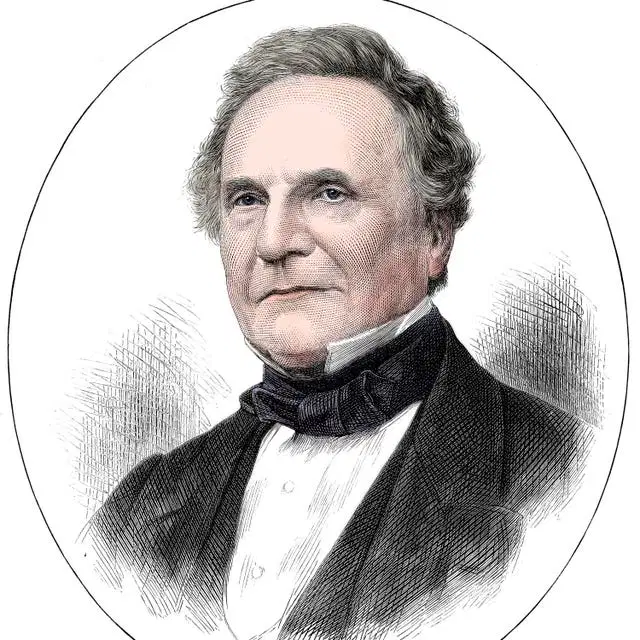
I am known as the "father of computers"
I am (a)

I am the founder of Microsoft
I am (a)
What is the correct meaning of DOS?
What is the correct meaning of VDU?
Choose the correct meaning for LCD.
What is the correct meaning for POST?
Choose the correct meaning for the term BIOS.
The correct meaning for the term MBR.
Differences between RAM and ROM.
Organize these options into the right categories.
Temporary memory.
Volatile - Data is cleared when computer is OFF.
Used to run programs faster.
Permanent memory.
Non-Volatile - Data is preserved even with no power.
Cannot be changed or modified.
Organize these options into the right categories
OS
Compiler
Assembler
Interpreter
MS Word
Google Chrome
Minecraft
Photoshop
The Operating system that we use in our ICT room is.

Linux
Windows

Apple
Which one is the correct meaning of the term CUI?
Which one is the correct meaning for the term GUI?
Puts the computer in a low-power state and saves any work being done so it can be resumed later.
Which of the following is NOT a task of the Operating System?
Write a shopping list of groceries.
The type of operating system that we use in the ICT room.
RAM means...
(a)
ROM means...
(a)
The operating system in the ICT room is Windows (a)
Which of the following is a primary function of an Operating System?
Designing software applications
Providing internet access
Creating user accounts
Managing hardware resources

