
 Worksheets
Understanding Connections
Total questions: 50
Worksheet time: 32mins
What is the two type of network connections?
Wired and wireless
Connected and disconnected
WAN and wired
LAN and wireless
What is a WAN?
Connects computers far away from each other
Needs multiple routers and special cables
Wide Area Network
A computer connected the internet
The internet
LANs that are connected together
How can technology help create connections across the world?
By linking people in different countries
By making people stay at home
By stopping communication
By creating misunderstandings
What is a network device?
An electronic device required for communication between devices.
A device used only for storing data.
A device that powers the computer.
A device used for printing documents.
What is the function of a network adapter in a computer?
It is used for communicating over a network.
It is used for displaying images on the screen.
It is used for storing files.
It is used for cooling the computer.
Which of the following best describes the difference between a network device and a network adapter?
A network device is for communication between devices, while a network adapter is an internal component for network communication in a computer.
A network device stores data, while a network adapter prints documents.
A network device cools the computer, while a network adapter powers it.
A network device is used for gaming, while a network adapter is used for music.
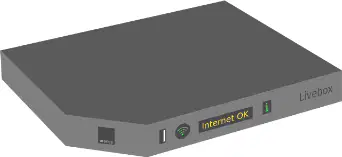
What is the main function of a modem?
It allows a device to connect to the Internet.
It stores files for a computer.
It prints documents.
It powers the computer.
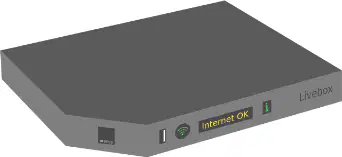
Which device is necessary for a computer to access the Internet?
Printer
Modem
Scanner
Speaker
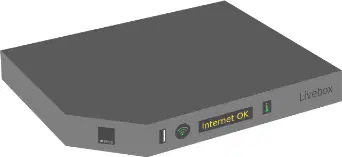
Imagine you want to connect your computer to the Internet at home. What device would you need to make this connection possible?
Modem
Monitor
Mouse
Keyboard
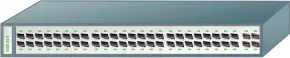
Which network device enables wired connections between more than one computer or device?
Switch
Modem
Router
Printer
What is the correct order of devices that connect the Internet to multiple computers in a wired network?
Internet → Modem → Switch → Computers
Internet → Switch → Modem → Computers
Internet → Computers → Modem → Switch
Internet → Modem → Computers → Switch
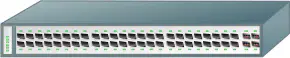
If you want to connect three computers to the Internet using wired connections, which device would you need in addition to a modem?
Switch
Monitor
Keyboard
Speaker

Who was honored in 1997 for inventing plans that would later lead to Wi-Fi, Bluetooth, and GPS?
Hedy Lamarr
Marie Curie
Ada Lovelace
Grace Hopper
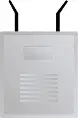
What is the main function of an access point in a network?
It allows Wi-Fi devices to connect to a wired network.
It stores files for users on the network.
It protects the network from viruses.
It prints documents for network users.
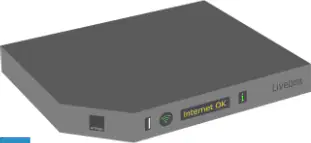
Which device connects directly to the Internet in the diagram?
Modem
Access Point
Computer
Printer
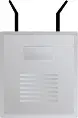
If you want to connect your laptop wirelessly to a wired network at home, which device do you need?
Access Point
Scanner
Projector
USB Drive
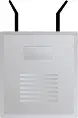
Explain how an access point helps computers connect to the Internet in a home network setup.
It allows computers to connect wirelessly to the wired network, which is connected to the Internet through the modem.
It stores all the data from the Internet for the computers.
It blocks all wireless connections to keep the network safe.
It prints documents sent from the Internet.
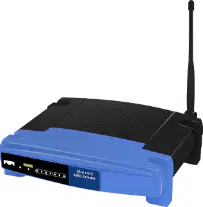
Which device acts as a wireless access point and allows for network management and security configuration?
Router
Modem
Computer
Printer
What is the correct order of devices that connect the Internet to computers in a typical home network?
Internet → Modem → Router → Computers
Internet → Router → Modem → Computers
Internet → Computers → Modem → Router
Internet → Modem → Computers → Router
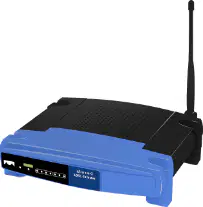
Why is a router important in a network?
It allows for network management and security configuration.
It connects directly to the Internet without any other device.
It stores files for the network.
It is used only for printing documents.
What is the network adapter called in computers?
NIC
Network Interface Card
OIC
Online Internet Connection
NIC
Network Internet Connection
IC
Internet Connection
LAN
Local Area Network
Local Access Network
Connects computers close to each other (e.g. in the same building)
Can usually be connected with a single router
The Internet
Can only hold 6 devices
What is the name of the telephone connector commonly used in dial-up connections?
RJ-11
HDMI
USB-C
Ethernet
Draw a WAN
Use circles as a computers, lines as connections, and squares as servers

If you want to set up a dial-up internet connection, which three items do you need?
A dialup modem, a telephone connector (RJ-11), and a phone jack
A wireless router, a fiber optic cable, and a USB port
A satellite dish, a coaxial cable, and a power adapter
A Bluetooth adapter, a SIM card, and a USB flash drive
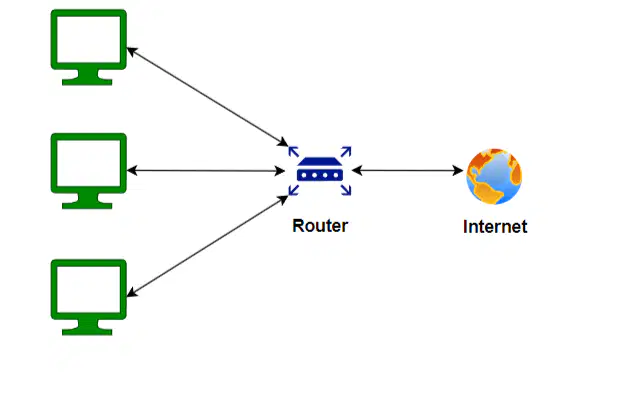
Which network is shown?
WAN
NIC
LAN
DSL

Which connector is commonly used to connect a device to the modem?
RJ-11
USB
HDMI
Ethernet
How many connections can a modem have
3
6 or more
1
4
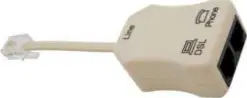
Explain why a microfilter is important when using both a phone and internet on the same line.
It prevents interference between voice and data signals.
It increases the phone's volume.
It powers the modem.
It connects the phone to the internet directly.
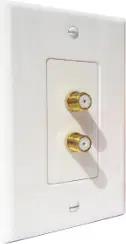
Which of the following is used to connect your home to the internet through a cable service?
A cable modem
A fiber optic cable
A satellite dish
A telephone wire
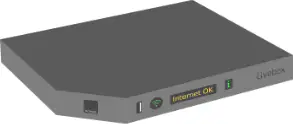
What is the name of the cable shown in the middle of the image that is used for internet connections?
Coaxial cable
USB cable
Ethernet cable
HDMI cable
Which device in the image is responsible for converting the internet signal from the cable into a form your computer can use?
Modem
Coax wall jack
Coaxial cable
Router
If you want to set up a cable internet connection at home, which three components do you need based on the image?
A cable modem, a coaxial cable, and a coax wall jack
A router, a fiber optic cable, and a satellite dish
A telephone wire, a DSL modem, and a power adapter
A USB cable, a switch, and a Wi-Fi extender

What do fiber optic cables transmit?
Light
Electrical signals
Sound waves
Radio waves
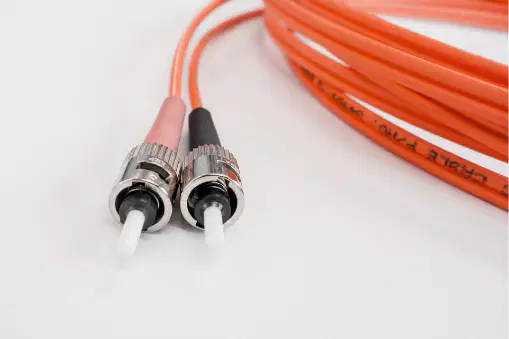
How are fiber optic cables different from traditional electrical cables in terms of signal transmission?
Fiber optic cables transmit light, while electrical cables transmit electrical signals
Fiber optic cables transmit sound, while electrical cables transmit light
Fiber optic cables transmit heat, while electrical cables transmit cold
Fiber optic cables transmit radio waves, while electrical cables transmit microwaves

Why might fiber optic cables be preferred over electrical cables for internet connections? (Use reasoning based on the type of signal transmitted.)
Light signals in fiber optic cables can travel faster and with less interference than electrical signals
Electrical signals are always more reliable than light signals
Fiber optic cables are heavier and harder to install
Light signals are slower than electrical signals
Which term refers to an electronic device required for communication between devices?
network device
modem
switch
network adapter
What is the function of a network adapter?
It is an internal component of a computer used for communicating over a network.
It enables wired connections between more than one computer or device.
It allows a device to connect to the Internet.
It stores data for the computer.
Which device allows a computer to connect to the Internet?
modem
switch
network adapter
router
A switch is used to:
Enable wired connections between more than one computer or device.
Connect a device to the Internet.
Store files on a network.
Provide wireless connections.
If you want to connect several computers together in a classroom using cables, which device would you most likely use?
switch
modem
network adapter
printer
Imagine your computer cannot access the Internet. Which network device might be malfunctioning?
modem
switch
keyboard
monitor
What is the function of an access point in a network?
It allows other Wi-Fi devices to connect to a wired network.
It stores files for users on the network.
It provides internet access directly to computers.
It manages network security settings.
Which device allows for network management and security configuration?
Access point
Router
Switch
Modem
If you want to connect your phone to a wired network using Wi-Fi, which device would you need?
Router
Access point
Switch
Firewall
Explain how a router is different from an access point based on their functions in a network.
A router only connects devices to a wired network, while an access point manages security.
An access point allows Wi-Fi devices to connect to a wired network, while a router also manages network and security settings.
Both devices perform the same function in a network.
A router is used for internet browsing, while an access point is used for printing.
What is an ISP? Can you list an ISP Company?
The fastest internet connection
(a)
The most common internet connection
(a)
The internet connection used to send faxes, the slowest and oldest form
(a)

