
 Worksheets
Programming with Scratch"Smart Assistant"
Total questions: 10
Worksheet time: 7mins
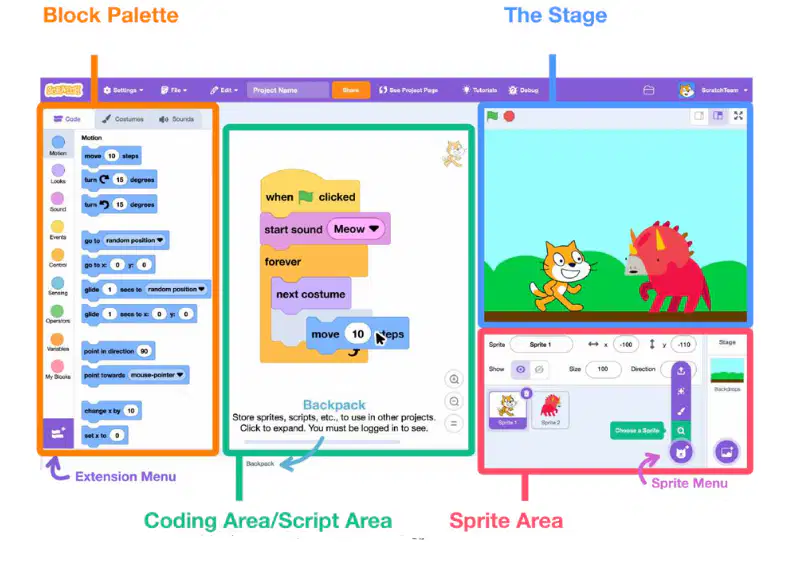
Where do sprites visually perform actions created by your scripts (code)?
Coding Area
Block Palette
The Stage
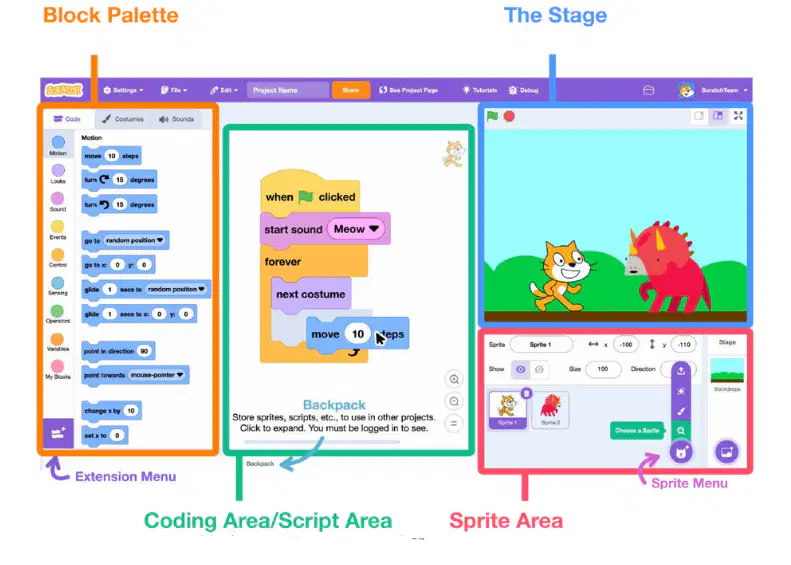
Where do you add/select characters like "Face"?
Coding Area
Stage
Sprite Area
Which area is your "toolbox" of color-coded blocks?
Block Palette
The Stage
Coding Area
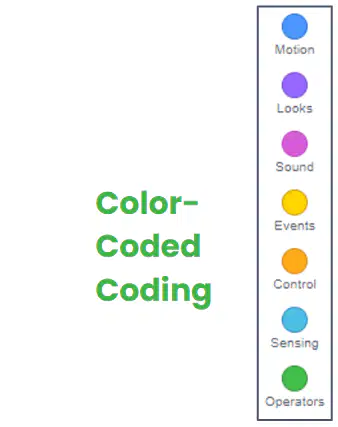
Which menu contains the Ask block used to listen to user input?
Sensing (Light Blue)
Operators (Green)
Control (Gold)
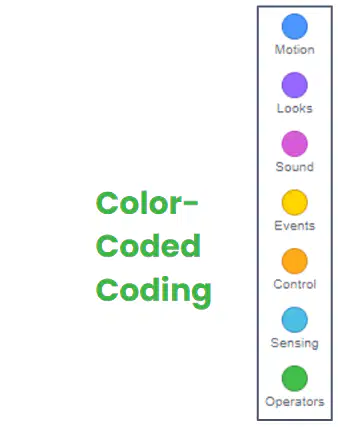
Which colored menu contains the "Brain" of your code, including If-Then logic?
Looks (Purple )
Operators (Green)
Control (Gold)
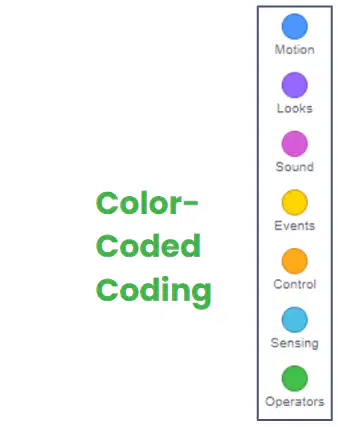
To check whether a message equals a command using the = operator, which category provides comparison blocks?
Sensing (Light Blue)
Operators (Green)
Events (Yellow)

If a condition evaluates as ‘false’ in a simple If-Then block, what happens?
Crash the program
Skips the action (operation)
Performs the action anyway
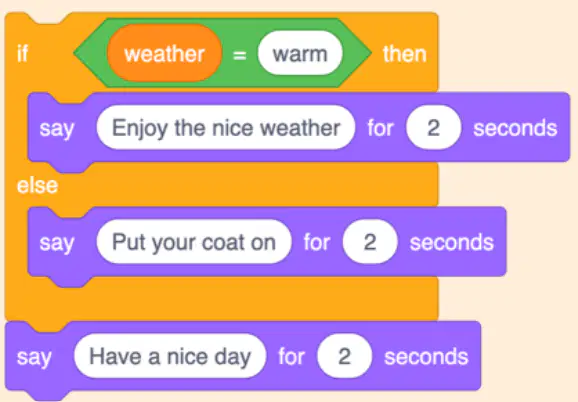
Look at the "Block" (If-Else). If the weather is NOT warm, what will the sprite say before saying "Have a nice day"?
Nothing
"Put your coat on"
"Enjoy the nice weather"
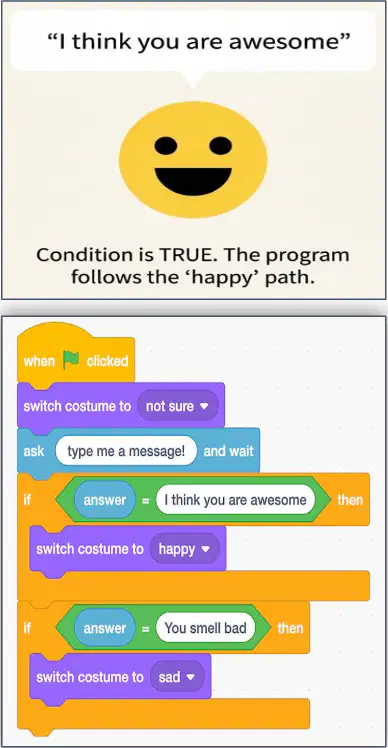
Which statement best describes a limitation of rules-based logic when building a program in Scratch?
It controls only physical devices, not virtual
It fails if input varies slightly from the rule
It always understands any user phrasing
It automatically learns new patterns over time
You want a Scratch smart assistant to turn a lamp on when the user types "lamp on." Which simple approach should you implement first?
Use an if statement checking the exact text
Train a neural network with examples
Build a database of smart home devices
Encrypt the user’s input for security

