
 Worksheets
Word Tip
Total questions: 74
Worksheet time: 37mins
What does the command *** do in Word?
dot
bold
italic
underline
What does the command -- do in Word?
single line
double line
insert table
bold text
What does the command === do in Word?
double lines
single line
bold text
insert table
What does the command ### do in Word?
triple lines
insert table
bold text
add page break
What should you do after choosing view and macro in Word?
type listcommands
close the document
save the file
print the page
What does 1f6b2+ alt x produce in Word?
bike
car
train
airplane
What does pressing alt + N + T + I then enter do in Word?
create table
insert image
open settings
add a comment
Fill in the blank: In Microsoft Word, ________ are used to change the appearance of text and the arrangement of content on the page.
Font and Layout Settings
Paragraph Indents
Spell Check Tools
Header and Footer
Fill in the blank: In Microsoft Word, ________ help organize the document structure and make formatting consistent.
Using Styles (For Document Structure)
Using Clipart
Using Hyperlinks
Using Watermarks
Fill in the blank: In Microsoft Word, ________ are used to give credit to sources and manage bibliographies.
Citations and References
Headers and Footers
Tables and Charts
Comments and Track Changes
Fill in the blank: In Microsoft Word, ________ are used to present data visually and organize information in rows and columns.
Tables and Graphics
Headers and Footers
Hyperlinks and Bookmarks
Comments and Track Changes
Fill in the blank: In Microsoft Word, ________ are used for collaborative editing and feedback in group work.
Review Tools (For Group Work)
Page Layout Tools
Drawing Tools
Mail Merge Tools

What is the font shown in the highlighted box in the screenshot?
Calibri (Body)
Arial
Times New Roman
Verdana

What is the font size shown in the highlighted box in the screenshot?
11
10
12
14
Which two settings are mentioned in the Font and Layout Settings section?
Fonts and Margins
Colors and Themes
Headers and Footers
Spacing and Indents
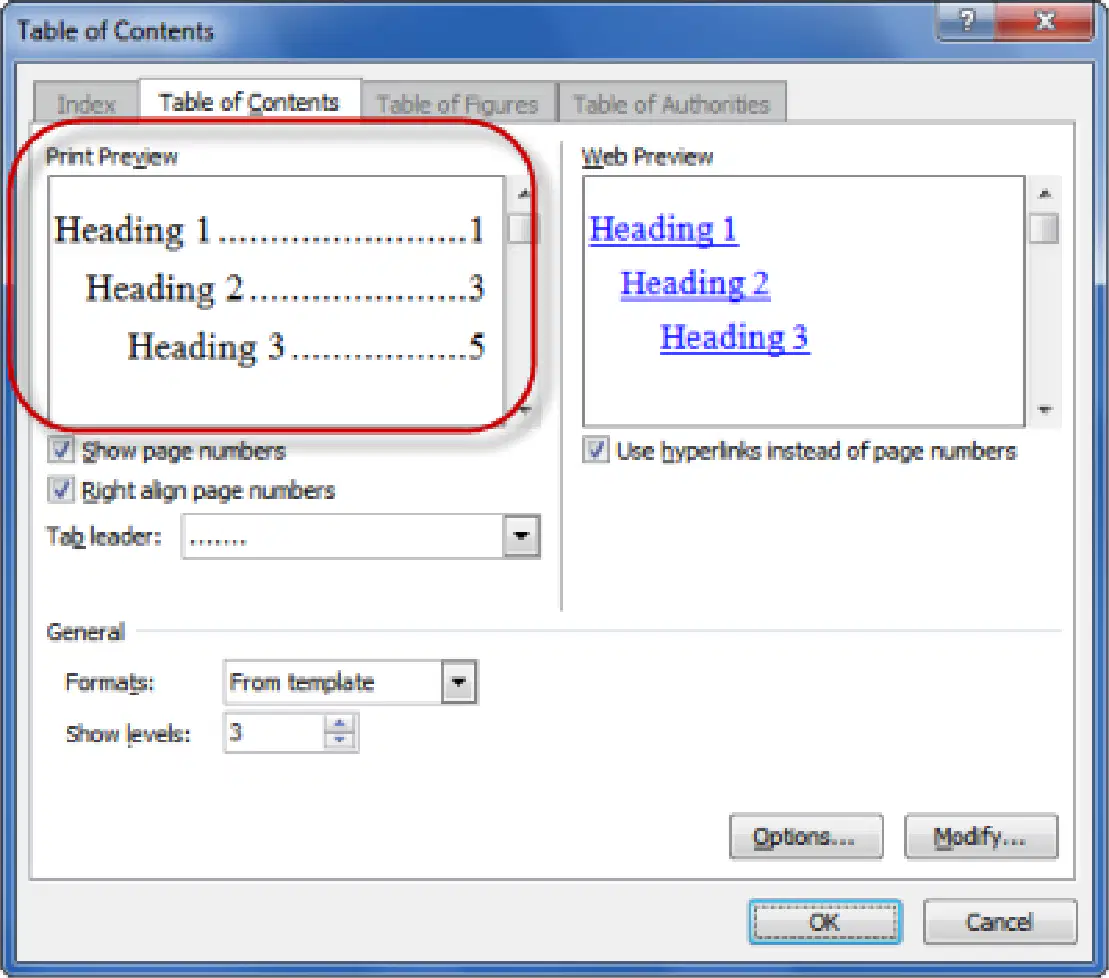
What are the two main features mentioned for using styles in document structure?
Headings and Automatic Table of Contents
Footnotes and Endnotes
Page Numbers and Margins
Index and Bibliography
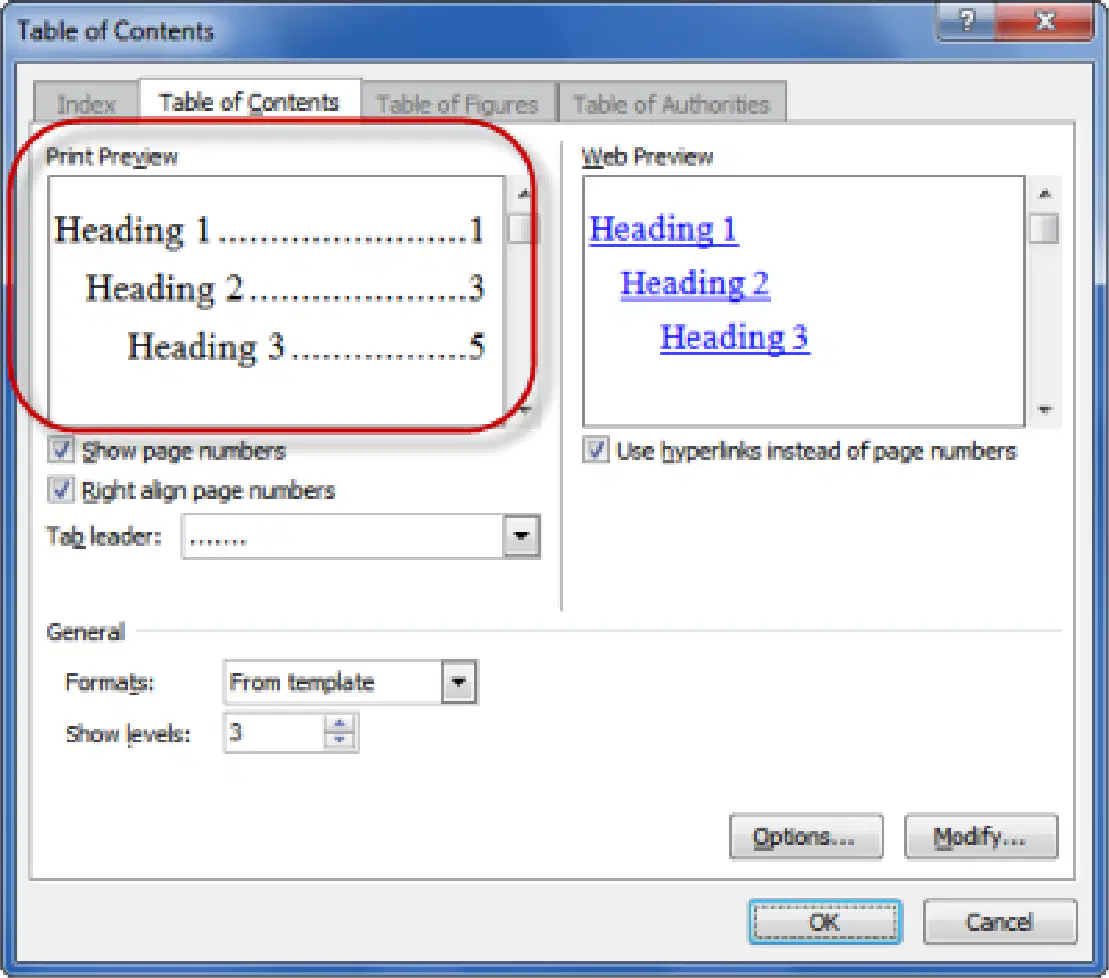
Fill in the blank: Using styles in a document helps in creating an __________ Table of Contents.
Automatic
Manual
Random
Static
What is the purpose of the Reference Tab in Microsoft Word?
To change the font style
To manage the sources (books, websites, journals) you use in your research
To insert images
To check spelling
What does the Bibliography feature in Word do?
It checks grammar
It automatically formats your list of sources in international styles like APA or MLA at the end of your assignment
It translates text
It prints the document

Why should you use tables to organize data?
To make data less clear
To organize data clearly
To use more space
To avoid using captions

What should you always add to your tables and figures?
A title
A caption
A formula
A summary
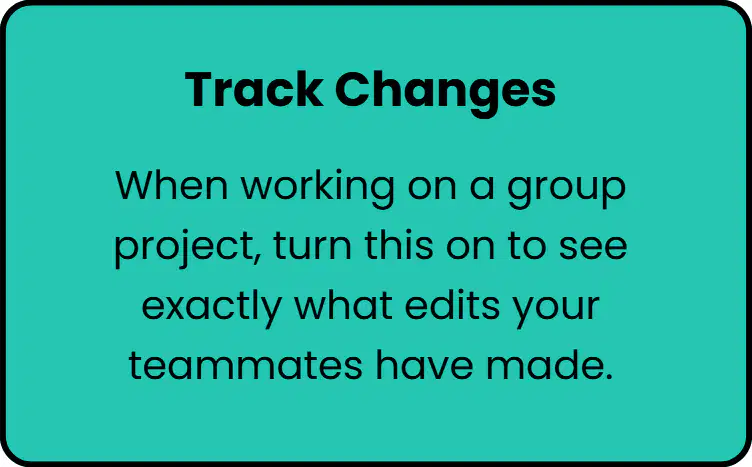
What is the purpose of turning on 'Track Changes' when working on a group project?
To see exactly what edits your teammates have made.
To automatically save your document to the cloud.
To enable spell check for all users.
To lock the document from further editing.
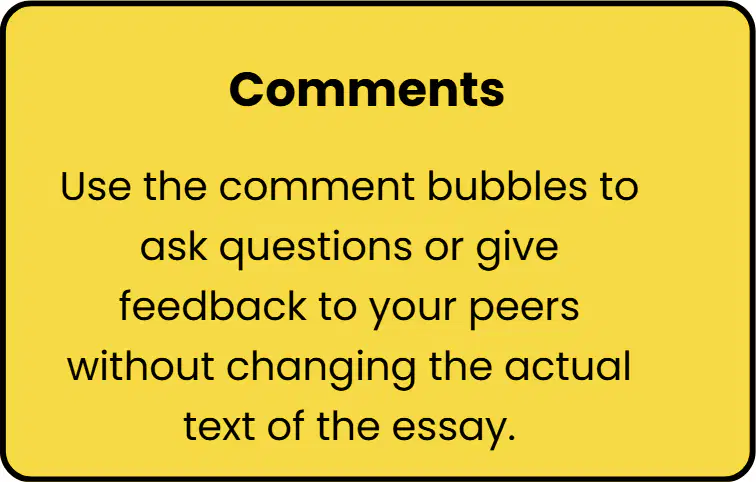
How can you use the 'Comments' feature in a group project?
To ask questions or give feedback to your peers without changing the actual text of the essay.
To delete sections of the essay without notifying others.
To finalize the essay and prevent further edits.
To automatically grade the essay based on comments.

What is the keyboard shortcut for Auto Sum in Excel?
Ctrl + S
Alt + =
Shift + A
Ctrl + Alt + S

In the 'Sum a column' table, what is the total for the 'Jan' column?
$1020
$950
$1200
$875

In the 'Sum a row' table, what is the total for 'Apples'?
$200
$150
$250
$100
What is the Excel formula to insert a sequence of numbers in a column?
=SEQUENCE(20)
=SERIES(20)
=ARRAY(20)
=NUMSEQ(20)
What is the Excel formula to find the maximum value in the range A1:A10?
=MAX(A1:A10)
=MIN(A1:A10)
=SUM(A1:A10)
=AVERAGE(A1:A10)
What is the Excel formula to count non-empty cells in the range A1:A10?
=COUNTA(A1:A10)
=COUNT(A1:A10)
=COUNTIF(A1:A10,"<>")
=SUM(A1:A10)
What is the Excel formula to count cells with numbers in the range A1:A10?
=COUNT(A1:A10)
=COUNTA(A1:A10)
=COUNTIF(A1:A10)
=SUM(A1:A10)
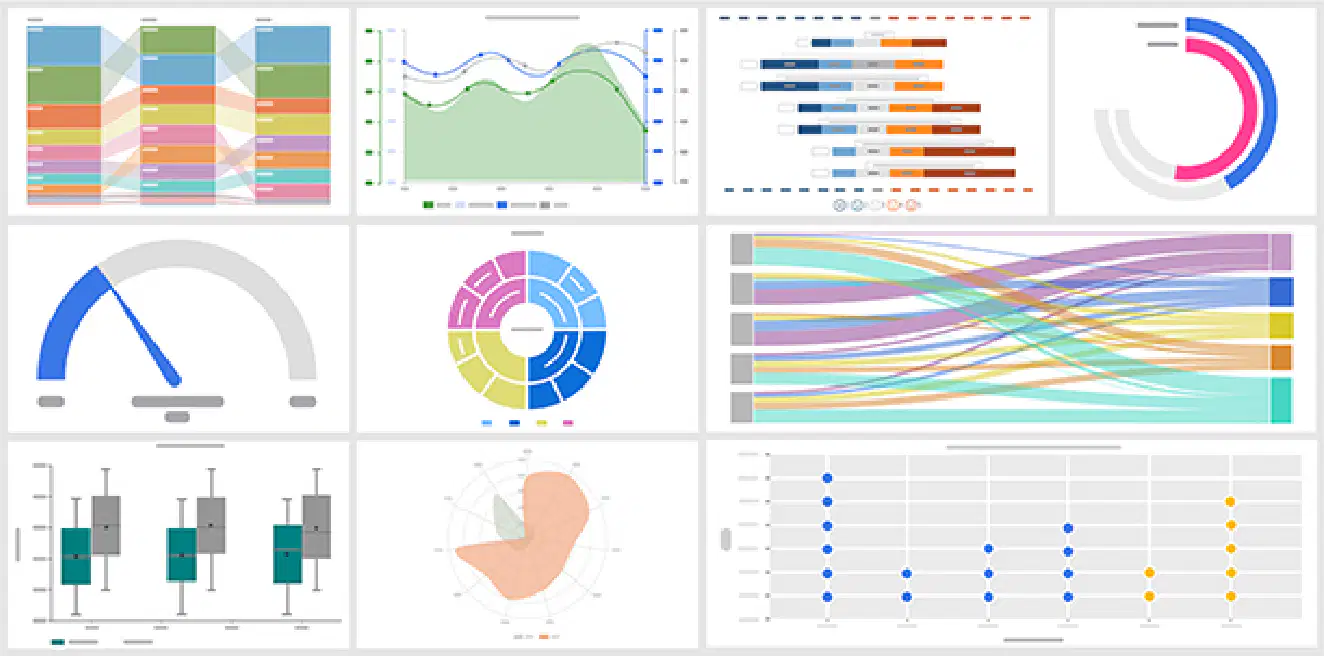
Look at the image of the chart in the top left corner. What type of Excel chart is this?
Stacked Bar Chart
Pie Chart
Line Chart
Scatter Plot
What type of Excel chart is this?
Line Chart
Pie Chart
Bar Chart
Scatter Plot
What type of Excel chart is this?
Bar Chart
Pie Chart
Line Chart
Scatter Plot
What type of Excel chart is this?
Gauge Chart
Pie Chart
Bar Chart
Line Chart
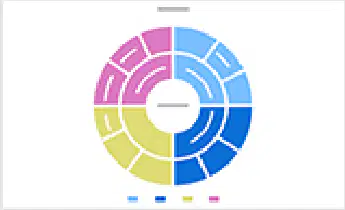
What type of Excel chart is this?
Sunburst Chart
Pie Chart
Column Chart
Line Chart
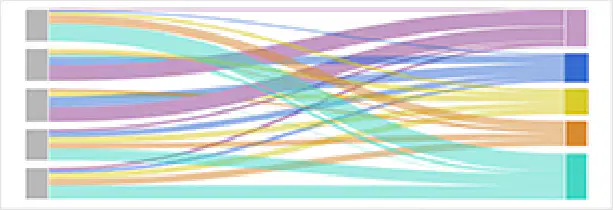
What type of Excel chart is this?
Sankey Diagram
Pie Chart
Bar Chart
Scatter Plot
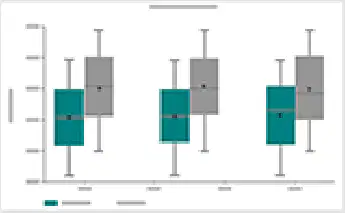
What type of Excel chart is this?
Box Plot
Pie Chart
Line Chart
Scatter Plot
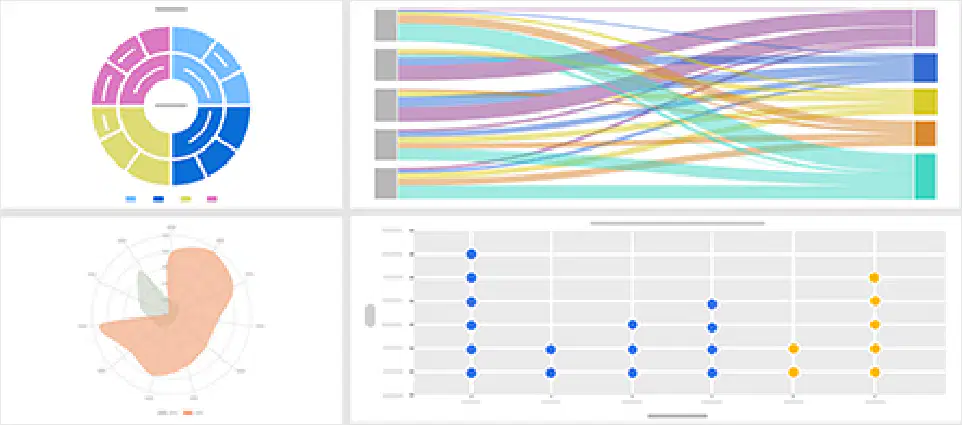
Look at the image of the chart in the bottom center. What type of Excel chart is this?
Radar Chart
Pie Chart
Column Chart
Line Chart
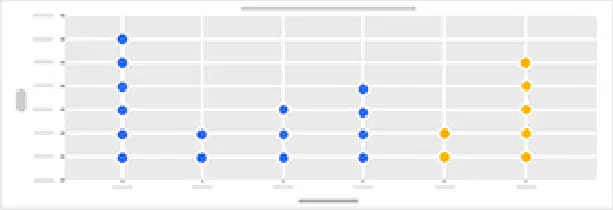
What type of Excel chart is this?
Dot Plot
Bar Chart
Pie Chart
Line Chart
What is the role of the 'New Slide' tool in Microsoft PowerPoint? (Fill in the blank)
Used to add a new slide to the presentation.
Used to delete the current slide.
Used to save the presentation.
Used to print the presentation.
What is the role of the 'Layout' tool in Microsoft PowerPoint?
Used to change the arrangement of text, images, and objects on a slide.
Used to insert animations into a slide.
Used to add transitions between slides.
Used to check spelling and grammar on a slide.
What is the role of the 'Design / Themes' tool in Microsoft PowerPoint?
Used to apply a consistent design, color, and font style to slides.
Used to insert animations into slides.
Used to check spelling and grammar in slides.
Used to add audio to slides.
What is the role of the 'Text Box' tool in Microsoft PowerPoint?
Used to insert and type text anywhere on the slide.
Used to add animations to objects.
Used to insert images into the slide.
Used to change the slide background color.
What is the role of the 'Font Tools (Bold, Italic, Size, Color)' in Microsoft PowerPoint?
Used to format text and improve readability.
Used to insert images into slides.
Used to add animations to objects.
Used to create hyperlinks to websites.
What are shapes used for?
Shapes are used to draw shapes such as rectangles, circles, arrows, and lines.
Shapes are used to write paragraphs of text.
Shapes are used to play music.
Shapes are used to solve math equations.
What are pictures used for?
Pictures are used to insert images from a computer or online sources.
Pictures are used to play music files.
Pictures are used to create spreadsheets.
Pictures are used to write code.
What are icons used for?
Icons are used to add visual symbols to represent ideas clearly.
Icons are used to play music in presentations.
Icons are used to write long paragraphs.
Icons are used to change the background color of slides.
What is SmartArt used for?
SmartArt is used to display information in diagrams like processes, cycles, and hierarchies.
SmartArt is used to create spreadsheets for financial analysis.
SmartArt is used to edit photos and apply filters.
SmartArt is used to write and compile programming code.
What are charts used for?
Charts are used to present data visually using bar charts, pie charts, and line charts.
Charts are used to cook food in the kitchen.
Charts are used to write stories and poems.
Charts are used to play musical instruments.
Fill in the blank: ________ are used to add visual effects when moving from one slide to another.
Transitions
Animations
Layouts
Themes
Fill in the blank: ________ are used to add movement effects to text, images, or objects.
Animations
Transitions
Templates
Hyperlinks
Fill in the blank: ________ is used to present slides full screen to an audience.
Slide Show
Layout
Animation
Design
Fill in the blank: ________ are used to add speaker notes for guidance.
Notes
Slides
Animations
Transitions
Fill in the blank: ________ is used to store the presentation file for future use.
Save
Open
Edit
Ctrl + N is used for ________.
New presentation
Open presentation
Save presentation
Close presentation
Ctrl + O is used for ________.
Open presentation
Save presentation
Close presentation
Print presentation
Ctrl + S is used for ________.
Save
Open
Close
Ctrl + P is used for ________.
Paste
Preview
Pause
Ctrl + C is used for ________.
Copy
Paste
Cut
Undo
Ctrl + X is used for ________.
Cut
Copy
Paste
Undo
Ctrl + V is used for ________.
Paste
Copy
Cut
Undo
Ctrl + Z is used for ________.
Undo
Redo
Save
Copy
Ctrl + Y is used for ________.
Redo
Undo
Copy
Paste
Ctrl + M is used for ________.
New slide
Open file
Save file
Close window
Ctrl + D is used for ________.
Duplicate slide
Delete slide
Download file
Display settings
Ctrl + Shift + D is used for ________.
Duplicate selected object
Delete selected object
Deselect all objects
Display properties window
Ctrl + Up / Down Arrow is used to ________.
Move slide up or down
Delete a slide
Duplicate a slide
Insert a new slide
F5 is used to ________.
Start slideshow from beginning
Save the presentation
Insert a new slide
Close the presentation
Shift + F5 is used to ________.
Start slideshow from current slide
Open the Find dialog box
Refresh the webpage
Save the presentation
Esc is used to ________.
Exit slideshow
Start slideshow
Save presentation
Insert image
Ctrl + B is used for ________.
Bold
Italic
Underline
Copy
Ctrl + I is used for ________.
Italic
Underline
Bold
Copy
Ctrl + U is used for ________.
Underline
Undo
Update
Upload
Ctrl + E is used to ________.
Center text
Copy text
Undo action
Save file

