

OS: Peripheral and User Management

Presentation
•
Computers
•
9th - 10th Grade
•
Medium

Calum Gordon
Used 20+ times
FREE Resource
13 Slides • 16 Questions
1
OS: Peripheral and User Management
How the OS manages I/O and users
2

3

4

5
6
Fill in the Blanks

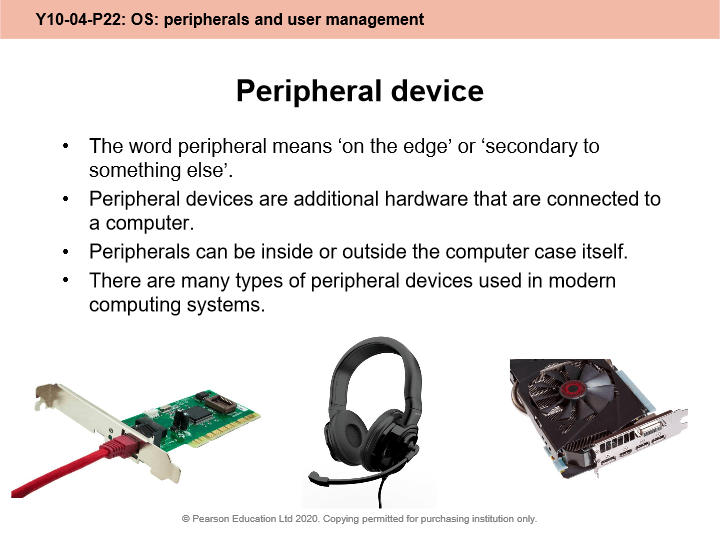
What do we call additional computing devices that are attached to extend the computer's capabilities?
Type answer...
7
Multiple Select
8

9
Fill in the Blanks

Software programs that provide an interface between a hardware device and the operating system are called
Type answer...
10
Multiple Select

Which of these hardware devices requires a driver?
11

12
Multiple Choice

‘The operating system must provide an environment in which a user can execute programs conveniently and efficiently.’
Which word do you think best describes how the OS achieves this?
13

14
Multiple Select

The two most common types of user interface are _________
15

16
Multiple Choice

GUI stands for " ___________ User Interface"
17
Multiple Select

Choose all the examples of GUI-based operating systems ...
18
Multiple Select

Choose all the advantages of using a GUI ...
19

20
Fill in the Blanks

CLI stands for "
Type answer...
21
Multiple Select

Which these operating systems are based on a CLI?
22
Multiple Select

Choose all the advantages of using a CLI ...
23

24

25
Multiple Choice

How does the OS give different levels of permissions to different users?
26
Fill in the Blanks

What is the name of the process for checking that a logged in user is who they claim to be?
Type answer...
27
Multiple Select

Which of these methods could be part of a multi-authentication system?
28

29
Multiple Select

What have you learned in this lesson?
OS: Peripheral and User Management
How the OS manages I/O and users
Show answer
Auto Play
Slide 1 / 29
SLIDE

