
CSD U3L18 Interactive Card Overview

Presentation
•
Computers
•
6th - 8th Grade
•
Practice Problem
•
Easy

Patrick Trejo
Used 2+ times
FREE Resource
14 Slides • 15 Questions
1

Interactive Animations and Games
Lesson 17
Project: Interactive Card
2

3

Journal Prompt:
Think of one time you gave or received a card from
someone.
● Who was that person?
● What was the purpose of the card?
● What about the card made it specific to that purpose?
Interactive Animations and Games Lesson 17 - Warm Up
4
Open Ended
Think of one time you gave or received a card from someone.
Who was that person?
What was the purpose of the card?
What about the card made it specific to that purpose?
5

Question of the Day
What skills and practices are important
when creating an interactive program?
Interactive Animations and Games Lesson 17 - Warm Up
6
Open Ended
What skills and practices are important when creating an interactive program?
7

8


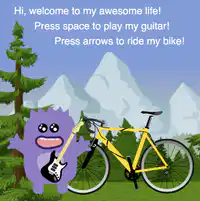
Example Project
Interactive Animations and Games Lesson 16 - Activity
1) Which elements appear to use drawing
commands?
2) Which elements appear to be sprites?
3) For each sprite, which properties are
being updated?
4) Where do you see conditionals being
used?
5) Are there elements that you don’t
understand?
9
Open Ended
1) Which elements appear to use drawing commands?
10
Open Ended
2) Which elements appear to be sprites?
11

Interactive Card Project
You’re going to be developing an interactive digital card to share
with someone you care about.
You will show that you can…
● Use sprites and sprite properties
● Respond to user input and use random numbers
● Use the draw loop and sequence code correctly
● Use the coordinate system to draw things onto the screen
● Use variables and the counter pattern
Interactive Animations and Games Lesson 16 - Activity
12
Multiple Choice
You will show that you can…
Use sprites and sprite properties.
True
False
13
Multiple Choice
You will show that you can…
Respond to user input and use random numbers.
True
False
14

Project Guide
Do This
●
Brainstorm what kind of card to make and who the recipient will be
●
Fill out the project guide
○
Draw a background
○
Sprites you will need
○
Conditionals you will use to make it interactive
Interactive Animations and Games Lesson 16 - Activity
15
Multiple Choice
Do this...
Fill out Project Guide
True
False
16
Multiple Choice
Do this...
Draw a background
Sprites you will need.
Conditionals you will use to make it interactive.
True
False
17


Code Studio, Level 3-7
Interactive Animations and Games Lesson 16 - Activity
Do This
● Follow the instructions on each level
● Use your project guide to help you
● If you get stuck, try…
○ Help and Tips Tab
○ Code Documentation
● If you make a big mistake…
○ Use version history to go back
18
Multiple Choice
Do This ● Follow the instructions on each level ● Use your project guide to help you ● If you get stuck, try…
○ Help and Tips Tab ○ Code Document
True
False
19

Peer Review
Do This
●
Decide what you would like feedback on.
●
Trade places with another students and fill out their review sheet with your
thoughts on their project.
○
Pay special attention to the parts they wanted feedback on.
●
Trade back and read the feedback they left for your project.
○
How can you use this feedback to make your project better?
Interactive Animations and Games Lesson 16 - Activity
20
Multiple Choice
Peer Review
Do This
Decide what you would like feedback on.
True
False
21
Multiple Choice
Peer Review
Trade places with another students and fill out their review sheet with your thoughts on their project.
Pay special attention to the parts they wanted feedback on.
True
False
22
Multiple Choice
Peer Review
Trade back and read the feedback they left for your project.
Use this feedback to make your project better?
True
False
23

Final Changes and Rubric
Based on the feedback, make the final changes to your card.
Check the rubric to make sure that you have demonstrated what
you have learned in this chapter.
Interactive Animations and Games Lesson 16 - Activity
24
Multiple Choice
Final Changes and Rubric
Based on the feedback, make the final changes to your card.
Check the rubric to make sure that you have demonstrated what you have learned in this chapter.
True
False
25

26

Interactive Animations and Games Lesson 17 - Wrap
Up
Journal Prompt:
Choose one of the five practices in which you believe you demonstrated
growth in this lesson.
problem solving, persistence, creativity, collaboration, communication
●
What is something you did that exemplified this practice?
●
Choose one practice you think you can continue to grow in. What’s
one thing you’d like to do better?
●
Choose one practice you thought was especially important for this
project. What made it so important?
27
Open Ended
Journal Prompt:
Choose one of the five practices in which you believe you demonstrated growth in this lesson.
problem solving, persistence, creativity, collaboration, communication
What is something you did that exemplified this practice?
Choose one practice you think you can continue to grow in. What’s one thing you’d like to do better?
Choose one practice you thought was especially important for this project. What made it so important?
28

Interactive Animations and Games Lesson 17 - Wrap
Up
Question of the Day
What skills and practices are important
when creating an interactive program?
29
Open Ended
Question of the Day
What skills and practices are important when creating an interactive program?
Interactive Animations and Games
Lesson 17
Project: Interactive Card
Show answer
Auto Play
Slide 1 / 29
SLIDE
Similar Resources on Wayground

22 questions
Central Idea
Presentation
•
6th - 8th Grade
25 questions
Python Data types and arithmetic
Presentation
•
6th - 8th Grade
23 questions
The Solar System
Presentation
•
6th - 8th Grade
23 questions
French revolution
Presentation
•
6th - 8th Grade
21 questions
I vs. me
Presentation
•
6th - 8th Grade
21 questions
Moon Phases
Presentation
•
6th - 8th Grade
21 questions
Google Docs
Presentation
•
5th - 7th Grade
22 questions
What is heredity?
Presentation
•
6th - 8th Grade
Popular Resources on Wayground
16 questions
Grade 3 Simulation Assessment 2

Quiz
•
3rd Grade
19 questions
HCS Grade 5 Simulation Assessment_1 2526sy
Quiz
•
5th Grade
10 questions
Cinco de Mayo Trivia Questions

Interactive video
•
3rd - 5th Grade
17 questions
HCS Grade 4 Simulation Assessment_2 2526sy
Quiz
•
4th Grade
24 questions
HCS Grade 5 Simulation Assessment_2 2526sy
Quiz
•
5th Grade
13 questions
Cinco de mayo
Interactive video
•
6th - 8th Grade
20 questions
Math Review
Quiz
•
3rd Grade
30 questions
GVMS House Trivia 2026
Quiz
•
6th - 8th Grade