

Tech+ 3.2 lesson

Presentation
•
Information Technology (IT)
•
11th Grade
•
Practice Problem
•
Easy

Sean Carchidi
Used 2+ times
FREE Resource
13 Slides • 10 Questions
1

2

3
Browser Profile
Information stored in your browser that includes:
Preferences and settings
Default search engine
Privacy settings
Etc.
Bookmarks
Browsing history and cookies
Saved Passwords
Extensions and add-ons
4
Multiple Select
Check the settings that save with a browser profile
default search engine
privacy settings
bookmarks
saved passwords
other app data
5
Search Engines
A crawler or spider to browse the web and index website content
An indexer to process and store data collected by the crawler
An algorithm to determine what content is relevant to your search
An interface to enter your search terms
6
Dropdown
An
An
An
7
Multiple Choice
Are web browsers and search engines the same thing?
8
Multiple Choice
Why are you able to do an internet search using your browser?
9
Boolean
AND to narrow the results
OR to expand the results
NOT to narrow by exclusion
10
Match
Boolean operators (AND, OR, NOT)
narrow results
expand results
narrow by exclusion
AND
OR
NOT
AND
OR
NOT
11
12
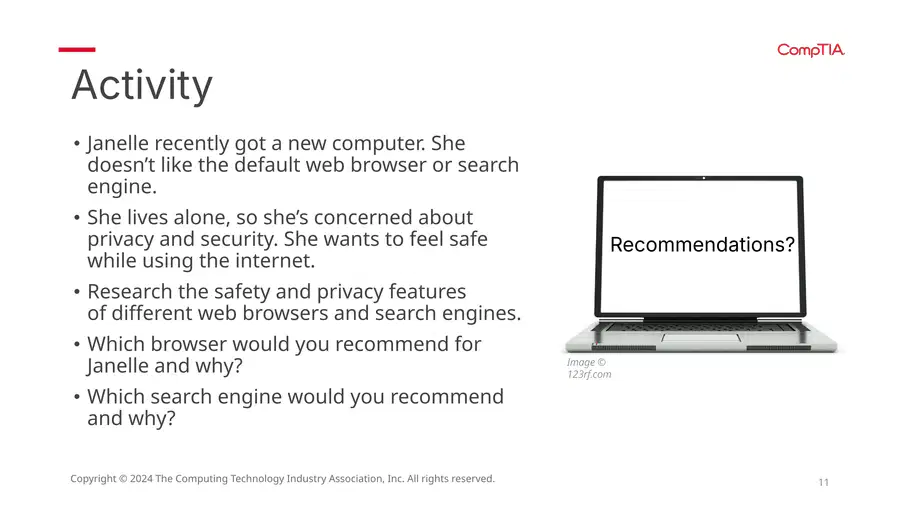
Read the activity again
Be ready to answer questions
13
14
Open Ended
Which browser would you recommend for Janelle and why?
15

16
Multiple Choice
Are browser extensions and browser add-ons the same thing?
17
Multiple Choice
What are browser extensions?
18
Search the Chrome Store
What extension seems interesting and why?
19
Open Ended
What extension seems interesting and why?
20
Protecting...
Only install extensions from trusted sites, like your browser’s store.
Read user reviews; check for reliability and performance.
Find out what permissions they require. Be wary if they ask for:
A lot of permissions
Permissions that seem unrelated to what the extension does
Check the privacy policies to find out how your data will be used and stored.
Be wary if they collect more data than necessary.
Consider using extensions that enhance your privacy, such as ad blockers, tracker blockers, and VPN extensions.
Only install extensions you really need.
21
Open Ended
What advice would you give a user about installing extensions?
22

23

Done! Move onto the questions!
Show answer
Auto Play
Slide 1 / 23
SLIDE
Similar Resources on Wayground

18 questions
EXPLANATION TEXT
Presentation
•
11th Grade
17 questions
Purpose of Tax Forms
Presentation
•
11th Grade
17 questions
Crime & Punishment
Presentation
•
10th - 11th Grade
21 questions
Best Method: Solving Systems of Equations
Presentation
•
7th - 10th Grade
21 questions
Cold War Intro
Presentation
•
KG
20 questions
How to Budget
Presentation
•
11th - 12th Grade
20 questions
The Nervous System
Presentation
•
11th - 12th Grade
20 questions
Would You Rather?
Presentation
•
KG
Popular Resources on Wayground
20 questions
Math Review

Quiz
•
3rd Grade
15 questions
Fast food
Quiz
•
7th Grade
20 questions
Context Clues
Quiz
•
6th Grade
20 questions
Inferences
Quiz
•
4th Grade
19 questions
Classifying Quadrilaterals
Quiz
•
3rd Grade
20 questions
Figurative Language Review
Quiz
•
6th Grade
20 questions
Equivalent Fractions
Quiz
•
3rd Grade
10 questions
Identify Fractions, Mixed Numbers & Improper Fractions
Quiz
•
3rd - 4th Grade
Discover more resources for Information Technology (IT)
10 questions
Fact Check Ice Breaker: Two truths and a lie
Quiz
•
5th - 12th Grade
10 questions
Video Games
Quiz
•
6th - 12th Grade
15 questions
Memorial Day Trivia
Quiz
•
KG - 12th Grade
12 questions
Name that Candy
Quiz
•
KG - 12th Grade
20 questions
Guess The App
Quiz
•
KG - Professional Dev...
30 questions
K/H Final Review Part 1
Quiz
•
9th - 12th Grade
40 questions
NCFE Earth and Environmental Science Released Test
Quiz
•
9th - 12th Grade
22 questions
Revise and Edit Final Review 3
Quiz
•
8th - 12th Grade