

g6:Networks and digital communication

Presentation
•
Computers
•
6th - 8th Grade
•
Practice Problem
•
Easy

Soleha Majeed
Used 17+ times
FREE Resource
46 Slides • 28 Questions
1
Chp 3: Networks and digital communication
By Soleha Majeed
2
What is a Network?
A network is a group of two or more devices (computers, phones, tablets, printers, etc.) that are connected together so they can share data, resources, and services.
Examples:
School computers connected to a printer
Internet (the largest network in the world)
Wi-Fi at home connecting phones and laptops

3
Multiple Choice
Which of the following best defines a computer network?
A single computer used for personal work
A system where devices are connected to share data and resources
4
Imagine you're at a restaurant. You, the customer, ask the waiter (the server) to bring you food. The waiter then goes to the kitchen, gets the food, and serves it to you.
Imagine
Question: Who is the server in this case? and What is the service?
Who is the client?

5
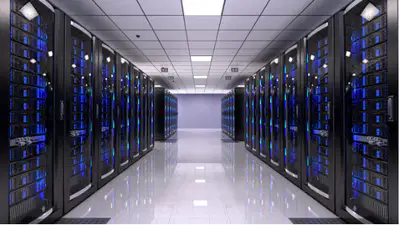
What is a server?
A server is a computer program or device that provides a service to another computer program and its user, also known as the client.
Each server has one delegated task
6
What is a Server?
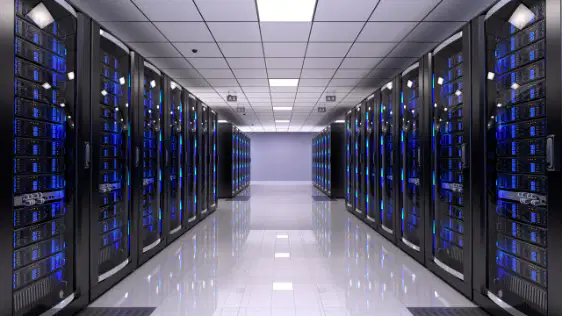
A server is a networked device that "serves" data to other devices.
Other devices (computers, tablets, phones) can request data from the server.
Servers reduce the need to store everything on personal devices.
Examples:
Email server: Stores your emails.
Web server: Hosts websites you visit.
7

8
Multiple Choice
A server is mainly used to:
Store only videos
Work as a single personal computer
Serve data to other devices on a network
Replace the internet
9
Types of Data Stored on Servers
Servers can store many types of data:
Web pages (for websites)
Emails (school or personal accounts)
Documents (assignments, reports)
Video & audio (streaming services)
Messaging services (chat systems like WhatsApp or school intranet)
10
Open Ended
“If our school server was switched off for a day, what services would we lose?”
11
Multiple Choice
Which of these cannot be stored on a server?
Emails
Streaming files
12
Streaming Services
Streaming = watching or listening to media online without storing it on your device.
Files (movies/music) play directly from a server over the internet.
Needs large storage capacity because high-quality media takes lots of space.
Example:
Netflix users spend 164 million hours per day streaming videos worldwide!
13
Multiple Choice
Why do streaming servers need large storage capacity?
Because media files are small
Because high-quality videos take up a lot of space
To back up games only
To store apps
14
Messaging Services
Direct messaging = quick communication between users.
Used in companies, schools, or apps (e.g., WhatsApp, MS Teams).
15
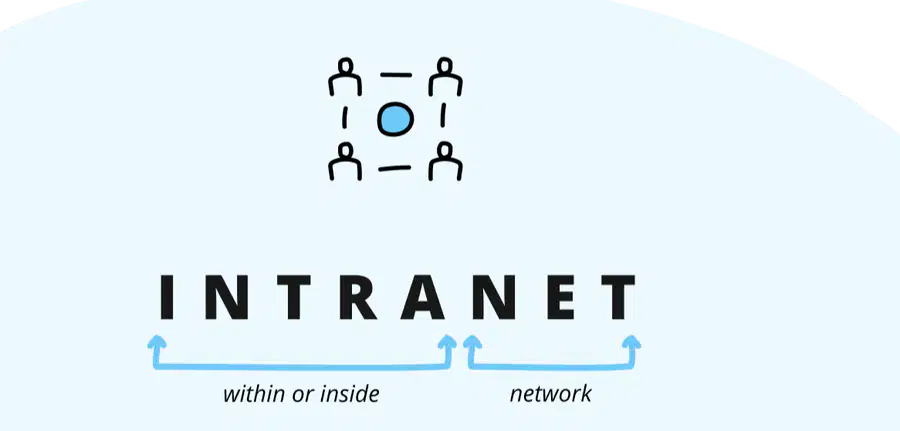
What's an Intranet?
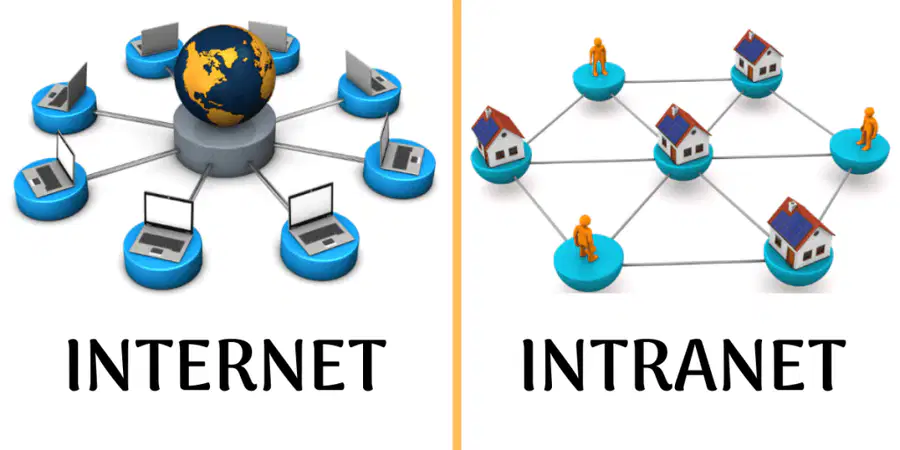
An intranet is a private network just for a specific group, like your school's network.
It's like having a VIP club online where only members can enter and share things.
https://www.youtube.com/watch?v=dIA1KweJoRY
16
Multiple Choice
Is the intranet and internet same?
17
18
19
Private access for organization members only.
Think of this as a Club. Only people with membership can access
Intranet:
Public access for everyone.
Think of this as a public park. Anyone can access the park
Internet:
Summary
20
Multiple Choice
What is the main difference between an intranet and the internet?
The internet is global, intranet is private to an organization
Both are the same
Intranet requires no devices
Internet has no servers
21
Notebook work:
22
Multiple Choice
Which server stores learners’ assignments and homework?
Email server
Web server
Document server
Streaming server
23
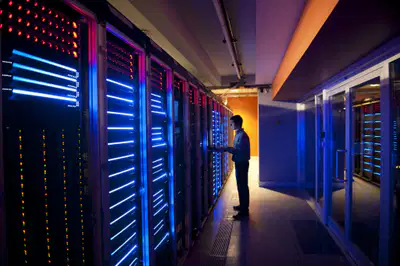
Why Do Schools Need Different Servers?
Web server → hosts the school website.
Email server → school emails for staff & students.
Document server → stores learners’ work.
Devices must be connected to the right server for proper services.
Example: If the email server is down → no emails.
24
“Why is it better to have shared servers instead of saving everything on one computer?”
25
Multiple Choice
Which server is most important for a school to communicate with parents?
Web server
Document server
Email server
Wi-Fi route
26
Transferring Data Between Devices
Data can be transferred in two ways:
Wired (Ethernet cable)
Wireless (radio waves)
Example: A computer at home can connect to the router with an Ethernet cable OR Wi-Fi.
27
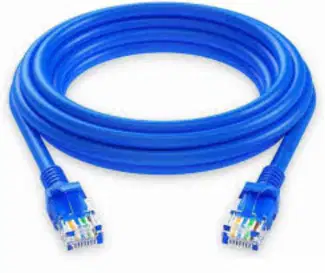
Ethernet cable
28
Radio waves

29
Multiple Choice
Which connection uses radio waves to transfer data?
USB cable
Wi-Fi
HDMI cable
Ethernet
30
Cellular Networks
Cellular network = worldwide network of communication towers.
Phones connect to the nearest cell tower using radio waves.
Services: calls, SMS, internet browsing, streaming, GPS navigation.
What happens when you have no Wi-Fi? How does your phone still work?
31
Multiple Choice
What do mobile phones connect to when Wi-Fi is not available?
Ethernet
GPS satellite
Cell tower
Web server
32
Multiple Choice
Which device can use both Wi-Fi and cellular network?
Smart phones
Desktop computer
Smart TV
Printer
33
GPS & Satnav
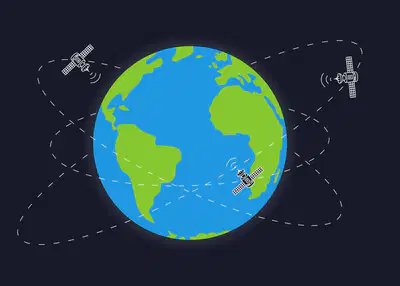
GPS (Global Positioning System) = network of satellites.
Phones + cellular network + GPS = satellite navigation (satnav).
Used for maps, directions, finding lost devices.
https://www.youtube.com/watch?v=RSA3feQ9gKk
34
Multiple Choice
Which technology is used for satellite navigation on phones?
GPS
Wi-Fi
Bluetooth
Ethernet
35
Wi-Fi at Home
Most homes use Wi-Fi for internet.
Router = device that connects home network to the internet provider.
Devices connect by:
Ethernet cable
Wireless radio waves

36
Multiple Choice
What device connects your home Wi-Fi network to the internet provider?
Router
Printer
Switch
Cell tower
37
Data Packets & Encryption
Data is split into small pieces called packets before being sent.
Packets travel across the network to reach destination.
Encryption: locks the data packets so others can’t read them.
38
Video
Lets watch a video
39
Data Packets & Encryption (Analogy)
A long letter cut into pieces, sent in different envelopes. Encryption = special lock on envelopes.

40
Multiple Choice
Why is encryption important when sending data?
It makes files smaller
It makes data easy to read
It prevents unauthorized access to data packets
It increases network speed
41
Introduction to Bandwidth
Bandwidth is the maximum amount of data that can be transmitted between two points in a network in a specific amount of time.
More bandwidth = faster downloads & streaming.
Less bandwidth = slower performance
42
Bandwidth Analogy
Bandwidth = "network capacity."
straw example: wide straw = faster drinking, narrow straw = slower.

43
Multiple Choice
Bandwidth in a network refers to:
The physical distance between devices
The speed of the internet provider
The maximum amount of data transmitted in a given time
The number of devices connected
44
Everyday Examples of Bandwidth
Downloading a movie:
Small bandwidth → takes longer.
Large bandwidth → quick download.
Streaming video: higher bandwidth helps prevent buffering.
45
Open a video with slow buffering

46
What happens when many people watch Netflix at the same time at home?
47
Multiple Choice
Which activity requires more bandwidth?
Browsing a webpage
Reading an email
Streaming a 4K movie
Typing a document
48
Activity – Speed Test
Open a speed test website (teacher shows the link).
Record your download & upload speeds.
Compare with classmates.
49
🌐 Does speed vary at different times of day?
50
🌐 Does speed vary at different times of day?
✅ Yes.
Internet speed can change depending on network traffic.
Example: In the evening, many people stream videos or play online games → more demand on the internet provider’s network → slower speeds.
This is called “peak hours” (like traffic jams on the road).

51
Sharing Bandwidth
Bandwidth is shared among all connected devices.
More devices = slower performance for each.
Example: If 4 people stream movies, internet slows down for everyone.
smart devices (TVs, lights, plugs) also consume bandwidth.
It's like "sharing a pizza" – more people = smaller slices. 🍕
52
Multiple Choice
Why does your internet slow down when many devices are streaming?
The router gets tired
Bandwidth is shared among all devices
The modem is overheating
Devices need charging
53
Network Overload
Too many devices demanding bandwidth → Network overload.
Symptoms:
Slow data transfer
Pictures not loading
Error messages
Even browsing can slow down if too many devices are connected.
54
Multiple Choice
What happens during network overload?
Devices disconnect immediately
Data moves slowly, pictures get stuck, errors appear
Bandwidth increases automatically
Internet becomes faster
55
Solutions to Bandwidth Issues
Pay for more bandwidth from ISP.
Limit high-bandwidth activities (e.g., streaming) during heavy use.
Disconnect unused devices.
Example: Parents asking kids to stop streaming while working on video calls.
56
Multiple Choice
Which of these reduces bandwidth usage?
Adding more smart devices
Streaming in HD instead of SD
Disconnecting unused devices
Downloading movies during peak hours
57
Summary & Reflection
Bandwidth = maximum data transfer capacity.
More devices → shared bandwidth → slower performance.
Network overload = when too many devices demand bandwidth.
Solutions: increase bandwidth or manage device usage.
58
Multiple Choice
Which of the following best describes bandwidth?
The size of storage on a computer
The maximum data transfer rate of a network
59

Securing Data
60
Introduction to Securing Data
Every day, trillions of data packets are sent online.
Data must be kept secure so only people with permission can access it.
Examples of data that must be secure:
Personal info (address, date of birth)
Financial info (bank details)
61
Multiple Choice
Which of the following needs to be kept secure online?
62
Caesar Cipher Activity
Julius Caesar used a Caesar Cipher to hide military messages.
To decode: shift letters right by 10.
Example message: Mywzedsxq sc wi pkfyebsdo celtomd.
Decode this message with a partner. pg 175
63
Multiple Choice
What does encryption do?
Speeds up internet
Deletes unwanted data
Hides information so only authorized people can read it
64
Dangers of Stolen Data
Stolen data can be misused for:
Fraud → stealing money
Identity theft → pretending to be you
Phishing → tricking you to give details
Account takeover → locking you out of your account
“Have you seen spam or fake messages?”
65
Multiple Choice
If someone pretends to be you using your personal information, this is called:
Phishing
Fraud
Identity theft
66
User Authentication – Passwords
Username + Password → basic protection.
Strong password:
3 random words
Mix of letters, numbers, symbols
Avoid personal info (name, pet, birthday)
weak password examples ("Arun123").
strong password example (“BlueTiger$Moon19”).
67
Multiple Choice
Which password is strongest?
Pancake1
Jewelpowdergenerous1234@
68
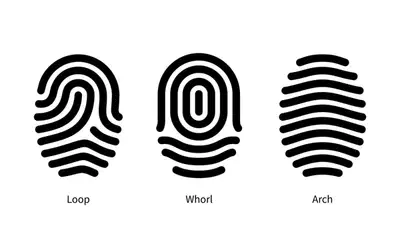
Fingerprint Authentication
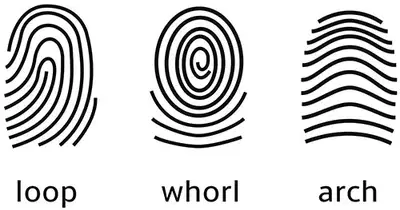
Every person has unique fingerprints.
Used to unlock phones/devices.
Hard to copy or hack.
Loops, whirls, arches are different of type patterns of fingerprints
69
70
Multiple Choice
Why are fingerprints good for authentication?
They change every year
Everyone’s fingerprint is unique
They are easy to guess
71
Facial Recognition
Camera scans your face shape.
Used in smartphones and security systems.
Works like fingerprints: compares with stored image.
Real-life: unlocking iPhones or Android phones.
"Who uses Face ID at home?”
72
Multiple Choice
Facial recognition works by:
Comparing stored face image with live scan
Reading eye color only
Using fingerprints
73
Staying Safe Online
Never share your password with anyone.
Use strong authentication.
Report phishing or suspicious emails.
“Did you know?”: 85% of all emails are spam/phishing.
74
Multiple Choice
Why should you NOT share your password with a frien
They may forget it
They might access your accounts
Chp 3: Networks and digital communication
By Soleha Majeed
Show answer
Auto Play
Slide 1 / 74
SLIDE
Similar Resources on Wayground

73 questions
Gravity and Tides
Presentation
•
8th Grade
62 questions
Study Guide for Quiz #1
Presentation
•
6th - 8th Grade
74 questions
Extended January 9th, 26
Presentation
•
6th - 8th Grade
70 questions
Grade 7: Managing Data
Presentation
•
6th - 8th Grade
71 questions
Stemolympiade
Presentation
•
6th Grade
69 questions
Materi Bullyng Wawasan Kebangsaaan
Presentation
•
6th Grade
70 questions
Stem and Leaf Plots and Histograms
Presentation
•
8th Grade
64 questions
Лекција 55.56.57. ОРС
Presentation
•
6th Grade
Popular Resources on Wayground
6 questions
Secondary Safety Quiz
Presentation
•
9th - 12th Grade
10 questions
MyPath Diagnostic Overview
Presentation
•
6th - 8th Grade
20 questions
Lab Safety Quiz

Quiz
•
6th Grade
21 questions
Continents and Oceans
Quiz
•
6th Grade
20 questions
Adding and Subtracting Decimals
Quiz
•
5th Grade
20 questions
Parts of Speech
Quiz
•
5th Grade
16 questions
Subject & Predicate
Quiz
•
5th Grade
21 questions
Lab Safety
Quiz
•
10th Grade
Discover more resources for Computers
20 questions
Early Computing
Quiz
•
7th - 12th Grade
11 questions
Technology Acceptable Use
Quiz
•
6th - 8th Grade
16 questions
Clovis Unified Student Use of Technology
Quiz
•
4th - 8th Grade
10 questions
Exploring Computer Hardware and Software Components

Interactive video
•
6th - 10th Grade
16 questions
Responsible Use Guideline Quiz
Quiz
•
6th - 8th Grade
20 questions
Digital Citizenship
Quiz
•
8th - 12th Grade
15 questions
Student Technology Agreement
Quiz
•
6th - 8th Grade
22 questions
Electronic Computing
Quiz
•
8th - 12th Grade