
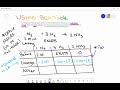
Mastering Stoichiometry Through BCA Tables in Chemical Reactions

Interactive Video
•
Mathematics, Chemistry, Science
•
9th - 10th Grade
•
Practice Problem
•
Hard

Patricia Brown
FREE Resource
Read more
10 questions
Show all answers
1.
MULTIPLE CHOICE QUESTION
30 sec • 1 pt
What is the primary unit used in a BCA table for stoichiometric calculations?
Grams
Atoms
Liters
Moles
2.
MULTIPLE CHOICE QUESTION
30 sec • 1 pt
When setting up a BCA table, what must be included with each substance?
Volume
Molar mass
Temperature
Coefficients
3.
MULTIPLE CHOICE QUESTION
30 sec • 1 pt
In a BCA table, what should the initial value of products be before the reaction starts?
Equal to reactants
Zero
Negative
Unknown
4.
MULTIPLE CHOICE QUESTION
30 sec • 1 pt
What does LR stand for in the context of a BCA table?
Lone Reactant
Leftover Reactant
Leading Reactant
Limiting Reactant
5.
MULTIPLE CHOICE QUESTION
30 sec • 1 pt
How is the change in the limiting reactant represented in the BCA table?
As a positive number
As a negative number
As zero
As a fraction
6.
MULTIPLE CHOICE QUESTION
30 sec • 1 pt
What is the purpose of using mole ratios in a BCA table?
To determine temperature
To compare substances
To find volume
To calculate pressure
7.
MULTIPLE CHOICE QUESTION
30 sec • 1 pt
How do you calculate the 'after' line in a BCA table?
By multiplying by temperature
By performing math down the column
By subtracting initial values
By adding coefficients
Access all questions and much more by creating a free account
Create resources
Host any resource
Get auto-graded reports

Continue with Google

Continue with Email

Continue with Classlink

Continue with Clever
or continue with

Microsoft
%20(1).png)
Apple

Others
Already have an account?

