
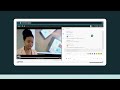
GoReact Video Assignments Quiz

Interactive Video
•
Instructional Technology
•
9th - 10th Grade
•
Practice Problem
•
Hard

Jennifer Brown
FREE Resource
5 questions
Show all answers
1.
MULTIPLE CHOICE QUESTION
30 sec • 1 pt
What are the different ways students can submit their videos in GoReact?
Only by embedding a YouTube link
By uploading from a computer, embedding a YouTube link, or uploading from Zoom
Only by uploading from Zoom
Only by recording using a webcam
2.
MULTIPLE CHOICE QUESTION
30 sec • 1 pt
How does GoReact help instructors provide feedback efficiently?
By using timestamp comments and pre-populated markers
By allowing only text comments
By sending feedback via email
By providing feedback only at the end of the video
3.
MULTIPLE CHOICE QUESTION
30 sec • 1 pt
What additional features does GoReact offer for feedback besides text comments?
Only audio comments are allowed
Only text comments are allowed
Embedding files, videos, or audio comments
Only video comments are allowed
4.
MULTIPLE CHOICE QUESTION
30 sec • 1 pt
How can students view their feedback and grades in GoReact?
Feedback is emailed to them
Feedback appears as pop-ups during the video and in a chart
Feedback is only available in a downloadable PDF
Feedback is shown only at the end of the course
5.
MULTIPLE CHOICE QUESTION
30 sec • 1 pt
What flexibility does GoReact offer in creating assignments?
Options for peer review, open discussions, and standard assignments
Only open classroom discussions are allowed
Only standard assignments are allowed
Only peer review is allowed
Access all questions and much more by creating a free account
Create resources
Host any resource
Get auto-graded reports

Continue with Google

Continue with Email

Continue with Classlink

Continue with Clever
or continue with

Microsoft
%20(1).png)
Apple

Others
Already have an account?

