
 Worksheets
Beginning: Final Vocab Review [5/20/24]
Total questions: 60
Worksheet time: 37mins

What was ISO called before digital photography days?
ASA
ISO
ISA
AIA

What ISO would you use for a bright sunny day?
A low ISO
A High ISO
An ISO in the middle
ISO isn't important

What does a low ISO represent?
It means that the ISO is not sensitive to light and should only be used when its bright and sunny.
It means that the ISO is very sensitive to light and should only be used at night.
It means that the ISO is most likely 800 or higher and sensitive to light.
It means that the ISO is most likely 400 or lower and very sensitive to light.

If you are shooting at f/8, 1/125 @ ISO 800 and your images are turning out dark and you could only fix the problem with your ISO, what ISO would fix the problem?
ISO 1600
ISO 800
ISO 400
ISO 200

_________is the side effect that ISO can have on an image depending on low or high it is.
Motion Blur
Camera Shake
Noise
Depth of Field

If you were photographing something fast and your settings were f/8, 1/4000 @ ISO 400 but your images were still too bright, what ISO would you use to fix the problem?
ISO 200
ISO 800
ISO 1600
ISO 3200

What 2 things happen to your image when you move from ISO 200 to ISO 1600?
It gets darker
It gets brighter
It gets more noisy
It gets less noisy

Which statement is true about these 2 images?
The left image is most likely a lower ISO than the right image.
The right image is most likely a lower ISO than the left right.
The noise on the image on the right proves that it has a lower ISO then the image on the left.
The lack of noise on the image on the left proves that it has a higher ISO then the image on the right.

What is the visual side effect of a high ISO setting.
Blur
Noise/Grain
Static
Radiation

What set of ISOs below would match these 3 photos?
400, 100, 800
400, 800, 100
100, 200, 400
800, 1600, 3200
ISO is a creative choice that you make before taking a picture.
True
False

What ISO was most likely used to take this photo?
ISO 12,800
ISO 100
ISO 400
ISO 800

What ISO was most likely used to take this photo?
ISO 800
ISO 100
ISO 12,800
ISO 6400

What ISO was most likely used to take this photo?
ISO 6400
ISO 800
ISO 400
ISO 100

What ISO was most likely used to take this photo?
ISO 400
ISO 800
ISO 1600
ISO 3200

What ISO was most likely used to take this photo?
ISO 100
ISO 400
ISO 800
ISO 1600

What is NOT a part of the exposure triangle?
Resolution
Aperture
Shutter Speed
ISO

What ISO is missing?
ISO 6400
ISO 3400
ISO 8000
ISO 4000

What set of ISOs match with these 3 images?
800, 400, 100
3200, 6400, 100
100, 200, 800
200, 100, 1600
Before you start taking pictures, you should always set your _____ first.
ISO
Shutter Speed
F/Stop
Depth of Field

technique in which exposures are made by moving a light source while taking a long exposure.
Light Painting
Motion Blur
Burst Mode
Time Lapse

taking a sequence of photos at set intervals to record changes that take place slowly over time
Time Lapse
Light Painting
Burst Mode
Shutter Priority

When you are setting your shutter speed to a slower setting allowing your camera to capture stationary elements while blurring, streaking, smearing or obscuring moving elements.
Long Exposure
Motion Blur
Time Lapse
Light Painting

measured in megapixels, determines image quality and print output capabilities.
Megapixel
Camera Resolution
Exposure
Metering

to photograph while rotating a camera on its axis in order to keep a moving object in focus while streaking the background.
Motion Blur
Panning
Camera Shake
Light Painting

a reddish-brown color, named after the brown pigment from the ink sac of the common cuttlefish
Gray Scale
Monochromatic
Black and White
Sepia

The darkest areas in a photograph. Usually the closest to black.
Highlights
Shadows
Gray Scale
Midtones

In analog photography, this is the particles on film, that are sensitive to light and make up the image when exposed and developed.
Grain
Noise
ISO
ASA

These are reduced-size versions of images or videos, used to help in recognizing and organizing
Thumbnails
Pics
Icons
Gifs

This is the brightest point in an image. Usually the closest to pure white
Highlights
Midtones
Shadows
Gray Scale

This is an acronym that describes an image that is not manipulated in anyway.
SSOC
SOOC
SOFC
SOOOC

a procedure after a photo shoot where images are edited and altered
Post-Processing
Panning
Post-Retouch
Post-Editing

Vibration Reduction is....
a technology that helps stabilize lens movement
an action you take to help stabilize your hand when shooting
a type of tripod that helps you prevent camera shake
a movement that you perform to help prevent motion blur

A digital single lens reflex camera that combines the optics with a digital sensor.
DSLR
DOF
AF Points
EVF

The range of shades that lie between highlights (with detail) and shadows (with detail).
Highlights
Midtones
Shadows
Sepia

This is information recorded by digital cameras to specify formatting.
Metadata
Thumbnails
DSLR
EVF

What area of Photopea is shown in this image.
Main Toolbar
Menu Bar
Options Bar
Palettes
Workspace

What area of Photopea is shown in this image.
Main Toolbar
Menu Bar
Options Bar
Palettes
Workspace

What area of Photopea is shown in this image.
Main Toolbar
Menu Bar
Options Bar
Palettes
Workspace
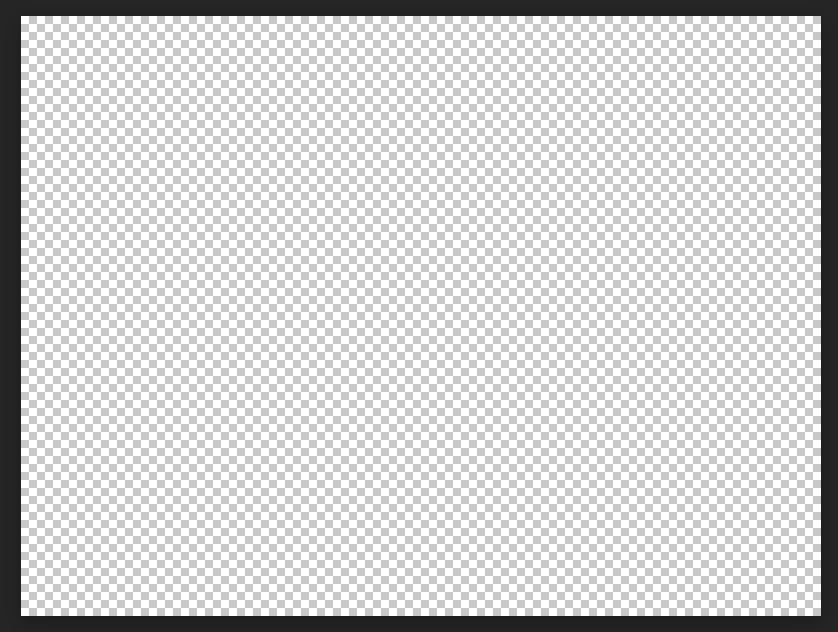
Identify the area of the Photopea interface shown in the image.
Main Toolbar
Menu Bar
Options Bar
Palettes
Workspace
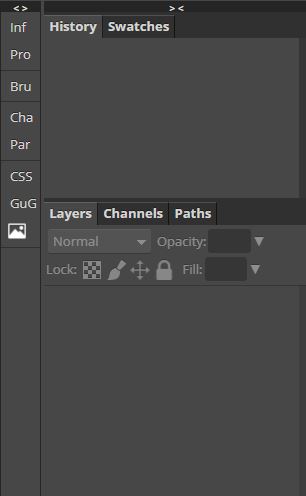
Identify the area of the Photopea interface shown in the image.
Main Toolbar
Menu Bar
Options Bar
Palettes
Workspace
If you wanted to open an existing project in Photopea, which part of the interface would you access?
Main Toolbar
Menu Bar
Options Bar
Palettes
Workspace
If you wanted to change from using a pencil to an eraser, which area of the Photopea interface would you access?
Main Toolbar
Menu Bar
Options Bar
Palettes
Workspace
If you wanted to change how a tool works, which area of the Photopea interface would you access?
Main Toolbar
Menu Bar
Options Bar
Palettes
Workspace
What measurement do we use when working in Photopea?
Inches (in)
Pixels (px)
Feet (ft)
Centimeters (cm)
Which icon allows you to make a New Layer?


How do you access the other kinds of tools hidden within a tool?
Hold down option and click
Right click
Left click
Command click
When you open Photopea and insert an image onto the canvas... How do you import the image?
Insert > Image as a new layer
File > Open and Place
Import to export
File open and insert

Zoom tool
Polygonal lasso tool
Magic wand tool
Gradient tool

Magic Wand Tool...
Automatically selects areas of similar color
Lets you quickly "paint" a selection using an adjustable round brush tip.
Allows you to create a variety of preset objects
Allows you to select rectangular areas
This area lets you see all of the different layers of your project and allows you to move them around.
Layers window
File
Filter
History window
What tool allows you to duplicate the content from one part of your project and paint it on to another part?


What is the best file format for the internet?
PSD
JPG
GIF
TIFF
What is the keyboard shortcut to undo/step backward?
Ctrl + Z
Ctrl + U
Ctrl + Alt + U
Ctrl + S
What is the best file format for projects that contain layers?
PSD
JPG
GIF
TIFF
If you want to adjust hue/saturation, color balance or brightness/contrast, what button do you select?


What tool would you use to make a selection around a part of a photo and then drag that selection to another area, to copy it?


What tool is used to fix blemishes, sports or any imperfections, simply by brushing over it?


After making a selection, what button do you press to adjust that selection to make it look better?
The Refine Edge Button
The Patch Tool
The New Layer Icon
The Spot Healing Brush
When you start a new project, what is a good habit to do, to practice NON destructive editing?
Copy your background and lock your background.
Make a new transparent layer and only work on that layer.
Open a new file and place that file within your project.
Lock your background and then start your project.

