wayground logo

Free Printable Worksheets

Font size

S
M
L
XL
Worksheets

End of Year Assessment

Total questions: 110

Worksheet time: 59mins

Name
Class
Date
1.
What is computational thinking?
a)
It allows you to break down a large / complex problem into smaller parts.
b)
It is thinking like a robot
c)
It is being able to bake a cake.
d)
It is creating a coding solution to a problem.
2.
What does decomposition mean?
a)
focuses on the important information only, ignoring irrelevant detail
b)
Step by step instructions on solving a problem.
c)
Thinking like a computer
d)
This is the breaking down of a complex problem into smaller parts
3.
What does the following flowchart symbol represent?
a)
A process
b)
An output
c)
A decision (choice)
d)
End
4.
What does the following symbol represent in a flowchart?
a)
An input
b)
Start
c)
End
d)
A process
5.
What does the following flowchart symbol represent?
a)
Input / Output
b)
Start of flowchart
c)
A process
d)
End
6.
What does the following flowchart symbol represent?
a)
Process
b)
Input
c)
Start / End
d)
Sub-process
7.
Why do we need to think computationally?
a)
To help us program
b)
To help us solve complex problems more easily
c)
To help us to think like a computer
8.
You can input text using this device:
a)
Microphone
b)
Speaker
c)
Keyboard
d)
Scanner
9.
Which of these is not an input device?
a)
Scanner
b)
Screen
c)
Microphone
d)
Keyboard
10.
A computer is an electronic device which takes IN data, _________ it and then OUTPUTS the result
a)
Processes
b)
Stores
c)
Deletes
d)
Copies
11.
Term for the physical parts of the computer
a)
HARDWARE
b)
HARD DRIVE
c)
SOFTWARE
d)
INPUT DEVICES
12.
What does CPU stand for?
a)
Critical Processing Unit
b)
Core Processing Unit
c)
Common Processing Unit
d)
Central Processing Unit
13.
This is the image of a __________ .
a)
RAM
b)
ROM
c)
Keyboard
d)
Motherboard
14.
All computer systems have input, processes, output and... 
a)
Feedback
b)
Data
c)
Information
d)
Storage
15.
What are the programs that run on a computer system called? 
a)
Algorithms
b)
Code
c)
Software
d)
Languages
16.
The software that supports a computer's basic functions, such as scheduling tasks, executing applications, and controlling peripherals is called...
a)
BIOS
b)
Operating System
c)
Application Software
d)
Motherboard
17.

A computer system is:

a)

An electrical device

b)

An input device

c)

hardware and software working together

d)

input and output working together

18.

The Brain of the Computer...

a)

Central Processing Information

b)

Central Processing Unit

c)

Centrel Processing Unicorn

d)

Central Processing Chip

19.

The CPU carries out instructions, one after another, billions of times a second is known as...

a)

The Fetch-Execute Cycle

b)

The Fetch-Decode-Execute Cycle

c)

The Fetch-Breakdown-Execute Cycle

d)

The Fetch-Breakdown-Sign out Cycle

20.
What is this piece of hardware?
a)
CPU
b)
Motherboard
c)
Computer/Tower
d)
Power Supply
21.

What is meant by hardware?

a)

Machines

b)

Physical Components

c)

Control System

d)

Monitoring System

22.

I am the main circuit board in a computer what am I?

a)

Hard Disk Drive

b)

CPU

c)

Graphics Card

d)

Motherboard

23.
Which of the following is an input device?
a)
Scanner
b)
Projector
c)
Headphones
d)
Robotic Arm
24.
What is inputted into a computer system?
a)

Data

b)

Information

c)

Code

d)

Knowledge

25.
The brain of the computer is the _____________.  It does all the calculations and logic.
a)
Motherboard
b)
Central Processing Unit
c)
Floppy Disk
d)
Hard Disk
26.
Additional components besides the main parts of the computer such as printers and scanners are called:
a)
Peripherals
b)
Output Devices
c)
Input Devices
d)
Programs
27.

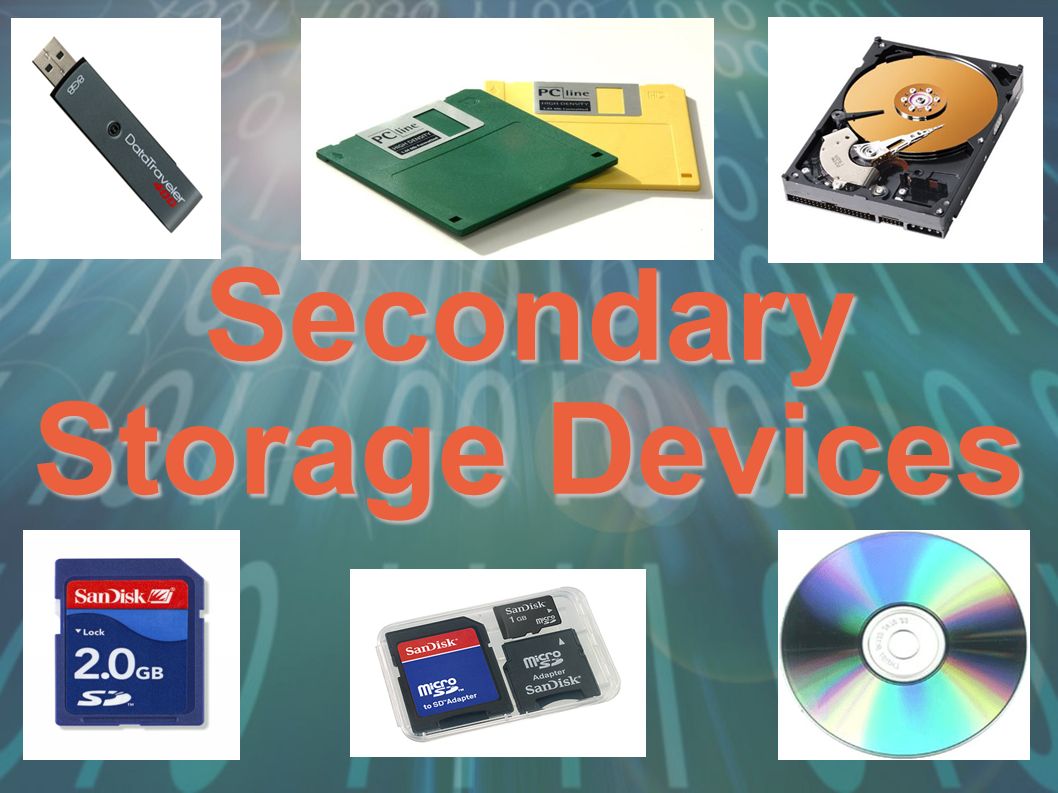
Secondary storage devices can be grouped into three categories - what are they?

a)

Magnetic, Tape and Optical

b)

Magnetic, Optical and Solid State

c)

Solid State, Flash and Hard Drives

d)

Solid State, CDs and USBs

28.

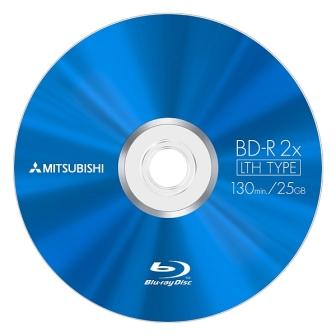
What category of storage is a Blu-Ray disk?

a)

Magnetic

b)

Optical

c)

Solid State

d)

Primary memory

29.

ROM stands for

a)

Random Access Memory

b)

Read Only Memory

c)

Read Online Memory

d)

Ready Only Memory

30.

RAM stands for:

a)

Random Account Memory

b)

Read Only Memory

c)

Random Access Master

d)

Random Access Memory

31.
What does LAN stand for?
a)
Local Area Network
b)
Legal Access Network
c)
Legendary Access Node
d)
Local Admin Network
32.
What does WAN stand for ?
a)
Weak Access Node
b)
Working Area Network
c)
Wide Area Network
d)
World Access Net
33.
A computer network can share printers and software.
a)
True
b)
False
34.

What does WPAN stand for?

a)

Wired Pretend Area Network

b)

Wireless Personal Area Network

c)

Wireless Party Area Nation

d)

Wired Penguin Area Notice

35.

A computer network is where two or more devices are connected together so they can share...

a)

information

b)

resources

c)

cables

d)

People

36.

Home networks are more likely to use a...

a)

router

b)

switch

c)

hub

37.
A computer which is not connected to another computer is called a...
a)
Network
b)
Stand Alone
38.

Most common type of wireless connection.

a)

Bluetooth

b)

Wifi

39.

What is a firewall used for in a network?

a)

protect (a network or system) from unauthorised access with a firewall.

b)

To stop the spread of a fire in a building

c)

It connects the network to the internet

d)

It is a type of server

40.
Binary is made up of which numbers 
a)
3 and 4.
b)
2 and 3.
c)
1 and 2.
d)
0 and 1.
41.
A group of 8 bits is known as a gigabyte.
a)
True
b)
False
42.
What is the main function of binary code?
a)
Turning switches on and off
b)
Allowing computers to represent and store data
c)
Providing a gateway into higher mathematics
d)
Allowing computers to interact with humans
43.

What is a Network?

a)

A Group or System that connects people or things together

b)

A computer that is on it's own.

c)

A group of devices that are not connected to one another.

44.

What is the biggest network in the world?

a)

The Cosmos

b)

The Internet

c)

A School Network

d)

The Processor

45.

What is the purpose of a Router in a home network?

a)

It can support wireless or wired device connections.

b)

It can connect devices to the internet.

c)

It can allow devices to share files and data.

d)

All of the above.

46.
How does a computer virus infect a pc?
a)
Email attachments
b)
Attached to files on memory sticks
c)
Suspicious web links
d)
All of the above
47.
What can a virus do to your computer?
a)
Delete files
b)
Cause inappropriate adverts to appear
c)
Spy on what you are doing
d)
Steal your infotrmation
48.
How can you protect your computer against viruses?
a)
Put a lock on it.
b)
Install an anti-virus package, scan and delete files and update it.
49.
What is adware?
a)
Causes adverts to appear
b)
Deletes files
50.
How can a trojan infect your pc?
a)
On memory sticks.
b)
Through email attachments.
c)
By being disguised as legitimate software.
d)
Dodgy web links
51.
What is spyware?
a)
Causes adverts to appear on screen.
b)
Software that deletes your files
c)
Slows your pc down.
d)
Collects information from you and transfers it across the internet.
52.

What is Malware?

a)

Bad computer equipment

b)

Pop up adverts on your computer

c)

Software designed to do harm to a computer

d)

Fake web sites

53.

What most defines a computer virus?

a)

It crashes computers

b)

It can copy itself and spread to other computers

c)

It can spy on what you do

d)

It cannot be fixed

54.

What is Ransomware?

a)

Software that sends scam emails

b)

Software that copies itself

c)

Software that you think is good software but isn't

d)

Software that hides your data and demands payment to release it

55.

What is a Trojan?

a)

Software that sends scam emails

b)

Software that copies itself

c)

Software that you think is good software but isn't

d)

Software that hides your data and demands payment to release it

56.
How can you protect yourself from malware?
a)
Don't have a computer
b)
Use a trusted anti-virus software
c)
Download any anti-virus software
d)
Just send your details to the attacker and they will leave you alone
57.
Malware will slow down your internet connection.
a)
True
b)
False
58.
What is the most common way people's computers get infected by a virus?
a)
Receive a call
b)
Install a new hardware
c)
Download email attachments
d)
None of these
59.
What does Firewall Do?
a)
Prevents Hackers
b)
Install Viruses
c)
Give you SD cards
d)
Blocks all content
60.
What Can't a Firewall Do?
a)
Can't protect against viruses.
b)
Stop hackers from accessing your computer.
c)
Determines which programs can access the Internet.
61.
An encryption key is used to help decrypt messages
a)
True
b)
False
62.

The process of converting a ciphertext into plaintext.

a)

encryption

b)

decryption

c)

plaintext

d)

cryptography

63.

The process of converting plaintext to ciphertext.

a)

cryptography

b)

cyphertext

c)

decryption

d)

encryption

64.
A specific encryption code
a)
Code
b)
Cipher
c)
Scramble
65.

What are the only two symbols you can use in binary?

a)

0 and 1

b)

1 and 2

c)

True and False

d)

1, 2, 4, 8, 16

e)

A and B

66.

If a binary number ends with a 1, the base 10 number must be...

a)

An odd number

b)

An even number

c)

A prime number

d)

The number 12

67.

Convert the number 12 from Base 10 to binary?

a)

12

b)

11

c)

1100

d)

1011

68.

Convert the number 128 from Base 10 to base 2?

a)

10000000

b)

01111110

c)

10000001

d)

11001100

69.

Convert 11111111 from binary to decimal (base 10)

a)

255

b)

245

c)

235

d)

225

70.

A binary question is defined as:

a)

a piece of information that is sent in pairs

b)

a question that can be answered in 1 of 2 possible ways

c)

two questions which share the same answer

d)

a question that can be worded in two different ways

71.

If a binary number ends with a 0, the base 10 number must be...

a)

An odd number

b)

An even number

c)

A prime number

d)

The number 0

72.

What number system do computers use?

a)

ASCII

b)

Denary

c)

Binary

d)

Decimal

73.

How many bits make a byte?

a)

1

b)

8

c)

128

d)

256

74.

What is ASCII?

a)

The conversion from binary to text.

b)

A code for representing characters in binary.

c)

An operating system.

d)

The process of converting binary to denary.

75.

How many bytes in a kilobyte?

a)

8

b)

32

c)

250

d)

1024

76.
Denary is numbers humans use in every day life
a)
True 
b)
False
77.
Denary uses 11 different numbers
a)
True
b)
False
78.
What is 3 in binary?
a)
0100
b)
0001
c)
0101
d)
0011
79.
Computers can only understand 0s and 1s.
a)
True
b)
False
80.
8 bytes = 1 bit
a)
TRUE
b)
FALSE
81.

What are the first 6 powers in binary?

a)

0, 2, 4, 8, 12, 32

b)

1, 2, 4, 8, 16, 31

c)

1, 2, 6, 8, 16, 32

d)

1, 2, 4, 8, 16, 32

82.

What file would be counted in kilobytes?

a)

Word Document

b)

Picture

c)

Video

d)

Music

83.

1. How Many GBs does a Terabyte have?

a)

1024

b)

8

c)

100

d)

1

84.

Four bits is called a

a)

Bit

b)

Byte

c)

Nibble

85.

memory is measured in …………………………...

a)

bits and bytes

b)

liters

c)

kilograms

86.

1800 bytes equal?

a)

18 MB

b)

1.8 MB

c)

18 KB

d)

1.8 KB

87.

What is the highest amount of bits you can hold in a byte?

a)

256

b)

255

c)

250

d)

245

88.

If capital A in ASCII = 1010, which would be capital B ?

a)

1100

b)

1011

c)

1111

89.
Using the eraser tool is not considered destructive editing.
a)
True
b)
False
90.

"Layers" in Photoshop are:

a)

Filters that have been applied to the image

b)

Images stacked on top of each other

c)

Color components (such as CMYK)

d)

Previous versions of an image

e)

Color and brightness correction

91.

ctrl+z ?

a)

New layer

b)

New document

c)

Zoom

d)

Undo

92.

Ctrl+N?

a)

New layer

b)

Select Box

c)

Paintbrush

d)

New Document

93.

What does the Crop tool do?

a)

Color an image

b)

Add text to the file

c)

Trim an image

d)

Enhance the image's resolution

94.

What is the standard Adobe Photoshop extension?

a)

Txt

b)

Doc

c)

PSD

d)

PHS

95.

If I want to edit my picture with my tools I must be on the correct....

a)

Layer

b)

Tool

c)

quick select

d)

adjustment

96.

These are your...

a)

Photoshop stuff

b)

Drawings

c)

Layers

d)

Pictures

97.

What is this tool called?

a)

Quick Selection Tool

b)

Rectangular Marquee Tool

c)

Lasso Tool

d)

Move Tool

98.

What is this tool called?

a)

Lasso Tool

b)

Rectangular Marquee Tool

c)

Move Tool

d)

Quick Selection Tool

99.

What is the tool called?

a)

directional

b)

move

c)

plus sign

d)

pointer

100.

Where is the main tools options bar located?

a)

Bottom of the Screen

b)

Right side of the screen

c)

Left side of the screen

d)

Top of the Screen

101.

Which tool allows you to add a new layer in the layers panel?

a)
b)
c)
d)
102.

The Magic Wand tool will

a)

select pixels of similar color

b)

select all the black and white

c)

select only orange colors

d)

select all the pretty colors

103.

The Eye ball in the layers panel

a)

will delete a layer

b)

will hide a layer

c)

will hide all the layers

d)

will only work when the layer is highlighted

104.
What is resolution measured by?
a)
PPI
b)
DPI
c)
Both PPI and DPI
d)
Neither DPI or PPI
105.

What resolution should your Photoshop document be in if you are going to print it? 

a)
300
b)
150
c)
250
d)
500
106.
What is this tool called?
a)
Magic Wand Tool
b)
Quick Selection Tool
c)
Move Tool
d)
Lasso Tool
107.
One way to delete layers is by clicking...
a)
The black and white circle.
b)
The fx.
c)
The piece of paper at the bottom.
d)
The trash can at the bottom.
108.
What is a single point on a computer screen?
a)
pixel
b)
bitmap
c)
jpeg
d)
image
109.
What is the name of this Photoshop tool?
a)
crop tool
b)
move tool
c)
horizontal type tool
d)
rectangle tool
110.
What shapes can you create with the "shape tool"?
a)
Rectangular, Rounded Rectangular, Ellipse, Polygon, Line, Custom Shape.
b)
Rectangular, Square, Ellipse, Octogon, Custom Shape.
c)
Rectangular, Rounded Square, Ellipse, Octogon, Line, Triangle, Custom Shape.
d)
Square, Rounded Rectangular, Circle, Polygon, Triangle, Custom Shape.