
 Worksheets
BTEC DIT Component 1 LAA
Total questions: 80
Worksheet time: 55mins
What is the use of Gantt Chart?
to show the profit in a system
to show data analysis
to show the progress of tasks for a project
to show data calculation of a project
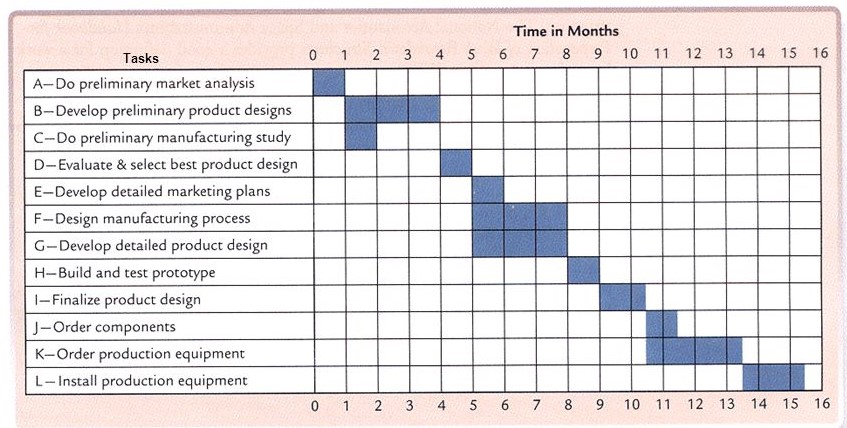
What type of diagram is this?
PERT
Dataflow diagram
Bar Chart
Gantt Chart
How long does it take to complete task F?
1 Month
3 Months
6 Months
8 Months
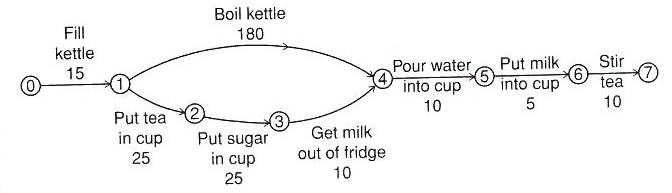
Identify the longest task?
Fill Kettle
Boil Kettle
Put tea in cup
Put sugar in cup
Get milk out of fridge
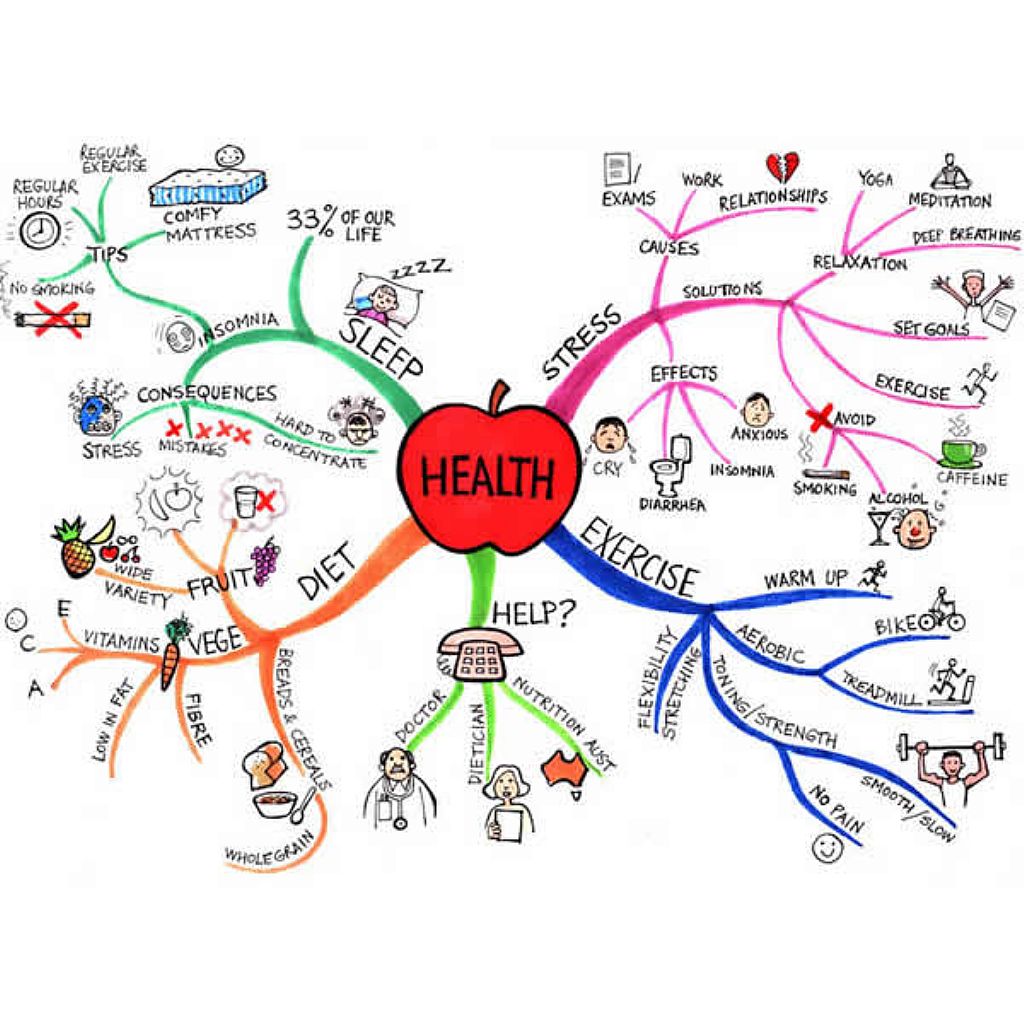

Which document is this?
Moodboard
Mind Map
Storyboard
Script
Work Plan
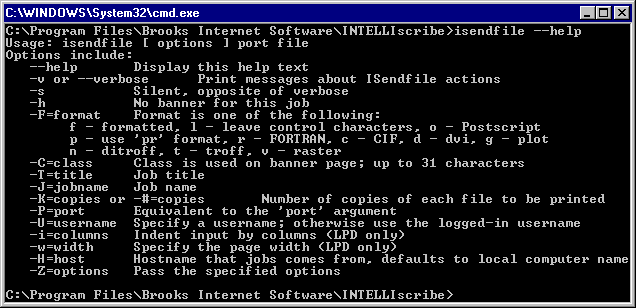
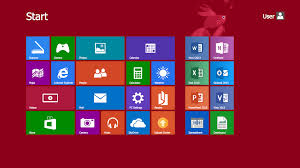
Choose the disadvantage
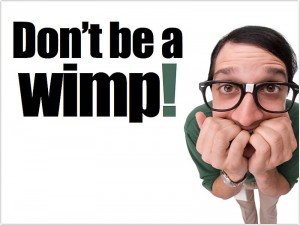
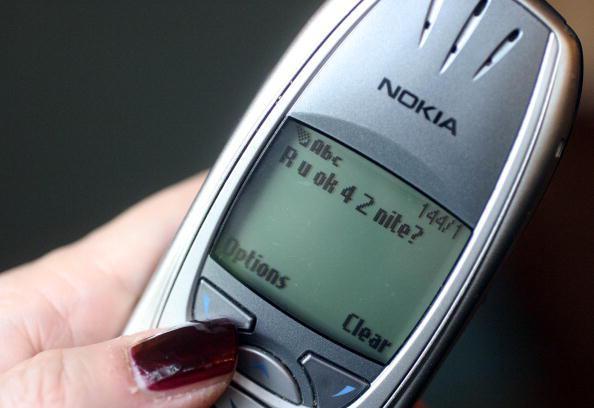
GUI stands for Good User Interface
true
false
In a project life cycle, which stage comes after the design stage?
Testing
Implementation
Specification requirements
Evaluation
In a project, at which phase is the actual code written?
Testing
Implementation
Analysis
Design
The word accessibility means...
The design of a product for users who experience disabilities
The design of a product for users who don't have disabilities
The design of a product to not help anyone
What is one advantage of a Command Line Interface?
It uses less processing power, so is quicker
It is easy for a beginner to use
It is accessible to people with visual disabilities
There are a lot of accessibility functions
Amazon Alexa is an example of which type of interface?
Speech and sound
Command Line
GUI
Menu
What type of interface would only suit an expert user?
Menu Driven
GUI - Graphical User Interface
WIMP - Windows Icon Menu Pointer
Command Driven
How does a UI grab attention? (Multiple answers)
Pop-up Messages
Flashing Graphics
Sound
Animations
All of the answers
Which term is used to describe the fact that software should be able to be used by ALL types of users?
Accessibility
Useability
Optimisation
How many main colours should a user interface have (maximum)?
1
3
4
5

Which type of font should you use on your user interface?
Serif
San-Serif
White space is...
How much white is on the screen
How cluttered or sparse the screen is
Having too much on the screen
Having too little on the screen
Which of the following will help people specifically with motor needs?
Having large buttons
Having larger text
Using less than 5 colours
Having text read out through a speaker
Which of the following will help people specifically with low vision?
Having large buttons
Having larger text
Using less than 5 colours
Having text read out through a speaker
When designing a user interface for someone on the autistic spectrum, you should avoid...
Using idioms
Using few colours
Using larger buttons
Having information be read out
Language on a user interface should be...
Appropriate for age
Appropriate for skill
Appropriate for the time of day
As simple as possible
Consistency helps users by...
Having similar elements that work in a similar manner everytime
Having clearly labeled elements
Using images to back up written text
Using sound to read out text on the screen
Having too many colours on screen can...
Make the user interface look more attractive for the user
Make the user interface hard to focus on and read
Make the user interface easier to focus on and read
Make the user interface better for dyslexic users
Text should have high contrast or luminance- what does this mean?
The text and the background have sufficient difference in colour and lightness that it can be easily read
The text is large enough that it can be easily read on any background
The text is a similar colour to the background so that it matches the overall colour scheme
The text is in a font that can be easily read and understood on any background
What is the Neoteric stadium?
The name of the client company
The name of the stadium interface that needs to be built
The name of the designers who will create the interface
The name of the brief
What do you need to create for the project brief?
A mobile app
A website
A GUI screen
A digital advert
A brief is a..
Task list
Details of the project requirements
Client and team
snippet of the completed project
Important audience details for the project are (select two)
Age
Shoe size
Gender
Hair colour
The purpose of the interface is to.. (select two)
Ease pressure of staff
Look nice in the stadium
Help staff get around the stadium
Help visitors get around the stadium

What is the image showing?
GAN CHART
GANT CHART
GANTT CHART
CANT CHART

What is the image showing?
PERTY CHART
PERT CHART
BERT CHART
PERTT CHART
What two risks might your project face?
Lack of time
Weather
IT Problems
Weekend
As the project manager what might be your main (primary role) ?
Ensuring the team know who is boss
Ensuring the team are well fed
Ensuring the project is completed on time and in budget
Telling people what to do

A student submitted this mood board as part of their coursework - why do you think they received a low mark?
Not enough descriptions
Not enough images
Not enough versions of the document
Not enough colour

A student submitted this mood board as part of their coursework - why do you think they received a high mark? (select two)
They wrote their name on it
They used relevant images
They explained the images
They used HD images

What is shown in the image?
Mini map
cloud
Mind map
Manager map
What two design principles should you consider when creating the interface?
Colours should not clash
The interface should be full of lots of text
There should be lots of images
It should be accessible
When creating the interface why should you think about accessibility needs?
So that people with additional needs can use it
So that people can recommend the interface
So that people like the interface
So that groups of people can use it together
Which of these is not an accessibility need?
Cognitive
Visual
Hearing
Emotional
A user interface is the means by which a user can i (a) with a system.
The W in WIMPs stands for
(a)
"Requires the most processing power" - for which UI is this a negative?
Menu
Sensor
Text-based
GUI
A controlling device would most commonly use which interface?
Menu / Forms
GUI
Sensor
Text-based
Speech / Natural Language
"Does not rely on sight" - for which UI is this a benefit?
GUI
Menu / Form
Text-based
Speech / Natural Language
The amount of time a user has spent using different interfaces is known as 'User E (a) '
The amount of information a device can hold is called the 'S (a) space'
Another way of saying an interface is easy to use is, "The interface is i (a) "
The software that manages the hardware, software and devices is known as an 'O (a) system'
'Target A (a) ' - the term that refers to the users that an interface has been designed for
'P (a) of the interface' - the reason an interface has been designed
'Tasks can require navigating through several windows which can be slow' - for which UI is this a negative?
GUI
Menu / Form
Speech / Natural Language
Sensor
"No human interaction means that this UI is less prone to human error" - for which UI is this a positive?
GUI
Menu / Form
Sensor
Text-based

What type of UI is this an example of?
GUI
Menu / Form
Sensor
Text-based
Speech / Natural Language
A modern smartphone often makes use of how many of the following interfaces?
Tick all that apply
GUI
Menu / Form
Sensor
Speech / Natural Language
What is a user interface?
A way that you navigate around the computer
A piece of software that allows users to interact with their devices
Lots of different graphics on a screen
A combination of keystrokes which commands the software
Humans are the individuals that use a device. A device can be used by small groups of individuals or by millions of people around the world. Users may have different needs - what do we call these needs?
Form controls
Software
Accessibility
GUI
Which of the following are accessibility features that can be found on user interfaces? (tick all that apply)
Zoom function
Text read aloud
Background music
Dyslexia friendly font style
(a) is the word used to describe that users may be different ages and therefore have different experiences of using digital devices.
Novice, Intermediate and Expert are types of:
Skill levels
Accessibility
User Interface style
Human interaction
Washing machines and Microwaves have user interfaces build into them to help you operate them. What type of device are these?
Handheld devices
Computers or laptops
Domestic appliances
Entertainment systems
Software features are part of the user interface that allows the user to enter commands into a device. What ways can you enter commands into a device? (select all that apply)
Menu
Form
Voice
Microsoft

What type of user interface is this?
Text based interface
Graphical user interface
Menu interface
Speech interface

What type of interface is this?
Text based interface
GUI
Speech interface
Touch screen interface

What type of user interface is this?
Speech interface
Form interface
Touch screen interface
Menu interface

What type of user interface is this?
Menu based interface
Graphical user interface (GUI)
Text based interface
Form interface

What type of interface is this?
Text based interface
GUI
Form interface
Speech interface

What type of interface is this?
Menu interface
GUI
Speech interface
Sensor interface
Intuitive means 'easy to understand'. In this context a user should be able to understand and interact with an interface instinctively. What type of device could a child aged between 5-10 intuitively interact with? Name the device and explain your answer.

What is your favourite type of electronic device to use and why?

What is your favourite/most used app and why?
The user can type on this hardware or on an online version to enter commands or use short cuts - what am I?
Keyboard
Mouse
Monitor
Printer
(a) is the name given to the computer (hardware) and operating system (software) on which applications can be run. What am I?
These are a combination of keystrokes or a sequence of keystrokes which commands the software to do something. What am I?
GUI
Speaker
Operating system
Shortcuts

Name as many accessibility features that you can think of.

