wayground logo

Free Printable Worksheets

Font size

S
M
L
XL
Worksheets

1st Semester Final: Graphic Design 2

Total questions: 33

Worksheet time: 17mins

Name
Class
Date
1.

To open every workspace/toolbar/panel in illustrator, click on _________ in the Menu Bar.

a)
Window
b)
File
c)
Edit
d)
Filter
2.

Screen resolution is measured in PPI and it stands for_____
a)
Pixels Per Inch
b)
Pickles Per Indent
c)
Picks Per Invest
d)
Project Per Inverse
3.

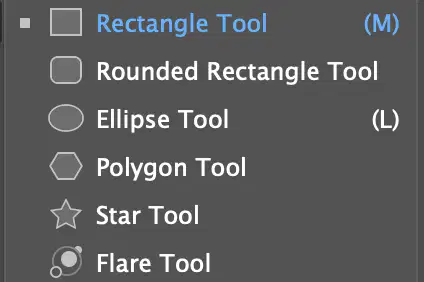
Clicking and holding on the tools that a small white triangle will show all the ________ tools in that group. (shape tool group show below)

a)
hidden
b)
new
c)
white
d)
black
4.

The ______ _______ is just below the Menu Bar and gives you control options that change depending on what tool you are using. (pictured below)

a)

Control Bar

b)
Tool Bar
c)
Fill Color
d)
Crop Tool
5.
5. This is the _____ _____
a)
Menu Bar
b)
Tool Bar
c)
Status Bar
d)
Properties Panel
6.

To change the transparency (to make it see thru) of a layer you must adjust the ________ .

a)
Opacity
b)
Color
c)
Layers
d)
Foreground
7.

To hide or make a layer visible you click on the ____ _____ next to the layer.
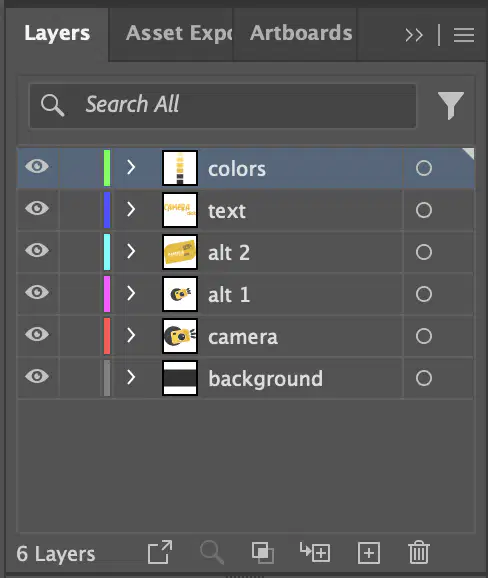
a)
eyeball
b)
icon tool
c)
lock
d)
trash can
8.

This is the expanded _____ _____.

a)
Layers Panel
b)
Color Bar
c)
File Panel
d)
Tool Bar
9.

You always want your designs to be ______ ,________ & ________.

a)
clutter free, specific & complete
b)
black / white, bold & "pixelated"
c)
use text, 75 dpi & greyscale
10.

To select an entire object to make it larger or move it around you us the ______ tool (pictured below)

a)
Selection
b)
Direct Selection
c)
Eye Dropper
d)
Line
11.

11. The Color Mode, CMYK stands for what?
a)
Cyan, Magenta, Yellow & Black
b)
Color, Move, You & Knits
c)
Cyan, Magnetic, Yes & Because
d)
Colors, Management, You & Knowledge
12.
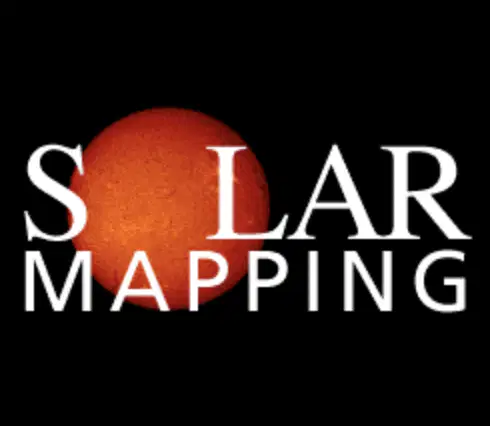
12. Select all the ways this image is showing Emphasis. (Select all that apply)
a)
The sun is red while all the other letters are white
b)
The sun is bigger than the other letters
c)
Instead of the letter "O" there is a sun.
13.
13. This is the collapsed _____ _____ icon.
a)
Layers Panel
b)
Color Bar
c)
File Panel
d)
Tool Bar
14.
14. The 3 step in the Design Process (TRAP) are what?
a)
(1)Thumbnail Sketch, (2)Rough Layout and (3)Presentation Layout
b)
(1)Tools, (2)Rethink and (3)Procrastinate
c)
(1)To always look forward, (2)Redo everything and (3)Preview before printing
15.
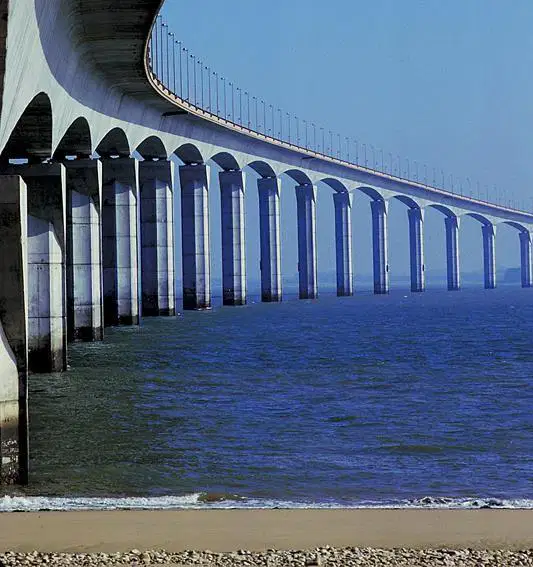
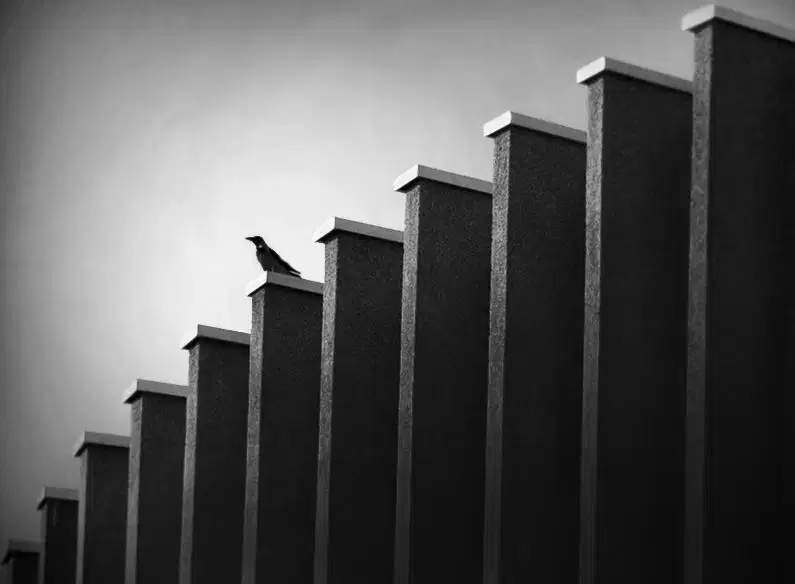
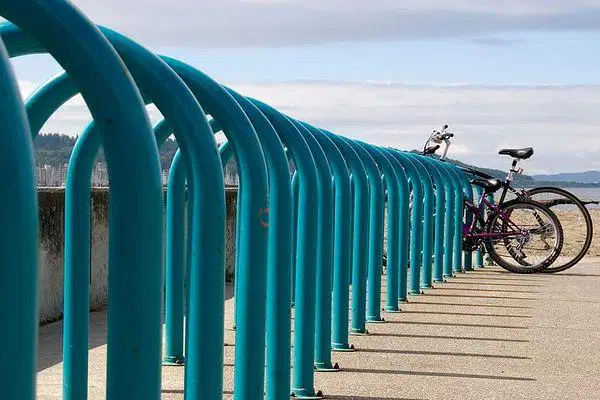
15. Choose the picture below that LISTS THE OBJECT that has rhythm. (check all that apply)
a)
the columns
b)
the bird
c)
the bike
d)
the seats
16.
16. ______ are tiny point of light on a monitor/screen which make up a raster/bitmap image.
a)
Pixels
b)
Squares
c)
Compound Shapes
d)
Spots
17.
17. What does the image (visual mnemonic) below represent?
a)

love

b)

anger

c)

hate

d)

envy

18.
18. What type of image files can show transparency?
a)
.png
b)
.jpeg
c)
.psd
d)
.gif
19.
19. Anytime you are looking at a screen you are looking at tiny _____ & when you print something out, the printer uses tiny color ______ to print.
a)
Pixels & Dots
b)
Dots & Pixels
c)
Shapes & Dots
d)
Bloops of paint, Strokes of Color
20.
20. Any digital device uses the color combination of ______ to show color information on a screen, the printer uses the color combination of _________ to show color when it print out information on a page.
a)
RGB, CMYK
b)
CMYK, RGB
c)
TRAP, DOTS
d)
FOMO, TTYL
21.

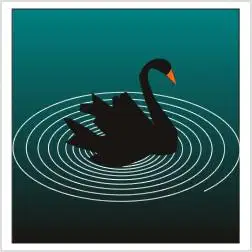
What are the lines (showing movement) in this picture representing.

a)

ripples

b)

circles

c)

colors

d)

spiral

22.
22. Choose a website below that is a good example of "Simplicity of Design" or "Keeping it Simple"
a)
Option 1
b)
Option 2
23.
23. _______ graphics are made up of mathematical lines and shapes. (which allows them to be scale up w/o losing quality
a)
Vector
b)
Pixel
c)
Square
d)
Dot
24.
24. The ______ tool lets you edit the project area you are working on. (pictured below)
a)
Artboard
b)
Selection
c)
Eraser
d)
Text
25.
25. To select all objects (everything) on a layer you click on the ______ on that layer.
a)
Target
b)
Eyeball
c)
Thumbnail
d)
Layer
26.
To select part of an object move that part or point around you us the ______ tool (pictured below)
a)
Direct Selection
b)
Artboard
c)
Rectangle
d)
Star
27.
27. The ______ tool creates rectangle shape. (which as a fill and a stroke)
a)
Rectangle
b)
Square
c)
Box
d)
Cube
28.

28. When resizing any image place into illustrator using the selection tool to move the handle bars. Hold down the _______ key to maintain the aspect ratio (keep same shape/not distort the image)

a)
Shift
b)
Space Bar
c)
Return
d)
Alt
29.
29. This is the _____ _____.
a)
Menu Bar
b)
Options Bar
c)
Tool Bar
d)
Opacity Bar
30.
30.The inside of a shape is called the _____ color. (pictured below)
a)
Fill
b)
Stroke
c)
White
d)
New
31.
31. The outside line of a shape is called the _____ color. (pictured below)
a)
Stroke
b)
Fill
c)
Black
d)
New
32.
32. The ______ _____ tool creates text within a defined area
a)
Area Type
b)
Type on a Path
c)
Direct Selection
d)
Shape Builder
33.
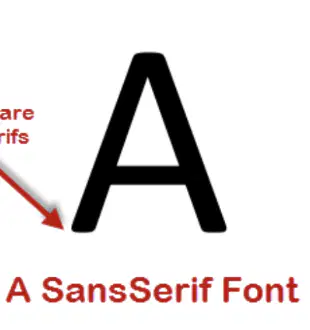
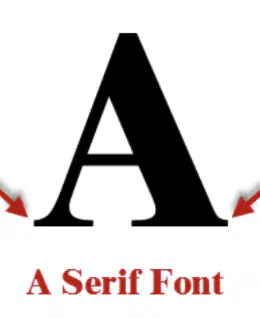
33. ______ fonts are to be used on any kind of digital screen, because they are easy to read.
a)
Sans Serif
b)
Serif