
 Worksheets
OS MINT 22
Total questions: 14
Worksheet time: 7mins
What is Lunix Mint 22 code name?
FREDD
FEDORA
WILMA
SCOOBY DOO
The most popular edition focused on modern features; heaviest edition to run compared to another edition.
CINNAMON
JAVA
CHOCOLATE CHIPS
TURMERIC
The linux mint version uses the classic desktop interface.
Mate
Xfce
Cinnamon
CinnaBon
The latest release is Linux Mint 22 "Wilma", released on _________________________ .
July 25, 2024
July 24, 2024
June 25, 2024
June 24, 2024
Is a lightweight desktop environment. It doesn’t support as many features as Cinnamon but it’s lighter on resource usage.
Xfce Edition
Xfde Edition
Xfcee Edition
Xcfe Edition
is a powerful open-source software that allows you to create and run virtual machines (VMs) on your computer. In essence, it lets you run multiple operating systems simultaneously on a single physical machine.
VirtualBox
VirtualBacks
VirtualMachines
Linux Mint

What do you call this section?
Favorite bar
App Launcher
Task bar
Category
Is a free and open-source email client that also functions as a personal information manager. It's developed by the Mozilla Foundation and offers several features beyond just sending and receiving emails
Thunderbird Mail
Google Mail
Gnome
Mozilla Firefox

What do you call this section?
Applet
Taskbar
Task manager
Taskicons
Display system info command line
inxi - Sxxx
inxi - Sxx
inxxi - Sxx
df - h
Check partitions on disks command line
sudo fdisk -l
sudo apt upgrade
sudo ko -l
sudo ddisk -l

What do you call this?
Program Installed
Software Manager
Application Manager
Update Manager
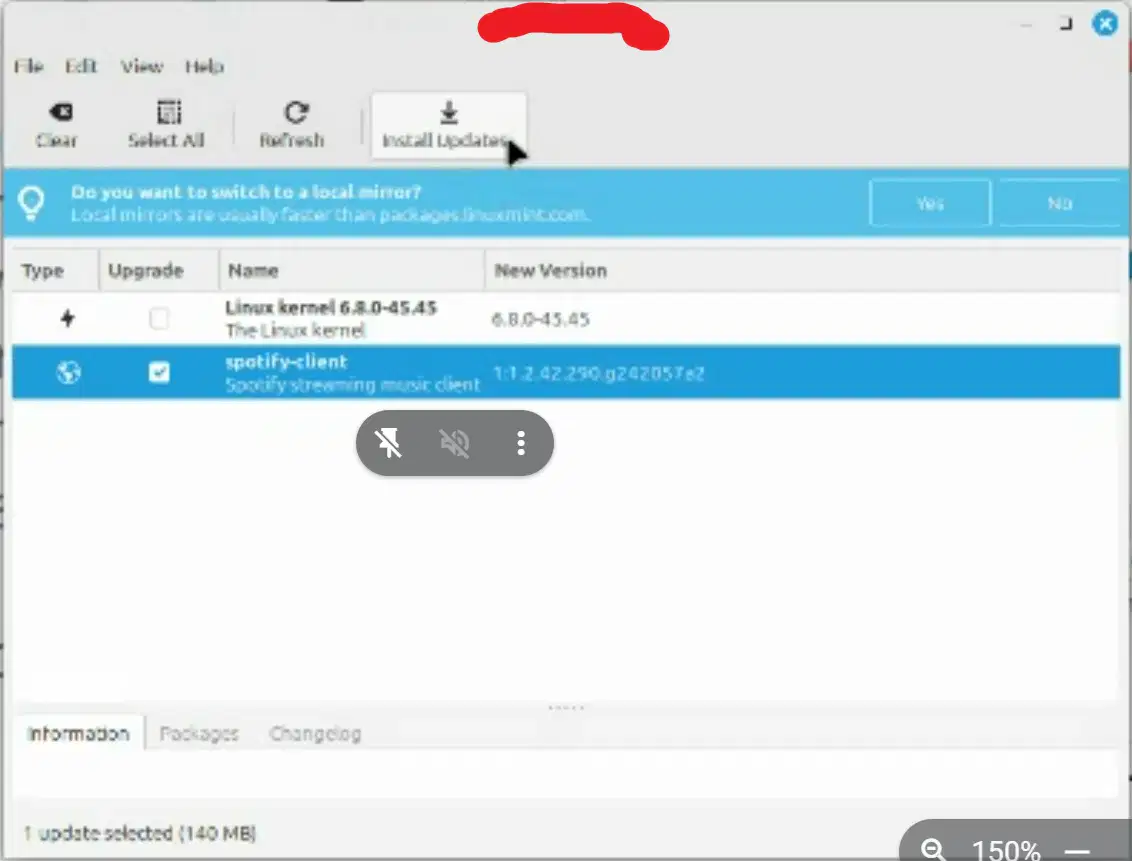
What do you call this?
Windows Update
Update Manager
Task Manager
Install Program
Shortcut Key for accessing Terminal
CTRL + ALT + K
CTRL + K
Linux Key + K
ALT + FN + K

