
 Worksheets
ICT 9 2nd Quarter Review
Total questions: 50
Worksheet time: 25mins
Ava and Michael were conducting an experiment where they noticed a discharge of electricity between two objects with different electrical potential.
Static Electricity
Ground
Circuit
Power Supply
It refers to protective clothing, helmets, goggles, or other gear designed to protect the wearer's body or clothing from injury by electrical hazards, heat, chemicals, and infection, for job-related occupational safety and health purposes.
ICT
PPE
OHS
CSS
During printer installation, Benjamin needed to protect his hands while handling some chemicals (inks). He decided to wear a covering material with a separate sheath for each finger for hand protection.
Apron
Gloves
Face Mask
Goggles
Emma is working on a project that requires her to provide a detailed description of the hardware and software components that make up a computer system.
System Specification
System Requirements
Computer System
System Description
These are the necessary specifications your computer must have in order to use the software or hardware.
System Specification
System Requirements
Computer System
System Description
It is the primary component of a computer system that performs most of the processing inside the computer. It is often referred to as the "brain/heart" of the computer because it handles the execution of instructions, performs calculations, and manages data flow within the system.
Memory Module
Hard Disk Drive
Central Processing Unit
BIOS Chip
A type of computer memory that temporarily stores data and instructions that the CPU needs to access quickly while performing tasks. It is called "random access" because any piece of data can be accessed directly, at any time, without having to go through other data first.
Random Access Memory
Read Only Memory
Central Processing Unit
BIOS Chip
(Also called clock rate) refers to the speed at which a CPU (Central Processing Unit) can execute instructions, and it is measured in hertz (Hz). It essentially determines how many cycles (operations) the CPU can perform in one second.
Cycle Speed
RAM Speed
Clock Speed
Processor Speed
(Also known as a GPU, or Graphics Processing Unit) is a specialized hardware component designed to handle the rendering of images, videos, and animations on a computer.
System Board
Network Interface Card
Video Card
Sound Card
An essential component of a computer that converts electrical power from an outlet into a usable form for the computer's internal components. This device ensures that the various parts of the computer, such as the motherboard, CPU, GPU, storage devices, and other peripherals, receive the appropriate voltage and current for their operation.
Hard Disk Drive
Network Interface Card
Power Supply Unit
Optical Drive
It is a form of very fast memory integrated into the processor chip, and used to store up instructions (work for the processor) so that it has to slow down as little as possible between tasks.
BIOS
RAM
ROM
Cache
The most modern and standard interface used for connecting storage devices, such as hard drives (HDDs), solid-state drives (SSDs), and optical drives, to a computer's system board. It replaced the older interface, offering several improvements in terms of speed, efficiency, and ease of use.
SCSI
SATA
PATA
IDE
A hardware device in a computer or other electronic system that uses laser light to read from and write to optical discs such as CDs, DVDs, and Blu-ray Discs.
Optical Drive
Hard Disk Drive
Solid State Drive
Floppy Disk Drive
A traditional storage device used in computers and other electronic devices to store data. It is a type of non-volatile storage, meaning it retains data even when the power is turned off.
Optical Drive
Hard Disk Drive
Solid State Drive
Floppy Disk Drive
It is the primary circuit board in a computer or other electronic device. It serves as the main platform that connects and allows communication between all of the computer's components.
Smart Board
Hard Disk Drive
System Board
Floppy Disk Drive
It refers to a fan located on top of processor and is responsible for cooling the heat sink attached to the processor.
CPU Fan
GPU Fan
System Fan
The most important factor in the processor to determine its performance, and refers to its basic design and complexity.
Architecture
Structure
Frond Side Bus
Cache

While working on a group project, Oliver connects his external hard drive to the computer. What computer port is shown?
USB Port
PS/2 Port
DVI Port
VGA Port
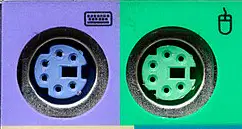
While working on a group project, Jason noticed a computer port on his friend's device. What computer port is shown?
USB Port
PS/2 Port
DVI Port
VGA Port

Which type of video connector is depicted?
USB Port
PS/2 Port
DVI Port
VGA Port
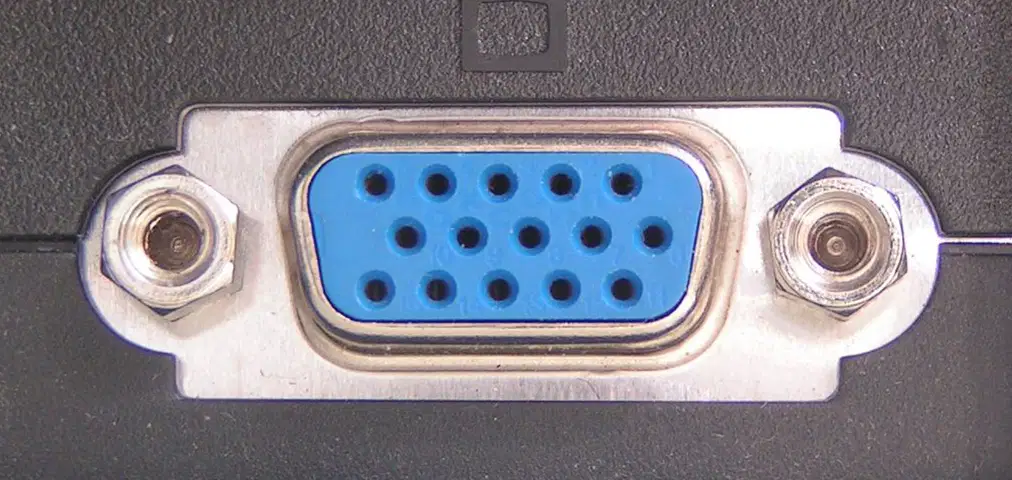
What computer port is shown?
USB Port
PS/2 Port
DVI Port
VGA Port

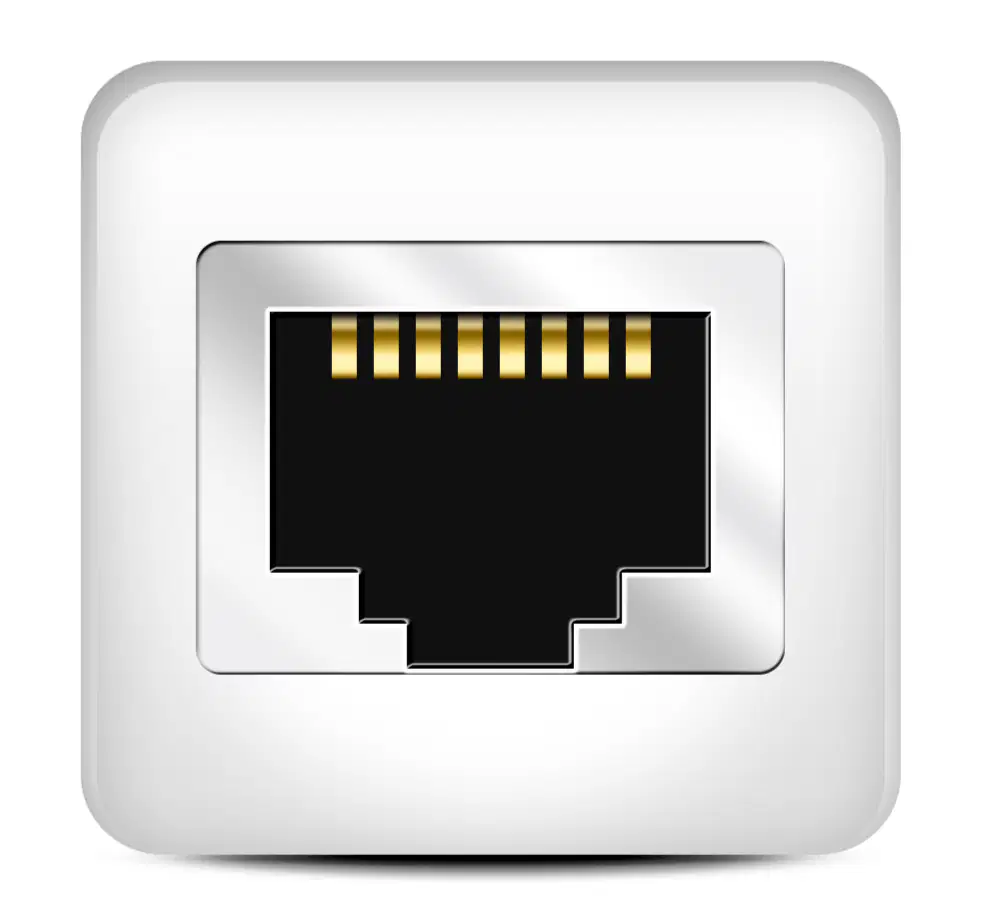
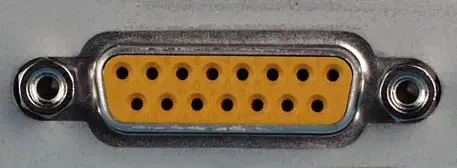
What computer port is shown?
Parallel/Printer Port
Serial Port
LAN Port
VGA Port
A widely used digital interface designed for transmitting high-quality audio and video signals between electronic devices, such as TVs, computers, gaming consoles, Blu-ray players, sound systems, and other multimedia devices.

DVI
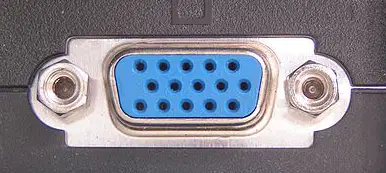
VGA
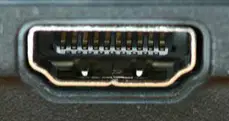
HDMI
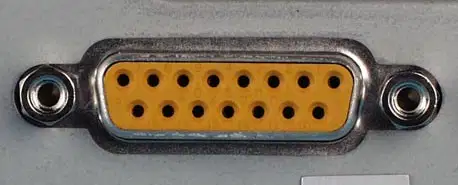
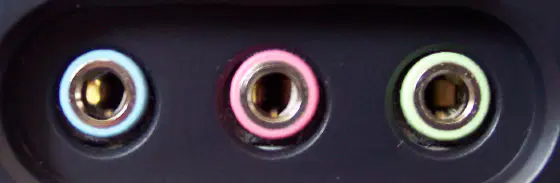
A physical connector on a device that allows the transmission of audio signals to or from the device. These ports are used to connect various audio devices, such as headphones, speakers, microphones, audio interfaces, and sound systems, to computers, smartphones, televisions, audio equipment, and more.
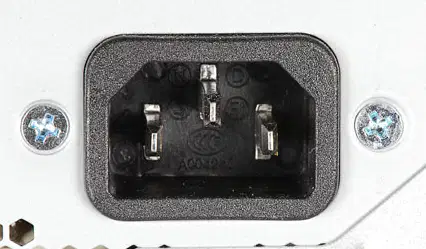
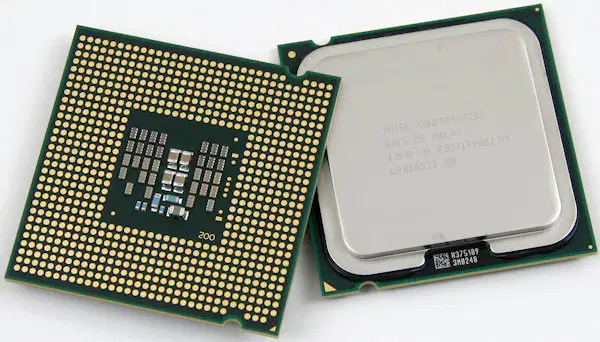
Identify what computer device/part is shown
Central Processing Unit
Random Access Memory
Read Only Memory
BIOS Chip
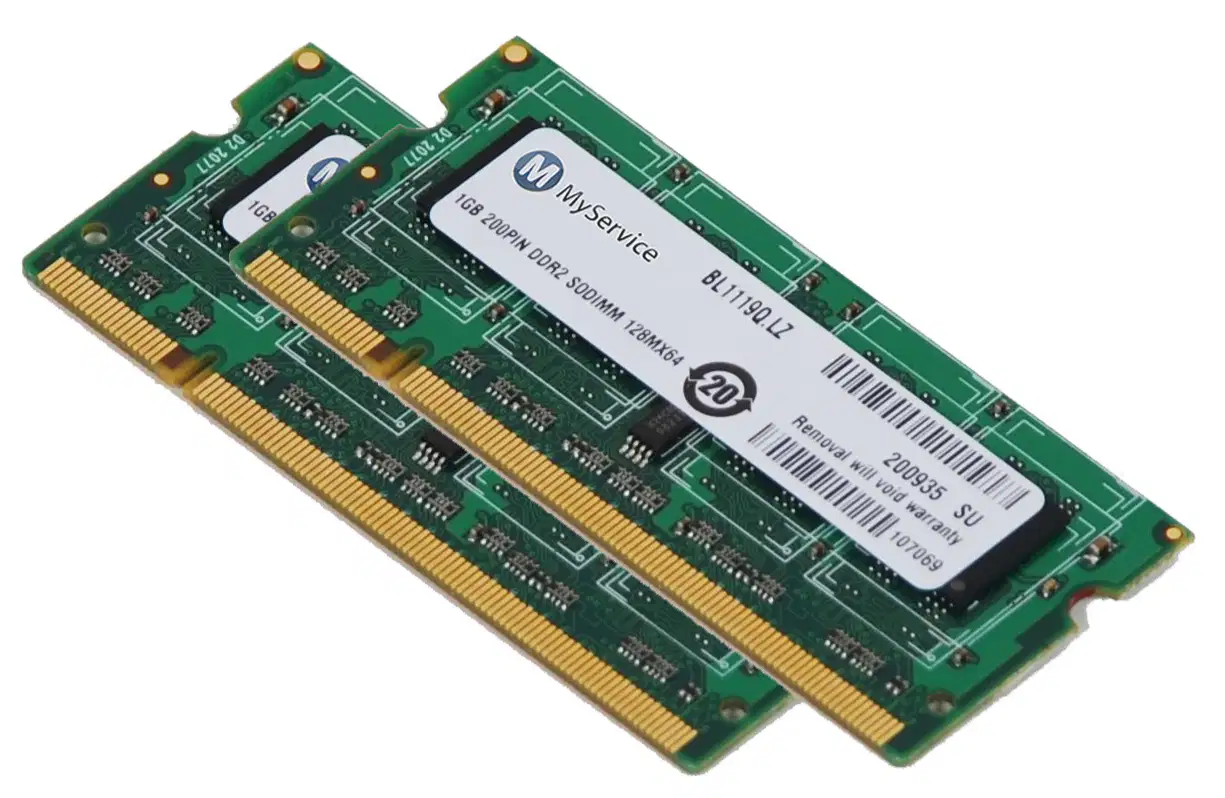
Identify what computer device/part is shown
Central Processing Unit
Random Access Memory
Read Only Memory
BIOS Chip
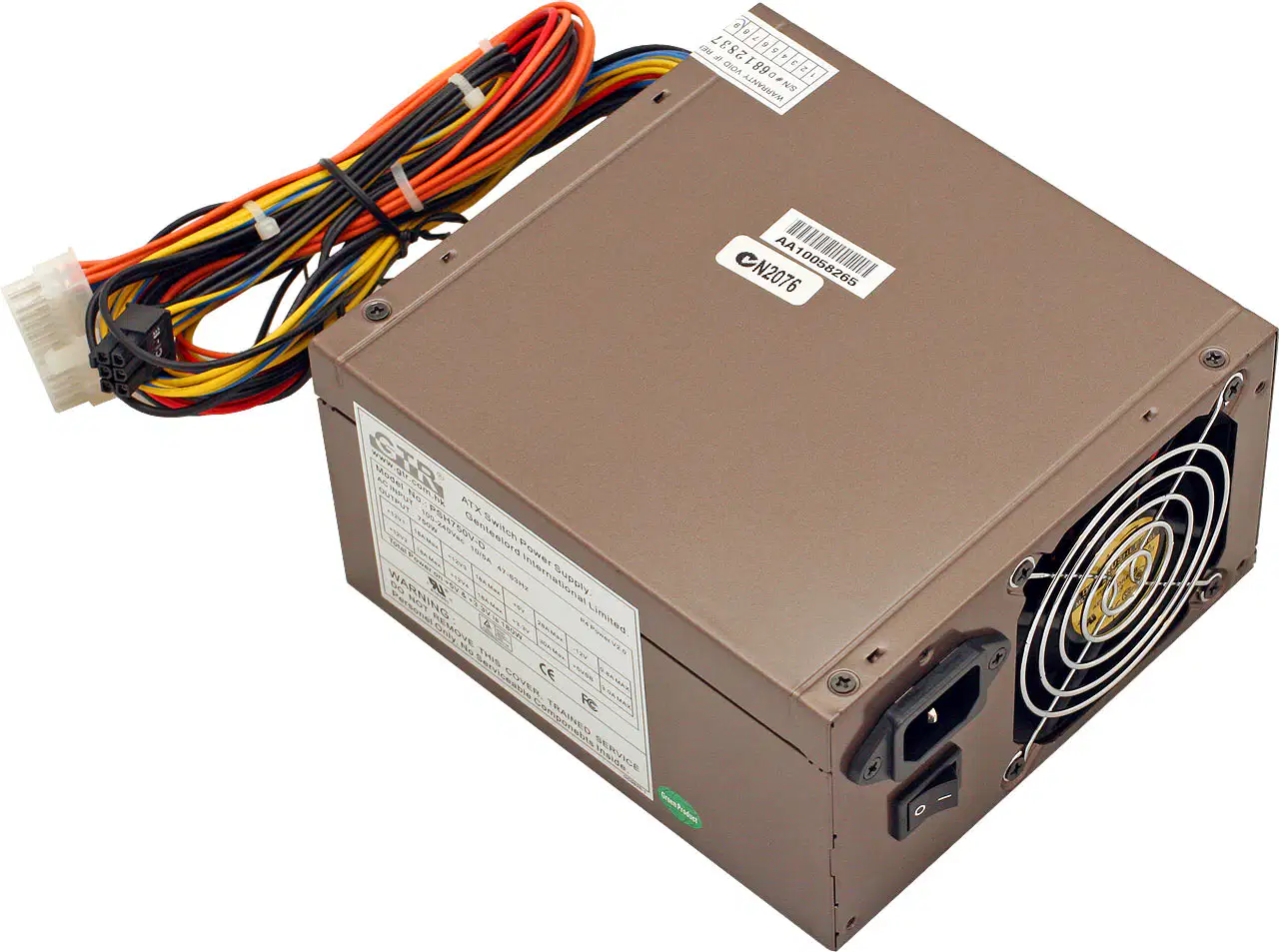
Component that converts AC to DC power
Motherboard
Power Supply Unit
Central Processing Unit
Graphics Card

Device used to access and store data on CDs and DVDs.
Optical Drive
External Hard Drive
USB Flash Drive
Network Attached Storage
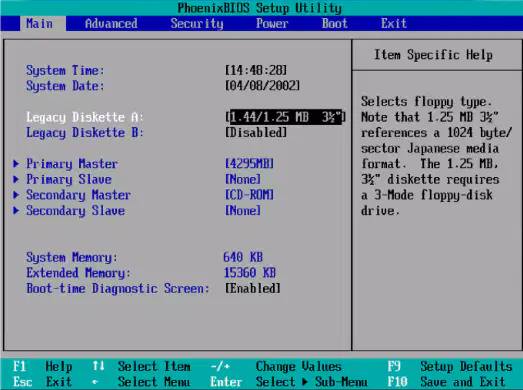
Maya is trying to access the BIOS Utility Setup on her computer. What common keys should she choose from to enter the setup?
Del. F2, F10
F10, F6
F6, Enter
F11, F12
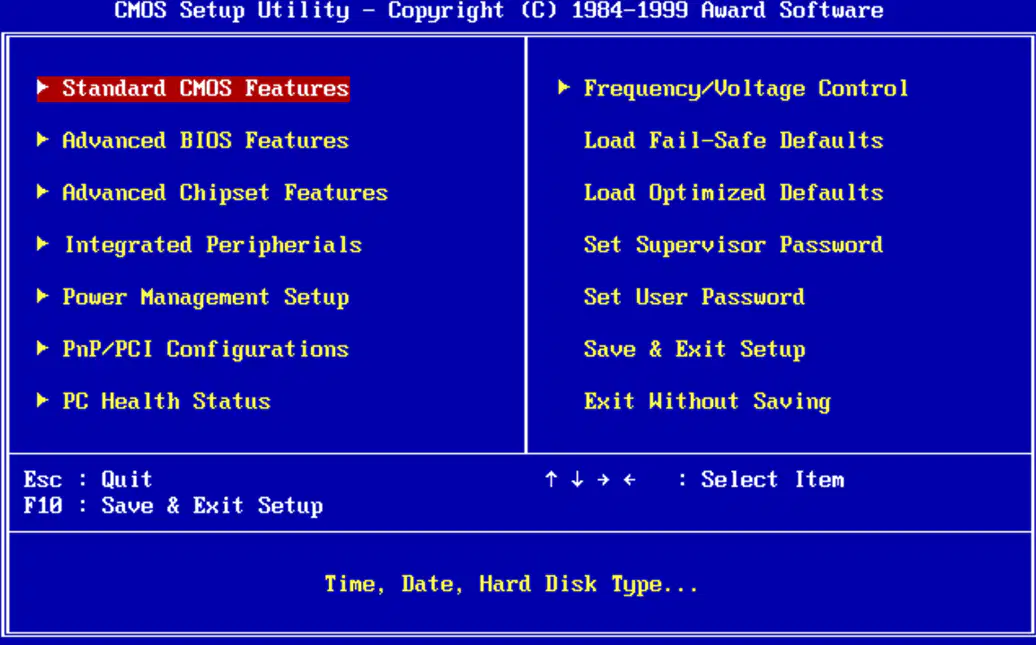
During a computer class, Alvin is trying to save the changes he made in the BIOS settings. What key should he press to save his changes?
F2
F10
F6
F11
Arnold is trying to connect his new printer to his computer. He needs a program that is used to communicate with hardware devices.
Device Driver Software
Application Software
Utility Software
Operating System Software
Evelyn is considering formatting her external hard drive. What would happen if she formats the drive?
the drive will be unusable
it will be damaged
all files will be wiped-out
files are restored
Marian is trying to install a new version of Windows on her computer. What is the main purpose of product keys on windows operating systems?
to activate the product
to change date and time
to remove viruses
to add users account
What would happen if Nathan forgot to remove the Windows installer after the first reboot?
on Windows installation especially if your installer is set to boot first in BIOS?
windows installation will loop
nothing happens
the computer restarts
the computer shuts down
Maria is setting up her new computer system for the first time. She wonders about the way the system is set up, or the assortment of components that make up the system.
BIOS
device driver
configuration
partitioning
A software stored on a CMOS chip on the system board.
BIOS
device driver
configuration
partitioning
If a device on your computer has no driver installed the best place to download the
driver is from the ___________.
device manager
device driver
device manufacturer
device organizer
Which of the following is an example of a chipset manufacturer?
How many beeps you should hear after a successful i.Fat32, NTFS
Power on Self-Test.
Daniel is trying to set up his new computer and needs to prepare and divide the disk drive for installation. What is this process called?
While installing Windows 7, your DVD/CD installer broke, what possible solution can you do to complete the process?
You are tasked to reformat / install an operating system particularly Windows 7, however, during the process of installation a problem occurred the machine / computer did not boot from USB. What would you do?
What would you install in order to make a non-plug and play hardware to work properly inside
windows?
install office
install device driver
install operating system
install antivirus

You will be asked to choose which type of installation do you want and these will be your choices:
1. Upgrade, 2. Custom (advanced). Which is true among the sentences?
Click Upgrade if you already have a previous Windows version
Click Custom (advanced) if your existing OS is corrupted and needs replacement.
Click Upgrade if your current version of your OS is Windows 7 and plans to make it Windows 10
All of the above
Arrange the following steps in installing Windows 7.
1.Expanding Windows Files
2.Installing Updates
3.Completing Installation
4.Installing Features
5.Copying Windows Files
5,1,4,2,3
5,1,2,4,3
1,5,4,2,3
1,5,2,4,3

This part of the installation process needs to be checked first before you can click the NEXT button.
I accept the agreement
I accept the license terms
I accept the license terms and agreement
None of the above
Statement I: Windows 7 is an earlier version of an operating system compared to windows XP.
Statement II: The steps in installing an operating system may or may not be strictly followed.
Statement I is true
Statements I is false.
Both statements are false.
Only statement II is correct
Statement I: Windows 7 is an earlier version of an operating system compared to windows XP.
Statement II: The steps in installing an operating system may or may not be strictly followed.
Statement I is true
Statements I is false.
Both statements are false.
Only statement II is correct

