
NEW
Font size
 Worksheets
Computer Fundamentals Quiz
Total questions: 47
Worksheet time: 25mins
What is the purpose of utility programs?
To create files
To organize and manage data
To delete important documents
To increase computer speed
Which of the following is a benefit of good file management?
Increases clutter on your desktop
Decreases computer speed
Helps organize and find files easily
Reduces the need for backups
What is a root directory?
A folder that contains viruses
The top folder in a computer that stores startup files
A program used to delete files
A file compression tool
How can you identify a compressed folder?
It has a "zipper" icon on it
It is colored red
It is larger in size
It has a lock icon
Why is preventive maintenance important for a computer?
It ensures the computer is always turned off
It extends the life and operation of the computer
It makes the computer run slower
It increases the number of viruses
Which of the following is NOT a type of malware?
Virus
Trojan
Folder
Spyware
What is the main function of a firewall?
To compress files
To organize files
To protect against unauthorized access
To delete old files
What is the advantage of using cloud storage?
Limited accessibility
Remote maintenance and backup
Higher cost compared to physical drives
Requires no internet connection
Which of the following is a common file management utility?
Antivirus software
Disk defragmenter
Web browser
Text editor
What should you do with unused files to maintain computer efficiency?
Keep them on the desktop
Delete or archive them
Rename them regularly
Share them online
What does file compression do?
Increases file size
Deletes files permanently
Makes files smaller for storage and transfer
Changes file formats
Which of the following backup methods is NOT recommended?
Regularly using cloud services
Using a single flash drive
Backing up on multiple devices
Automatic backups
What is the danger of not having a backup plan?
Files are always safe
Risk of permanent data loss
Increased computer speed
Improved file organization
What type of malware pretends to be a safe program?
Spyware
Virus
Trojan
Worm
What is the purpose of defragmenting a hard drive?
To delete files
To organize files for faster access
To compress files
To encrypt data
Which of the following is NOT a cloud storage service?
Dropbox
OneDrive
Google Drive
Microsoft Word
How often should you empty the recycle bin?
Once a year
Never
Regularly to free up space
Only when the computer crashes
What is a common sign of a computer virus?
Faster performance
Unexpected pop-ups and errors
Increased storage space
Improved internet speed
What is the purpose of a backup?
To permanently delete files
To duplicate files for safety
To increase file size
To share files with others
Which tool helps prevent data loss from hardware malfunction?
Antivirus software
Backup programs
File compression software
Web browsers
To copy information to your computer from another location, like the internet.
upload
download
toolbar
template
Which Keyborad shortcut can you use to save a file?
CTRL + S
CTRL + V
CTRL + X
CTRL + Z
When storing a file, which option will save the file in a different place with a different name?
SAVE
SAVE AS
How can viewing the path for a folder or file be helpful?
It tells you which drive the file or folder is stored on.
It tells you whether the file or folder is stored on a network.
It tells you the name of the folder and how many levels you must go through to get to it.
Any of the above.
Where do we save to ensure our work doesn't get deleted when out computer restarts?
the desktop
download folder
creative cloud files
What is a folder inside another folder called?
Infolder
Super folder
Sub folder
Small folder
What does RENAME means?
Delete the name
Change the name
Which is a valid Pages parameter value for printing pages 2 thru 5, page 7, and page 9 out of a 10 page document?
2 thru 5, 7, 9
2-5; 7; 9
2 thru 5; 7; 9
2-5, 7, 9
What is a virus as it relates to computer?
An illness passed on to computer programmers
A device that will increase a computer's memory.
a type of code used to create prgrams
a type of malicious code or program written to alter the way a computer operates
What can make your computer "sick"?
Influenza
Computer Viruses
Antivirus Software
Hot Temperatures
What does antivirus software do?
It tries to gain unauthorized access to your personal information.
It prevents webpages from displaying ads.
It scans your computer to remove any viruses it finds.
It cures the common cold
What does backing up a file mean?
Deleting the original file after copying it to another location
Creating a shortcut to the file in a different location
Making a copy of the file in another location
Moving the file to a new location and leaving no copies behind
Which of the following is a common method for backing up data?
Defragmentation
Cloud Backup
Disk Cleanup
Software Update
Which of the following is an example of a physical data backup method?
Google Drive
External Hard Drive
iCloud
OneDrive
What is the primary purpose of data backup?
To increase internet speed
To prevent unauthorized access
To recover data in case of loss
To enhance computer performance
Which of the following is a benefit of using cloud storage for data backup?
Data is stored locally
Data is inaccessible without internet
Data is protected from local hardware failures
Data is only accessible on one device
The cloud allows you to ________.
access your email from any computer with an Internet connection
easily bring your files with you
automatically back up your data
do all of the above

For your school files, you don't need a secondary storage device because Google saves all your files automatically on your Google drive. True or False?
True
False

When you save information on Google Drive, where does it go?
Cloud
Dr. Galiana's office
CD-ROM
USB Drive
An Internet-based storage system. It can be accessed anywhere there is an Internet connection. It can be used to share data.
Cloud
Driver
Hardware
HTTP
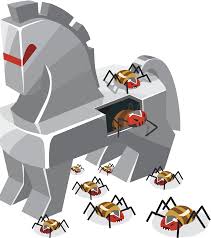
What is a Trojan virus?
A story from Greek mythology
Something that can break your computer
When you download an app and it's actually a virus
A virus only made by hackers
The _____ type of malware, that secretly collects personal information and sends it to a third party.
Worm
Toolbar
Homepage hijacker
Spyware

