
 Worksheets
Computer Basics & Engineering Quiz
Total questions: 21
Worksheet time: 12mins
What is a Computer?
A device that can store, retrieve, and process data
A type of software used in engineering
A peripheral device
An operating system
What is the difference between hardware and software?
Hardware is the physical parts of a computer, while software is the instructions that tell the hardware what to do
Hardware is software that requires powerful hardware to run
Software is the physical parts of a computer, while hardware is the instructions that tell the software what to do
There is no difference between hardware and software
What are the types of computers and operating systems mentioned?
PCs and Macs; Windows and macOS
Desktops and Laptops; Linux and Unix
Tablets and Smartphones; Android and iOS
Servers and Mainframes; DOS and OS/2
What is the role of applications and web apps in engineering?
Applications perform specific tasks, while web apps run in a browser or cloud
Applications are only used for gaming, while web apps are used for engineering
Web apps are more powerful than desktop apps
Applications are used for communication, while web apps are used for storage
What are peripherals and ports?
Peripherals are devices connected to a computer, and ports are connection points
Peripherals are software applications, and ports are network connections
Peripherals are internal components, and ports are external devices
Peripherals are storage devices, and ports are power sources
What are the internal parts of a computer?
Motherboard, CPU, RAM, Hard drive/SSD, Power supply, Expansion cards
Monitor, Keyboard, Mouse, Printer, Speakers
Operating System, Applications, Web Apps, Cloud Storage
ISP, Mbps, Web Browsers, Internet
What is the importance of file systems and storage in engineering?
Organizing files into drives and folders prevents lost projects
File systems are only used for gaming
Storage is not important in engineering
File systems are used to connect peripherals
What is the cloud and its benefits?
The cloud is storage and software accessed over the Internet; benefits include convenience, reliability, and accessibility
The cloud is a type of hardware used for storage
The cloud is a software application for gaming
The cloud is a peripheral device for data transfer
What are common computer maintenance and protection strategies?
Cleaning, using antivirus software, avoiding malware, and backing up files
Only using the computer during the day
Installing more software applications
Disconnecting from the Internet
What are some common troubleshooting strategies?
Restart the program or computer, check connections and power, use process of elimination, use built-in help or search online
Only restart the computer
Install new software
Disconnect all peripherals
What are accessibility features and their importance?
Features that help people with disabilities use technology, such as text-to-speech and speech recognition
Features that increase computer speed
Features that enhance graphics
Features that improve sound quality

What does CPU stand for?
Control Processing Unit
Central Processing Unit
Central Power Unit
Center Power Unit

Which of these is an example of Computer Hardware?
Google Chrome
Microsoft Windows
MacOS
Keyboard

This device is called the ______________.
monitor
mouse
keyboard
CPU
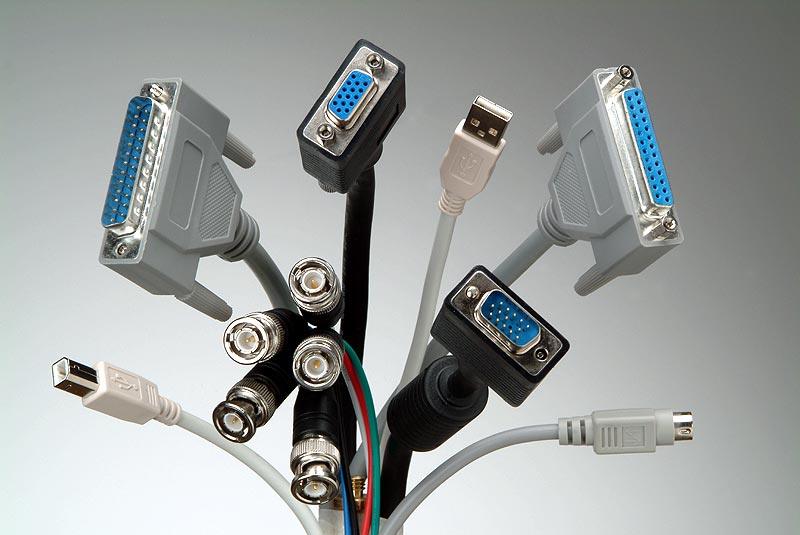
A place to connect something to a computer.
Port
Keyboard
Monitor
Hard Drive
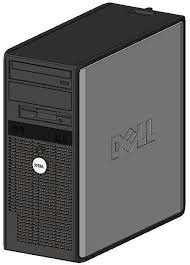
The part of a desktop PC that holds the computer components.
Tower
PC
Monitor
Hardware
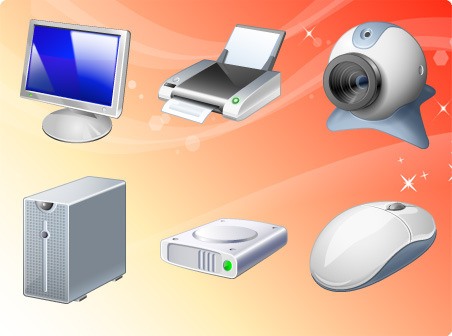
Any physical component of a computer.
Hardware
Keyboard
Mouse
Output

Hardware is the physical part of a computer
True
False
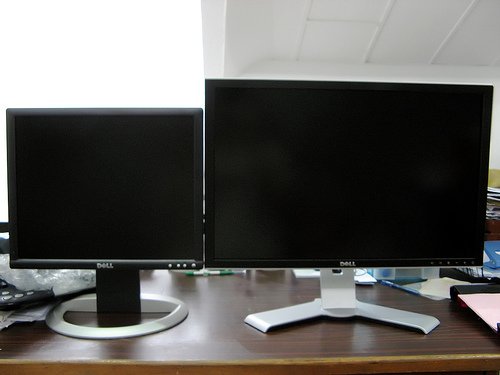
A screen for a computer.
Monitor
Tower
PC
Hardware

This is...
Hardware
Software

What is the name of the Picture?
CPU
Keyboard
Monitor
Mouse

